Repository navigation
[EPIC] Feedback Widget for React Native #4302

Description

Sentry currently offers only Feedback API for React Native applications and the widget to collect feedback needs to be implemented by the app developers. The goal of this task is to provide pre-made widget, which can be directly used in React Native applications.
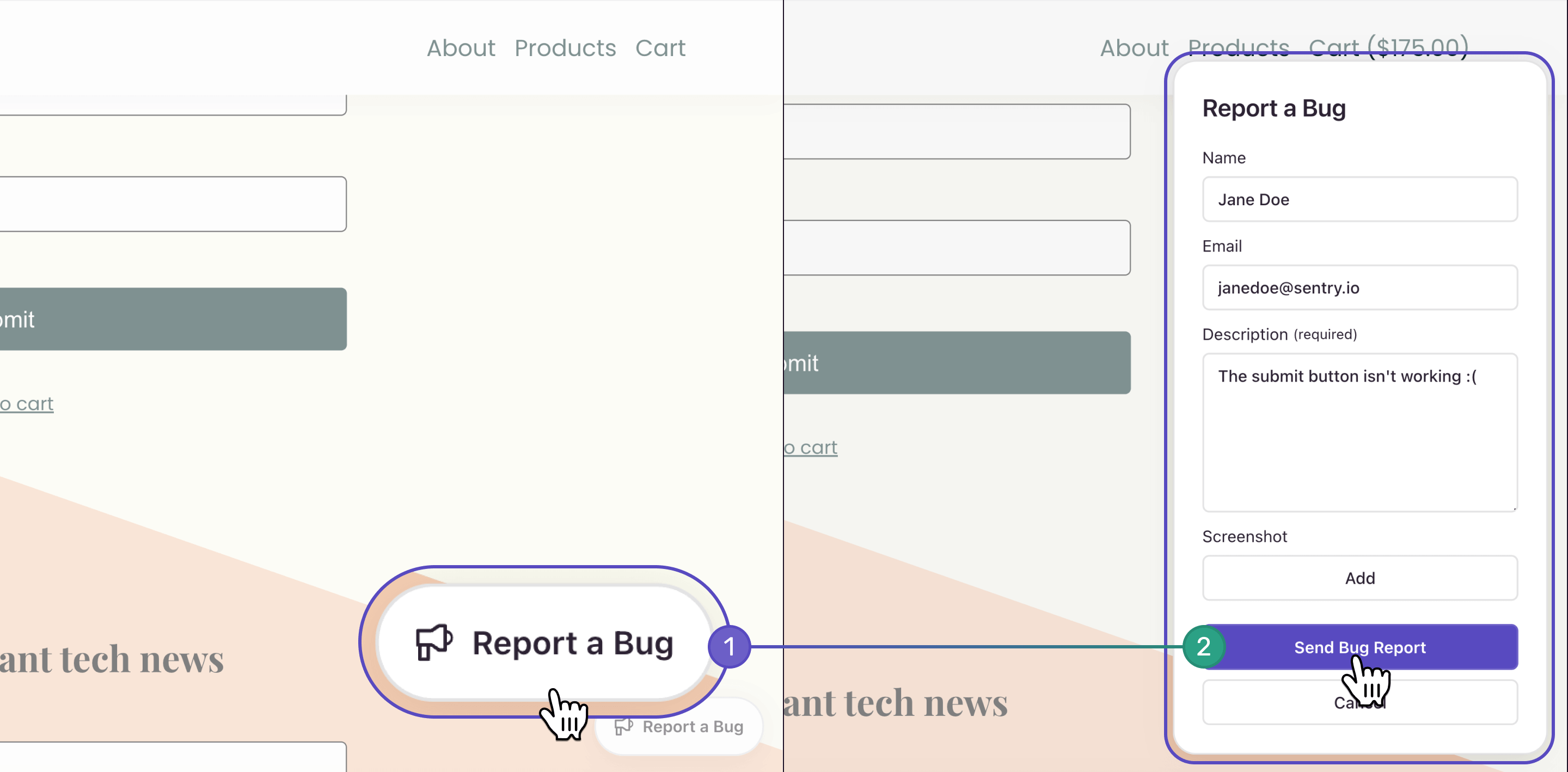
Current browser widget docs.
Current React Native Feedback api docs.
Example React Native implementation in Sentry Demo app
Tasks Overview
Feature Branch /feedback-ui
Feature Branch /feedback-ui-2
Currently in progress for GA release
- Support themes (light/dark mode) feat(feedback): Theming #4677
- Take screenshot button in the UI feat(feedback): Screenshot button #4714
- Review Accessibility - VoiceOver (iOS) and TalkBack (Android) [EPIC] Feedback Widget for React Native #4302 (comment)
- Add feedback widget to wizard (ask user if they would like to setup Feedback widget) feat(react-native): Add Feedback Widget step sentry-wizard#969
- Add Feedback Auto-Inject E2E test (maestro flow) test(e2e): Adds Feedback Widget Maestro E2E tests #4604
GA tasks
Post GA Features
- Show Report Feedback on Shake #4735
- Show Report button when screenshot taken #4736
- Feedback screenshots annotations #4737
Done
- feat(feedback): Report a Bug button #4378
- RN: Add feedback widget documentation sentry-docs#12503
- Fix Expo Web issues feat(feedback): Support web environments #4558
- RN: Updates capture feedback documentation sentry-docs#11980
- Feedback UI: Use Image Picker libraries from integrations #4524
- Add new captureFeedback API to RN SDK #3859
- Implement basic capture feedback form UI #4336
- Add attachment/screenshot handling in the feedback form UI #4337
- Handle feedback form submision errors #4359
- (1) feat: Add Feedback Form Component #4328 (comment)
- Feedback Form: Show success toast #4356
- Update Set Up User Feedback documentation #4319
- Autoinject feedback widget #4483
- fix: Disable movement/scroll only in overflow (iOS only issue)
- feat: Add pull down to cancel feat(feedback): Pull down to cancel #4534
- feat: [design] Add rounded corners and the appearance of a sheet with a darkened top
- feat: Save form content when closed, failed (reopening the form keeps the content), only clear after sent feat(feedback): Save form state for un-submitted data #4538
- Show selected screenshot thumbnail/preview in the UI feat(feedback): Show selected screenshot #4545
Activity
[-]Feedback Widget for React Native[/-][+][EPIC] Feedback Widget for React Native[/+]krystofwoldrich commentedon Jan 30, 2025
Disable movement/scroll (example in the video below) (allow only in overflow)
Happens only on iOS
Simulator.Screen.Recording.-.iPhone.16.-.2025-01-29.at.16.24.52.mp4
krystofwoldrich commentedon Jan 30, 2025
Add rounded corners and the appearance of a sheet with a darkened top. See the example below.
Let's do this if possible just with styles.
Let's do this for both Android (can be different than iOS, but since Android is diverse we won't be able to match all versions) and iOS (the radius should match the native views) (and Web).
krystofwoldrich commentedon Feb 10, 2025
The two most popular libraries for image pickers in the RN ecosystem are https://www.npmjs.com/package/react-native-image-picker and https://www.npmjs.com/package/expo-image-picker.
Instead of guiding users on how to use the image picker libraries and how to hook them into the Sentry Feedback Widget, we could introduce a simpler interface, in which the Sentry Feedback Widget accepts the library object and calls it's APIs.
Example:
React Native Image Picker
Expo Image Picker
antonis commentedon Feb 14, 2025
Note: We also need to check if (similar to iOS) the permissions needed for accessing photos create complications.
krystofwoldrich commentedon Feb 14, 2025
This is not an issue for the RN SDK, because we don't access any of the native API, but the image picker libraries we integrate with do.
krystofwoldrich commentedon Feb 14, 2025
I noticed two bugs on Expo Web.
The inputs immediately lose focus after clicking on them.
The image picker on web returns
data:,uri.It would be nice to support it on the Web, we can use the browser APIs to convert the base64 to UintArray, the rest of the form works perfectly.
antonis commentedon Feb 17, 2025
Makes sense 👍 Probably we can add a note in the documentation as a reminder on this.
Thank you for reporting @krystofwoldrich 🙇 I'll iterate with a fix on those 🤞
antonis commentedon Feb 21, 2025
Reopening to track down the tasks after the beta release.
4 remaining items
RN: Adds feedback button doc (#13512)
RN: Adds feedback widget theme documentation (#13513)
RN: Adds screenshot button documentation (#13515)
RN: Adds feedback button doc (#13512)
RN: Adds feedback widget theme documentation (#13513)
RN: Adds screenshot button documentation (#13515)
RN: Adds feedback button doc (#13512)
RN: Adds feedback widget theme documentation (#13513)
RN: Adds screenshot button documentation (#13515)