
Extremely minimal "native" stylesheet/setup for Web Extensions’ options pages (also dark mode)
It's meant to look as native as possible, invisible. webext-base-css is what browsers should offer by default.
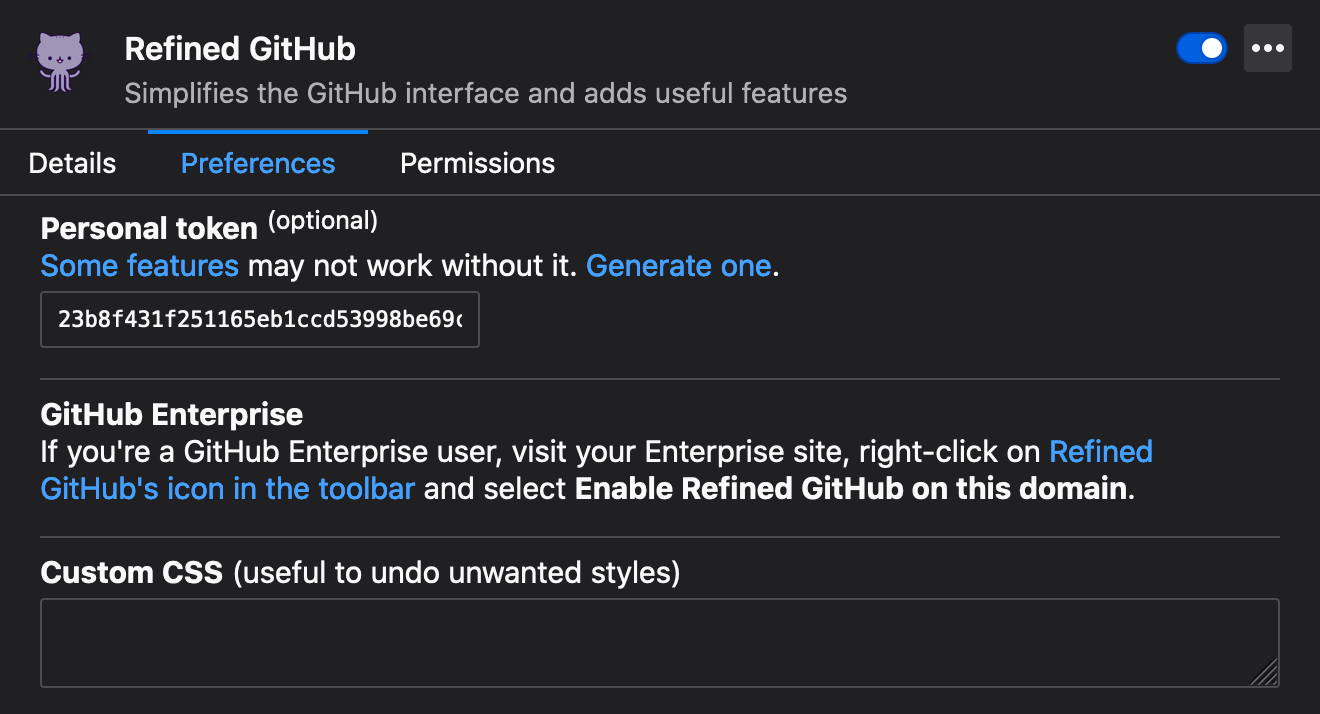
Look at the demo options.html for the suggested markup (it's basic and not really enforced.)
| Demo: Chrome with light theme | Firefox with dark theme |
|---|---|
 |
 |
Download the stylesheet manually or use npm:
npm install webext-base-css<link rel="stylesheet" href="webext-base.css">
<link rel="stylesheet" href="your-own-stylesheet-if-necessary.css">And in your manifest.json:
{
	"options_ui": {
		"page": "options.html",
	}
}
💡 Tip: Also use webext-options-sync to manage and autosave your extension's options.
Depending on how your bundler is configured, you might be able to use one of these to import the module directly from node_modules. If you have issues or have a better solution, please send a PR or open an issue.
<!-- From options.html -->
<link rel="stylesheet" href="./node_modules/webext-base-css/webext-base.css">
// From options.js
import 'webext-base-css';/* From options.css or .scss */
/* Pick one, it depends on your bundler/config */
@import 'webext-base-css';
@import '~webext-base-css';
@import '~webext-base-css/webext-base.css';
@import 'npm:webext-base-css'; /* Parcel */
@use 'webext-base-css';Here's a minimal but full options.html example page:
<!doctype html>
<meta charset="utf-8">
<title>Options</title>
<link rel="stylesheet" href="webext-base.css">
<link rel="stylesheet" href="options.css">
<form>
	<p>
		<label for="name">Name</label><br>
		<input type="text" id="name" name="name" spellcheck="false" autocomplete="off" required/>
	</p>
	<p>
		<label>
			<input type="checkbox" name="logging">
			Show the features enabled on each page in the console
		</label>
	</p>
</form>
<script src="options.js"></script>There are some extra classes you can use:
.text-monospaceideal for for<input>and<textarea>to have a monospace fontwebext-base-css-modalcan be applied to HTML if you have a small options page but don't want to useoptions_ui. See the what it looks like.
- Use the
<input size="10">to define the width ofinputfields, or else they're now set to100%by default. - Use
<link rel="stylesheet" href="chrome://global/skin/in-content/common.css">if you want to use Firefox's native style, but this means you'll have to handle the inconsistencies between web browsers. This used to be included inwebext-base-cssv1.
- webext-options-sync - Helps you manage and autosave your extension's options
- webext-storage-cache - Map-like promised cache storage with expiration. Chrome and Firefox
- Awesome-WebExtensions - A curated list of awesome resources for WebExtensions development.
- More…