Failed to find assets path for "Frameworks/App.framework/flutter_assets" from flutter module #94481

Description

I'm having some issue only with the add to app scenario where an existing module is failing to load with error message "Failed to find assets path for "Frameworks/App.framework/flutter_assets". I found that this happened a lot before with others but seemed like the team fixed it lately. However, it still appeared for me for a previously functional module under the latest "stable" channel (and "master") of flutter. Below are the techical details for your reference:
flutter doctor -v
[✓] Flutter (Channel stable, 2.5.3, on macOS 12.0.1 21A559 darwin-x64, locale en-GB)
    • Flutter version 2.5.3 at /Users/asengupta/Development/FlutterSDK/flutter
    • Upstream repository https://github.com/flutter/flutter.git
    • Framework revision 18116933e7 (7 weeks ago), 2021-10-15 10:46:35 -0700
    • Engine revision d3ea636dc5
    • Dart version 2.14.4

[✓] Android toolchain - develop for Android devices (Android SDK version 30.0.2)
    • Android SDK at /Users/asengupta/Library/Android/sdk
    • Platform android-31, build-tools 30.0.2
    • ANDROID_HOME = /Users/asengupta/Library/Android/sdk
    • Java binary at: /Applications/Android Studio.app/Contents/jre/Contents/Home/bin/java
    • Java version OpenJDK Runtime Environment (build 11.0.10+0-b96-7281165)
    • All Android licenses accepted.

[✓] Xcode - develop for iOS and macOS
    • Xcode at /Applications/Xcode.app/Contents/Developer
    • Xcode 13.1, Build version 13A1030d
    • CocoaPods version 1.11.2

[✓] Chrome - develop for the web
    • Chrome at /Applications/Google Chrome.app/Contents/MacOS/Google Chrome

[✓] Android Studio (version 2020.3)
    • Android Studio at /Applications/Android Studio.app/Contents
    • Flutter plugin can be installed from:
      🔨 https://plugins.jetbrains.com/plugin/9212-flutter
    • Dart plugin can be installed from:
      🔨 https://plugins.jetbrains.com/plugin/6351-dart
    • Java version OpenJDK Runtime Environment (build 11.0.10+0-b96-7281165)

[✓] VS Code (version 1.62.3)
    • VS Code at /Applications/Visual Studio Code.app/Contents
    • Flutter extension version 3.28.0

[✓] Connected device (6 available)
    • Redmi 4 (mobile)       • 6b90d397d440                             • android-arm64  • Android 7.1.2 (API 25)
    • Ayan’s iPhone (mobile) • 4c5147f0659468f98e0102e8a0d2673d5d7ca141 • ios            • iOS 15.1 19B74
    • iPhone 8 (mobile)      • C52B73E0-8DD3-4DE3-98B5-8297D3077B5A     • ios            • com.apple.CoreSimulator.SimRuntime.iOS-15-0 (simulator)
    • iPhone 12 (mobile)     • 365C1886-D896-4391-9E30-8EE8260D0452     • ios            • com.apple.CoreSimulator.SimRuntime.iOS-15-0 (simulator)
    • macOS (desktop)        • macos                                    • darwin-x64     • macOS 12.0.1 21A559 darwin-x64
    • Chrome (web)           • chrome                                   • web-javascript • Google Chrome 96.0.4664.55
    ! Error: Ayan’s iPhone is busy: Fetching debug symbols for Ayan’s iPhone. Xcode will continue when Ayan’s iPhone is finished. (code -10)
    ! Error: Ayan’s NGS iPhone is not connected. Xcode will continue when Ayan’s NGS iPhone is connected. (code -13)

• No issues found!
Xcode version: 13.1
Cocoapods version: 1.11.2
What I have tried so far:
1. Cleaning flutter module with `flutter clean` and reapplying `flutter pub get` followed by `pod install --clean-install`
2. Cleaning host Xcode app and rebuilding.
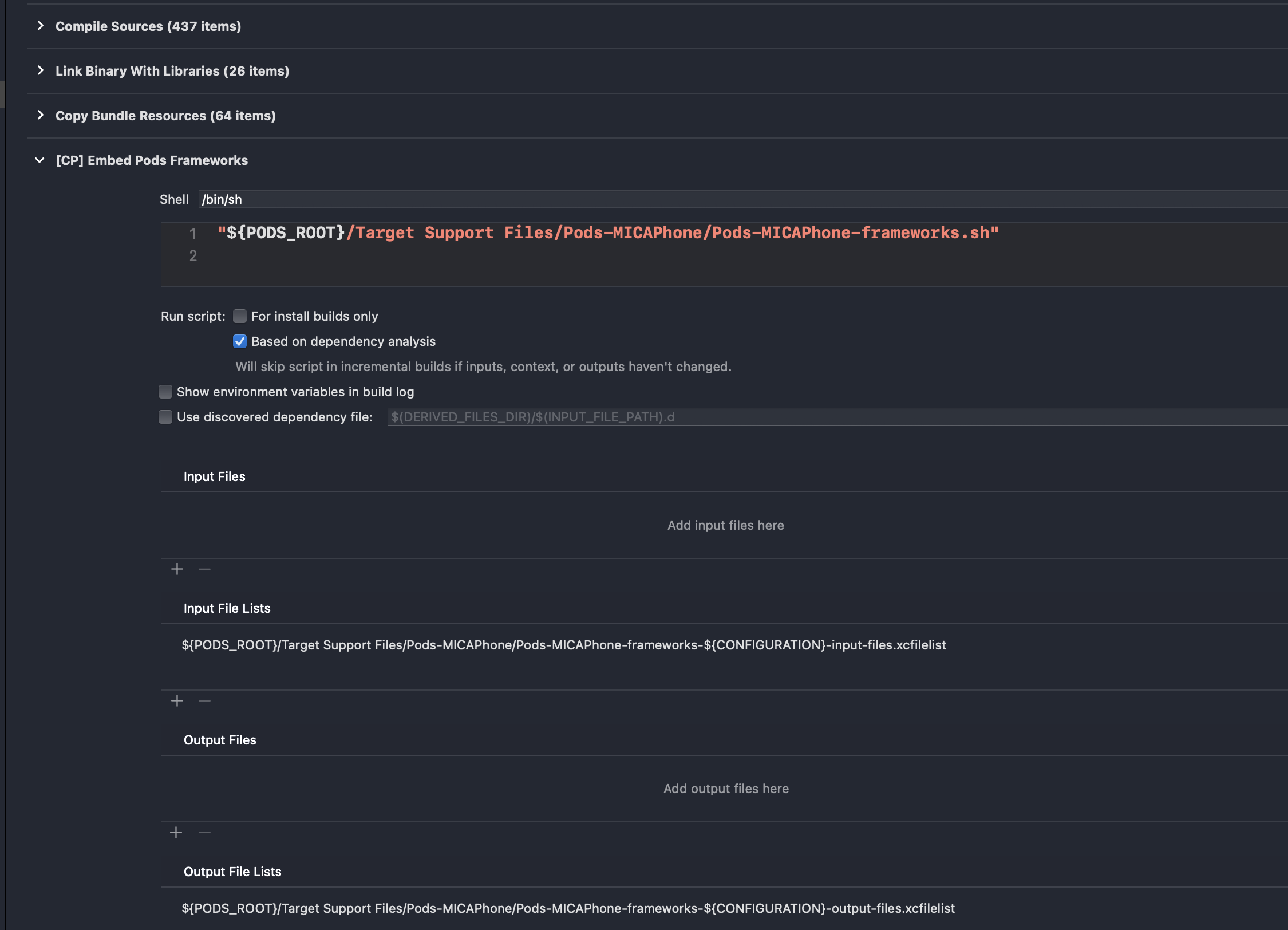
3. Checked build phases of the host Xcode target and Runner target and verified both of them are showing expected settings


4. Deleting the content of the .ios folder and repairing the module with `flutter create -t module .`
5. Switching to master channel from stable and back. Didn't work on both.
When I investigated further I found:
1. The App.framework is being produced properly in the build directory on workspace build with relevant flutter_assets subfolder.
2. However, it is not being embedded into the app bundle. I checked the Frameworks folder under the generated app bundle and no App.framework was there though it has the Flutter.framework in place.
3. I then checked the "Targets Support Files/Pods-<myappname>/Pods-<myappname>-frameworks.sh" under the "Pods" project of my app and confirmed that there is no "App.framework" listed under the list of embeddable frameworks though I noticed the "Flutter.framework" was there.
So it seems like to me that add to app scenario is somehow failing to embed the App.framework at least under my setup. Can you guys please let me know what I might be missing?