[Web] [Video_Player] Rendering regression #88688

Description

Greetings,
I have been digging into a couple of rendering regressions around video_player / html element views that have creeped in since the current stable 2.2.3.
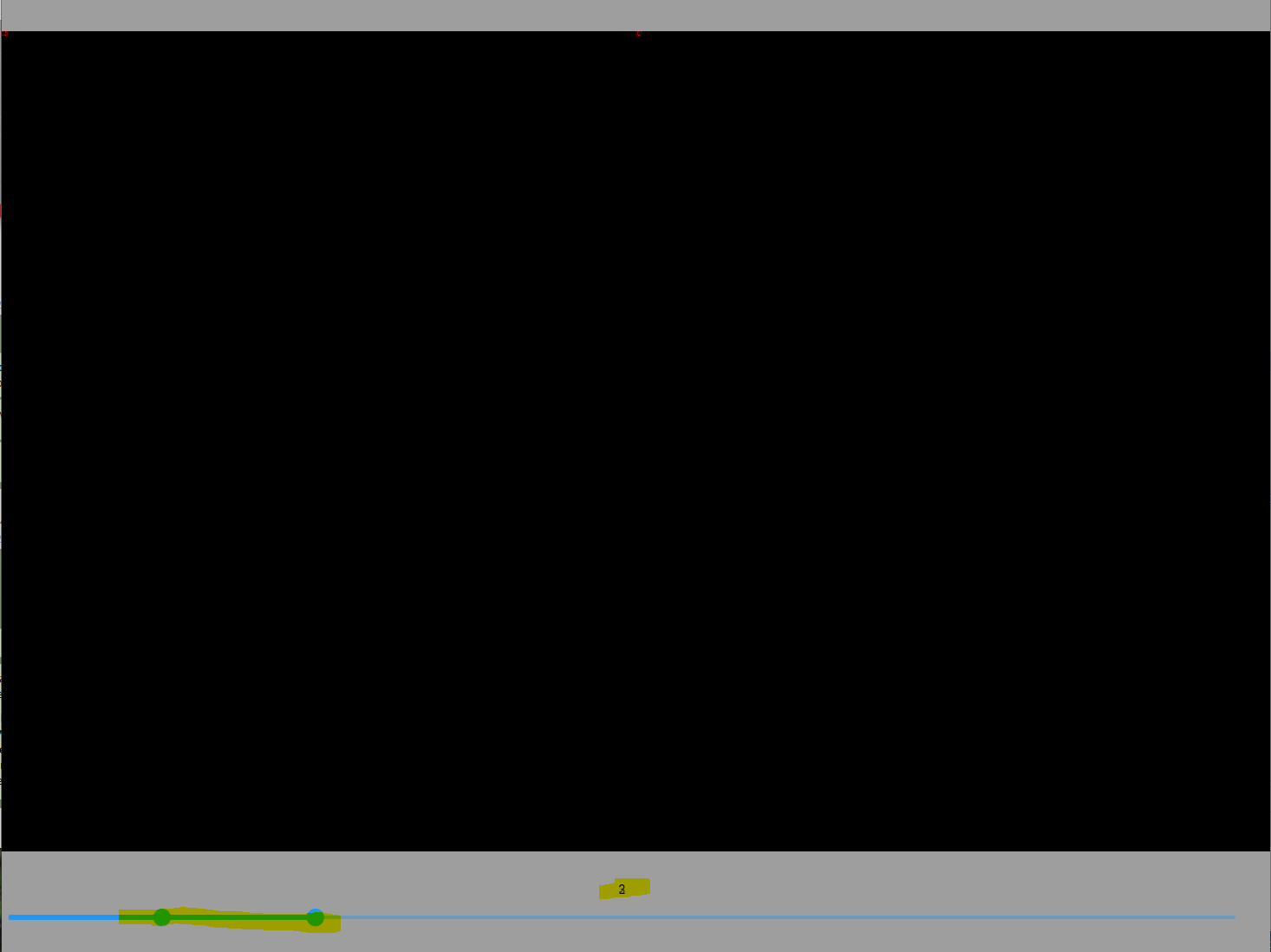
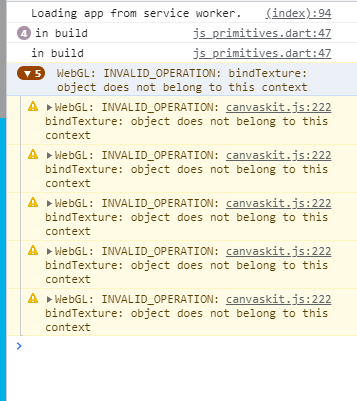
This one causes widgets to not render correctly once a video_player is present on the screen once (not even played or full screen). It appears that the Web GL messages are a generic error related to several different commits and with different timelines so for me this is not a duplicate of 86809 as it was introduced recently with a specific commit and not the more general case.
Working:
2.2.3 stable and
2.3.0-24.0.pre is not affected
2.4.0-0.0.pre
flutter-2.4-candidate.1
flutter-2.4-candidate.2
Broken:
*2.4.0-4.0.pre - dragging around the window size draws all sorts of things. And exit from full screen.
And broken all the way to current master 2.5.0-7.0.pre.187
Trigger:
*Just show a video_player on the screen
Issues:
*Black screen on resizing
*Widgets overwriting each other
Expected:

Actual upon page changes or resizing:

Files to recreate:
main.dart.txt
index.html.txt
churn.pdf
pubspec.yaml.txt
flutter doctor
[√] Flutter (Channel master, 2.5.0-7.0.pre.187, on Microsoft Windows [Version 10.0.17763.2114], locale en-IE)
    • Flutter version 2.5.0-7.0.pre.187 at C:\Code\flutter
    • Upstream repository https://github.com/flutter/flutter.git
    • Framework revision 05bfbbfbec (7 hours ago), 2021-08-22 21:37:03 -0400
    • Engine revision 710af46d53
    • Dart version 2.15.0 (build 2.15.0-42.0.dev)

[√] Android toolchain - develop for Android devices (Android SDK version 30.0.3)
    • Android SDK at C:\Users\Omega\AppData\Local\Android\sdk
    • Platform android-30, build-tools 30.0.3
    • Java binary at: C:\Program Files\Android\Android Studio\jre\bin\java
    • Java version OpenJDK Runtime Environment (build 11.0.8+10-b944.6842174)
    • All Android licenses accepted.

[√] Chrome - develop for the web
    • CHROME_EXECUTABLE = C:\Code\FlutterTesting\ChromeCORS.bat

[√] Android Studio (version 2020.3)
    • Android Studio at C:\Program Files\Android\Android Studio
    • Flutter plugin can be installed from:
       https://plugins.jetbrains.com/plugin/9212-flutter
    • Dart plugin can be installed from:
       https://plugins.jetbrains.com/plugin/6351-dart
    • Java version OpenJDK Runtime Environment (build 11.0.8+10-b944.6842174)

[√] VS Code (version 1.59.1)
    • VS Code at C:\Users\Omega\AppData\Local\Programs\Microsoft VS Code
    • Flutter extension version 3.25.0

[√] Connected device (2 available)
    • Chrome (web) • chrome • web-javascript • Google Chrome 92.0.4515.159
    • Edge (web)   • edge   • web-javascript • Microsoft Edge 92.0.902.73

• No issues found!
If there's anything I can do to support the diagnostic effort please let me know :-)