Repository navigation
Flutter run fails when an activity-alias is used in the Android manifest #80532
Description

Explanation
When using an <activity-alias> in the AndroidManifest.xml the command futter run is unable to build the app (I guess because it cannot find the activity in the manifest).
<activity-alias> in the AndroidManifest.xml is for example typically used in the case of an app-update where the name of the launcher activity (e.g. MainActivity) has changed (e.g. NewMainActivity). It seems that flutter run cannot handle this and fails to build/run the app.
More info on the activity-alias tag in the AndroidManifest can be found here
Sample project:
See https://github.com/PieterAelse/flutter_android_activity_alias_issue .
And specifically this commit where the activity-alias changes are highlighted.
Steps to Reproduce
- Create a new flutter project using
flutter create - Try
flutter runwith an Android device attached/emulated, it will succeed. - Add an
<activity-alias>for the used Activity and remove the<intent-filter>used as launcher for the Activity itself (otherwise you'll see 2 launcher icons when installing the app). - Try
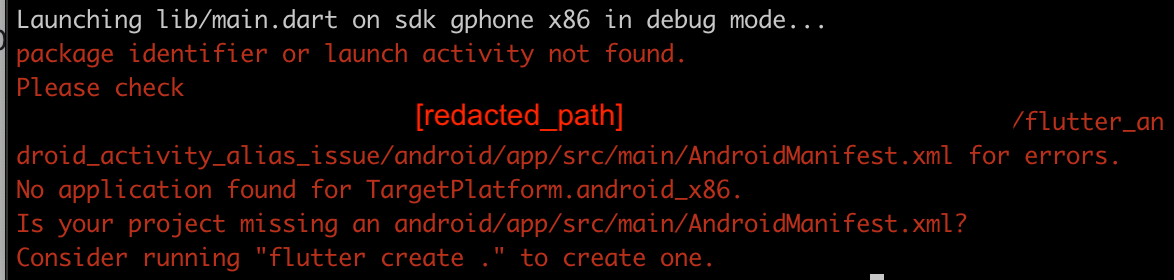
flutter runwith an Android device attached/emulated, it will fail with the error:
package identifier or launch activity not found.
Please check
[redacted_path]/flutter_android_activity_alias_issue/android/app/src/main/AndroidManifest.xml for errors.
No application found for TargetPlatform.android_x86.
Is your project missing an android/app/src/main/AndroidManifest.xml?
Consider running "flutter create ." to create one.
Logs
Logs
[redacted]:flutter_android_activity_alias_issue pieter$ flutter run
Launching lib/main.dart on sdk gphone x86 in debug mode...
package identifier or launch activity not found.
Please check
[redacted_path]/flutter_android_activity_alias_issue/android/app/src/main/AndroidManifest.xml for errors.
No application found for TargetPlatform.android_x86.
Is your project missing an android/app/src/main/AndroidManifest.xml?
Consider running "flutter create ." to create one.
Flutter doctor output
Doctor summary (to see all details, run flutter doctor -v):
[✓] Flutter (Channel stable, 2.0.3, on macOS 11.2.3 20D91 darwin-x64, locale
    en-US)
[✓] Android toolchain - develop for Android devices (Android SDK version 30.0.2)
[✓] Xcode - develop for iOS and macOS
[✓] Chrome - develop for the web
[✓] Android Studio (version 4.1)
[✓] IntelliJ IDEA Community Edition (version 2021.1)
[✓] Connected device (3 available)

• No issues found!
Activity
PieterAelse commentedon Apr 15, 2021
The issue is "fixed" when some build data is already there, for example when running
flutter build apk --debugand thenflutter run.Example build and then run output
But, after running
flutter cleanyou will again run into the error when usingflutter run..TahaTesser commentedon Apr 16, 2021
Hi @PieterAelse
activity-aliasnot yet supportedI see there's an open issue addressing the case you described.
Please follow up on that issue, Closing as duplicate of #38965
If you disagree, please write in the comments and I will reopen it.
Thank you
github-actions commentedon Aug 3, 2021
This thread has been automatically locked since there has not been any recent activity after it was closed. If you are still experiencing a similar issue, please open a new bug, including the output of
flutter doctor -vand a minimal reproduction of the issue.