Floating action button location is wrong for top locations when using Scaffold property 'extendBodyBehindAppBar' #63915

Description

Issue Summary
If you use the Scaffold property extendBodyBehindAppBar and use any of the Floating action button locations:
FloatingActionButtonLocation.startTop
FloatingActionButtonLocation.centerTop
FloatingActionButtonLocation.endTop
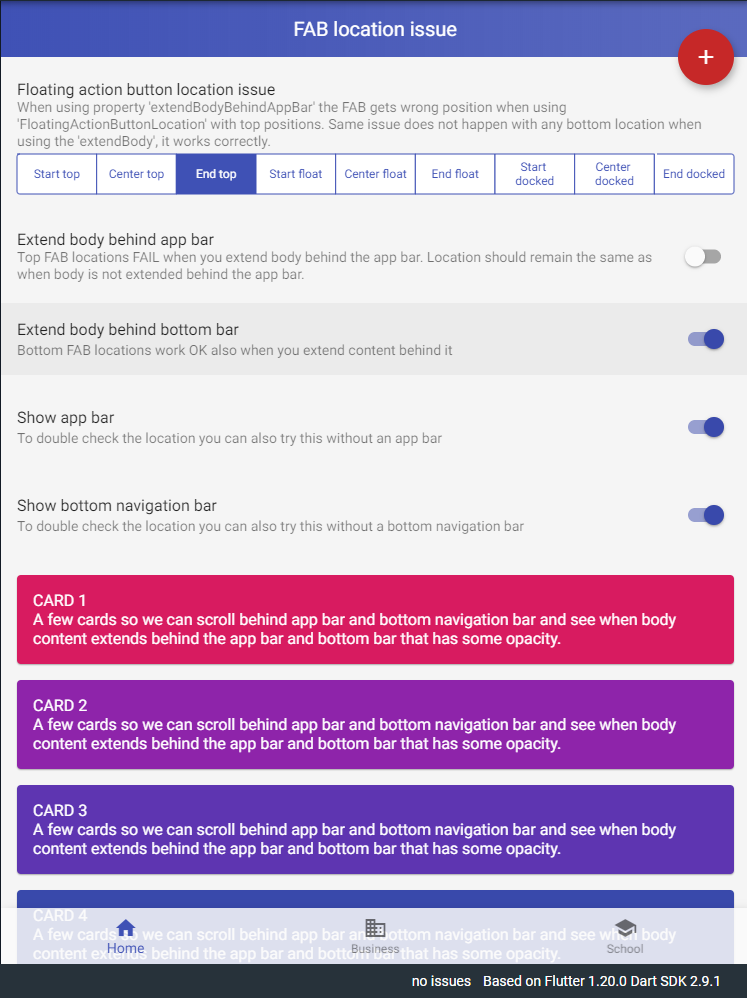
The FAB location is wrong based on how the location is specified in the documentation. All the top locations are described as "floating over the transition between the Scaffold.appBar and the Scaffold.body."
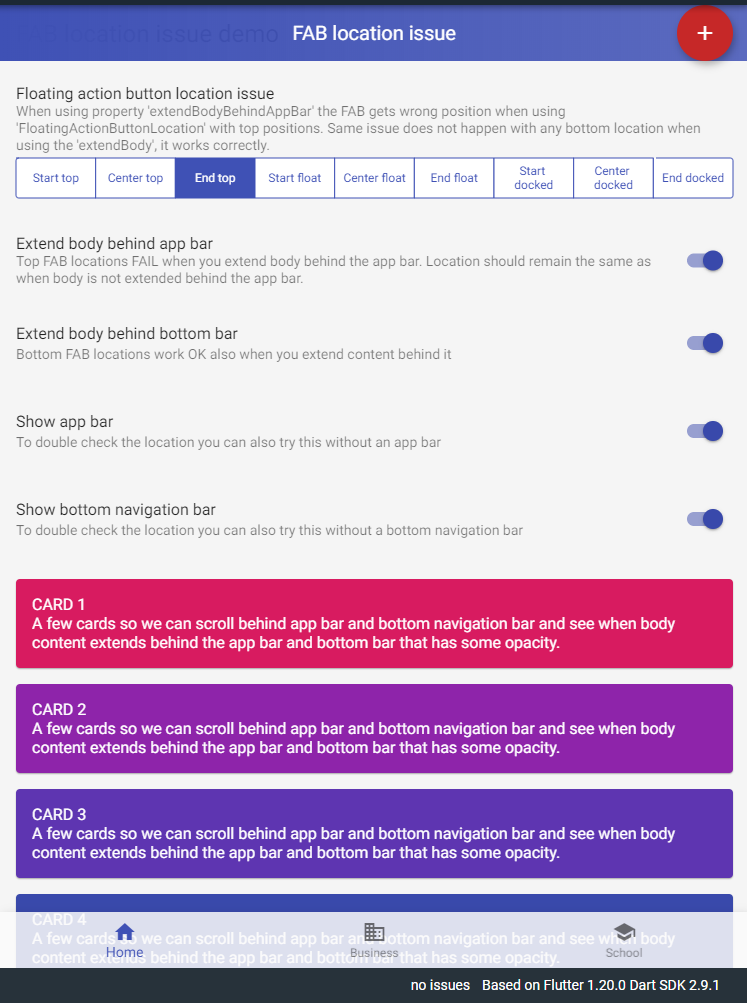
If you use extendBodyBehindAppBar the FAB moves up and becomes centered vertically in the app bar.
Steps to Reproduce
The issue applies to all Flutter channels and any target type and can easily be demonstrated with a DartPad example:
Expected results
When extendBodyBehindAppBar is false the top FAB locations are correct:
Actual results
When extendBodyBehindAppBar is true the top FAB locations are incorrect:
Additional info
With the issue demo application we can turn of the properties extendBodyBehindAppBar and extendBody and try different FloatingActionButtonLocation. The example app also uses semi-transparent app- and bottom navigation bars so we can verify and see content scrolling behind them when the properties are enabled.
With the issue demo application we can also test and verify that this faulty location behavior is not replicated on bottom locations when using any of the FAB bottom locations combined with the Scaffold extendBody property, nor does the presence of the app bar or bottom navigation bar affect the results.