Material Typography on Flutter Web #39994

Description

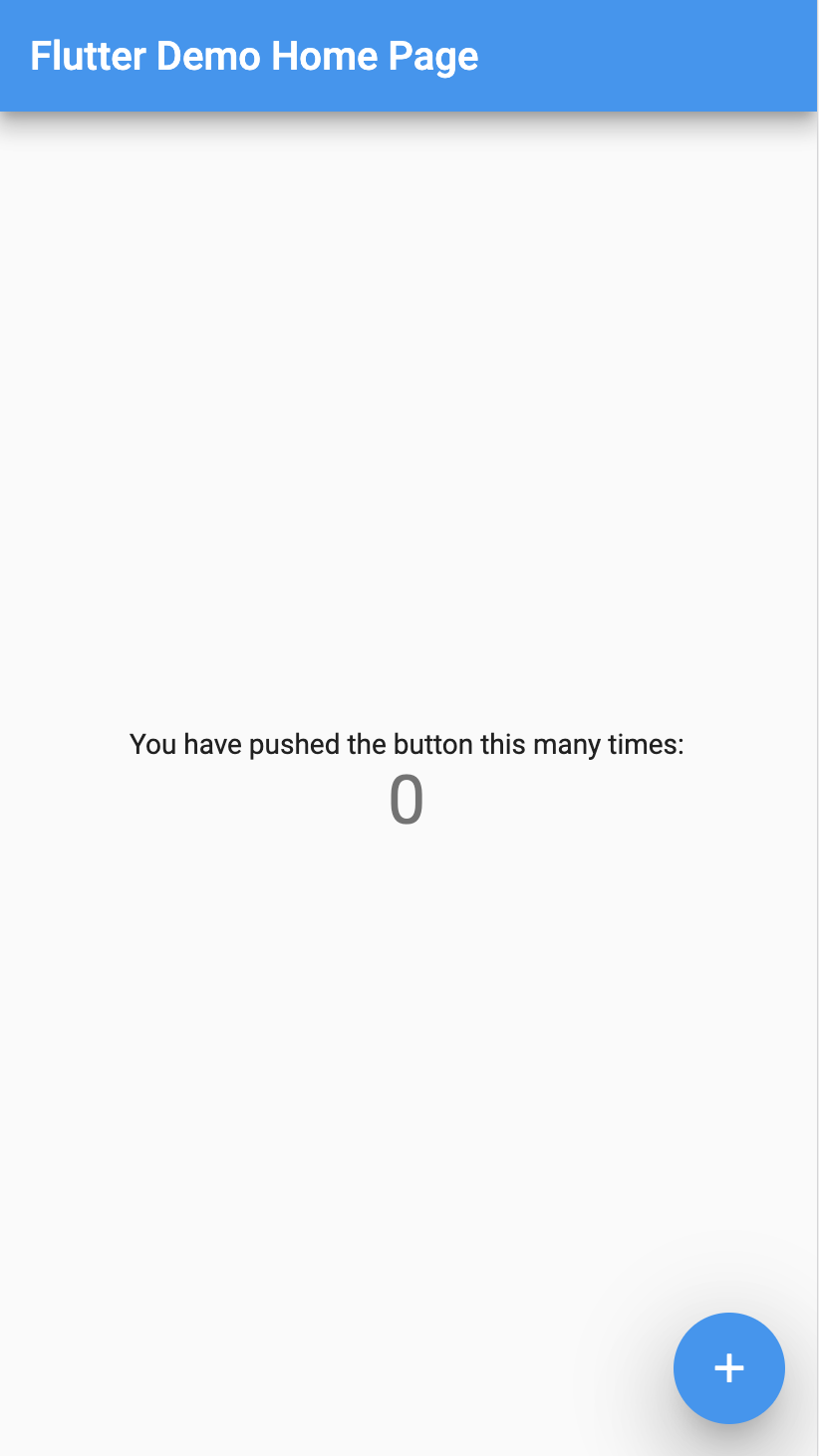
If you run the template app (output of flutter create) on Chrome, the fonts work correctly:
On Safari, however, the fonts don't load and we end up with a default serif font:
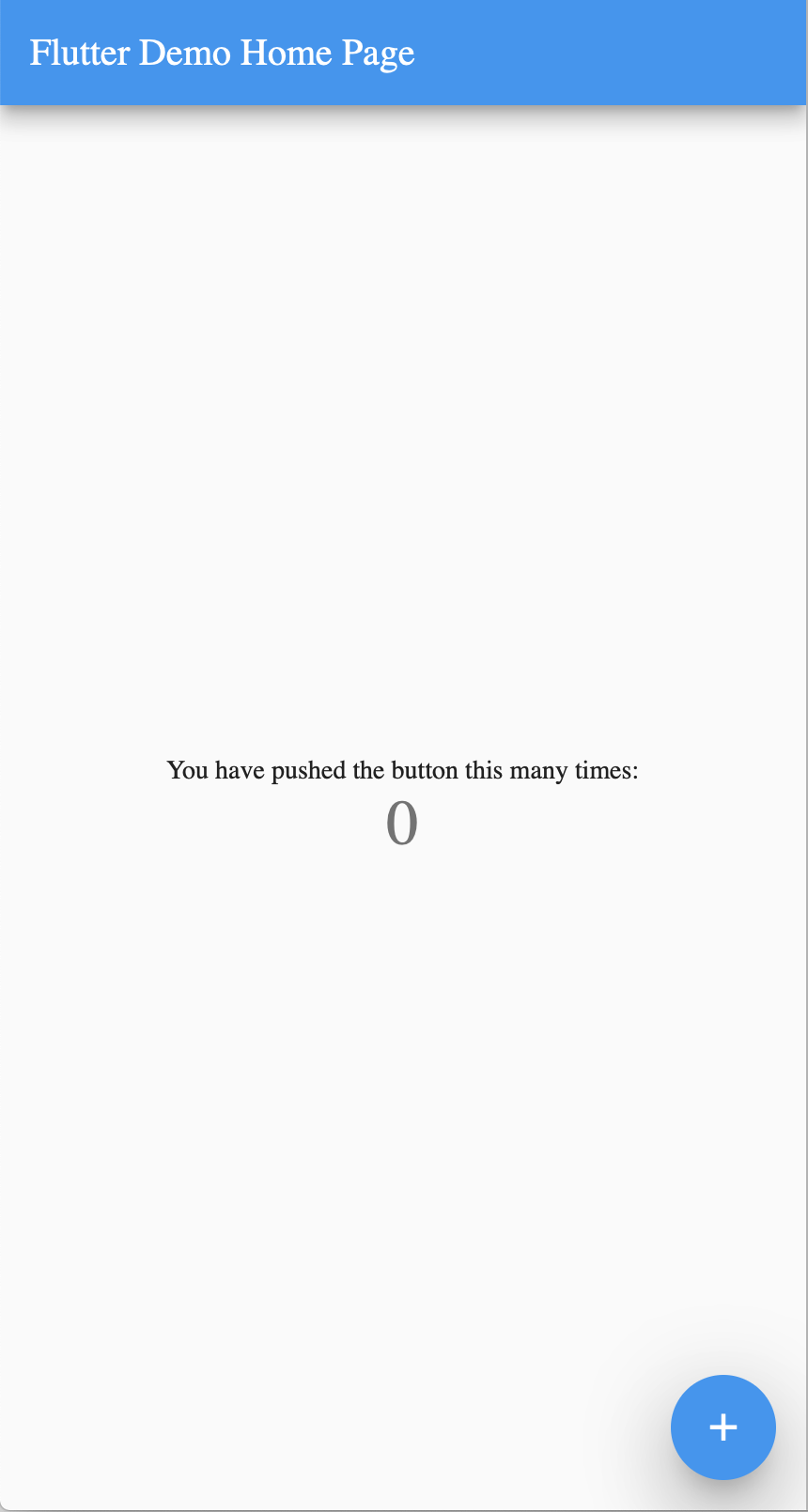
On Flutter Web, since we default to TargetPlatform.android, the default Material Typography uses the Roboto font family. It seems that Roboto is bundled by default in Chrome, so it works when running on Chrome, but it's not available in Safari, so we end up defaulting to the serif font.
Several ideas have been discussed to fix this issue:
1. Require users to add Roboto to their assets
If Flutter Web users want to use Roboto, they should bundle it with their app by declaring it in their assets.
Pros
- This will work today.
- All fonts that are used are declared in the assets.
Cons
- Bundling Roboto in the assets will also cause it to be unnecessarily bundled in the Android and iOS apps. This could be solved by platform-specific assets: Platform specific assets #8230
- Flutter mobile developers don't need to declare extra fonts to get Material working, it just works "by default", but on Flutter Web we would require extra setup to use Material.
2. Flutter Web Engine bundles Roboto if you use Material
If the developer has uses-material-design: true in their pubspec.yaml, we can pass that information to the generated entrypoint, causing the Flutter Web engine to download Roboto.
Pros
- Developers can use Material by default.
Cons
- Automatically downloading a font that hasn't been specifically requested could violate developer expectations.
3. Change Material Typography on Web to use a web safe font
In addition to the "Mountain View" and "Cupertino" typographies (the default for TargetPlatform.android and TargetPlatform.iOS, respectively), we create another typography for web, which uses a web safe font family (Arial?).
Pros
- Developers don't need to add Roboto to their assets.
Cons
- There may be no web safe font that looks good in Material Design.
Discussion
We should decide on one of these options so we can move forward. What do you prefer @Hixie @ferhatb @yjbanov @jonahwilliams @mdebbar @nturgut