


Deploy this function on flows.network, and you will get a GitHub bot that remindering the contributor if the DCO test failed. It saves maintainers' time to review a PR!

To install the DCO Reminder GitHub App, we will use flows.network, a serverless platform that makes deploying your own app quick and easy in just three steps.
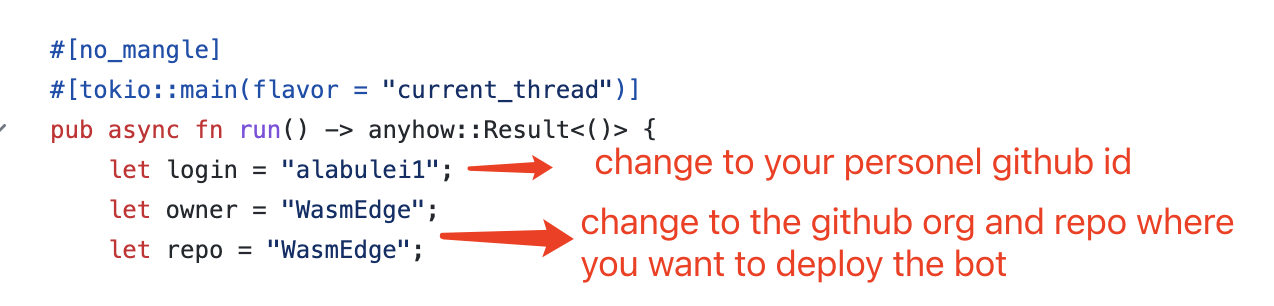
Fork this repo and customize the code based on your needs.
- Sign up for an account for deploying flows on flows.network. It's free.
- Click on the "Create a Flow" button to start deploying the GitHub DCO Reminder APP
- Authenticate the flows.network to access the
github-dco-reminderrepo you just forked.

- click the Deploy button to deploy your function.
After that, the flows.network will direct you to configure the SaaS integration required by your flow. Here we can see, we need to configue one SaaS integration: GitHub.
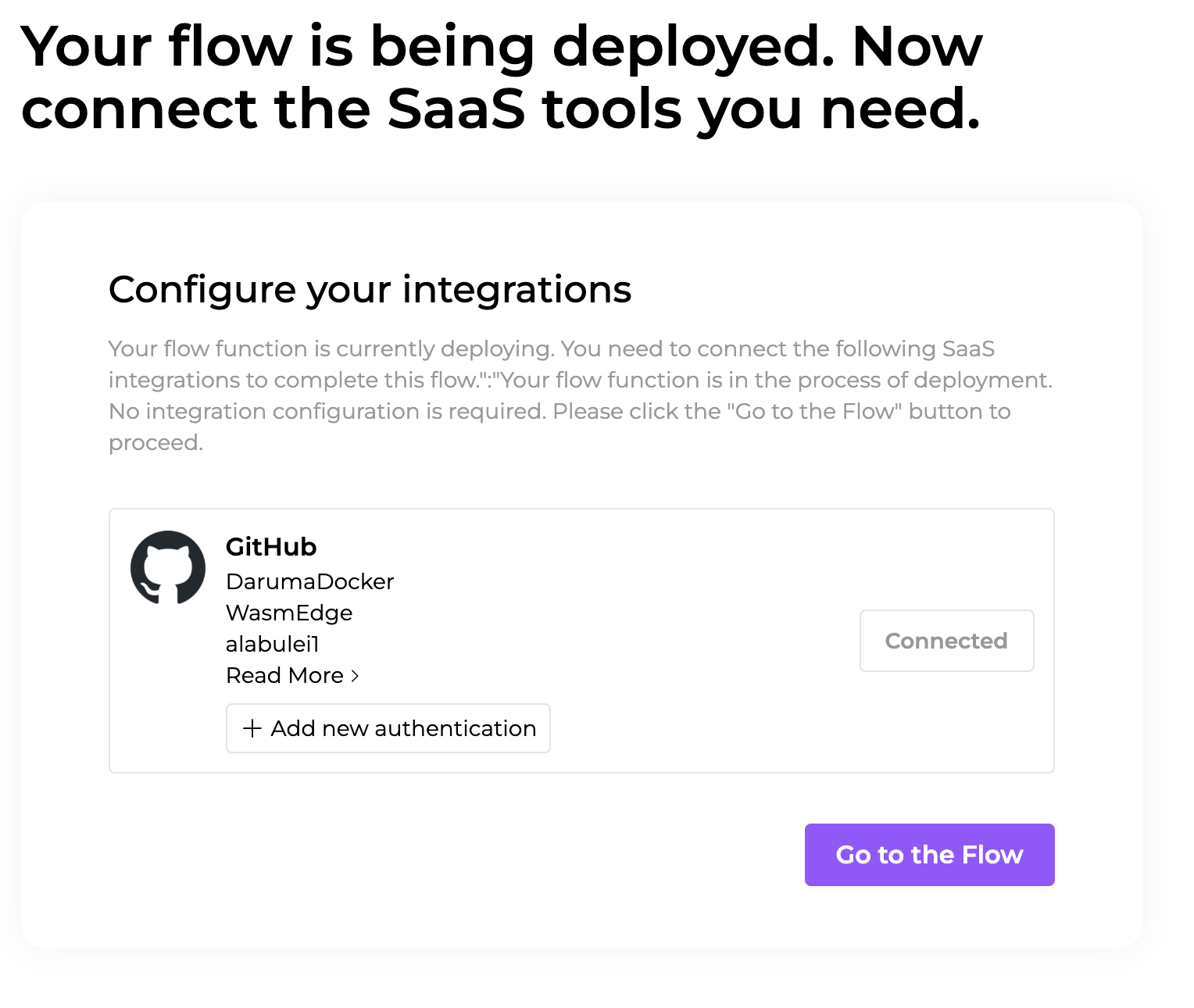
Click the "Connect/+ Add new authentication" button to authenticate your GitHub account. You'll be redirected to a new page where you must grant flows.network permission to install the flows-network-integration bot on a repo. This repo is the one you entered into the environment variables above.
After that, click the Check button to see your flow details. As soon as the flow function's status becomes ready and the flow's status became running, the GitHub DCO Reminder App goes live.

flows.network is still in its early stages. We would love to hear your feedback!