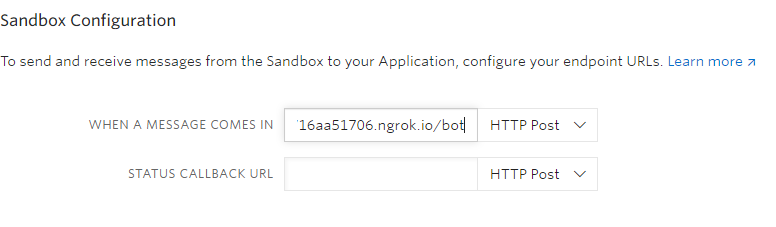
TwilioGCP-Whatsapp App to Control Google Cloud Platform Using Whatsapp Create an Twilio and Google Cloud Account to Try it Step 1 Create an VM Instance in Google Cloud Compute Engine Step 2 SSH into VM and Install sudo apt-get install git python3 python3-pip pip3 install twilio requests flask Step 3 Git Clone this Repo git clone https://github.com/cyrixninja/TwilioGCP-Whatsapp Step 4 Cd into the Directory cd TwilioGCP-Whatsapp Step 5 Run the Python Script python3 bot.py Step 6 Open another SSH Session and Run the NGROK Server cd TwilioGCP-Whatsapp chmod +x ngrok ./ngrok http 5000 Step 7 Copy the Ngrok URL and Paste it in your twilio console whatsapp sandbox https://www.twilio.com/console/sms/whatsapp/sandbox Add /bot at the end after pasting the url in twilio console and Save it. Congratulations,Now you're ready to go