Problem
Great to see the unified SAM and CloudFormation schema in the latest release!
I noticed it takes about a second on my computer for the documentation tooltip to show up upon hover:
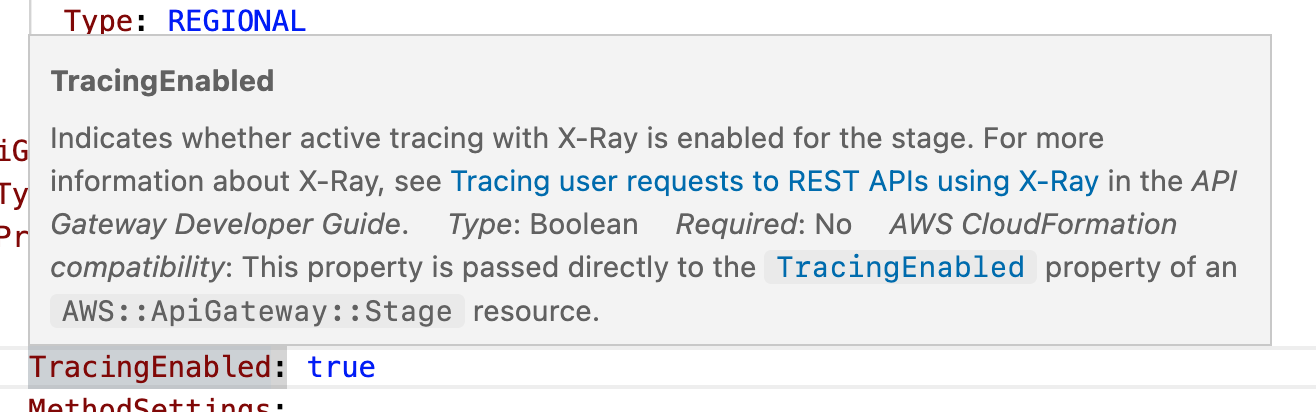
However, if I use the modeline to manually override with the same schema, it's pretty much instantaneous:
# yaml-language-server: $schema=https://raw.githubusercontent.com/aws/serverless-application-model/main/samtranslator/schema/schema.json
The final visible behavior is identical in both cases.
While in absolute terms it's a small difference, in relative terms it's very noticeable, and hinders the experience of quickly exploring a template (this NN article is also relevant).
Steps to reproduce the issue
-
Create a new YAML file with the following contents:
Transform: AWS::Serverless-2016-10-31
Resources:
  MyTable:
    Type: AWS::Serverless::SimpleTable
    Properties:
      TableName: foo
-
Hover over TableName. On my computer it takes about a second for the hover tooltip to show up.
-
Now manually override with the same schema by adding the following at the top:
# yaml-language-server: $schema=https://raw.githubusercontent.com/aws/serverless-application-model/main/samtranslator/schema/schema.json
-
Try hovering over TableName. It should be pretty much instantaneous; on my computer it's significantly snappier than before. The tooltip is otherwise exactly the same.
Expected behavior
Documentation should show up as fast as without AWS Toolkit (i.e. using just the YAML extension).
System details (run the AWS: About Toolkit command)
- OS: Darwin x64 22.3.0
- Visual Studio Code extension host: 1.76.2
- AWS Toolkit: 1.65.0
- node: 16.14.2
- electron: 19.1.11
Problem
Great to see the unified SAM and CloudFormation schema in the latest release!
I noticed it takes about a second on my computer for the documentation tooltip to show up upon hover:
However, if I use the modeline to manually override with the same schema, it's pretty much instantaneous:
# yaml-language-server: $schema=https://raw.githubusercontent.com/aws/serverless-application-model/main/samtranslator/schema/schema.jsonThe final visible behavior is identical in both cases.
While in absolute terms it's a small difference, in relative terms it's very noticeable, and hinders the experience of quickly exploring a template (this NN article is also relevant).
Steps to reproduce the issue
Create a new YAML file with the following contents:
Hover over
TableName. On my computer it takes about a second for the hover tooltip to show up.Now manually override with the same schema by adding the following at the top:
# yaml-language-server: $schema=https://raw.githubusercontent.com/aws/serverless-application-model/main/samtranslator/schema/schema.jsonTry hovering over
TableName. It should be pretty much instantaneous; on my computer it's significantly snappier than before. The tooltip is otherwise exactly the same.Expected behavior
Documentation should show up as fast as without AWS Toolkit (i.e. using just the YAML extension).
System details (run the
AWS: About Toolkitcommand)