
Pontia gives you a Lead Bot that coordinates coding agents on your own machines from a desktop or mobile browser.
Quick start · Dashboard · 简体中文
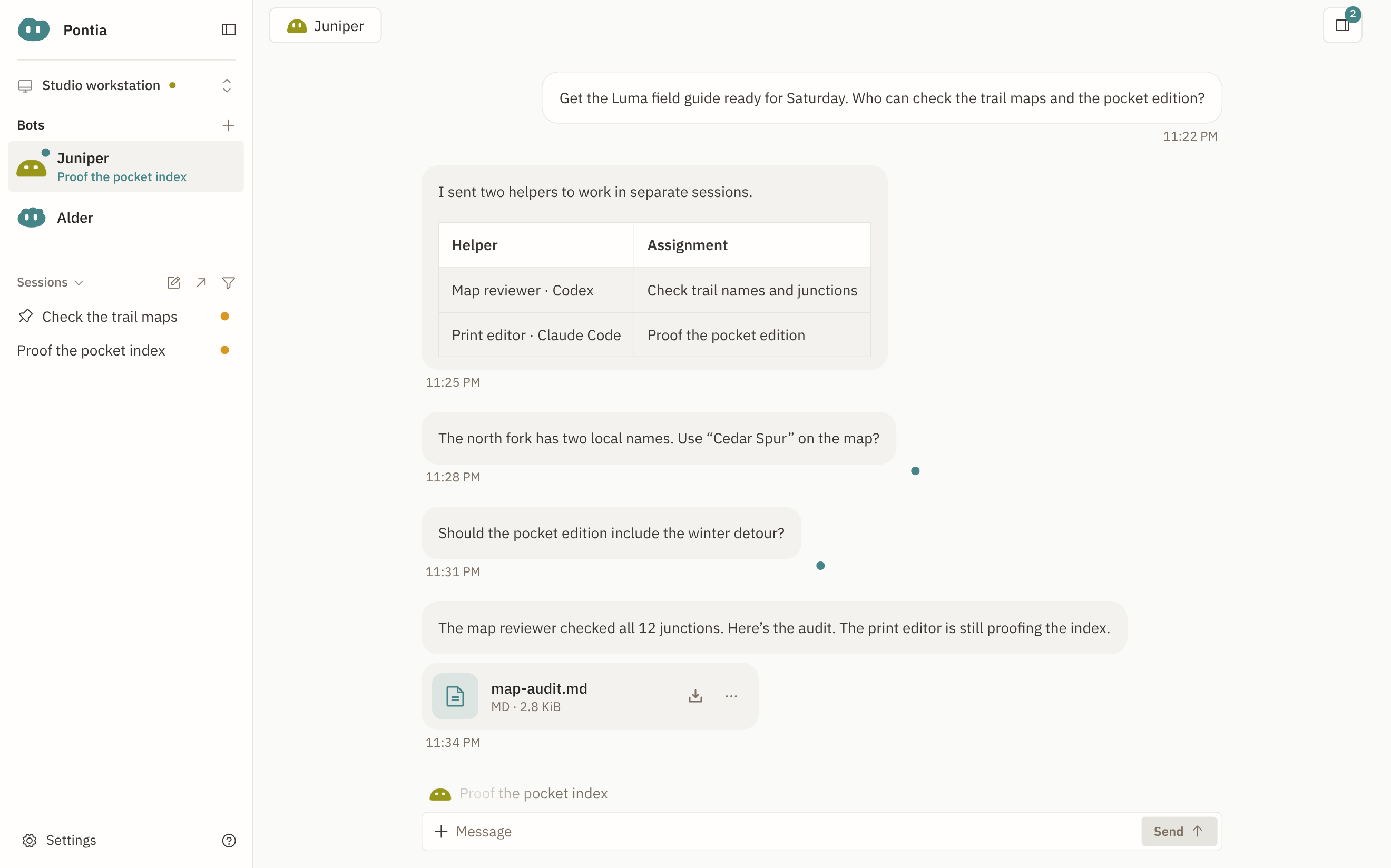
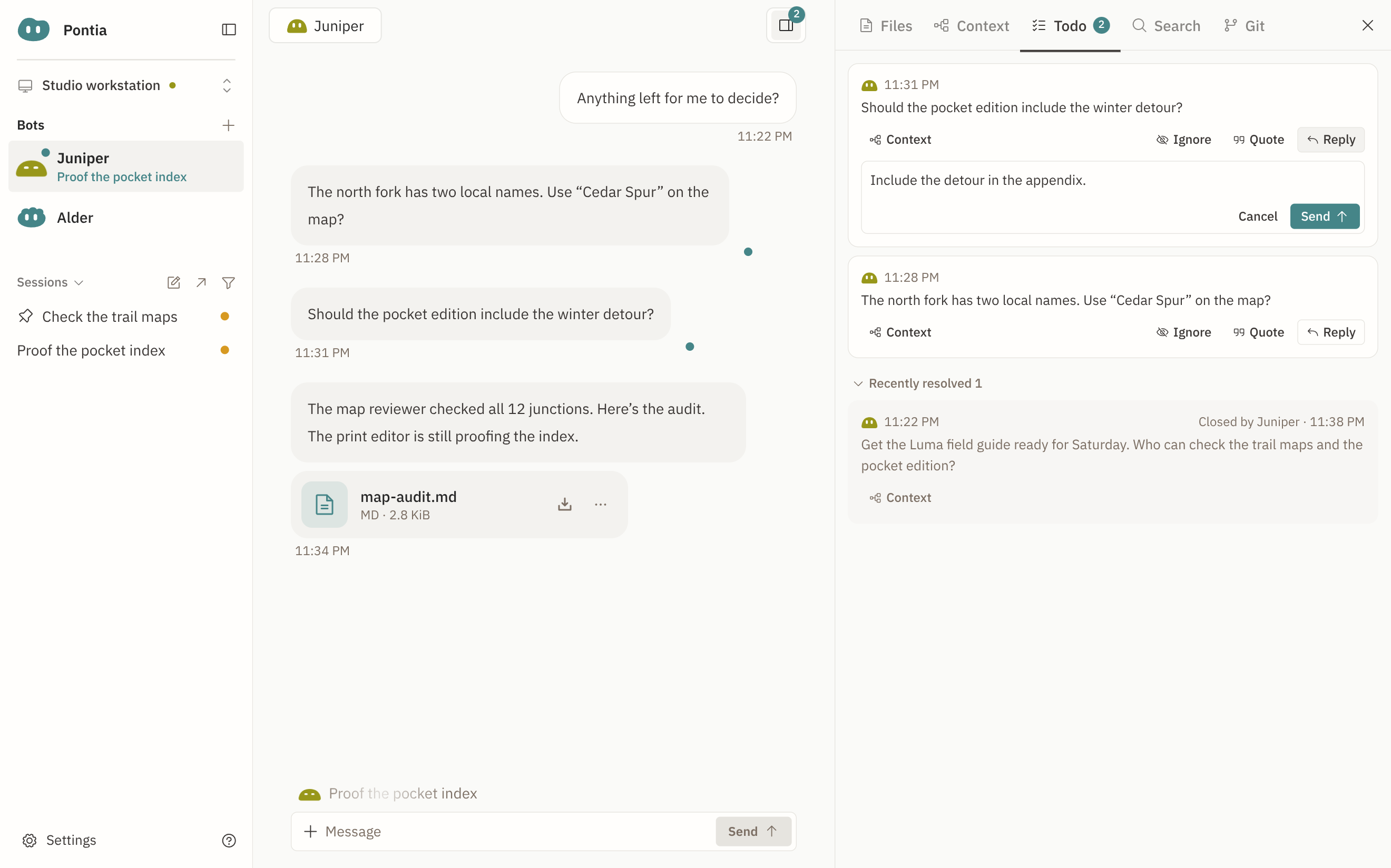
- Hear from the Lead Bot when it needs you. The Lead Bot brings decisions and approval requests to your Todo.
- Step into any native session. Open any helper’s running CLI session to see what it’s doing or take over.
- Access your local machine. Securely preview local files, HTML prototypes, and localhost dev servers in a desktop or mobile browser.
- Use the right model for each role. Choose a model and one of six supported CLIs for each role in its Agent Profile.
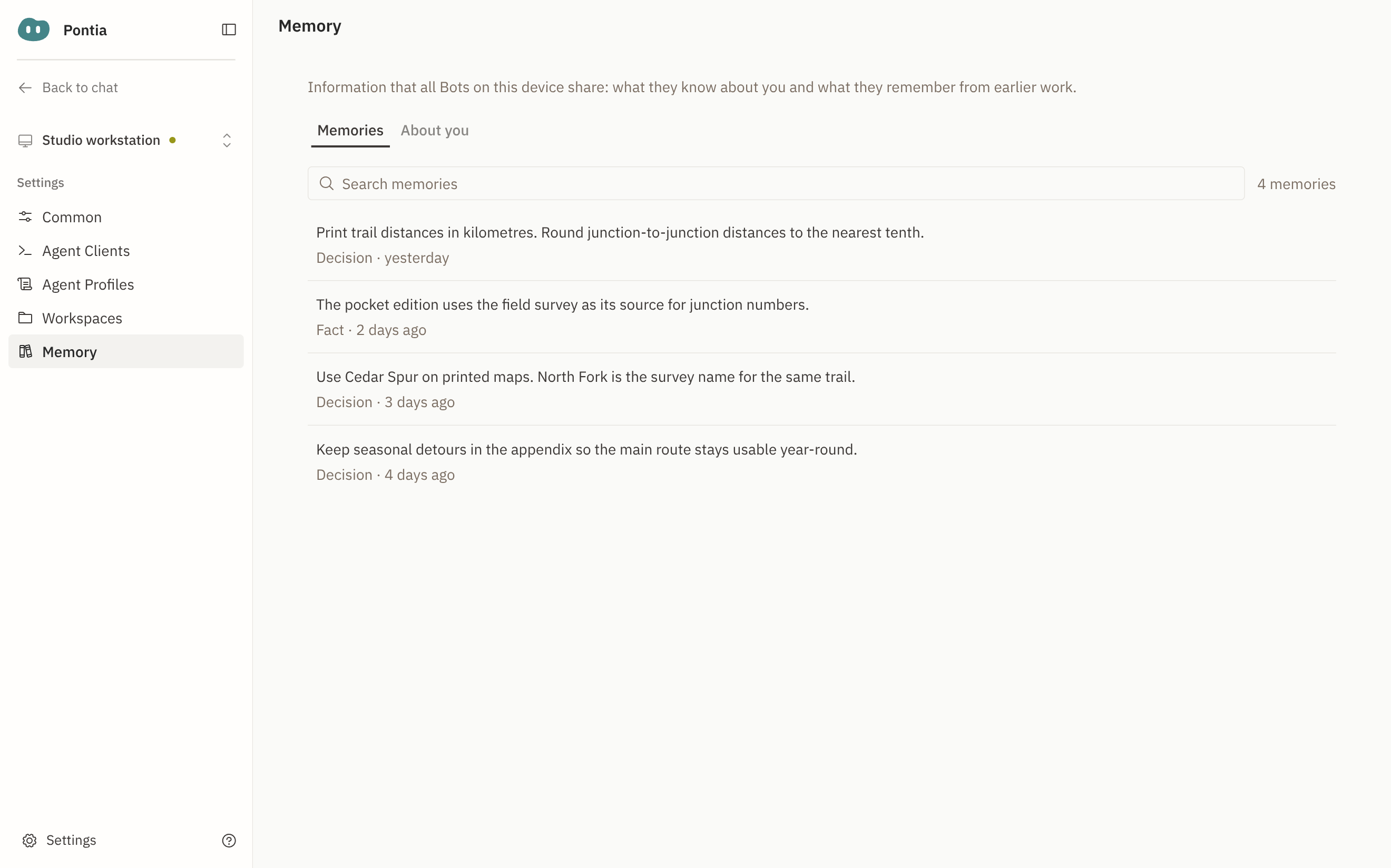
- Carry your preferences across sessions. Bots on the same device recall past decisions and follow the preferences you keep in
USER.md. - Connect securely to every device. Reach any registered machine from anywhere over a direct, end-to-end encrypted connection from your browser.
- During setup — Claude Code, Codex and Pi (requires
tmux). - After setup — Enable Google Antigravity, Kiro or Grok Build under Settings → Agent Clients. Client setup guide
-
On Linux with systemd user services or macOS 13.5+, install Node.js LTS, npm and the coding CLI you want to use.
-
Run the setup wizard on that machine. Follow the prompts to sign in and register the device.
npx @pontia/cli init
-
Open the Dashboard, select your device and give your Lead Bot its first task.
Todo — Review a helper’s question and send your decision.
Memory — Look up a decision from an earlier session.
Installation guide · CLI reference · Security model · Self-host an Edge