In Firefox, it's necessary to press Esc twice to completely exit fullscreen #239


Description

Subject of the issue/enhancement/features
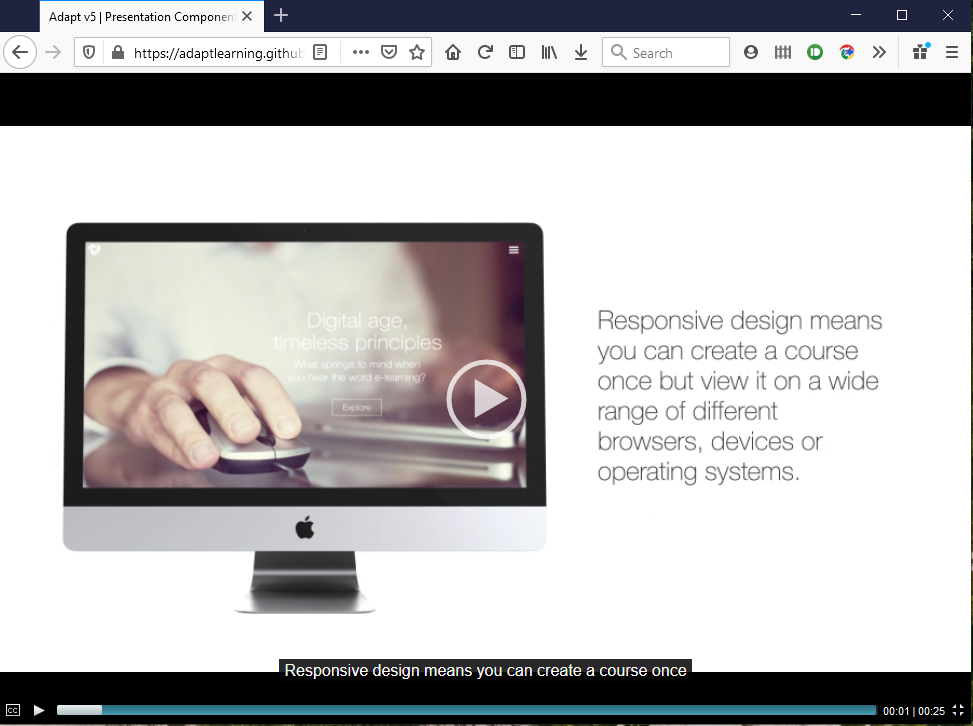
In Firefox, if you go into full screen mode whilst playing video and then try to exit by pressing <Esc>, the media component goes into the same 'fake fullscreen mode' it uses if you press the fullscreen button before initiating playback.
If you use the fullscreen button in the player controls to exit fullscreen mode, it works fine.
Your environment
- FW (tried both v5.3.0 and v5.6.1) and media component (v5.0.1)
- Firefox v80
- Win 10
Steps to reproduce
Easiest method is to try it out in the media component on the v5demo course. Click play then click the fullscreen button. Then press <Esc>.
Expected behaviour
Pressing <Esc> should take you straight back to the media component within the course page, as it does for other browsers (and as it does if you use the fullscreen button on the player controls).
Actual behaviour
You have to press <Esc> a second time, at which point, the following error is displayed before it then goes back to displaying the media component in the page.

Screenshots (if you can)