Repository navigation
Column filter for not working when first value in data is null #4711
Description

Describe the bug
The column filter does not work properly if the first record is null for the column. No records match the query, despite other records having a value which would otherwise match. If the first value is defined, the column filtering works as expected.
In the example, random data is created such that column a is never null, b is sometimes null, and c is usually null. Filtering on column a always works. However, filtering on column b or c works depending on if the first value is null or not.
Your minimal, reproducible example
Steps to reproduce
- Go to example
- Try filtering column a (works as expected)
- Verify that column b has value in first row (if not, refresh)
- Try filtering column b on a value in the column (works as expected)
- Verify that column c has value in first row (if not, refresh)
- Try filtering column c on a value in the column, row will not match
Expected behavior
Filtering for a column works even if the column has a null value in the first row.
How often does this bug happen?
Every time
Screenshots or Videos
No response
Platform
Mac, Chrome Version 109.0.5414.119 (Official Build) (arm64)
react-table version
8.7.9
TypeScript version
4.9.5
Additional context
No response
Terms & Code of Conduct
- I agree to follow this project's Code of Conduct
- I understand that if my bug cannot be reliable reproduced in a debuggable environment, it will probably not be fixed and this issue may even be closed.
Reacted by sefirosweb, Cody Zuschlag, Zayco, Jared Wyce and Kristen Althoff
Activity
patel-manas commentedon Feb 16, 2023
Hi Team, I am interested in looking this issue
sefirosweb commentedon Feb 17, 2023
Me too, i have same issue, i attach very simple component:
If first value 1 the "name" is null they the filter for all rows with name doesnt works (see console log of globalFilterFn)
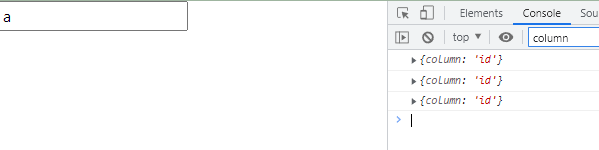
And when the FIRST is NOT null:
Add issue TanStack/table#4711
codyzu commentedon Feb 28, 2023
I can't say for the OP, but for @sefirosweb I fixed the same problem by implementing
getColumnCanGlobalFilterin the table options.That wasn't entirely clear in the docs (I'm making a PR now), but the global filters will not be applied to a column if the first value is not a
stringornumber.theMattCode commentedon Mar 1, 2023
A possible quick fix would be to use the accessor function and default to an empty string like this:
See https://codesandbox.io/p/sandbox/nervous-goodall-7omsx4
sefirosweb commentedon Mar 31, 2023
With my custom component no works but seems i have any issue, with a "fresh" template seems works fine when is null value
Thanks and i check my own code
sefirosweb commentedon Mar 31, 2023
Going through the problem I'm having, I found this solves part of the problem,
With global filter it works fine, but when you filter a specific column the fuzzy search doesn't work when the first value is null,
I want to say that it does find it if you put all the exact same string
On the other hand, if the first value is not null, it does an approximate search,
Attached sandbox:
https://codesandbox.io/p/sandbox/aged-water-kwfbs4?welcome=true&file=%2FREADME.md
michynow commentedon Dec 19, 2024
I would like to second this.
I've also encountered this problem - however with the first row having JSX. If I've had moved the JSX to a second or any other row, the
globalFilterFnexecutes.Here's an example:
https://codesandbox.io/p/sandbox/react-typescript-forked-3tmgxm
Move the order of
dataarray, and you'll see the search functionality is working dependant on what is in the first place of the array.the
getColumnCanGlobalFilter: () => true,solution makes this work - but it generally is counter-intuitive and has caused me quite a headache.Obvio commentedon Feb 3, 2025
This is the solution for anyone bumping into this in the future, including myself ;)
#4711 (comment)