Example Slash Command
Objective: Create /example command with sub command pattern best practices showing how to send a Message or Notification at the same channel the command was run or a Direct Message to the user that has run the command.
Author: Duda Nogueira
Run:
/example message you should get

also, you can run:
/example notification

as a third option, you can run:
/example direct
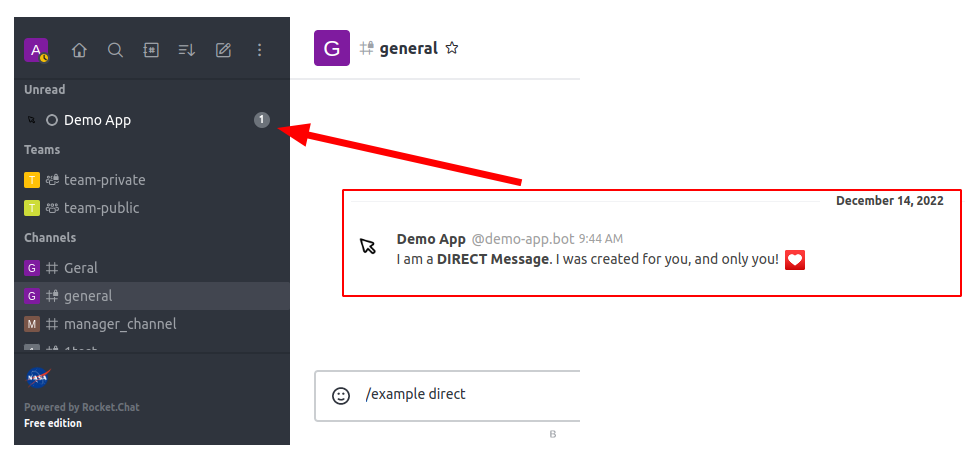
Each installed app in Rocket.Chat will get it's own user, like on this example, demo-app.bot. If you don't set the sender of that notification or message, it will default to that user.
Be aware that, in order to our demo-app.bot send a message to a room, it must be added to that room first.
We have executed the /example with a first argument. This argument defines what the app needs to do. Also, if you run the command without any argument, it will notice that and return the same content of the help sub command.
Of course, writing /example notification is not practical, and with time, you will want a shortcut for that. So we added already some aliases and a help content to make it explicit. It is always a good practice to guide your user on how to use your command. If, for instance, the user try a non existent sub command, for example, /example asdasd this is what will happen:

When creating commands, consider that not everybody like the /slashcommand.
And that's ok 😃
We can register an Action Button on certain contexts of Rocket.Chat (a room or message, for example) and open a Modal or Contextual bar with some interface elements.