[NEW] Token Controlled Access channels#8060
Merged
Conversation


2 tasks


| }, | ||
|
|
||
| showJoinLink() { | ||
| return true; |
Contributor

There was a problem hiding this comment.
If this is going to just be true with no logic do we really need this?
Member
Author
There was a problem hiding this comment.
so, for private groups there is no logic because it will always show a "Room not found" message and will not render the "join link". unless it's a TCA private group and you can see it (because you have the needed token), in this case it will always show the join link =)

gdelavald
approved these changes
Sep 12, 2017

Member
|
@sampaiodiego can you fix the conflicts? |

karlprieb
reviewed
Oct 24, 2017
| height: 100%; | ||
| justify-content: center; | ||
|
|
||
| overflow-y: auto; |


[NEW] Add icon art in Tokenpass channel title
 rodrigok
changed the title
rodrigok
changed the title
This file contains hidden or bidirectional Unicode text that may be interpreted or compiled differently than what appears below. To review, open the file in an editor that reveals hidden Unicode characters.
Learn more about bidirectional Unicode characters
Sign up for free
to join this conversation on GitHub.
Already have an account?
Sign in to comment
7 participants


Add this suggestion to a batch that can be applied as a single commit.This suggestion is invalid because no changes were made to the code.Suggestions cannot be applied while the pull request is closed.Suggestions cannot be applied while viewing a subset of changes.Only one suggestion per line can be applied in a batch.Add this suggestion to a batch that can be applied as a single commit.Applying suggestions on deleted lines is not supported.You must change the existing code in this line in order to create a valid suggestion.Outdated suggestions cannot be applied.This suggestion has been applied or marked resolved.Suggestions cannot be applied from pending reviews.Suggestions cannot be applied on multi-line comments.Suggestions cannot be applied while the pull request is queued to merge.Suggestion cannot be applied right now. Please check back later.
@RocketChat/core
Closes #7693
The integration is enabled after filling the OAauth and API credentials:

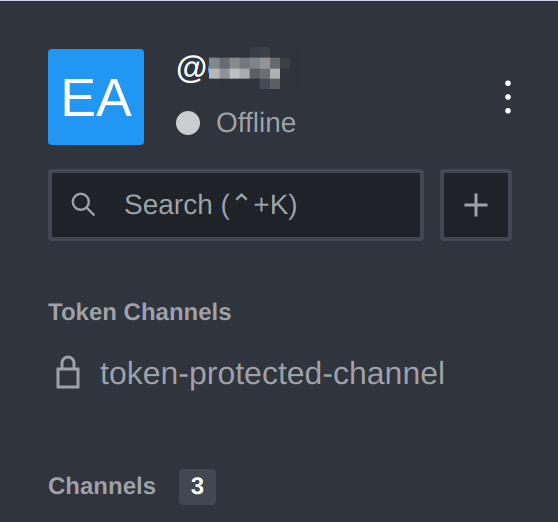
After that, users that logged in using the OAuth will have a "Token Channels" group on side nav. There will be listed channels the user has access to based on his tokens:
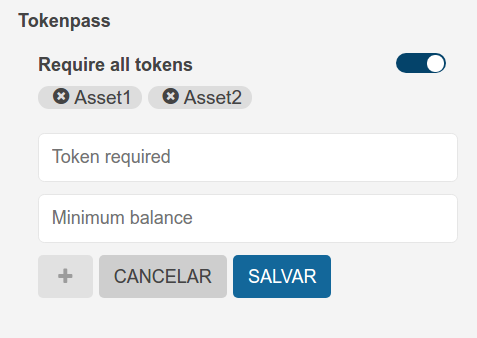
You can set tokens and the balance required to access a channel on the channel creation page:

You can also set it on the channel info tab bar: