Refactor file upload from web UI and temporary storage #6656

Description

Intro
This issues evokes from https://groups.google.com/d/topic/dataverse-community/IB1wYpoU_H8
A rough summary: when you upload data via web UI, the data is stored at a few different places before commited to real storage, as it needs to be processed, analyzed and maybe worked on.
Nonetheless, this could be tweaked, especially when starting to deal with larger data. This is kind of related to #6489. As not every big data installation might want to expose its S3 storage to the internet or even does not use this new functionality at all, this should still be addressed. From a UI and UX perspective, which is touched here, issues #6604 and #6605 seem related.
Mentions: @pdurbin @djbrooke @TaniaSchlatter @scolapasta @qqmyers @landreev
Discovery
I tested this on my local Kubernetes cluster and created a little video of what happens when. After that I digged a bit through the code to see if there are potential problems ahead for our installation.
Please enjoy the following demo (click on the image):
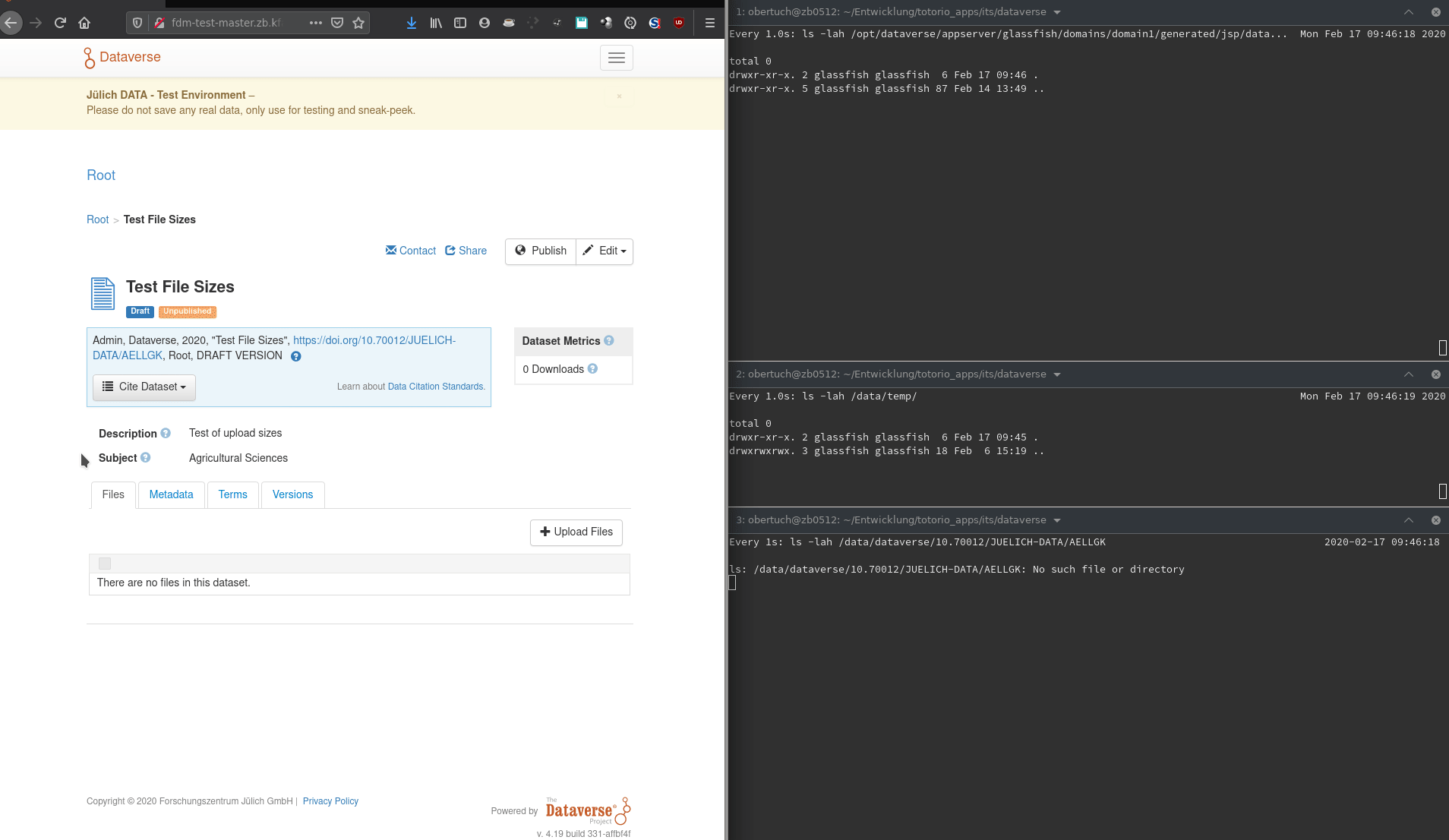
Things to note:
- Data is uploaded and stored in
glassfish/domains/domain1/generated/jsp/dataversefolder, as already stated in the Google Group posting. - After upload is done, but before marked completed, the data is copied to the
tempfolder, living at the configured place of JVM optiondataverse.files. Unless this copy is done, the user experience is a "hanging progress bar at 100%". - The uploaded data is in most cases cloned, eating more space. When the upload has been marked finished to the user, often the temporary data in the
generatedfolder is not deleted. - Upload to real file storage starts when the user clicks on "Save". The user experiences a moving circle, which might appear as hanging for large data.
Analysis
Now let's see what happens in the background from an implementation view. The following diagram is a bit shortened and leaves out edge cases to make it more understandable.
Click on the image to access the source.
Things to note here:
- PrimeFaces uses Apache Commons FileUpload, so the temporary files created from it are deleted once the
InputStreamcloses. This is however not the case in current codebase, which seems to be at least one cause for dangling files as noticed in the discovery above. - The GC closes the dangling Streams when the editing is done, but there is a great danger of leftovers. This should be avoided.
- As noticed in the Google Group and during discovery, the place where PrimeFaces uploads its data is not the same as
dataverse.fileshas been configured for. The docs lack of that information and it has a great danger of disks filling up, breaking things. - The same data is copied around a few times, and from what I saw in the code it is even copied when moved to real storage when storing on local filesystem. That sound very much like introducing lag for users.
Ideas and TODOs
I feel like this is a medium sized issue, as it needs quite a bit of refactoring.
A collection of ideas what to do next:
- Think about optimizing upload, avoiding multiple copies. Things like this or this and this seem to be good starting points.
- Think about the UX - is this acceptable for large data? The upload itself is quite fast, as seen, even for bigger files (this was from my workstation to a remote on premises location with 1Gbit LAN).
- To what issues is this connected, too?