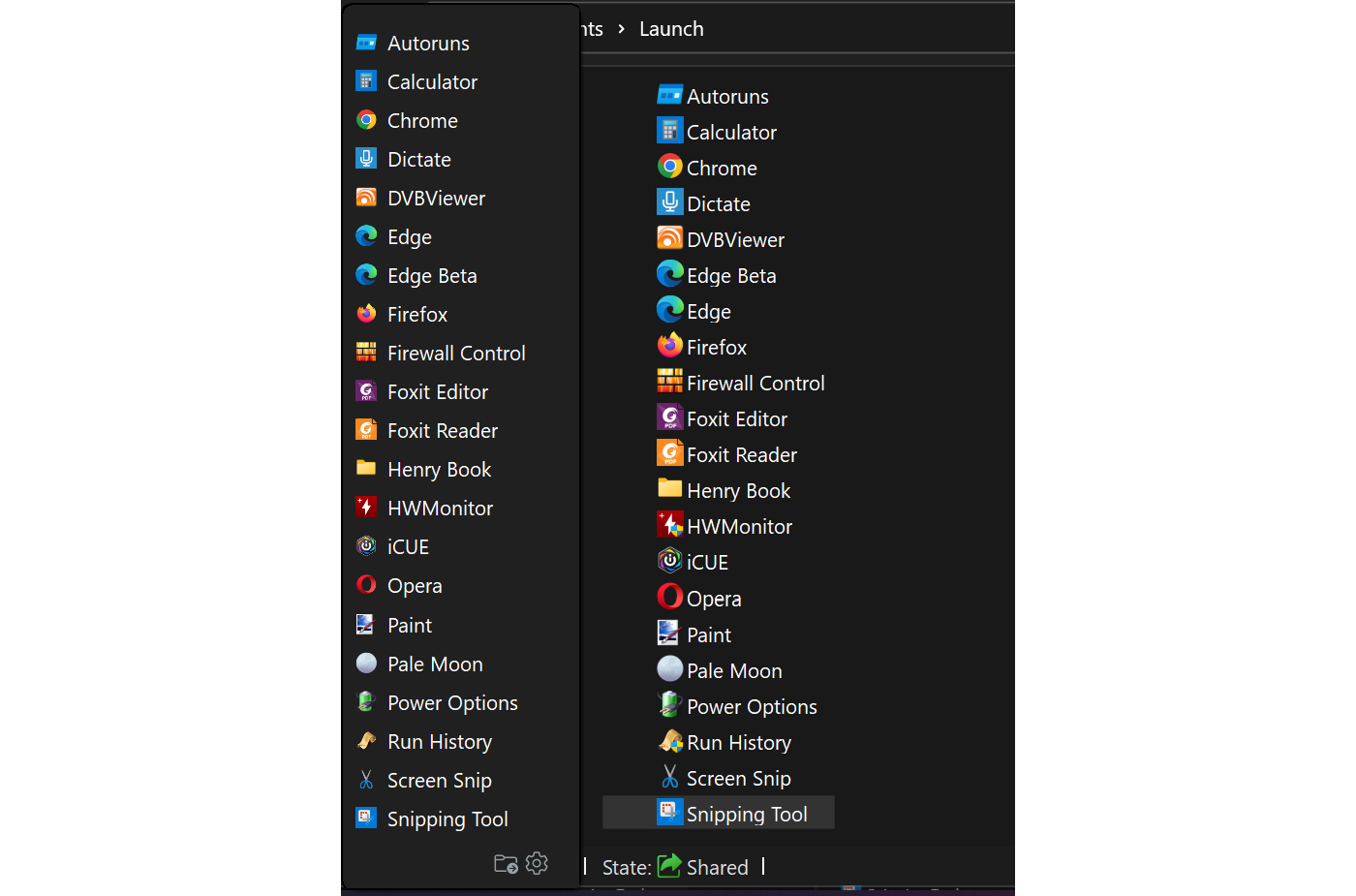
[Feature] Default "Icon size" and "Row height" to match Windows File Explorer #418


Description

It would be neat if the default (100%) values of "Icon size" and "Row height" in Settings -> Size and location matched those of Windows File Explorer.
If the default settings for Application size, Icon size and Row height were then all set to 100% a new STM install would automatically produce an interface that perfectly matches the Windows UI settings at all display resolutions.
On my 4K display I have set "Application size" to 100% and "Icon size" to 74% and "Row height" to 124% to match Explorer and tested this with varying resolution and display scaling values.
Optimal 4K settings:

At 1080 resolution, (changing display scaling doesn't seem to alter the results), "Icon size" at 90% and "Row height" at 116% gives the most exact equivalence to Explorers spacing values.
The "Icon size" of 90% @ 1080 does not tally with 74% @ 4K so could the default value be refactored to be the same as the Windows File Explorer icon padding?
This way the default would match with the icon size in Explorer across all resolutions.
Default "Row height" could also be coded to be 'resolution independent' so that it also matches Explorer at all resolutions.
Optimal 1080 settings:

4K settings (74% and 124%) on 1080 display: