Repository navigation
When a line of code raises outside of the handler function, then datadog is not able to detect the error. #210
Description

Expected Behavior
When a line of code raises outside of the handler function, then datadog should be able to detect the error.
Actual Behavior
When a line of code raises outside of the handler function, then datadog is not able to detect the error.
==> If an monitor (attached to a Slack alert) is set up when an exception is raised (and not catched) on this lambda, then the corresponding monitor is not triggered and no Slack message is sent.
Steps to Reproduce the Problem
Define the following Lambda function:
import json

# The following line will raise on purpose
0/0

def lambda_handler(event, context):
    return {
        'statusCode': 200,
        'body': json.dumps('Hello from Lambda!')
    }
Set
- The AWS handler to
datadog_lambda.handler.handler, and - The
DD_LAMBDA_HANDLERenvironment variable to<your_file>.lambda_handler
Run the lambda.
==> Even if the line 0/0 raises, no trace will be visible in the Invocation Serverless part of Datadog.

Note we see invocations on top left chart (3 blue vertical bars), but there is nothing in the center panel (No traced invocation in the time window), no way to see the traces, the Python stack trace ...
If we move the 0/0 in the handler, like below:
import json

def lambda_handler(event, context):
    # The following line will raise on purpose
    0/0
    return {
        'statusCode': 200,
        'body': json.dumps('Hello from Lambda!')
    }
then Datadog behaves correctly (visible Traces, Monitor, Slack Message ...)
Specifications
-
Datadog Lambda Layer version:

-
Python version: 3.8
Additional information
I understand we specify the handler to Datadog, and thus cannot be aware of things running out of the handler, but as indicated in AWS best practices, there is benefits to run some code out of the handler. If this code fails, it is very important that the developer team is notified.
Take advantage of execution environment reuse to improve the performance of your function. Initialize SDK clients and database connections outside of the function handler, and cache static assets locally in the /tmp directory. Subsequent invocations processed by the same instance of your function can reuse these resources. This saves cost by reducing function run time.
Activity
[-]When a line of code raises outside of the handler function, then datadog is be able to detect the error.[/-][+]When a line of code raises outside of the handler function, then datadog is not able to detect the error.[/+]astuyve commentedon Mar 25, 2022
Hi @nalepae - thanks for this ticket. I'm sorry for the delay in responding to you.
The Datadog library works by wrapping your handler function, so if you've got a syntax error, import error, or divide by zero error outside of your handler function - so I can imagine there could be scenarios where we can't catch a failure of some kind.
I recently attempted this:
And I see logs, metrics, and traces:

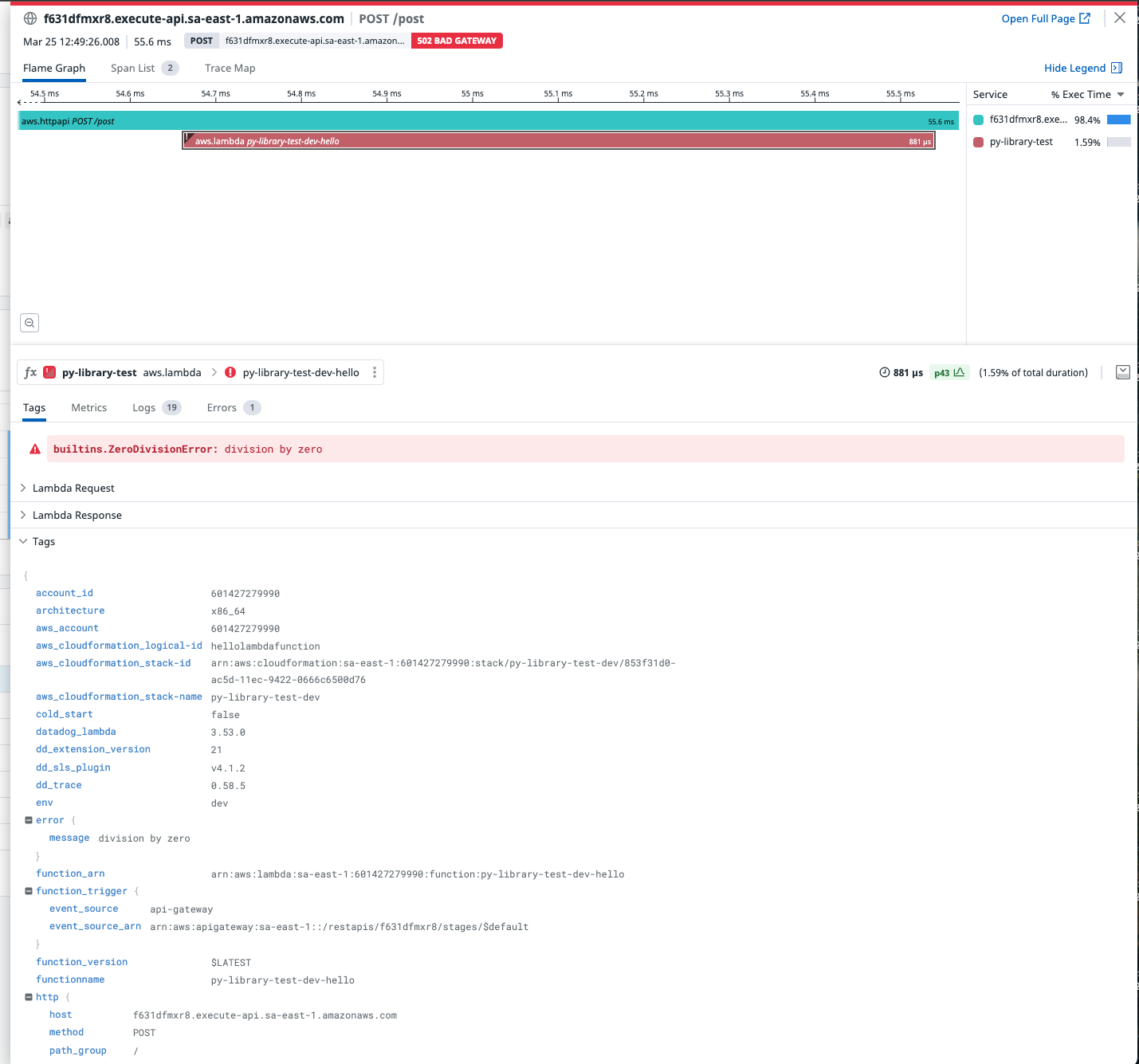
and here's the trace with the error:
As per your note, I think most users will like create methods outside of their handler functions and call them from the handler in order to memoize a connection or cache data - and these calls would be traced and captured by Datadog in the event of a failure.
However, when I removed the

throwmethod and instead just divide by zero, the function crashed entirely withAn unknown application error occurred:This causes our runtime to crash, which is why it's not reported in Datadog.
This looks like it's a bug which could be on our end or something AWS can fix. I'll update you with more information soon.
Thanks again!
astuyve commentedon May 12, 2022
Closing as there has been no reply for over 30 days.
nalepae commentedon May 12, 2022
Yes, but the issue is still here!
astuyve commentedon May 12, 2022
Hi! Thanks for the reply, I'm sorry about that. I'm returning from a few weeks of vacation and mis-remembered my own reply. I think there are a few options here, I'll explore how we can solve this either in the library itself or in the extension.
Thanks!
MatejBalantic commentedon Feb 14, 2024
I'd like to +1 on this issue. In our case, we run database migrations outside of the handler because we want them to only happen in cold starts (first-time lambda starts) rather than in all consequent warm executions. As we utilize provisioned concurrency, we've got quite a number of lambdas running all the time and gain a lot of benefits from this setup.
However, if our database migration crashes (it does; that's why I am here :)), the errors don't show up in DataDog.
nalepae commentedon Feb 14, 2024
Yes my use case was the same: A lot of work to do outside the handler because I want them to only happen in cold starts.
And is something crashes when this "out of handler code" is executed, then datadog is blind about this event.
astuyve commentedon Feb 14, 2024
Hi folks, this should still be flagged in log-based error tracking. Is that not showing up?
Is the ask here for this to create an APM span upon failure? Where else would you expect to see init failures flagged?
Thank you!
MatejBalantic commentedon Feb 14, 2024
Exactly, it should be shown in the APM as a trace/span, like in case of any other error. This is where we always start our investigation from. It is also what drives our error tracking and monitoring, such as alerts for exceeded error ratio etc. right now it flies under the radar
duncanista commentedon May 2, 2024
Closing due to #475, and latest release of this package including it.