Repository navigation
Refresh tokens are not consistently issued #909

Description

Depending on the incoming request to the OIDC Provider component of the Community Server, a refresh token may or may not be returned, even though the original request looks valid.
Steps to reproduce in the browser:
- Clone https://github.com/inrupt/solid-client-authn-js, the repo contains demo clients. Run
cd solid-client-authn, andnpm ci. - Edit
packages/browser/examples/single/bundle/src/App.jsto comment out l. 70 (clientId: CLIENT_APP_WEBID), I'm fixing this but the client WebID does not contain therefresh_tokengrant type, so that would prevent things to work. cd packages/browser/examples/single/bundle/,npm run dev. The demo app should run onhttp://localhost:3113- Log in a running CSS instance, and look at the browser's network tab: the response from the
/tokenendpoint does contain arefresh_token, as we expect. - Log in again. Instead of the login screen, you should be shown a simple "Authorize" button.
- This time, the
/tokenendpoint response did not contain a refresh token.
Steps to reproduce in NodeJS:
- In the same cloned repo, go to
packages/node/example/multiSession. Edit l.40const DEFAULT_OIDC_ISSUER = ...to point to the CSS instance. - Run
npm run build, and thennode dist/serverSideApp.js - Visit
http://localhost:3001/login, and log in. - Visit
http://localhost:3001/fetch?resource=http://localhost:3000/<py-pod>/profile(or whatever your CSS is) - Get an auth error
That latest auth error comes from the fact that the underlying library tries to get an access token using the refresh token it should have gotten when initially logged in. I can go over the details on where to enable log in the library to see that the /token endpoint does not return a refresh token, but I guarantee it did not when I tried locally ^^.
Interesting leads
Having investigated a little in the CSS codebase, it looks like some information can be gathered altering slightly the identity component: adding the following
config.issueRefreshToken = (_ctx, client, code):
    ReturnType<Exclude<Configuration['issueRefreshToken'], undefined>> => {
      console.log('refresh token requested');
      console.log(client.grantTypeAllowed('refresh_token'));
      console.log(code.scopes);
      // The following is the default behaviour
      return client.grantTypeAllowed('refresh_token') && code.scopes.has('offline_access');
    };
to src/identity/configuration/IdentityProviderFactory.ts in the createProvider function shows that the client is allowed the refresh_token grant, but the scopes do not include offline_access, while that scope has specifically been requested at the authorization endpoint.
Moreover, it should be noted that the user isn't prompted for consent during the process, which is mandatory as per the OIDC spec, and may be the cause of the issue, as the oidc-provider documentation includes a remark on this topic in its FAQ: https://github.com/panva/node-oidc-provider/blob/main/docs/README.md#refresh-tokens.
Do you have an idea how the problem may be fixed ?
Activity
jvherweg commentedon Aug 13, 2021
Thanks already for the in-depth research you did into this.
I would have to look into this deeper at a later time, but based on the work you did I'm thinking it might be simple to fix actually (did not test yet).
This is what the
LoginHandlerreturns (the class responsible for the Login screen):https://github.com/solid/community-server/blob/634d2d92f1d3d59a3b46b9834d2a6bfe682f42bd/src/identity/interaction/email-password/handler/LoginHandler.ts#L29-L32
This is what the
SessionHttpHandlerreturns (responsible for the confirm screen):https://github.com/solid/community-server/blob/634d2d92f1d3d59a3b46b9834d2a6bfe682f42bd/src/identity/interaction/SessionHttpHandler.ts#L13-L16
These fields get used by the
InteractionCompleterto finalize the OIDC interaction here: https://github.com/solid/community-server/blob/634d2d92f1d3d59a3b46b9834d2a6bfe682f42bd/src/identity/interaction/util/InteractionCompleter.ts#L26-L35So the
SessionHttpHandlernever sets theshouldRememberfield to true which is probably the cause of this. If that is the cause of this issue, we would just need to add a "remember me" checkbox to the confirm html template and then parse that input in theSessionHttpHandler.Your Node.js steps seem to indicate that there is also an issue when just using the login screen right? For that case I can't immediately say yet what the cause of that is and would have to have a deeper look myself.
matthieubosquet commentedon Aug 16, 2021
I can confirm that bypassing the below line as:
rejectedScopes: [],will result in refresh tokens being always returned.https://github.com/solid/community-server/blob/634d2d92f1d3d59a3b46b9834d2a6bfe682f42bd/src/identity/interaction/util/InteractionCompleter.ts#L33
jvherweg commentedon Aug 17, 2021
@NSeydoux I had a look into the NodeJS issue. I compared with the input/output when doing the requests with the browser version (that does receive the refresh_token). Everything seemed to be mostly the same during registration of the client and logging in (only difference being that the browser version uses pairwise subject_type and the node version public, but I don't think that has an influence?)
The one difference I did note was in the client requests. Below are the 2 bodies that were posted:
Browser:
NodeJS:
So the main difference here is that the NodeJS version did not send a client_id along. This might cause the OIDC library to not recognize that
offline_accessis a valid scope for the request. This can be seen in the response to the/idp/tokenrequest as the browser getsscope: 'openid offline_access'and NodeJS only getsscope: 'openid'.At this point someone will have to tell me if this is a client issue or if the server is not correctly configured and should also support that request. My OIDC knowledge is not enough to know the answer there.
(I consider the Browser issue described in the first comment settled since it's quite probably solved by my first comment. Will push that fix later).
NSeydoux commentedon Aug 17, 2021
I'll double-check the browser code, but for the NodeJS client I'm positive it uses
client_secret_basicclient authentication, so the client ID and secret are provided through theAuthenticationheader (and not in the POST body) (see the spec for additional details). Therefore, the server should indeed support this request (I think).One thing that is surprising is that the Resource Owner isn't shown an authorization screen in the NodeJS case, and in the absence of a consent the server behaves correctly and does not return the refresh token. Therefore, I'd expect that if the issue does indeed come from the server configuration, this could be something to look at.
jvherweg commentedon Aug 18, 2021
You mean when doing a request to
http://localhost:3001/fetch?resource=http://localhost:3000/<my-pod>/profile? I didn't test that part yet since things already go wrong in the request tohttp://localhost:3001/loginso I didn't investigate that request yet, I assumed the problem was a consequence of no refresh token being returned after logging in.NSeydoux commentedon Aug 18, 2021
Well actually the screen I would have expected in NodeJS isn't displayed for the browser app either. Typically, an OIDC Provider (an OAuth Authorization server even I think), on the first login, prompts the user for consent regarding the scopes requested by the client, which is a different step from the user logging in. Here are these two screens shown on ESS:
In the case of CSS, only a lgin screen is shown: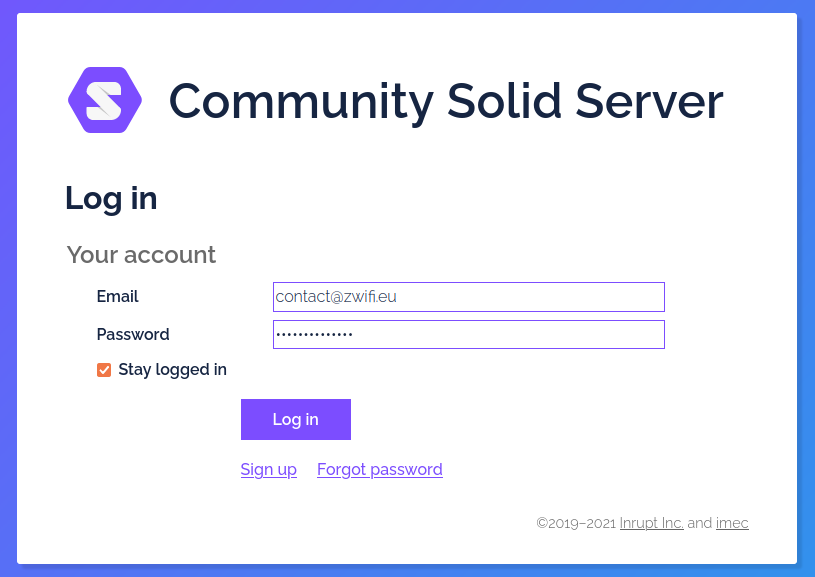
I think that's what Filip refers to in the FAQ I linked in the issue description: getting user consent is mandatory for the OP to return a refresh token. I'm not sure why one is returned in the browser at all, because the
shouldRemebercheckbox is set by the NodeJS login too.jvherweg commentedon Aug 18, 2021
Ah, we do have #827 to identify the client that is requesting access to the user. But that was mostly to inform the user more about what was going on. I assumed the login screen was also the place where the user gave permission to allow the app to do what it wants to do, as what it requests is part of the scope of the auth request (we just don't show it yet to the user so they blindly have to accept for now). If something else was required I would expect the OIDC library to completely reject the request instead of still accepting it but not returning a refresh token?
Authentication (at least sort of) works with the NodeJS implementation of the authn library, we use it for our integration tests on the IDP. We never check for the refresh token though, which is the reason this issue was never discovered.
jvherweg commentedon Aug 18, 2021
Small addendum, since I haven't really replied to this yet:
We do support the consent prompt, that is what causes the user to see an Authorize button the second time they're prompted to log in, so it's (probably? 😅 ) not related to that statement.
It's just really weird that the authorization code object does not contain the offlince_access scope even though it was requested. Will see if I can add some more debugging to the OIDC library to find out what happens there.
jvherweg commentedon Aug 18, 2021
Digging a bit more, the prompt thing actually is related I think, but potentially not on the server side. These are the initial GET requests of both the browser and the nodejs implementation:
Browser:
NodeJS:
Note that the NodeJS request does not include the
prompt=consentrequest (and also not the response_mode, probably not related from what I found).Quote from the OpenID spec:
Now I'm not sure what these "other conditions" entail, but this might be the reason the offline_access scope is removed on the server.
NSeydoux commentedon Aug 18, 2021
You're absolutely right, the issue comes from the NodeJS client ! I thought the
prompt=consentwas set by default, but it wasn't. How did you turn on the logs on you CSS instance to see the requests details like this ? This will be helpful to me in the future :D.RubenVerborgh commentedon Aug 18, 2021
-l debugjvherweg commentedon Aug 18, 2021
This doesn't do that much for the IDP though, we need more extensive logging there. But what I posted in my last comment were the URLs the GET request was being done against, which do get logged with logging level 'info' (which is on by default).
justinwb commentedon Jan 20, 2022
FWIW - today I was running into a similar problem with community-server not issuing refresh tokens, and luckily came across this issue before I spent too much time digging around. Like @NSeydoux, the issue was not explicitly including prompt=consent. It may be worth surfacing some of these lessons (prompt, debugging, scopes) into the IDP documentation (or if there's some FAQ or tips area). In any event you guys all saved me some time so thanks for that :D
RubenVerborgh commentedon Jan 20, 2022
@justinwb @NSeydoux Which party would be "at fault" here, according to the spec? Is CSS right to expect prompt=consent?
justinwb commentedon Jan 20, 2022
CSS is absolutely doing the right thing per the OpenID spec - I don't think any behavior needs to change there. My comment was more to point out that if there's documentation for developers working with the IDP - it could be helpful under a tips for FAQs section to include a bit on this particular issue (refresh tokens aren't being issued)
NSeydoux commentedon Jan 20, 2022
The relevant part of the spec is the following: https://openid.net/specs/openid-connect-core-1_0.html#OfflineAccess. I think CSS is right to expect the
prompt=consentparameter if the scopes includeoffline_access, at least on the first request (when no cookie is sent). Then, the behaviour of the IDP may change to not prompt the user for consent, regardless of the parameter, but that's a different issue I think.