


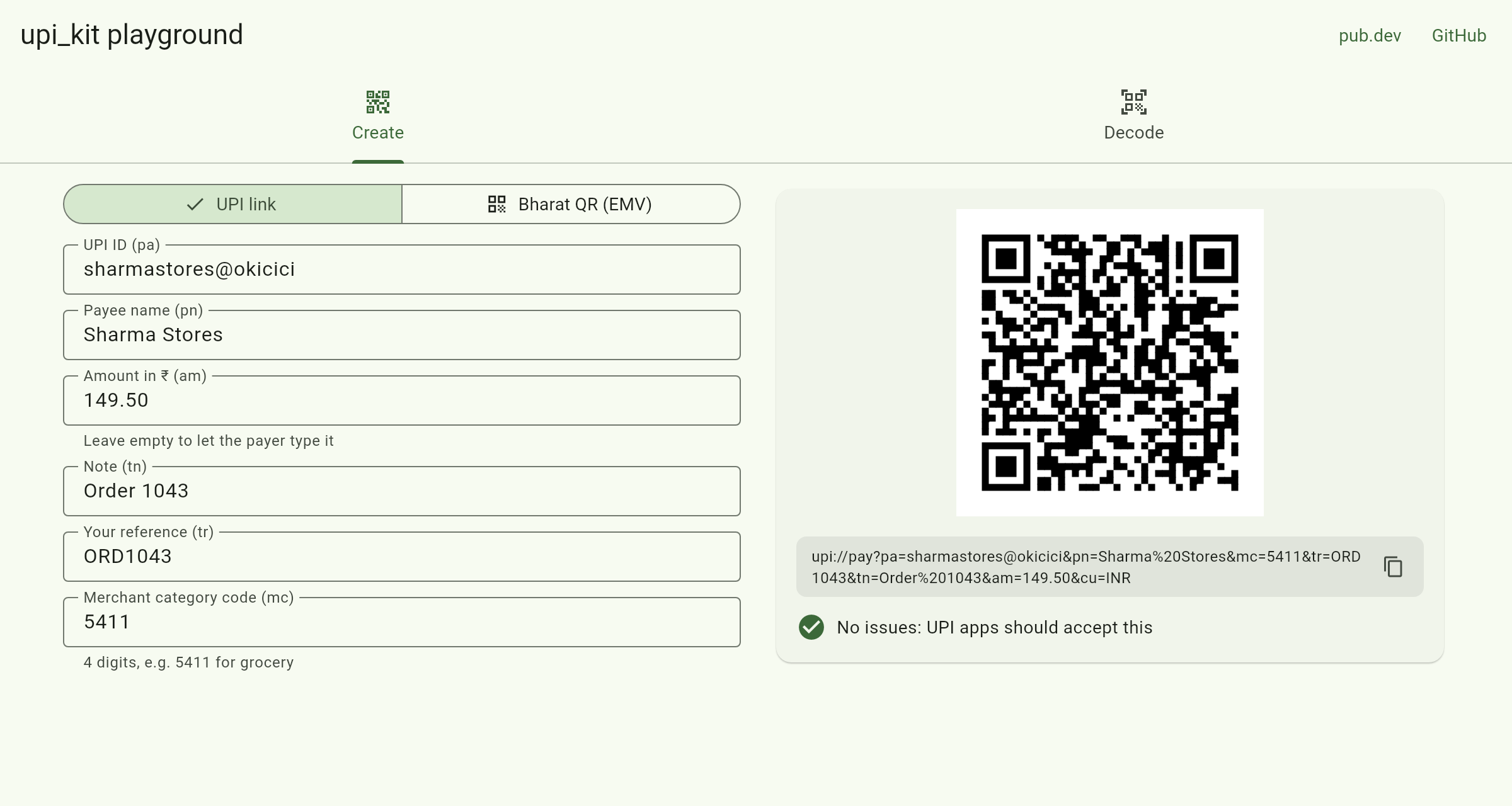
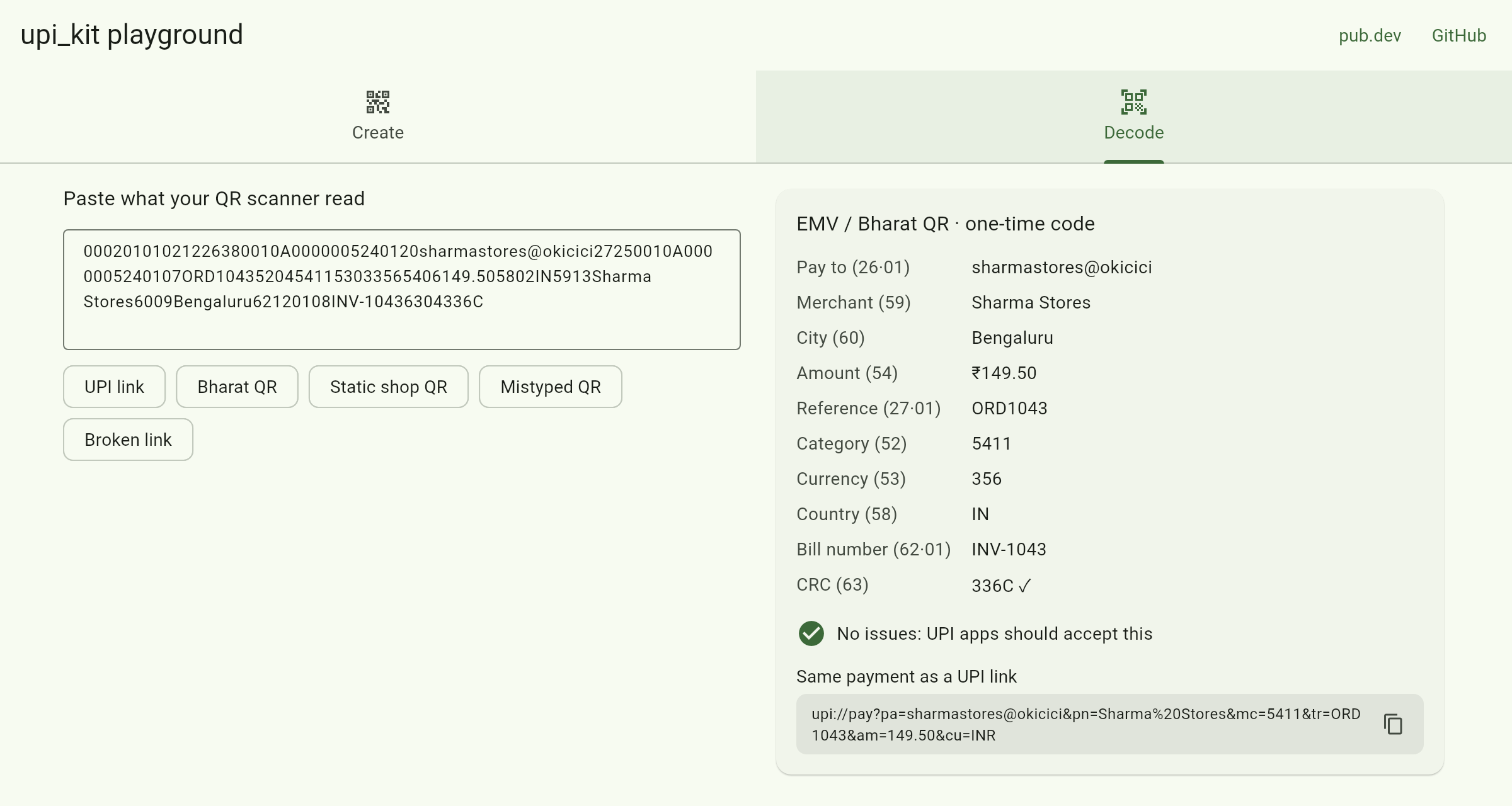
Try the live playground: create a UPI QR code, or paste a scanned one to see what's inside
Build, parse and validate the two kinds of payment QR code used in India: UPI links (upi://pay?pa=…) and Bharat QR (EMV) codes.
final link = UpiPaymentLink(
  payeeVpa: 'sharmastores@okicici',
  payeeName: 'Sharma Stores',
  amount: UpiAmount.parse('149.50'),
  transactionRef: 'ORD1043',
);
print(link); // upi://pay?pa=sharmastores@okicici&pn=Sharma%20Stores&tr=ORD1043&am=149.50&cu=INR
Most UPI packages open a payment app for you. This one handles the data itself, so you can create links and QR codes, read what a scanner returns, and catch mistakes before a payer sees "invalid QR":
- Correct encoding: spaces become
%20, not+(some apps show a literal+), and amounts always have two decimal places - Bharat QR (EMV): read and write the ID-length-value format, with CRC-16 checking, so a misread code is caught instead of paid
- Validation that explains itself: a bad UPI ID, a zero amount, a minimum above the amount, a non-INR currency or a four-digit MCC that isn't one, each with a field name and a readable message
- No floating point money:
UpiAmountkeeps whole paise, so0.1 + 0.2is exactly ₹0.30 - iOS links: iOS has no app chooser for
upi://, sotoLink(UpiApp.phonePe)gives youphonepe://pay?…and the same for Google Pay and Paytm - Pure Dart, no dependencies: works in Flutter apps, on the web and on your server
dart pub add upi_kitimport 'package:upi_kit/upi_kit.dart';
final link = UpiPaymentLink(
payeeVpa: 'sharmastores@okicici',
payeeName: 'Sharma Stores',
amount: UpiAmount.parse('149.50'),
note: 'Order 1043',
transactionRef: 'ORD1043',
);
final issues = link.validate(); // [] when payment apps will accept it
final qrText = link.toLink(); // put this in a QR codeDraw the QR code with any QR widget, for example qr_flutter:
QrImageView(data: link.toLink(), size: 220)With url_launcher:
// Android shows the payer a list of UPI apps.
await launchUrl(link.toUri(), mode: LaunchMode.externalApplication);

// iOS needs a specific app. Add the schemes you use
// (gpay, phonepe, paytmmp) to LSApplicationQueriesSchemes in Info.plist.
await launchUrl(link.toUri(UpiApp.phonePe), mode: LaunchMode.externalApplication);final qr = EmvQr.bharatQr(
vpa: 'sharmastores@okicici',
merchantName: 'Sharma Stores',
merchantCity: 'Bengaluru',
merchantCategoryCode: '5411',
amount: UpiAmount.parse('149.50'), // leave out for a reusable shop code
transactionRef: 'ORD1043',
);
print(qr.payload); // 00020101021226380010A0000005240120sharmastores@okicici...6304AEDAThe point of initiation (11 reusable, 12 one-time), the currency (356), the country, field lengths and the CRC are all filled in for you.
Hand UpiQr.parse whatever your scanner returns (mobile_scanner, for example) and switch on the result:
final scanned = UpiQr.tryParse(barcode.rawValue ?? '');
if (scanned == null) return showError('Not a payment QR code');

switch (scanned) {
  case UpiLinkQr(:final link):
    print('Pay ${link.payeeName} at ${link.payeeVpa}');
  case EmvUpiQr(:final qr):
    print('Pay ${qr.merchantName} in ${qr.merchantCity}, ref ${qr.upi?.transactionRef}');
}

// Either way, as one link you can open or store:
final link = scanned.toPaymentLink();
EmvQr.parse throws a FormatException with a clear message when the CRC doesn't match, which almost always means the code was misread or tampered with.
| Build | Parse | Validate | |
|---|---|---|---|
UPI link: pa, pn, am, mam, tn, tr, tid, mc, cu, url, mode, purpose |
✅ | ✅ | ✅ |
Unknown UPI parameters (sign, orgid and others) |
kept in order | kept in order | |
Upper-case links (UPI://PAY?PA=…) and + for spaces |
✅ | ||
| App-specific links for iOS: Google Pay, PhonePe, Paytm | ✅ | ||
| EMV fields 00–99, nested templates, Unicode names | ✅ | ✅ | |
| Bharat QR UPI fields: 26 (UPI ID, minimum amount), 27 (reference, URL) | ✅ | ✅ | ✅ |
| EMV additional data (62): bill number, store, terminal, purpose… | ✅ | ✅ | |
| CRC-16/CCITT-FALSE (field 63) | ✅ | ✅ | |
| Required EMV fields: 52, 53, 58, 59, 60 | ✅ |
The EMV parser is tested against the worked example in the EMVCo specification, including its Chinese alternate-language template.
- It doesn't move money or confirm payments. A UPI link only opens the payer's app. To know whether a payment went through, use your payment gateway's webhook or status API, never the app's return value alone.
- It can't check that a UPI ID exists. Only a payment app or a verification API can.
- Payer apps set their own limits. Some refuse person-to-person links with a pre-filled amount, or links from unverified merchants. For a business, get merchant UPI IDs and dynamic QR codes from your bank or payment gateway, and use this package to build, check and read them.
Bug reports with a real (redacted) QR payload are especially welcome: open an issue or start a discussion.
dart test                 # VM
dart test -p chrome       # web
cd demo && flutter run -d chromeMIT. See LICENSE.
Related: india_validators for PAN, GSTIN, Aadhaar, IFSC and other Indian identifiers.