


Describe a system in plain English and get an interactive model of it. Run it, break it, and compare fixes by what they actually do and what they cost.
▶ Watch the 1:22 demo on YouTube

Try it locally: npm install && npm run dev, then open http://localhost:5173. It runs with no keys (see Run).
CanItWork is a team of AI agents that builds a live simulation of any system you describe, and the same team runs every build in every domain:
- an Interpreter works out what kind of system it is;
- an Architect designs it, or with the Design Council on, three Swarms architects compete for it;
- a Validator runs the design in a simulator built for that kind of system and sends it back until it passes;
- a Red Team on Swarms predicts how it breaks;
- a Recovery Council on Swarms proposes fixes after a failure.
The simulator settles every argument. It covers hardware, software, operations and infrastructure, and fleets of robots and drones. If it can't model something, it says so.
Every agent call costs real money, so Auth0 decides who can make the agents spend it. Signing in unlocks new AI builds, limits follow the account instead of the network, and runs can be shared only with people whose identity Auth0 has verified. docs/AUTH0.md explains why that matters and how it works.
Built at SharkByte 2026.
| Tool | What it does here |
|---|---|
| Gemini | The Architect, Reviewer and Explainer: designs systems, checks them against the request, and labels results in plain words |
| TypeSafe Jev | The Interpreter's first opinion: which simulator fits a request, with a probability for each |
| Prune | Routes every Gemini call and keeps the spend ledger |
| Swarms | The Red Team, the Recovery Council and the optional Design Council |
| Tiger Data | Postgres for saved runs and live sessions |
| Auth0 | Sign-in, who may spend AI credits, and sharing runs with verified people |
| Solana | Timestamps every shared run: its proof hash goes into a memo on the chain, so anyone can check when a result existed and that it hasn't changed since, without trusting our server |
| Vultr | Hosting: one container serves the API and the web app (deploy/README.md) |
| Kenney | CC0 3D models: people, vehicles, buildings, furniture and machines (CREDITS) |
- 3D that looks like the system. Every domain draws real models from Kenney's CC0 packs (people, trucks, planes, warehouse racks and boxes, conveyors, factories, houses, solar fields, beds and desks), with a code-built model standing in while a model loads or if it can't. A part with no model of its own is drawn as a dashed amber placeholder that says so, never a silent grey box. The camera frames each system to fit the screen and glides when it changes.
- The build shows its work. While the agents work, each draft appears as a blue blueprint on the stage, turns over as the Validator sends it back, and goes solid once every check passes.
- Graphite with one accent. Neutral graphite surfaces and amber for what needs attention; health is a small dot, not a badge.
- The landing runs real systems. A verified design runs edge to edge behind the headline, with the prompt underneath, then three short chapters on how it works, the agents, the thirteen kinds of system and the prompt again.
- Logo: Blueprint to Solid. A cube with two dashed blueprint faces and one solid amber face, a design going from draft to proven. PNGs of the mark, app icons, favicons, wordmarks and banners are in brand/, and
node brand/render.mjsredraws them.
Thirteen domains, each with its own simulator and 3D view.
Hardware
| Domain | Simulator | View |
|---|---|---|
| Electronics | Anything from a battery and a bulb to logic chips to microcontroller projects, over time: voltages and currents, diodes and Zeners, op-amps solved exactly (amplifiers, buffers, comparators), digital logic and chip state (gates, adders, counters, flip-flops, 555 timers), PWM, capacitors, motor spin-up, board brownout, sensors, pots, LDRs, thermistors, servos, 7-segment and text displays, and quantities such as soil moisture, room temperature or distance to a wall, with ratings that burn out overloaded parts. Any named chip or board (a 74HC08, a Seeed XIAO, a Pico) is modelled from its real pins | Workbench or a real breadboard with chips straddling the channel, live wires and readings, clickable switches, and a build guide that names every hole |
Software
| Domain | Simulator | View |
|---|---|---|
| Software systems | Traffic, capacity, latency, retries, timeouts and cascading failures, with circuit breakers, rate limits and autoscaling that boots replicas under load | Racks, databases and queues with live packets |
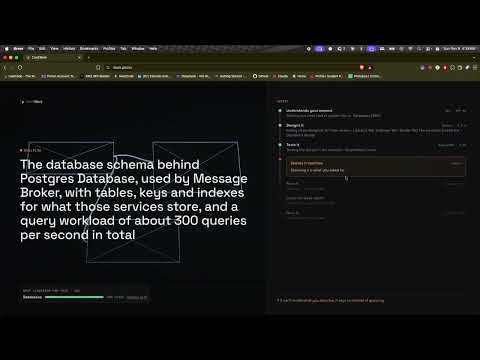
| Databases | Query cost, indexes, data growth, locks and broken dependencies, and classic outages: a lock or leak exhausting the connection pool, replicas falling behind and serving stale reads, and N+1 query loops | Table cards with keys and relationships |
Every system except a circuit shows what it costs to run each month, from rough list prices: replicas, database nodes and storage, queue messages and API calls for software; staffed beds, gates, cashiers, agents, machines and plants (with fuel, freight and chemicals by volume) for the flow systems; robots, chargers, docks and floor space for a warehouse; units by role for a fleet. It moves live as autoscaling adds replicas or a fix lands. Every recovery the council proposes says what it adds to the bill, and among fixes that tie on the result the cheapest is recommended.
Paste your own file instead of describing the system: CREATE TABLE SQL (Postgres or MySQL dumps, with keys, indexes, ALTER TABLE and partitions) builds the database exactly as written, and a Docker Compose file or Kubernetes manifests build the architecture, with each service's kind read from its image and its calls from depends_on and connection strings. No model reads the structure; the Architect only estimates what a file can't say (row counts and queries, or traffic and capacity), keeping any number you write beside it.
Operations and infrastructure
| Domain | Simulator | View |
|---|---|---|
| Warehouses | Robots, routing, conveyors, charging and order flow | 3D warehouse floor |
| Queues and service | People, vehicles or jobs arriving, waiting and being served: airport security, supermarket tills, toll plazas, coffee shops, intersections, elevator banks | Counters with staff and people waiting in line, lanes with traffic lights, and elevators as a glass tower whose floor count comes from the prompt |
| Power grids | Plants, substations and lines carrying megawatts to demand; lines trip on sustained overload | Flow network with live flow along every line |
| Water networks | Reservoirs, treatment, pump stations, towers and districts | Flow network |
| Supply chains | Suppliers, factories, ports, distribution centres and stores, with transit times and reorder targets | Flow network |
| Hospitals | Ambulance and walk-in arrivals, triage, ER, imaging, wards and ICU beds | Flow network |
| Factories | Machines, cells, booths, buffers and bottlenecks on a production line | Flow network |
| Airports | Inbound flights, approach control, runways, taxiways and gates | Flow network |
| Call centres | Phone menus, agent teams, escalations and abandoned calls | Flow network |
Queues and the seven flow-network domains share one flow engine: sources, stages and sinks with capacities, buffers and link delays.
Robots and drones
| Domain | Simulator | View |
|---|---|---|
| Autonomous fleets | Drone swarms, rovers and robot teams with roles (search, deliver, relay, patrol, escort), batteries, radio range with line of sight, obstacles and detours, scored on mission progress over time | Units moving over the field, with explored cells, targets and radio links |
Each domain lists what it doesn't model, and the app shows that list next to every environment.
The landing page features examples grouped as hardware, software and operations. They come from 88 verified designs across all 13 domains, including a drone swarm, a supermarket, a Friday-night ER and an office tower's elevators. Try the first one, a 2-bit calculator on a breadboard. It wires three logic chips, proves all 16 sums in simulation, and lights the binary result when you click the switches. The landing examples are designs that already passed every check, so they open instantly and cost no model calls. A self-watering planter shows the physical world and sketches: it keeps the soil inside its target band and recovers when you burn out the pump. docs/DEMO.md is the full walkthrough.
Needs Node 20 or newer.
npm install
npm run dev
Open http://localhost:5173. The API runs on port 8787.
It runs with no keys. Without them, each step in the Agents panel is tagged Local rules, and environments come from small built-in templates.
npm test
npm run typecheck
npm run format:checkCopy .env.example to .env. The server re-reads it on every request.
| Variable | Purpose |
|---|---|
PRUNE_API_KEY |
Sends Gemini calls through Prune. Store your Gemini key in the Prune dashboard under Connect > Providers |
PRUNE_BASE_URL |
Prune's API address |
GEMINI_API_KEY |
Direct Gemini access, used if Prune is unavailable |
GEMINI_MODEL |
Default Gemini model |
TYPESAFE_API_KEY |
Lets Jev pick the domain. Gemini is only asked when Jev is unsure |
SWARMS_API_KEY |
Runs the Red Team and the recovery council |
SWARMS_MODEL |
Model for the recovery council |
REDTEAM_MODEL |
Model for the Red Team |
SWARMS_KEEP_USD |
Stops Swarms calls at this balance. Defaults to 5 |
DESIGN_COUNCIL |
on has three Swarms architects design each request in parallel; the simulator builds the best design. Off by default, since each build then costs a Swarms run |
DESIGN_COUNCIL_MODEL |
Model for the design council's architects |
DESIGN_CACHE |
off disables the verified-design cache. On by default |
GEMINI_RPM |
Paces direct Gemini calls under a free-tier key's per-minute limit, such as 12 |
ARCHITECT_MODEL |
Model for the Architect. It falls back to GEMINI_MODEL when this one is busy or out of quota |
ARCHITECT_REPAIR_MODEL |
Model for repairing a design the Validator sent back. It falls back to ARCHITECT_MODEL |
RATE_LIMIT_PER_HOUR |
AI builds, chats and recoveries allowed per visitor an hour on a public deploy. A signed-in person is counted by their account, not their address. Cached examples never count |
REQUIRE_SIGN_IN |
With Auth0 configured, 1 keeps the AI for signed-in people: guests are offered a Sign-in button instead. Cached examples stay free for everyone |
GUEST_LIMIT_PER_HOUR |
With REQUIRE_SIGN_IN, AI builds a guest may try an hour before being asked to sign in. Unset means none |
PORT |
API port. Defaults to 8787 |
TRUST_PROXY |
Behind a reverse proxy such as Caddy, 1 makes the hourly limit use the proxy's X-Forwarded-For address. Unset, it uses the connection's own address, since a client could forge that header |
AUTH0_DOMAIN, AUTH0_CLIENT_ID |
Turn on sign-in with Auth0: the tenant domain and a Single Page Application's client ID, whose allowed callback, logout and web origin URLs include where the app runs. Neither is secret. Without them, sign-in stays hidden |
AUTH0_AUDIENCE |
Optional Auth0 API identifier: with it, tokens are checked locally against the tenant's keys; without it, the server asks Auth0 once per sign-in |
DATABASE_URL |
Postgres connection string, such as Tiger Data's, for saved runs. Without it, runs are kept in apps/server/.data/runs.json |
SOLANA_SECRET_KEY |
The wallet that pays for Solana memos, as a JSON byte array. Fund its address once at faucet.solana.com. Without it, the server makes a wallet in apps/server/.cache, which is lost on redeploy |
SOLANA_CLUSTER |
devnet (default), testnet or mainnet-beta. SOLANA_RPC_URL points at a different RPC node |
SOLANA_ANCHOR |
off stops anchoring proof hashes on Solana |
GEMINI_API_KEY takes several comma-separated keys and moves to the next on a quota error. If Prune's own Gemini key is out of quota or rejected, calls go direct for 10 minutes before trying Prune again. Every billed Gemini call is logged to apps/server/.spend/ledger.jsonl.
Swarms bills every run, including runs that fail. Leave SWARMS_API_KEY blank while developing.
prompt ─▶ Interpreter ─▶ Architect ─▶ Validator ─▶ Reviewer ─▶ Simulator ─▶ Red Team ─▶ Simulator tests each claim
          Jev, Gemini    Gemini or a  domain rules  Gemini                   Swarms
                         Swarms Design Council

failure ─▶ Recovery Council ─▶ Simulator ranks each proposal ─▶ Analyst ─▶ Apply
           Swarms                                               Gemini
- Interpreter picks the domain, or refuses and explains why. Jev answers which domain fits and how likely each simulator is to model the request; code routes on those probabilities and hands unsure cases to Gemini.
- Architect writes a structured design and lists anything it couldn't represent.
- Validator checks the design with the domain's own rules and by simulating it. In electronics it runs the design for a simulated minute at each sensor's extremes and rejects anything that burns out, never turns on or fails to hold its targets, saying why in terms the Architect can act on. A rejected design goes back to the Architect up to twice. Anything still failing is listed next to the environment, and a design with errors is refused instead of shown.
- Reviewer reads the request beside the finished design, as built, and sends back anything it shrank or left out, such as one gate built for a 16-bit calculator or three robots for nine. The checks prove a design works; the Reviewer checks it is the design that was asked for.
- Repairs keep every number the user stated, including "a" or "one", and fix overloads by adding capacity the user didn't fix before lowering loads they didn't state, so a described rush stays a rush.
- Red Team states how the design should break, as failures the simulator can run. Each claim is shown as Confirmed or Refuted with the measurement.
- Recovery Council proposes fixes after a failure, and the simulator ranks them.
- Design Council (optional): three Swarms architects (Literalist, Engineer, Builder) design the same request in parallel. The simulator validates and runs each design, and the best one is built. A design that misses the schema gets one Gemini repair instead of being dropped. The leaderboard shows in the agent trace.
npx tsx apps/server/scripts/try-council.ts "your prompt"runs one council build and prints its spend. - Proof: once a design passes, the trace states what the simulator showed, such as "16 of 16 behaviour tests pass, no part over its rating at any of 9 input settings".
- Verified cache: a design that passed every check is remembered under its exact prompt and rebuilt with no model calls. It is checked again before use, and one that no longer passes is dropped. Exact matching only, because a semantic cache once returned five robots when nine were asked for.
apps/server/data/verified-designs.jsonships 88 seeds across all 13 domains.
Agents propose and the simulators decide. Simulators are deterministic, so an environment, seed and event log always replay to the same result.
Working together: Share can start a live session. Everyone with the invite sees the same run, and every break, fix, switch flip, play and pause shows up for all of them, with who did it in the chat. The agents work for the whole room: when someone breaks the system, everyone watches the Recovery Council's steps and gets the same fix proposals, and anyone can apply one. Because the simulators are deterministic, the server only relays the action log; each browser replays it and lands on exactly the same state. Someone joining late starts from the whole log and the agents' work so far, and a screen that falls behind catches up to the session's clock. Sessions are saved with the runs (Tiger Data's Postgres when DATABASE_URL is set), so a server restart picks them up again for a day.
Share copies a link that holds the whole run (environment, seed and event log, deflated into the URL, about 2 KB for a 2-bit calculator), so no server is needed. Opening it replays the run tick by tick and recomputes its provenance hash, a SHA-256 of the environment, scenario and result. The app then says whether the hash matches the link. Edit one event in the link and it reports the mismatch. Share can also show the link as a QR code, drawn in the browser so the run never goes to an outside service.
Anchored on Solana: sharing a run also writes its proof hash into a memo on Solana, as canitwork:<hash>, and the share panel links to the transaction on Solana Explorer. The link already proves nothing in it was edited. The chain adds a public record of when the result existed, kept by a network we don't control. Anyone can compare the memo with the hash the link recomputes, without trusting our server or our database. Each hash is written once, and a failed anchor never blocks sharing. It runs on devnet by default, where a memo costs nothing. POST /api/anchor writes a hash, and GET /api/anchor/:hash looks one up.
Sign-in guards the agents: with Auth0 configured and REQUIRE_SIGN_IN=1, a guest's new build, chat or recovery is turned away before any model is called, with a Sign in button where the build would have been. Verified examples and shared links stay free for everyone. The server checks each request's Auth0 token, and the hourly limit counts a signed-in person by their account, so a new network doesn't reset it and a shared one doesn't lock out a room. See docs/AUTH0.md.
Accounts: with Auth0 configured, people sign in and save runs to their account, with a short link. The owner chooses who can open each one: anyone with the link, only themselves, or people they name by email. The server checks every request's Auth0 token, and only a verified email unlocks a run shared with that address. "My systems" lists saved runs, with each one's sharing setting, its link and a delete button.
- Parts are built in (boards, resistors, capacitors, LEDs, buttons, motors, H-bridges, ultrasonic sensors, batteries) or defined by the Architect from pins, electrical paths, ratings, a sensor reading or an actuator output, so any board, sensor, relay, display or driver can be modelled.
- Sketches are rules over variables, time since start and sensor readings, with expressions such as
"angle + step"or"t % 30 < 3", run every tick. Sweeps, timers, state machines and control loops all work. - The world holds physical quantities that drift, settle toward an ambient value and are pushed by the parts that act on them. Sensors read them, and a target says what the design is meant to hold.
- Scoring compares each run with a fault-free copy of the same design, so a change in conditions isn't a failure but a stuck sensor running a pump is.
- Logic and chips: a chip's outputs follow expressions over its pins (
A1 && B1,A1 != B1for XOR), and chips can keep state that changes on a clock edge. Gates, adders, counters, flip-flops and the 555 all simulate from this one mechanism. They settle within the solver's fixed point, so chained gates resolve in one tick. - Behaviour tests: a design carries its own truth table (inputs set, outputs on or off), and the validator runs every row. A failing row is traced to its cause, such as "LED_S1 is driven by U3.Y1 = A1 || B1 with A1=0 from U1.Y2" or "Q1's C-E switch is open: B is 0.43 V above E, needs 0.65 V". The Architect gets that as its repair note.
- Red Team setups: a claim can set inputs first, so an attack is judged in a state where its damage shows. On a 2-bit calculator, burning the XOR chip with 0 + 3 on the switches drops outputs from 100% to 49%.
- Packages and breadboards: parts are drawn by package (DIP, module, TO-92, TO-220, axial, radial, bulb, display), so any chip or board looks right from its pin count and label, with its part number printed on top. Low-voltage signal circuits go on a breadboard: chips straddle the channel in datasheet pin order, leads sit in holes, and each wire is a jumper.
- Building blocks: circuits too big to wire by hand are one line in a design, such as
{"kind":"adder","bits":16}, and compile into real 74HC gate chips, switches, LEDs, wiring and behaviour tests. Blocks cover adders and adder-subtractors (up to 32 bits), comparators (32), multipliers (8) and ALUs (16). A 16-bit calculator is 20 chips and 341 wires that pass 10 of 10 tests, including 65535 + 1. - Several breadboards: a circuit too big for one board continues on full-size 63-column boards, two to a row with rail jumpers between them; no chip straddles a board's edge, and the build guide names each hole's board. A 16-bit calculator takes 4 boards, with each switch and LED beside the chip it feeds.
- Build guide: the Build tab lists the parts and gives numbered steps that name breadboard holes (pin 1 of U1 in f3, R2 from d5 to the top − rail), taken from the same layout the view draws.
npm run eval:suite -w @tv/server -- [domain | case id | id prefix- | new | routing | breadth] sends standalone prompts through the whole pipeline against the live API and scores the result. There are 100 cases across all 13 domains, including 16-bit calculators, multipliers, comparators and ALUs, many phrased the way people actually ask, and a case can accept more than one domain when either is a fair reading. The checks cover routing, parts, counts and roles, whether the design's own behaviour tests pass, and whether it shipped with checks still failing. It bypasses the cache, leaves Swarms off unless EVAL_SWARMS=on, logs every call to the spend ledger, and stops at EVAL_DAILY_CAP calls a day (default 500) to protect a free-tier key's quota.
npm run capture -w @tv/web -- <label> [domain ...] pictures every 3D view in a headless browser from verified designs, with draw calls and triangles per domain, so a change to the 3D can be compared before and after (--ui for the whole page, --landing for the landing at desktop and phone width). It needs the dev server running. Opening a design asks the Explainer for plain-word labels, which costs a fraction of a cent.
Latest full runs: 90 of 100 general cases (docs/reports/eval-2026-11-08.md explains the 10 that still fail) and 73 of 76 software and database cases. Earlier focused suites passed 57 of 57 strict cases, 19 of 19 breadth cases and 16 of 16 fleet and queue prompts. docs/reports has the run reports.
A domain is a folder in packages/core/src/domains that implements the Domain interface in domain.ts: its schema, validation, simulator, failures and fixes. Add it to domains/index.ts, add a scene in apps/web/src/domains, and register the scene in apps/web/src/domains/index.tsx. The agents, chat, charts and panels work without changes.
| Path | Contents |
|---|---|
packages/core |
Domain contract, the 13 domains, the shared flow engine (domains/network), hashing, stream protocol |
apps/server |
Agent pipelines, Prune and Gemini gateway, Jev client, Swarms client, design council, verified cache, keyless routing |
apps/server/scripts |
Eval suite, interpreter eval and the design-council trial |
apps/web |
Shared shell and the scenes: bench, topology, schema, warehouse, network, queues and fleet |
A flow domain such as power or airports is mostly a config for the flow engine: node kinds with a role (source, stage or sink), capacities, buffers, templates and keywords.
- Prune's response cache is off, because semantic matches ignored numbers in prompts.
- The usage ledger leaves out Jev's cost, because TypeSafe's per-token price isn't known yet.
- Electronics time runs in 1/12 s steps, so radio, audio and fast signal waveforms are averaged.
- Flow domains move averages, not individuals: patients, flights or pallets are a flow with capacities, not agents with their own histories.
- Fleet units move in 2D and don't avoid each other.
- Without keys, only the built-in templates are available.
- Counters aren't a building block yet: at a clock slow enough to watch, the top bits of a wide counter take minutes to light.
docs/PLAN.md has the team's lanes, shared-file rules and git workflow, and docs/handoffs has the current state of each lane.
More domains, a counter block, an open verifier that replays a shared link outside the app, and an M5Stack controller. Saved runs already go to Tiger Data's Postgres once DATABASE_URL is set, and deploy/README.md deploys the app on Vultr.