

This small script will convert a given OBJ file to a HTML format such that it can be viewed and shared within the browser using a provided HTMl template format. The implementation involves parsing the OBJ file using ThreeJS and then adding the object to the scene. It is possible to include texture and MTL links as well to be included into the webpage.
Due to the nature of this script and the motivation behind its inception, I have added a mechanism to auto-upload these files onto Canvas. This can be used for a variety of courses to help view OBJ files within canvas pages and avoids the requirement of having to manually upload and grab the verifier links.
NOTE: You may have to play around with the maximum and minimum camera settings as well as Z_POS to get you image to load into view. If there is no error in the web console (press F12 and go to the Console tab) then it is just an issue with the camera and position.
Requirements:
gooey=1.0.8.1 # Optional if not using GUI
Jinja2==3.1.2
requests==2.28.1
argparse==1.4.0
# Warning this does take a while to build, you may want to use a prebuilt version. See https://wiki.wxpython.org/How%20to%20install%20wxPython
wxpython
On the browser side there may be issues for Firefox (or possibly others) users who have tinkered with some privacy/security settings in about:config may run into issues if they have disabled WebGL settings. Otherwise this is working across Chromium and Firefox on the latest stable distributions.
The code contains material and inspiration from ThreeJS : https://github.com/mrdoob/three.js/ and their examples to help load OBJ files and basically do all the heavy lifting. Gooey and Jinja2 are also used.
Windows:
The exe file is available under the releases page. Just enter your options accordingly as you would do with the python GUI.
Python GUI:
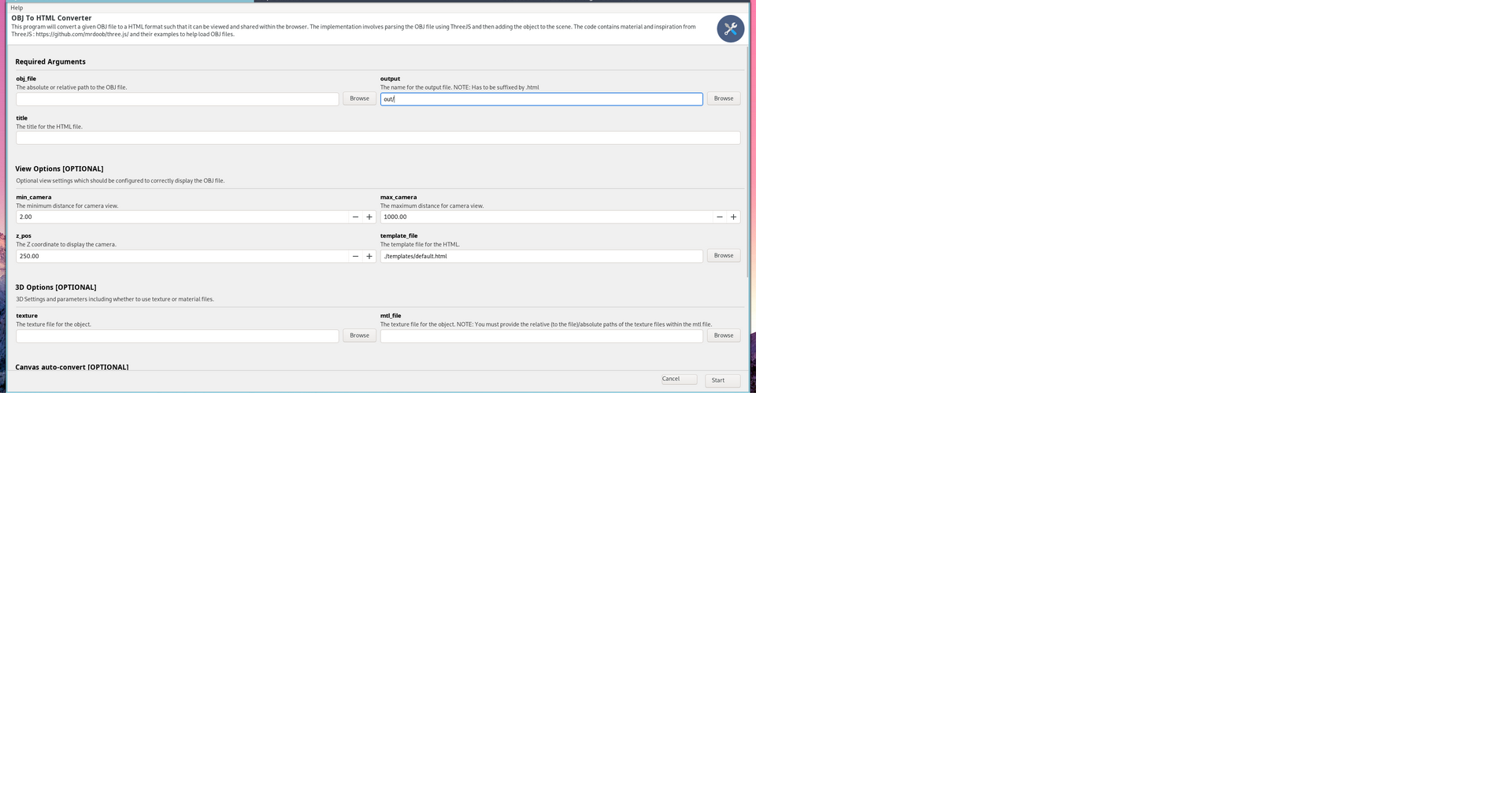
The GUI can be loaded using running the obj2html_gui.py file, this has been completed with the help of Gooey.
Python Script:
python -m obj2html.obj2html <OBJECT_FILE> <OUTPUT_NAME> <TITLE> [--z_pos Z_POS] [--min_camera MIN_CAMERA] [--max_camera MAX_CAMERA] [--texture TEXTURE_FILE] [--mtl_file MTL_FILE] [--autoconvert [--access_token ACCESS_TOKEN] [--prefix PREFIX] [-c COURSE_NUMBER] [--directory DIRECTORY]]Positional arguments:
-
obj_file: The absolute or relative path to the OBJ file. -
output: The name for the output file. NOTE: Has to be suffixed by.html -
TITLE: The title for the HTML file. Optional arguments: -
-h, --help: Show this help message and exit -
View and 3D Options:
--min_camera MIN_CAMERA: The minimum distance for camera view.--max_camera MAX_CAMERA: The maximum distance for camera view.--z_pos Z_POS: The Z coordinate to display the camera.--texture TEXTURE_FILE: The Z coordinate to display the camera.--mtl_file MTL_FILE: The Z coordinate to display the camera.
-
Autoconvert arguments:
--auto_convert: Whther to auto-coinver the links to Canvas files;--access_token: (REQUIRED) The access token generated in the canvas settings.--directory: The directory to upload to on Canvas.-c: The course number of the canvas link.
Example using tree.obj from Three.js:
python -m obj2html.obj2html_gui https://raw.githubusercontent.com/mrdoob/three.js/dev/examples/models/obj/tree.obj tree.html "Tree Object"