
Personal forks of open-source apps that auto-track upstream. Each change you make is saved in plain words, in a PATCH.md. On every upstream release your changes go back on top, and when one no longer applies, an agent rebuilds it from what you wrote, in your fork's own GitHub Actions, on your Claude or ChatGPT plan.
Fork something at autofork.com, or from a terminal:
npx autofork fork pingdotgg/t3codeThat forks the repo, clones it, adds the autofork workflow and removes the workflows it copied from upstream, which would run in your fork too. Set CLAUDE_CODE_OAUTH_TOKEN first (claude setup-token prints one) and it adds that secret too; otherwise it prints how to add a Claude or ChatGPT sign-in. Already have a fork? Run npx autofork init inside it, with upstream's owner/repo if it isn't a GitHub fork.
When upstream has a README.md, the fork also gets a patch, .autofork/fork-readme, that's only a PATCH.md: the first sync with an agent builds it into one line under your README's title saying it's a personal fork that updates itself with autofork, and syncs before that follow upstream without it. To drop it, delete the line and the folder.
npx skills add AVGVSTVS96/autoforkYour agent then knows how to fork a repo and keep its changes as patches.
Each change you keep is a folder in .autofork/:
.autofork/context-usage/
├── PATCH.md              what it does and why
└── context-usage.patch   the diff
Change the code, write the PATCH.md, and save the diff:
npx autofork save context-usageOr just write the PATCH.md and push. The workflow has an agent build it.
Patches go on in the alphabetical order of their folder names, each on top of the ones before it. A patch the others need, like one that makes a package split out of a monorepo build on its own, needs a name that sorts first, like 0-standalone.
A PATCH.md is plain prose: what you want and why, and why it's built the way it is, not which lines it touches, so an agent can rebuild it on whatever upstream looks like next. This is the one in my T3 Code fork:
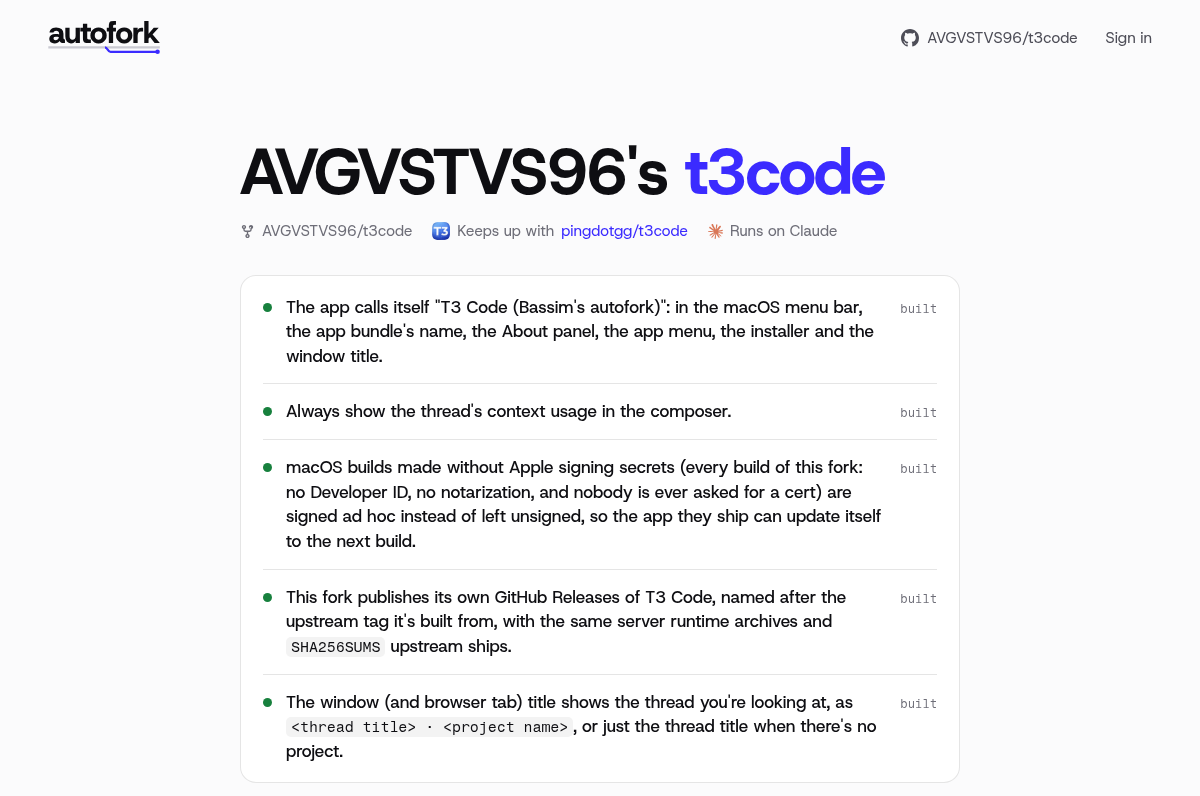
Always show the thread's context usage in the composer.

Build it on whatever T3 Code shows for context at the time. Right now that's
the compact button next to send, which only shows up once a thread gets big:
keep it there all the time with the context number, as just the icon, without
the "Full"/"Compact" text. Clicking it still makes the next send compact first.

If T3 Code knows whether the prompt cache is still warm, say so in the
button's tooltip.

Once T3 Code shows context usage all the time by default, this patch is done.When upstream publishes a release, the workflow rebuilds your fork on it. Patches that still apply go in with git. When one doesn't, an agent rebuilds it from its PATCH.md, starting from what git could still apply. When your setup or verify command fails with the patches, and upstream didn't break it on its own, an agent fixes the patches. Once verify passes, the result is pushed as a signed commit.
When upstream ships its own version of one of your patches, autofork stops applying it and opens an issue on your fork. The fork takes upstream's version, and the agent isn't called for that patch again. You decide what happens next: delete the patch's folder to keep upstream's, or say in its PATCH.md how yours differs and delete its UPSTREAM.md to bring yours back.
The agent only runs when a patch is new or a release breaks one, a release makes setup or verify fail, or upstream changes a workflow your fork keeps. A check that fails at random costs a run too, so it should give the same answer every time. Between releases, the workflow's scheduled check is git only and ends in seconds. When the autofork step fails, runs out of time or is cancelled, it opens an issue on your fork saying why, and the next sync that goes through closes it. A rebuild that fails or runs out of time isn't retried until upstream or your fork changes, even when autofork.com starts the run; re-running the failed run while nothing has landed on the branch since, or starting the workflow by hand (Run workflow), retries it.
Commit straight to your fork and the workflow leaves it alone until upstream moves. A rebuild would drop changes no patch holds, so then it stops once and lists them: save them as a patch and push, and the next run syncs.
.github/workflows/ is your fork's own, and the rest of .github/ syncs like any other code: a change your fork makes there is a patch, like any other. When upstream changes a workflow your fork keeps a copy of, the sync's agent brings over what your copy needs and keeps what it does differently. Pushing that takes a token that can push workflow files, which a workflow's own GitHub token can't. Forks made on autofork.com get one from autofork's GitHub app. For a fork you set up yourself, install the app on it and give the autofork step workflow-token-url: https://autofork.com/api/github/token and the workflow id-token: write. Code the sync runs (setup, verify, the agent) can reach that token too, so it can push workflow files as well as code (#10). Without one, autofork opens an issue instead, so you can bring the change over or delete your copy.
To follow a channel like nightlies, put its tag pattern in follow, like "v*-nightly.*". The fork then moves to the newest release whose tag matches. To follow a branch instead, set "follow": "main". The fork then moves to the newest commit on it whose checks passed, or the newest commit with "green": false.
An app that updates itself, like a desktop app, updates from upstream's releases until the fork publishes its own. The skill's release steps set that up once: a release workflow that runs after each sync, the updater pointed at the fork, and builds signed so they can update without upstream's keys or certificates. My T3 Code fork works this way.
Each agent run is a rebuild, and limits in .autofork/config.json caps them:
"limits": { "rebuilds": 10, "month": 200, "rebuild": 20 }Those are the defaults: at most 10 rebuilds a month (the UTC calendar month), $200 a month and $20 a rebuild, at API prices; on a Claude or ChatGPT plan, that's what the runs would cost on the API, not a bill. A key you leave out takes its default. Before paying for anything, a sync counts with git the patches that no longer apply or aren't built yet, and waits unless all of them fit, and no run starts without room for a whole rebuild. A sync with no room ends waiting, opens an issue on your fork saying why, and runs on the 1st, or once you raise the limits it names and push. The next sync that goes through closes the issue.
Claude Code runs with --max-budget-usd set to rebuild, which it checks between steps, so a run can end a little past it. Codex has no budget flag, so its runs can cost more; its cost is its tokens at LiteLLM's prices. A custom agent command, or a run that never reports, counts at its full rebuild.
When the workflow has id-token: write (init and fork add it), a public fork's rebuild costs also go to autofork.com, where anyone can see them and your forks list shows them. A private fork's costs stay in its own tally. Code that setup, verify or the agent runs can reach the run's GitHub sign-in like the job's other tokens (#10). If a cloud account (AWS, Google Cloud, Azure) trusts GitHub sign-ins from your fork, remove id-token: write or scope that trust to other workflows.
GitHub runs the workflow on its cron line, but its scheduled runs can start hours late. A workflow fork or init writes checks every 15 minutes, or hourly on a private repo (or when gh can't tell), unless you pick another with --every 5m|15m|1h|1d; an existing autofork.yml keeps its own. Runs are free on public repos, and a fork of a public repo is public; on a private repo each run bills Actions minutes. To have your fork synced within a minute of upstream changing:
npx autofork linkIt opens autofork.com, where you sign in with GitHub and add autofork's GitHub app to the fork. autofork.com then checks upstream every minute and starts the fork's workflow when it changes. GitHub's schedule stays on as the backup. To unlink, remove the app from the fork. With the app on, code the sync runs can also push workflow files, as above.
.autofork/config.json:
{
  "upstream": "pingdotgg/t3code",
  "follow": "releases",
  "setup": "pnpm install --no-frozen-lockfile --ignore-scripts",
  "generated": ["pnpm-lock.yaml"],
  "verify": "pnpm --filter @t3tools/web typecheck"
}| key | |
|---|---|
upstream |
owner/repo, or any git URL |
follow |
releases (the release GitHub marks as upstream's latest, or its newest version tag when it has no GitHub releases), a channel (a tag pattern like v*-nightly.*: the newest release whose tag matches) or a branch. Default: releases, or the default branch if upstream has no releases |
setup |
the command that installs dependencies in the rebuild, like pnpm install --no-frozen-lockfile. It runs before verify and the agent |
generated |
files setup writes, like lockfiles. They're left out of patches and rebuilt by setup once the patches are in, so they never conflict. They need your own setup |
verify |
the command that checks a build. Without one, the next agent that builds or heals a patch picks it from upstream's CI, with setup too if there's none, and saves them in picked |
picked |
the setup and verify an agent picked. They work like yours, except that when one fails on upstream alone, the sync drops them and goes on, and the next agent that builds or heals a patch picks again. Your own setup or verify replaces the pick of the same name, and once verify is yours, a picked setup counts as yours too |
agent |
the command that rebuilds a patch, prompt on stdin. Default: Claude Code, with only its shell and file tools and no MCP servers, when CLAUDE_CODE_OAUTH_TOKEN is set, otherwise Codex, without your Codex config or ChatGPT apps, when it's signed in (a CODEX_AUTH secret holding the auth.json of a Codex sign-in made for the fork, since each refresh retires the last one) |
green |
when following a branch, false takes upstream's newest commit even when its checks failed |
limits |
rebuilds a month, and dollars a month and a rebuild, at API prices. Default: 10, 200 and 20. See Spend |
.github/workflows/autofork.yml is yours too: change how often it checks on its cron line, and set up the tools setup and verify need (Node, Bun, Rust) before the autofork step, with your package manager's cache on so setup is quick. The action takes heal: false to apply what still fits without calling the agent, if you want rebuilds on one schedule and heals on another. With Codex, its codex-auth-url, which init and fork write, saves a refreshed sign-in back to the secret once the fork is linked; like reporting spend, that needs the workflow's id-token: write.
npx autofork --help lists them: fork, init, save, status, sync and link.
autofork keeps forks current today. The agent behind it is meant to grow into automatic maintenance of any codebase, and autofork is its first packaging: set up in one step, with an app to see and manage your forks and what they cost.
What we're building next
- An option to re-check every change against what you asked for on each new release, not only when a release breaks it.
- A first install of a fork's app on a Mac that needs no developer certificate from you.
- May 2026: pi-patcher keeps patches to the pi coding agent working across updates. Proof of concept.
- June: PATCH.md, the format.
- July: herdr, the first fork rebuilt from patches. Proof of concept.
- October: forks of Claude Code's plugins, Buzz and T3 Code, in daily use.
- October: autofork.
See CONTRIBUTING.md.
MIT