GNC-A at FUNCEME

This video shows a GEONETCast-Americas antenna assembly made by FUNCEME,  the Foundation of Water Resources and Meteorology in Ceará, Brazil. This station is one of the 25 GNC-A stations installed in the SIGMACast Project.

This station has two particularities: The antenna was mounted above one of the building’s pillars and right in front of a HUGE building.

FUNCEME.jpg

Do you want to know if the obstacle in front of your installation site will block the GNC-A signal? Dishpointer‘s “Max Height of Obstacle” tool is very useful in those cases:

dishpointer

You may find more details on the Dishpointer tool in the Receive Station Setup session.

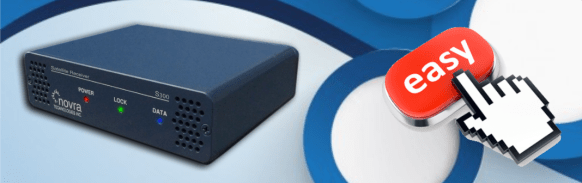
Configuring your GNC-A receiver: The easy way

NOVRA Receiver.png

This blog post has a brief summary on how to configure the S300D DVB-S2 receiver. For additional information, please visit the links below:

  • NOVRA S300D Description and Technical Specs: Link
  • NOVRA S300D Receiver User Manual: Link

If you’re using a NOVRA S300D receiver in your GNC-A station, there is a very easy way to configure it to ingest GNC-A data, with just one command. Just follow the steps below:

1-) Download the CMCS (Central Management and Control Software) utility from NOVRA’s website here (for Windows click at “cmcs300 Windowsand for Linux click at cmcs300 Linux).

2-) Download the GNC-A configuration file for the S300D here. It is a simple text file called “novra_gnc-a.txt”.

3-) On Windows, run the CMCS software, clicking at the “cmcs.exe” file. The CMCS command line interface will be started. On Linux, there’s no need to start it after the installation.

4-) Enter the configuration command:

Windows: In the CMCS command line interface (where you see “CMCS>“), type:

login 192.168.0.11 -pw “Novra-S2” -load novra_gnc-a.txt -reboot

Linux: In the terminal, type:

cmcs -ip 192.168.0.11 -pw “Novra-S2” -load novra_gnc-a.txt -reboot

And that’s it!

The image below shows the procedure done in one of the operational stations (click to enlarge):

novra-gnc-a2

Your receiver is ready to ingest GEONETCast-Americas data. If your antenna is correctly pointed, the “LOCK” light should be on. If the ingestion software is correctly configured, the “DATA” light should be blinking.

blinking.png

Station Ingesting.png

Note: If you want to use a different network setting than 192.168.0.11, just change the “NETWORK” line in the text file.

You may find more details about receive station set-up on the INSTALLATION AND MAINTENENCE blog session.

First images from GOES-16! Soon in GNC-A!

NOAA NESDIS has unveiled the first images from GOES-16 today.

Check out the gallery below! The full-disk color composite is from January 15th, 18:07 UTC. You may find more samples on their web page.

Take a look at these great animations!

  • Full Disk animation:

  • Full Disk channels animation:

  • Fire burning in Mexico:

  • Weather over Florida:

  • Animation over Northern South America:

As for GEONETCast-Americas, the bandwidth has increased recently in preparation for GOES-16 imagery and products along with other product offerings.

The GOES-16 data will become available in GNC-A in the first semester of 2017.

The exact suite of products has yet to be determined, but it will be a selection of GOES-R Channels (Cloud and Moisture Imagery product) and other Advanced Baseline Imager Level II products in NetCDF format. Both channels and level II products will all be in full disk. As it becomes available and we determine the feasibility of dissemination we will add the geostationary lightning mapper (GLM) products. Information on the products can be found at http://www.goes-r.gov/products/baseline.html and at other places on the www.goes-r.gov web site.

What a great year for GNC-A!

To finish the post, a comparison between the first image from GOES-16 and the first image from GOES-13. Nice!

GOES-R and GOES-13 1st Day.jpg

SIGMACast Project Teaser

The SIGMACast / GEONETCast Project consists in the installation of 25 new GEONETCast-Americas stations all over Brazil (met offices, airforce, navy and universities), the development of a visualization software for GNC-A called SIGMACast, the development of new products and capacity building activities. Here’s a short video with a summary of the project [Portuguese].