
Beskriuwing
Create page templates like the ones in your theme folder but through a “DX Templates” menu in your Admin dashboard. Paste HTML, JS and PHP code which you could assign to your posts, pages or custom post types via a meta box dropdown. Create page templates and apply them to be evaluated.
Note: eval() function is used. However, it is available only for admin users to submit code and normally admin users could do a lot harm or upload external harmful plugins as well.
A complete demo is available here:
Skermôfbyldings
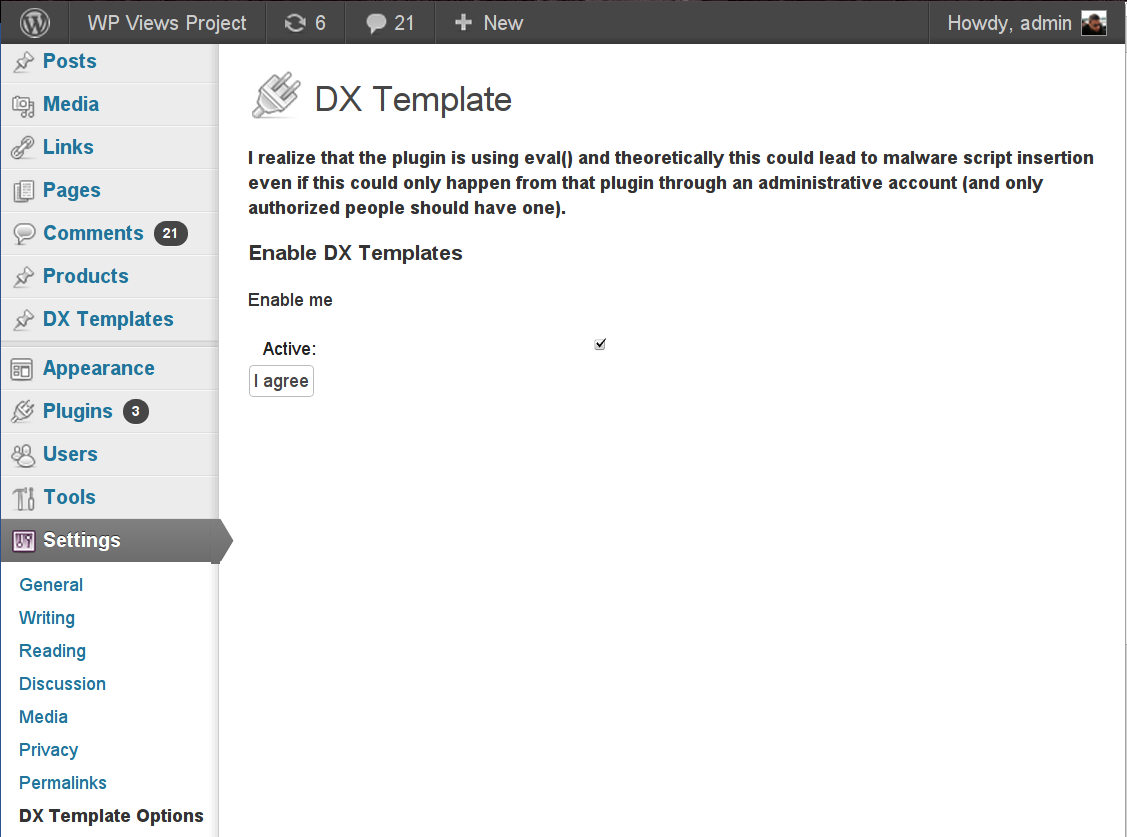
Activating the plugin in Settings -> DX Template Options 
Creating a dynamic page template 
Assigning a dynamic template to a post
Ynstallaasje
This section describes how to install the plugin and get it working.
e.g.
- Upload
dx-template-managerto the/wp-content/plugins/directory or install via the Plugin installer in your admin dashboard - Activate the “DX Template Manager” plugin through the ‘Plugins’ menu in WordPress
- Navigate to “Settings” -> DX Template Options
- Read the note. If you do agree, check the checkbox and hit the “agree” button
- Create a page template within the DX Template Manager menu – add your full HTML and PHP code including the head section and meta tags
- Create a post/page and assign the page template from the DX Templates metabox on the right
- Save your post and view it
Check out this video for a complete install guide
FAQ
- Why do I need to ‘agree’?
-
The plugin uses the eval() PHP function that evaluates a PHP script on the fly. If a hacker reaches your admin, he would be able to write any form of PHP which could affect your site and database.
However, if the hacker has an access to the admin, he could 1) delete everything and takeover your site, or 2) upload a custom plugin of his that does the malware work.
- What needs to be inserted in a DX Template?
-
Your full HTML as it would be in your page template file. HTML, head and body sections, meta tags, some content. It would replace the entire post/page resolved from the site.
Resinsjes
D’r binne gjin resinsjes foar dizze plugin.
Meiwurkers & amp; Untwikkelders
“DX Template Manager” is iepen boarne software. De folgjende minsken hawwe bydroegen oan dizze plugin.
Meiwurkers

Oersette “DX Template Manager” yn jo taal.
Ynteressearre yn ûntwikkeling?
Blêdzje troch de koade , besjoch de SVN-repository , of abonnearje op it ûntwikkelingslogboek troch RSS .
Feroaringslog
1.2
- Small update and version bump
1.1
Adding a prepared statement call and improving i18n
1.0
A stable version