
Description
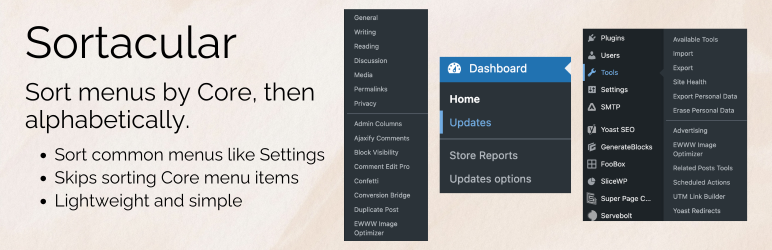
Sortacular organizes your WordPress admin sidebar so it’s easier to find what you need. Core menu items (the ones that ship with WordPress) stay at the top in their normal order. A small divider separates them from plugin and theme items, which are then sorted A–Z.
This plugin has no admin options or settings, and it works automatically when activated.
What Sortacular Sorts
- Settings – General, Writing, Reading, and other Core settings stay first; third-party options follow, alphabetically.
- Appearance – Themes, Editor, Menus, and other Core items stay first; theme/plugin items follow, alphabetically.
- Tools – Available Tools, Import, Export, Site Health, and other Core items stay first; plugin tools follow, alphabetically.
- Dashboard – Core items stay first; any added items follow, alphabetically.
In Multisite, the following menus are sorted:
- Settings
- Dashboard
- Themes
Configuration
No configuration needed. Activate the plugin and the menus are reorganized automatically. You can customize which items count as « Core » using the provided filters if you need to.
To contribute to this plugin or file an issue, please visit the plugin on GitHub.
Captures d’écrans

Settings Menu – Core items are shown first, with the rest shown alphabetically. 
Tools Menu – Core items are shown first, with the rest shown alphabetically. 
Dashboard Mneu – Core items are shown first, with the rest shown alphabetically.
Installation
- Search for ‘Sortacular’ when adding a plugin via the WordPress admin.
- Activate Sortacular through the Plugins screen.
The Settings, Appearance, Tools, and Dashboard menus will update immediately.
FAQ
-
- Settings
- Appearance
- Tools
- Dashboard
In Multisite, the following menus are sorted:
- Settings
- Dashboard
- Themes
-
Yes, add this to your site’s code. The sorting for top-levels is still experimental and seeking feedback, which is why it is opt-in.
add_filter( 'sortacular_can_sort_top_level', '__return_true' ); -
Do you have admin settings or anything to configure?
-
Not at all. The sorting is applied automatically and there are no admin settings.
-
Sure. Please leave a feature request via my support form.
Avis
Il n’y a aucun avis pour cette extension.
Contributeurs/contributrices & développeurs/développeuses
« Sortacular – Sort Select Admin Menus Alphabetically » est un logiciel libre. Les personnes suivantes ont contribué à cette extension.
Contributeurs
Traduisez « Sortacular – Sort Select Admin Menus Alphabetically » dans votre langue.
Le développement vous intéresse ?
Parcourir le code, consulter le SVN dépôt, ou s’inscrire au journal de développement par RSS.
Journal des modifications
1.0.3
- Released 2026-03-27
- Initial WordPress.org release.
1.0.2
- Released 2026-03-25
- Resolving CSS issues.
1.0.1
- Released 2026-03-16
- Sort top-level menu items too. Core menus remain untouched. The rest are sorted alphabetically.
1.0.0
- Released on 2026-03-14
- Sort Settings, Appearance, Tools, and Dashboard submenus with Core items first and a separator before alphabetically sorted items.