

Description
Mega Database Cleanup is a modern, high-performance cleanup utility built to remove unused, empty, bloated, or orphaned metadata from your WordPress database — safely and automatically.
It includes a smart scanner, preview mode, ACF pattern cleanup, scheduled tasks, and full backup support. Ideal for site owners, developers, agencies, and power users who want a faster & cleaner database without risking important data.
Version 2.0.0 introduces a completely rewritten modular architecture, a real-time Health Dashboard, and targeted cleanup modules for post revisions, trash, spam comments, and expired transients.
Highlights
-
Health Score Dashboard
Real-time visual representation of your database health and performance at a glance. [NEW in 2.0.0] -
Targeted Cleanup Modules
Fast, one-click optimization for Post Revisions, Trashed Content, Spam Comments, and Expired Transients. [NEW in 2.0.0] -
Empty / Unused Meta Scanner
Detects empty, null, serialized-empty, or JSON-empty metadata across Post, User, Term, and Comment tables. -
ACF Cleanup Engine
Automatically identifies patterns used by Advanced Custom Fields to detect orphan entries. -
Safety Vault System
Automatically secures deleted revisions and junk data in a temporary vault for easy recovery. [NEW in 2.0.0] -
Snapshot Management
Create manual snapshots of your metadata before cleanup and restore them whenever needed. [NEW in 2.0.0] -
Real-Time Safe Preview
See exactly what will be deleted before confirming cleanup. -
Backup Before Delete
All removed metadata can be stored in a dedicated backup table / snapshot. -
Scheduled Cleanup (WP-Cron)
Cleanup can run automatically (daily, weekly). -
Retention Rules
Keep the latest N meta rows per meta_key (default: 3). -
Safe & Secure
Full validation, sanitization, and capability checks included. -
One-Click Full Cleanup
Delete unused metadata across the entire database. -
Custom Cleanup Patterns
Add or remove ACF-like patterns (SQL LIKE rules). -
Activation Welcome Popup
On first activation, optionally subscribe to optimization tips and anonymous diagnostic sync. -
Deactivation Feedback
If you deactivate the plugin, an optional feedback popup appears so you can share why.
Who Is This For?
Website Owners
– Improve site performance and reduce database size safely.
Agencies & Developers
– Maintain clean data structures, especially on large sites.
ACF Users
– Automatically remove leftover fields that accumulate over time.
Performance Optimizers
– Speed up queries by removing thousands of useless meta rows.
Why Mega Database Cleanup Is Different
- Designed for large databases
- Uses safe preview mode
- Runs scheduled cleanups automatically
- Creates a backup of every deleted row
- Safety Vault prevents permanent loss of revisions and trashed data
- Preserves the Latest 3 entries for absolute safety
- Uses optimized SQL queries for predictable performance
Privacy Policy
Mega Database Cleanup is committed to transparency regarding user data:
- No external data transmission — No information ever leaves your site.
- Activation popup (optional) — If you enter your email in the welcome popup, it is saved to your site’s
wp_optionstable (mdbcp_subscriber_email). It is never sent to any third-party server. You can skip this step entirely. - Deactivation feedback (optional) — If you submit a deactivation reason, it is saved locally to your site’s
wp_optionstable (mdbcp_deactivation_log). It is never sent externally. You can skip this step entirely. - Database backups — Backup data is stored in a dedicated custom table on your own database server.
Developer Hooks
Filters
mega_db_cleanup_patterns– Modify cleanup patternsmega_db_cleanup_retention_limit– Change default « keep latest N » count
Actions
mega_db_cleanup_before_delete– Fires before deletionmega_db_cleanup_after_delete– Fires after deletion
Credits
Developed with ❤️ by MegaWix Technologies
- Plugin Development: MegaWix Technologies
- Testing & QA: MegaWix Technologies
Support
Need help? Have a question or feature request?
- Website: https://www.megawix.com
- Email: [email protected]
We are committed to providing reliable support and regular updates to ensure this plugin remains compatible with the latest WordPress versions.
Captures d’écrans
Health Dashboard – Real-time visual metrics 
Cleanup Modules – Quick one-click optimization 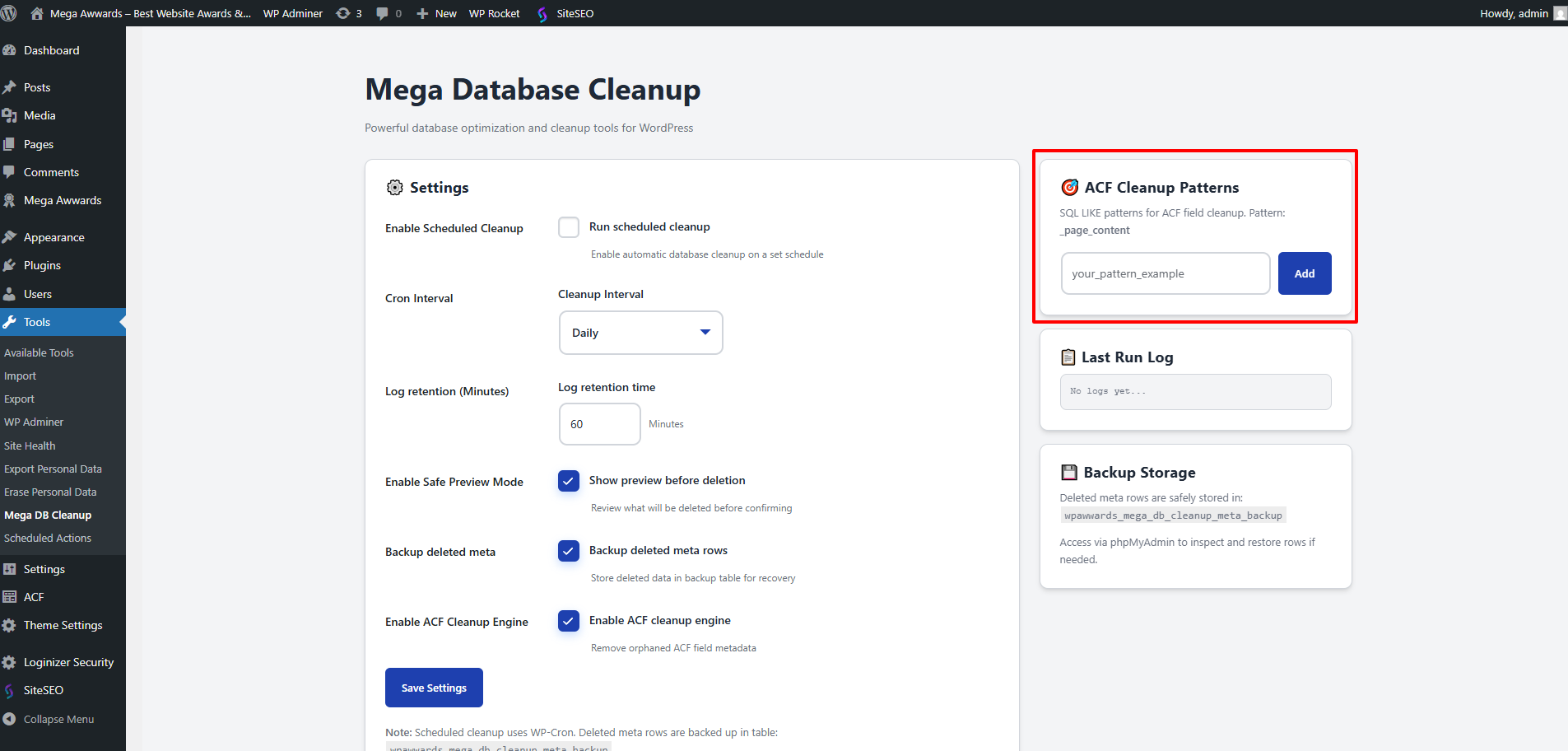
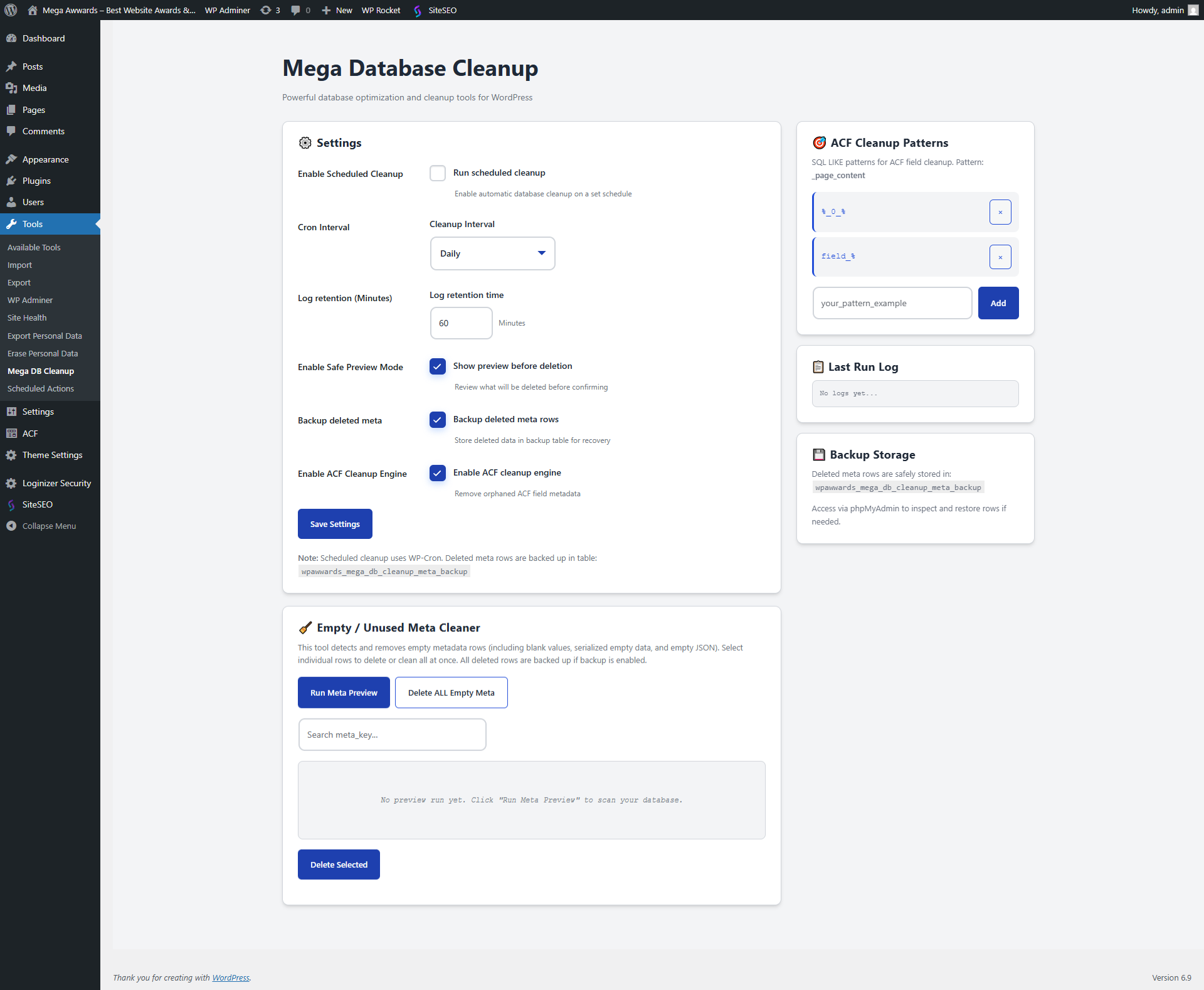
Meta Cleaner – Advanced table scan and filter 
Snapshot Manager – Backup and restore history 
Settings – Task scheduler and patterns 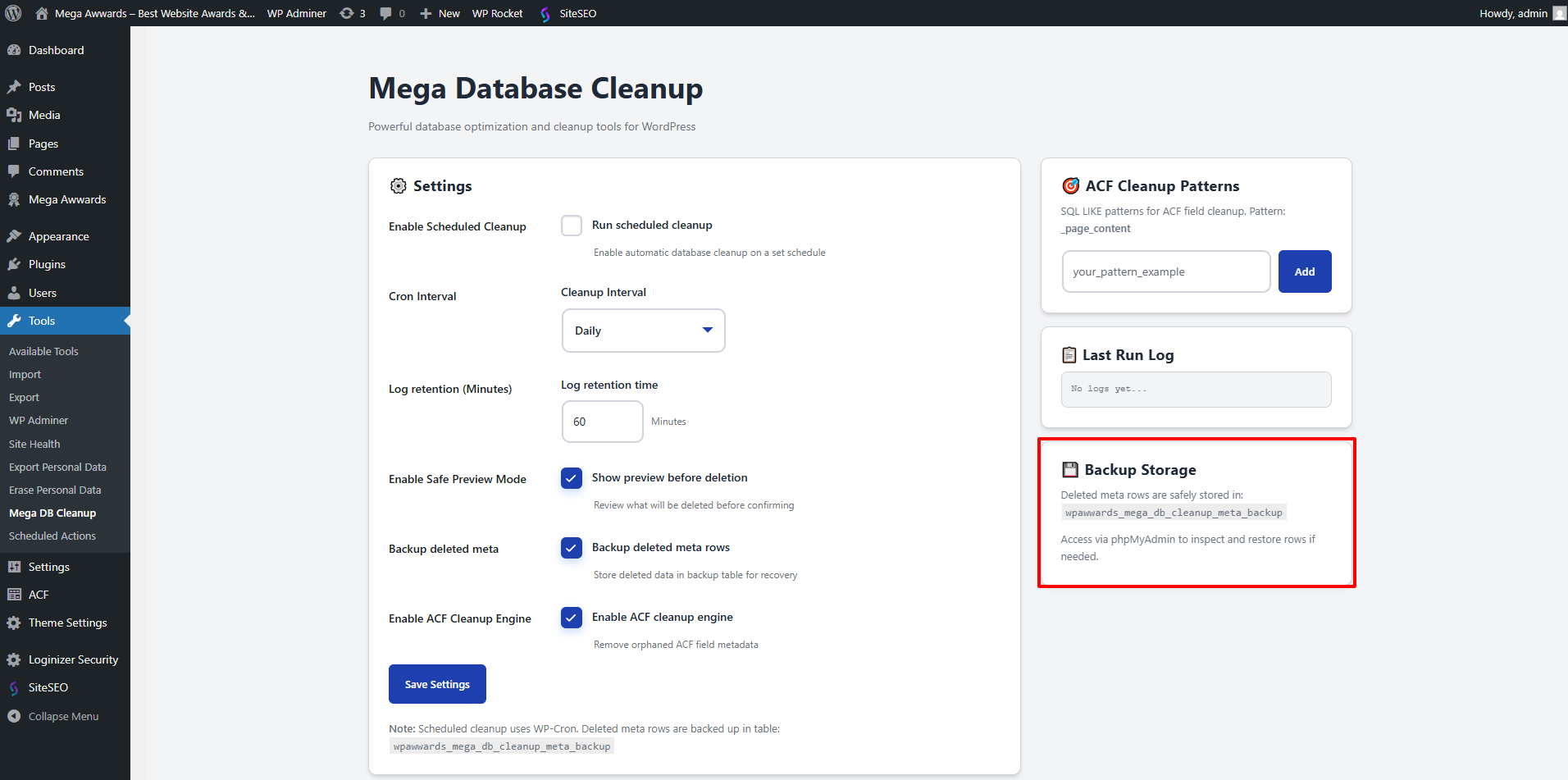
Installation
Automatic Installation
- Log in to WordPress Admin Plugins Add New
- Search for Mega Database Cleanup
- Click Install Now Activate
- Navigate to Mega DB Cleanup in your WordPress sidebar
Manual Installation
- Download the plugin ZIP
- Go to Plugins Add New Upload Plugin
- Select the ZIP and install
- Click Activate Plugin
Initial Setup
- Open Mega DB Cleanup from your WordPress sidebar
- Enable ACF Cleanup (optional)
- Enable Preview Mode (recommended)
- Add patterns if needed
- Enable scheduled cleanup (optional)
- Save changes
You’re ready to analyze or clean your database!
FAQ
-
Does this delete important data?
-
No — the plugin only targets metadata that is clearly empty, unused, or orphaned.
With the new Safety Vault and Snapshot systems, you can restore deleted data at any time. -
Is there a preview mode?
-
Yes. Preview mode allows you to see exactly which meta rows are considered empty before removing anything.
-
Does this support ACF fields?
-
Yes! It includes a dedicated ACF cleanup engine that uses pattern rules to identify real orphan fields.
-
What is the Health Score?
-
It is a percentage-based calculation that tells you how optimized your database is based on the amount of junk data found.
-
What if I delete something by mistake?
-
If backups/snapshots are enabled, deleted metadata is stored in a dedicated table so you can restore it from the plugin dashboard.
-
How safe is the scheduled cleanup?
-
Very safe — it follows the same rules as manual cleanup, including retention rules and backups.
Avis
Il n’y a aucun avis pour cette extension.
Contributeurs/contributrices & développeurs/développeuses
« Mega Database Cleanup » est un logiciel libre. Les personnes suivantes ont contribué à cette extension.
Contributeurs
Traduisez « Mega Database Cleanup » dans votre langue.
Le développement vous intéresse ?
Parcourir le code, consulter le SVN dépôt, ou s’inscrire au journal de développement par RSS.
Journal des modifications
2.0.0
- Major Overhaul: Completely redesigned modular class-based architecture.
- New: Health Score Dashboard with real-time database diagnostics.
- New: Support for User, Term, and Comment metadata cleanup.
- New: Targeted cleanup modules for Revisions, Trash, Spam, and Transients.
- New: Safety Vault system to temporary secure deleted data.
- New: Metadata Snapshot system for manual backups and restoration.
- New: Modern tabbed UI with improved user experience.
- Added: Telemetry system for anonymous site optimization diagnostics.
1.1.1
- Fixed: Critical PHP compatibility issue by replacing modern arrow functions with traditional anonymous functions, ensuring support for older server environments.
- Fixed: Resolved a glitch that caused plugin deactivation during the update process due to script execution timeouts on some servers.
- Improved: Better handling of plugin state during version transitions.
1.1.0
- Added optional activation popup: subscribe to plugin update tips (email stored locally only)
- Added deactivation feedback popup: 6 selectable reasons + custom text (stored locally only)
- Plugin now appears as a top-level menu item in the WordPress sidebar
- Quick-access link added to the WordPress admin bar (header)
- All new features are fully WordPress.org compliant
1.0.0 – Initial Release
- Empty meta scanner and preview mode
- ACF orphan cleanup with pattern-based detection
- Scheduled automatic cleanup (hourly/daily/weekly)
- Backup table to store deleted meta rows
- Retention rule: keep latest N entries per meta_key
- One-click delete all empty metadata
- Add/remove ACF patterns
- Inline logs and real-time reports
- Fully optimized SQL cleanup
- Admin UI with jQuery enhancements