

Description
🤖 NEW: AI Capabilities & WordPress Abilities API
Talk to your WordPress site through AI! DiveWP integrates with the WordPress Abilities API and Model Context Protocol (MCP), so AI tools like Cursor, Claude, and ChatGPT can query your site’s health and diagnostics directly—no copy-paste needed.
WordPress Abilities API & MCP:
* 10 Diagnostic Abilities – Server insights, cron monitoring, database health, security audits, and more via the Abilities API
* Zero Copy-Paste – AI agents run diagnostics through MCP without manual log sharing
* Secure Authentication – WordPress Application Passwords for safe, controlled access
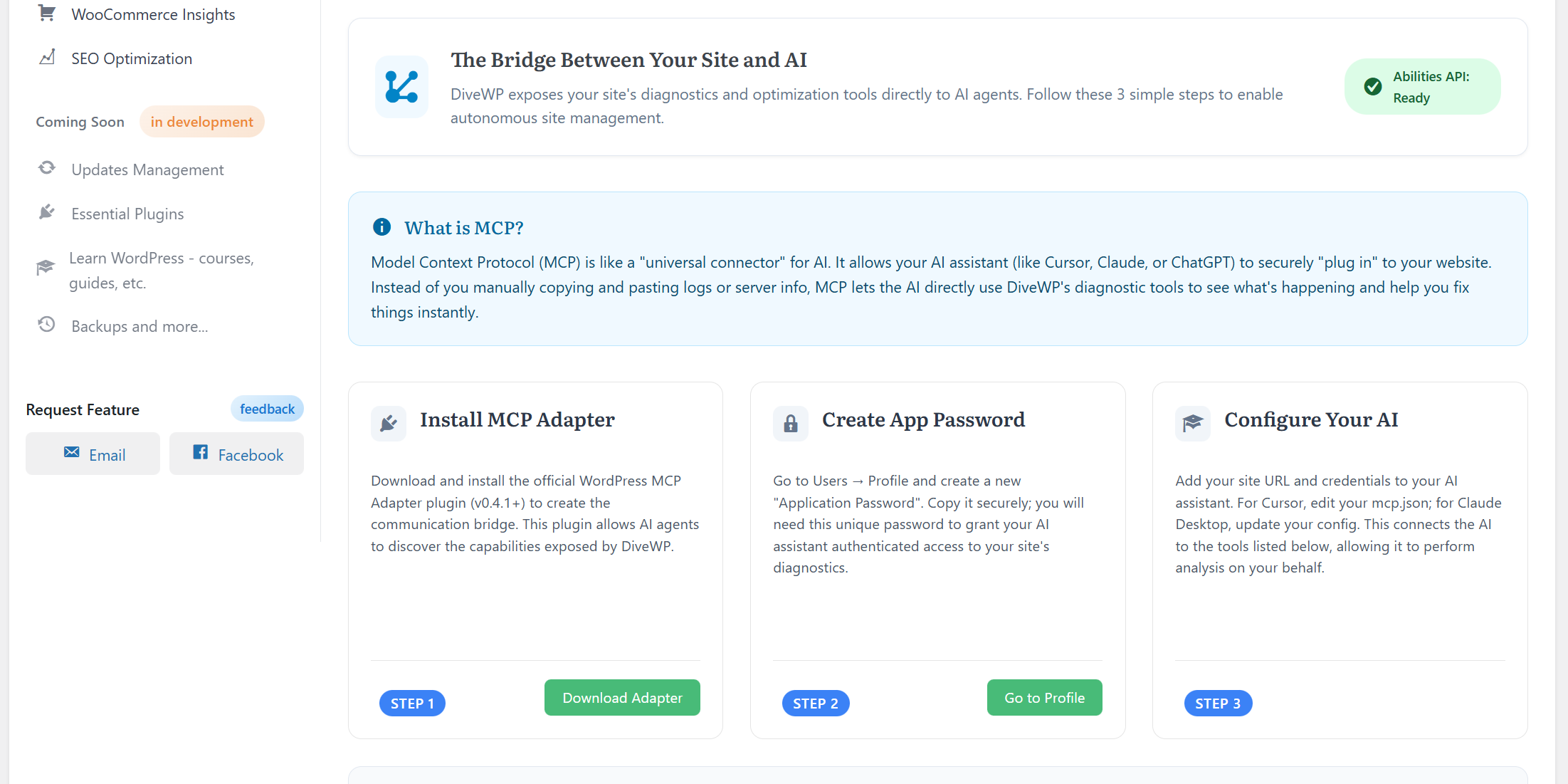
* Step-by-Step Setup – « AI Capabilities » tab guides you through 3-step configuration for Abilities API and MCP clients
Available Abilities:
* divewp/server-insights – Full server health & config check
* divewp/cron-insights – Monitor WP-Cron and Action Scheduler; background tasks & overdue jobs
* divewp/db-insights – Database size & optimization status
* divewp/security-insights – Vulnerability & configuration audit
* divewp/performance-checks – Caching & optimization discovery
* divewp/theme-builder-insights – Theme and page builder health
* divewp/woocommerce-best-practices – WooCommerce optimization
* divewp/seo-optimization – SEO configuration audit
* divewp/email-communications – Email delivery & SMTP status
* divewp/hosting-benchmark-latest – Latest benchmark results
⏰ NEW: Cron Job Manager & WP-Cron Monitoring
Take control of WordPress cron jobs and scheduled tasks. DiveWP’s Cron Job Manager gives you a clear view of WP-Cron and Action Scheduler so you can spot overdue jobs, slow hooks, and misconfigured cron setups.
Cron Jobs & Abilities API: Use the divewp/cron-insights ability so AI assistants can inspect your cron status, overdue tasks, and recommendations without opening the admin.
What the Cron Job Manager Delivers:
* Real-time cron monitoring – WP-Cron and Action Scheduler in one dashboard
* Hook performance – Execution time and memory per cron hook
* Overdue & orphan detection – Find stuck or orphaned scheduled tasks
* Execution history – Filterable, paginated cron run history
* Health guidance – System health and cron configuration tips
🚀 Hosting Performance Benchmark – Know If You Need to Upgrade!
Measure how your hosting handles your WordPress site! DiveWP’s comprehensive Hosting Performance Benchmark is a powerful enterprise-grade testing system that evaluates your hosting environment through real-world performance tests.
What It Tests:
* Database Performance – Tests INSERT, SELECT, UPDATE operations, datetime functions, and aggregate operations (8 comprehensive tests)
* Server Resources – Evaluates CPU, memory, I/O, and network capabilities (5 resource tests)
* Concurrency Handling – Measures how your hosting performs under multiple simultaneous requests (4 concurrency tests)
* E-commerce Performance – Tests WooCommerce-like operations including price calculations, shipping, and inventory checks (3 performance tests)
Key Benefits:
* 20+ Individual Tests – Comprehensive evaluation across 4 major categories
* Real-World Simulation – Tests simulate actual WordPress operations, not synthetic benchmarks
* 6-Minute Complete Analysis – Get detailed insights in approximately 6 minutes
* Actionable Results – Understand if your current hosting is sufficient or if you need to upgrade
* Cross-Database Compatible – Works with MySQL, MariaDB, PostgreSQL, SQLite, and SQL Server
* Optimized for Shared Hosting – Designed to work efficiently even on shared hosting environments
Perfect For:
* Site owners wondering if their hosting plan is sufficient
* Users experiencing slow performance and wanting to identify bottlenecks
* Anyone considering upgrading their hosting plan
* Developers evaluating hosting performance for client sites
🎯 Transform Your WP Journey
Discover your site’s true potential by understanding exactly what’s happening under the hood. DiveWP provides clear insights about Performance, Security, and Best Practices – all explained in plain English. Take control of your digital presence by learning as you optimize!
🔍 Key Features
⏰ NEW: Cron Job Manager & WP-Cron Monitoring
* Real-time WP-Cron and Action Scheduler tracking
* Monitor hook performance and execution time
* Detect orphaned and overdue tasks
* Identify problematic cron hooks affecting performance
* Complete execution history with filtering and pagination
* Integrates with Abilities API via divewp/cron-insights for AI-assisted cron diagnostics
🤖 NEW: AI Capabilities & WordPress Abilities API
* WordPress Abilities API and MCP let AI assistants query your site for diagnostics
* 10 abilities for server, cron jobs, security, database, and performance insights
* Works with Cursor, Claude Desktop, ChatGPT, and other MCP clients
* Secure access via WordPress Application Passwords
* Step-by-step setup guide in « AI Capabilities » tab
🚀 Hosting Performance Benchmark
* Comprehensive hosting evaluation with 20+ real-world performance tests
* Database, resource, concurrency, and e-commerce performance analysis
* Determine if your hosting plan is sufficient for your site
* Cross-database compatibility (MySQL, MariaDB, PostgreSQL, SQLite, SQL Server)
* Optimized for shared hosting environments
Deep Site Insights
* Understand your site inside out
* Comprehensive analysis of core functions
* Database health monitoring
* User activity tracking
* Everything explained in plain English
⚡ Performance & Speed
* Clear performance insights
* Actionable optimization steps
* Speed improvement recommendations
* Learn what affects your site’s performance
🛡️ Security & Best Practices
* Proactive security checks
* Easy-to-follow hardening recommendations
* Learn WordPress security best practices
* Implement as you learn
📊 Database Health
* Optimize database performance
* Clear insights into tables and structure
* Cleanup recommendations
* Learn database management without being a tech expert
🎯 SEO & Visibility
* Practical SEO recommendations
* Essential optimization techniques
* Improve search engine rankings
* Learn while implementing
🛍️ WooCommerce Optimization
* Specialized store insights
* Performance optimization
* Checkout process analysis
* Shopping experience improvements
📧 Email System Monitor
* Detailed logging and diagnostics
* Track email system performance
* Ensure reliable communication
* Monitor delivery status
🎨 Theme & Builder Analysis
* Theme performance insights
* Page builder optimization
* Visual elements analysis
* Speed optimization guidance
💡 How It Works
- Install & Scan: Quick installation and automatic site analysis
- Get Clear Insights: Receive easy-to-understand explanations
- Learn Best Practices: Understand WordPress through your own site
- Implement Changes: Follow actionable recommendations
- Monitor Progress: Track improvements and keep learning
🎯 Perfect For
- WordPress Beginners: Finally understand what’s happening on your site
- Store Owners: Optimize WooCommerce performance and boost sales
- Agency Teams: Maintain multiple sites while learning best practices
- Content Creators: Improve site visibility while mastering WordPress
🌟 What’s New in 2.2.0
- NEW: AI Capabilities & WordPress Abilities API
- New « AI Capabilities » tab with step-by-step setup guide
- 10 diagnostic abilities for AI agents (server, cron jobs, database, security, performance, and more)
- Support for Cursor, Claude Desktop, ChatGPT via Model Context Protocol (MCP)
- Secure access using WordPress Application Passwords
- NEW: Cron Job Manager & WP-Cron Monitoring
- Full cron jobs dashboard: WP-Cron and Action Scheduler in one place
- Hook performance, overdue and orphan detection, execution history
- Abilities API integration:
divewp/cron-insightsfor AI-driven cron diagnostics - NEW: REST API Access Logging in User Events
- Track API access via Application Passwords in the event log
- Monitor AI agent activity and external integrations
- Throttled logging to prevent flood from MCP bursts
- IMPROVED: Cron Jobs Feature Enhancements
- Aligned AJAX and server health calculations for consistent status display
- « Potential orphan » terminology for clearer task identification
- Added Alternate Cron explanation footnote
- Visual accent pills for Important/Recommendation notes in task modals
Support
Need help? We’re here for you!
Privacy
DiveWP respects your privacy and that of your users. We do not collect any personal data. All analysis is performed locally on your server.
Credits
DiveWP is proudly created and maintained by Oleg Petrov.
Captures d’écrans

Comprehensive Dashboard Overview – Get all critical insights at a glance 
Server Health Analysis – Detailed server configuration and performance metrics 
Security Status Overview – Complete security audit and recommendations 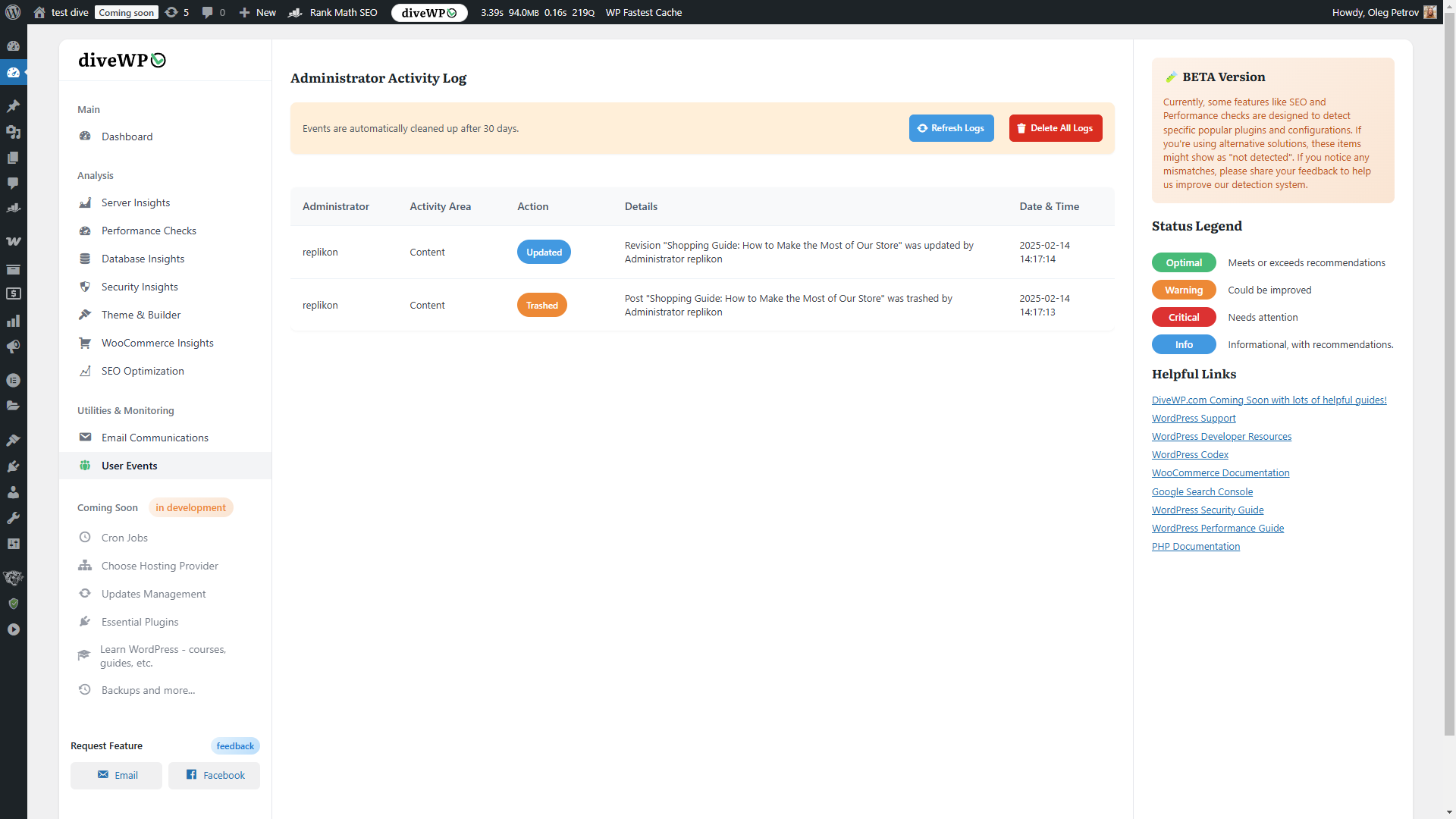
WooCommerce Performance Insights – Store-specific optimization opportunities 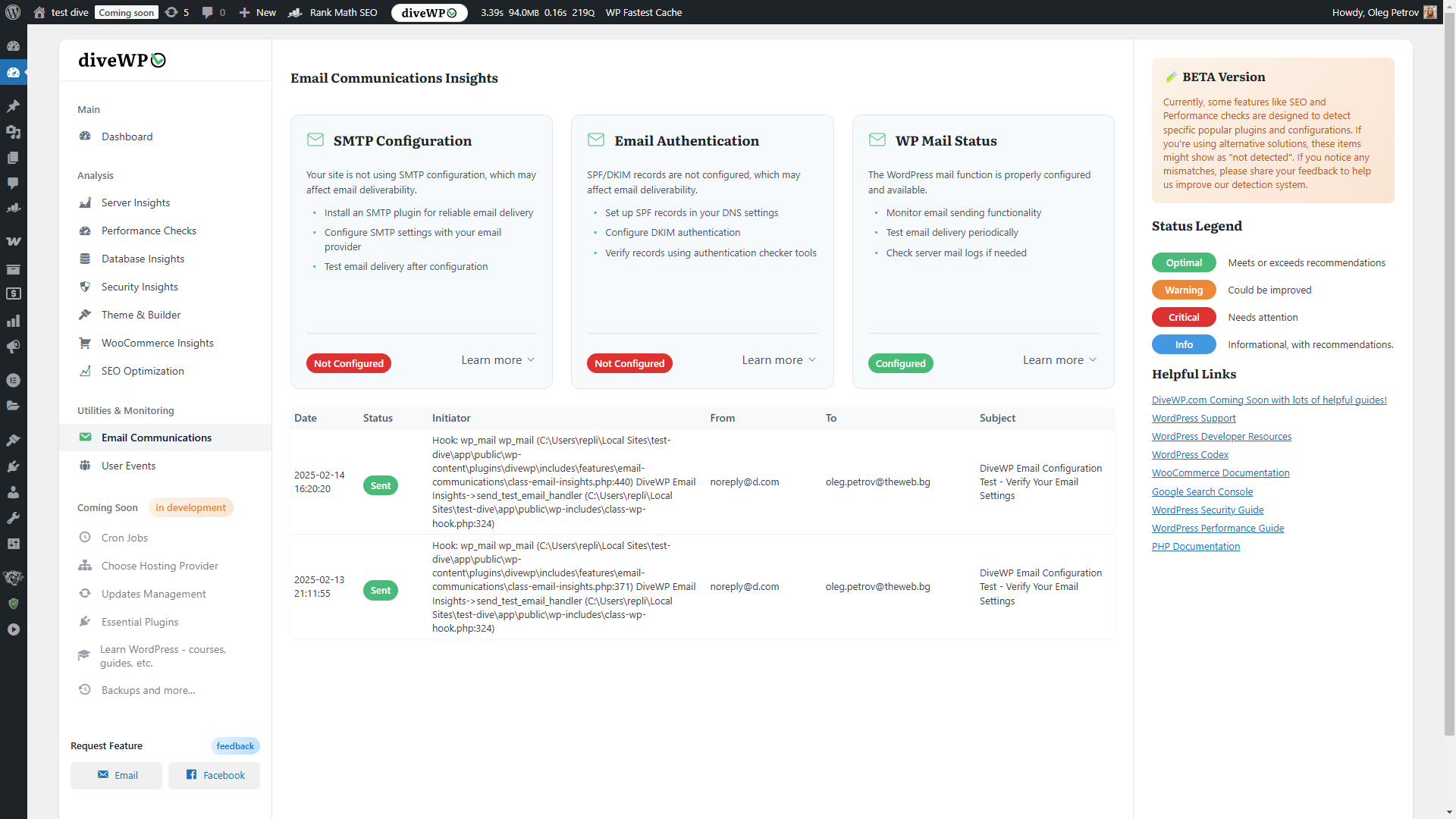
Email System Monitor – Email configuration and delivery status 


Installation
- Go to Plugins > Add New in your WordPress admin
- Search for « DiveWP »
- Click « Install Now »
- Activate the plugin
- Click on « DiveWP » in your admin menu to view insights
Alternative Manual Installation:
1. Download the plugin ZIP file
2. Go to Plugins > Add New > Upload Plugin
3. Upload the ZIP file
4. Activate the plugin
5. Click on « DiveWP » in your admin menu
FAQ
-
Is DiveWP free to use?
-
Yes! DiveWP’s core features are completely free. We plan to introduce premium features in the future while maintaining our commitment to providing valuable free functionality.
-
Will DiveWP slow down my site?
-
No. DiveWP runs exclusively in the WordPress admin area and doesn’t add any load to your public-facing pages.
-
Does DiveWP make changes to my site?
-
No. DiveWP is an analysis tool that provides insights and recommendations. It doesn’t make any changes to your site settings or configuration.
-
Is WooCommerce required?
-
No. WooCommerce is optional. If installed, DiveWP will provide additional WooCommerce-specific insights and optimization recommendations.
-
How often should I check my site’s health?
-
We recommend checking your site’s health weekly for optimal maintenance. However, DiveWP runs passive monitoring continuously and will alert you to any critical issues.
-
Can I use DiveWP on multiple sites?
-
Yes! You can install DiveWP on as many WordPress sites as you need. Each installation will provide site-specific insights and recommendations.
Avis


Contributeurs/contributrices & développeurs/développeuses
« DiveWP – Boost Site Performance with Clear, Actionable Steps » est un logiciel libre. Les personnes suivantes ont contribué à cette extension.
Contributeurs
Traduisez « DiveWP – Boost Site Performance with Clear, Actionable Steps » dans votre langue.
Le développement vous intéresse ?
Parcourir le code, consulter le SVN dépôt, ou s’inscrire au journal de développement par RSS.
Journal des modifications
2.2.1
- FIXED: W3 Total Cache compatibility fatal error
- Fixed: ArgumentCountError in cron_request filter when called with single argument by third-party plugins
- Fixed: Method signature now accepts optional $doing_wp_cron parameter for broader plugin compatibility
2.2.0
- NEW: AI Capabilities & MCP Integration
- Added: New « AI Capabilities » tab with step-by-step setup guide for connecting AI assistants
- Added: 10 diagnostic abilities for AI agents via WordPress Abilities API
- Added: Support for Cursor, Claude Desktop, ChatGPT, and other MCP-compatible clients
- Added: Secure authentication using WordPress Application Passwords
- Added: Simple MCP explanation for non-technical users
- Added: Example prompts for common AI assistant commands
- NEW: REST API Access Logging
- Added: Event logging for REST API access via Application Passwords
- Added: Track AI agent activity in User Events timeline
- Added: Throttled logging (5-minute intervals) to prevent MCP burst flooding
- IMPROVED: Cron Jobs Feature Enhancements
- Fixed: Inconsistent health status between page load and AJAX refresh
- Improved: Changed « Orphaned? » to « Potential orphan » for clearer terminology
- Added: Footnote explaining Alternate Cron functionality
- Added: Visual accent pills for Important/Recommendation notes in modal dialogs
- Removed: « Last Run » display (unreliable data source)
2.1.1
- NEW: Comprehensive Cron Jobs Monitoring System
- Added: Real-time WP-Cron and Action Scheduler execution tracking
- Added: Hook performance monitoring with execution time and memory metrics
- Added: Orphaned hook detection and overdue task identification
- Added: Complete cron execution history with filtering and pagination
- Added: System health status for cron configuration recommendations
- Fixed: WordPress Plugin Check compliance issues
- Enhanced: Database query security and PHPCS standards compliance
- IMPROVED: Responsive Layout and UI Enhancements
- Fixed: Cron job tables task name column breaking into single letters on screens below 1920×1080
- Improved: Right sidebar now more compact (reduced from 320px to 240px) with optimized spacing
- Enhanced: Sidebar automatically moves below main content at resolutions below 1920px for maximum content space
- Improved: Sidebar sections display as horizontal cards when moved below content
- Enhanced: Better responsive behavior across all screen sizes (1920px+, 1600px, 1400px, 1200px)
- Improved: Main content area now has significantly more space on lower resolution displays
2.0.1
- MAJOR NEW FEATURE: Complete Hosting Performance Benchmark System
- Added: Comprehensive server performance testing across 4 categories (Database, Resources, Concurrency, E-commerce)
- Added: Real-world benchmark tests simulating actual site operations
- Added: Advanced scoring algorithms with realistic thresholds for shared/VPS hosting
- Added: Cross-database compatibility for MySQL, MariaDB, PostgreSQL, SQLite, and SQL Server
- Added: WordPress Plugin Check compliance improvements
- Enhanced: All benchmark tests optimized for 16+ second runtime on shared hosting
- Improved: Database compatibility layer for cross-engine operations
- Fixed: All WordPress coding standards violations and PHPCS errors
- Enhanced: Security standards compliance with proper input validation and sanitization
1.0.0
- First public release on WordPress.org
- Complete UI redesign for better non-technical user experience
- New card-based visualization system
- Structured JSON content loading system
- Comprehensive Administrator Activity Tracking
- Enhanced security measures
- Advanced analysis capabilities
- Improved architecture
2.0.2
- Added: New Hosting Performance Benchmark feature for comprehensive server testing
- Added: Advanced benchmark tests for database performance, resources, concurrency, and WooCommerce-like operations
- Added: Database benchmark results storage and retrieval system
- Enhanced: Complete hosting evaluation capabilities with real-world performance metrics