

Description
dtElection Poll Embed lets you embed polls from dtElection directly into your WordPress posts and pages.
Features
- Easy embedding – Just paste your poll URL or token
- Inline voting – Visitors vote without leaving your site
- Gutenberg block – Modern block editor support
- Shortcode support – Works with classic editor too
- Responsive design – Looks great on all devices
- Real-time results – Poll updates after voting
- Yes/Maybe/No voting – Full support for 3-option voting
- Email collection – Optional email requirement for voters
- Location display – Show poll location with Google Maps link
- Hero images – Display poll hero images (Pro+ feature)
- External links – Show attached links (Enterprise feature)
- White-label option – Remove branding for Pro+ tiers
How to Use
- Create a poll at dtelection.com
- Copy the poll URL or token
- Add to your WordPress content:
- Gutenberg: Insert « dtElection Poll » block, paste URL/token
- Shortcode:
[dtelection poll="YOUR_TOKEN"]
Examples
Using the shortcode with a token:
[dtelection poll= »abc123″]
Using the shortcode with a full URL:
[dtelection poll= »https://dtelection.com/poll/abc123″]
External Services
This plugin connects to the dtElection API to fetch poll data and submit votes. This is the core functionality of the plugin – it cannot work without this external service.
What data is sent
- Poll token – When displaying an embedded poll, the plugin sends the poll token to fetch poll details (title, options, current votes).
- Vote data – When a visitor submits their vote, the plugin sends their name, selected options, and optionally their email (if the poll requires it).
When data is sent
- When a page containing an embedded poll is loaded (to fetch poll data)
- When a visitor clicks « Vote » to submit their selection
Service provider
This service is provided by dtElection.
- Service website: https://dtelection.com
- Terms of Service: https://dtelection.com/terms
- Privacy Policy: https://dtelection.com/privacy
Captures d’écrans

Embedded poll in a WordPress post with voting options 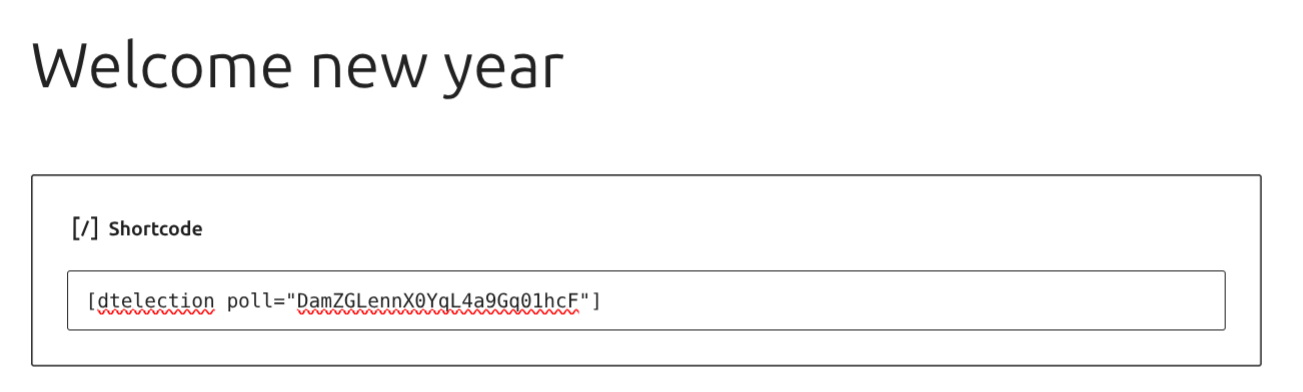
dtElection Poll block in the Gutenberg editor 
Poll results view with colored progress bars 
Admin documentation page with usage guide
Blocs
Cette extension fournit 1 bloc.
- dtElection Poll Embed a dtElection poll in your content.
Installation
- Upload the
dtelection-embedfolder to/wp-content/plugins/ - Activate the plugin through the ‘Plugins’ menu in WordPress
- Start embedding polls using the shortcode or Gutenberg block
FAQ
-
Do I need a dtElection account?
-
You need to create polls at dtelection.com first. Creating polls is free.
-
Can visitors vote without an account?
-
Yes! Visitors can vote on embedded polls without creating any account.
-
Does this work with the block editor?
-
Yes! There’s a dedicated « dtElection Poll » block for the Gutenberg editor.
-
Can I style the poll to match my theme?
-
The current version uses dtElection branding. Custom styling options are planned for a future release.
Avis
Il n’y a aucun avis pour cette extension.
Contributeurs/contributrices & développeurs/développeuses
« dtElection Poll Embed » est un logiciel libre. Les personnes suivantes ont contribué à cette extension.
Contributeurs
Traduisez « dtElection Poll Embed » dans votre langue.
Le développement vous intéresse ?
Parcourir le code, consulter le SVN dépôt, ou s’inscrire au journal de développement par RSS.
Journal des modifications
1.6.1
- Fixed text domain to match plugin slug for WordPress.org translations
- Added External Services documentation for API transparency
- Removed remote favicon dependency – now uses local assets only
- Updated contributor information
1.6.0
- Added Yes/Maybe/No voting buttons for polls with « allow maybe » enabled
- Added email input field when poll requires email
- Added location display with clickable Google Maps link
- Added hero image support (displayed at top of poll)
- Added external link display (Enterprise feature)
- Added conditional branding – Pro/Enterprise tiers can hide dtElection branding
- Improved results display showing separate yes/maybe counts
- Updated responsive styles for mobile devices
1.5.0
- Added single selection mode (radio buttons vs checkboxes)
- Improved error handling with specific error messages
- Better domain whitelist validation
1.4.0
- Added support for closed poll detection
- Improved vote submission error handling
1.3.0
- Added dtElection favicon to brand link
- Brand link now opens the actual poll on dtElection
- Result bars now use dtElection colors (teal/orange)
- Leading vote highlighted in orange
- Improved visual design
1.1.0
- Added duplicate vote prevention (remembers if user voted via localStorage)
- Added « How to Use » documentation page in WordPress admin
- Added dtElection menu item with full usage guide
- Shows « already voted » message with voter name
- Improved user experience for returning visitors
1.0.0
- Initial release
- Shortcode support
- Gutenberg block support
- Inline voting