

Description
Zyflora Easy Multi-Platform Retargeting allows you to manage tracking snippets from multiple marketing platforms directly from your WordPress dashboard.
The plugin adds a dedicated « Tracking Scripts » menu where each script is stored and managed as its own entry using the native WordPress interface. This makes it easy to organize, edit, and control how tracking scripts are loaded without relying on theme-specific settings.
Features include:
- Add tracking scripts from any platform that provides a code snippet, such as Meta (Facebook), Google, TikTok, LinkedIn, Pinterest, and others.
- Manage multiple tracking scripts without installing multiple single-purpose plugins.
- Add new platforms at any time by creating a new tracking script entry.
Script configuration options:
- Choose where each script loads: in the
<head>or before the closing</body>tag. - Control when scripts load: sitewide or only on specific Post or Page IDs, useful for thank-you pages and conversion tracking.
Captures d’écran
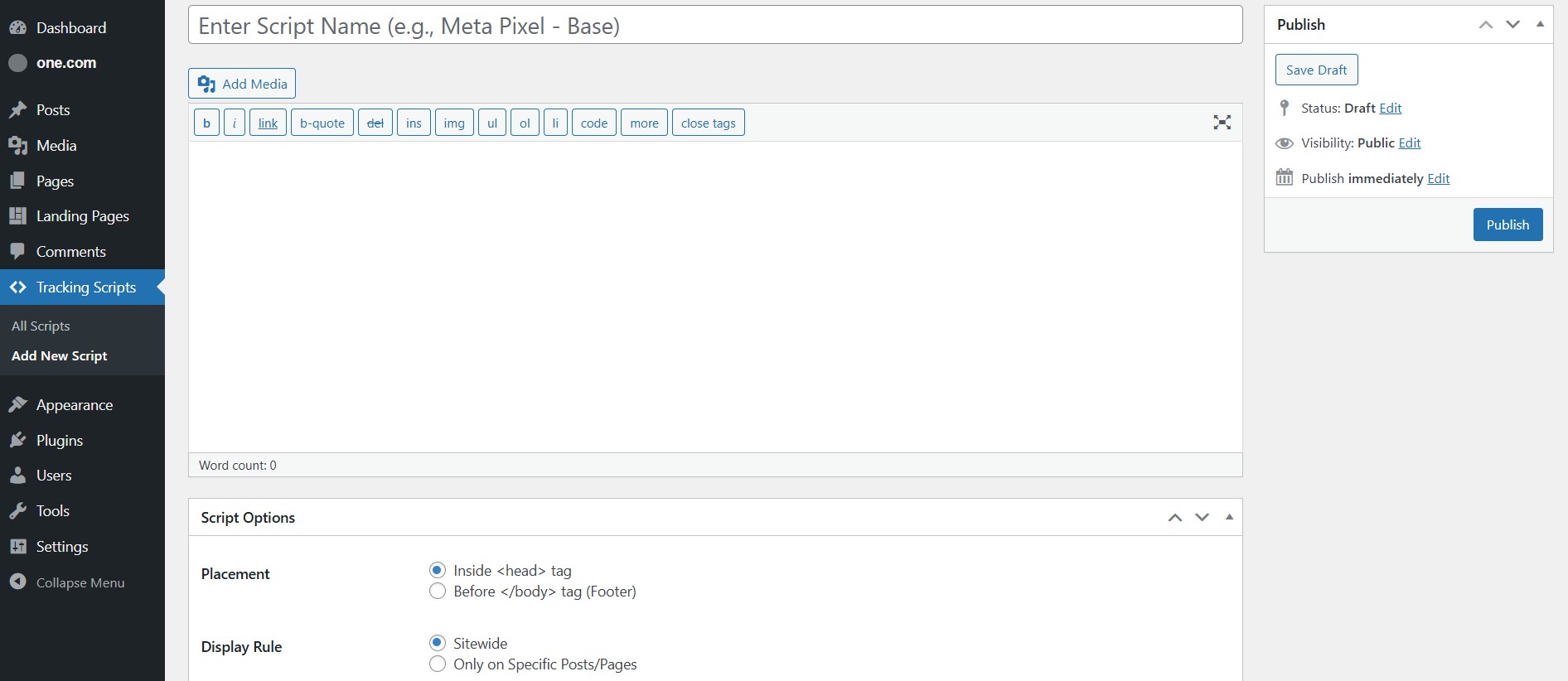
Add or edit a tracking script using the WordPress editor interface. 
Overview of all tracking scripts with status and placement options. 
Visual overview of supported platforms and centralized pixel management. 
Platform overview diagram showing how multiple tracking services connect to WordPress.
Installation
- Upload the
zyflora-easy-multi-platform-retargetingfolder to the/wp-content/plugins/directory. - Activate the plugin through the ‘Plugins’ menu in WordPress.
- Open the « Tracking Scripts » menu in the WordPress dashboard to add and manage tracking scripts.
FAQ
-
What does this plugin do compared to adding scripts in a theme?
-
Many themes include a custom scripts section, but those settings are usually tied to the theme. If you change themes, those scripts can be lost. This plugin stores tracking scripts independently of the theme, so your tracking setup remains intact when switching themes.
-
Will this plugin slow down my website?
-
The plugin outputs the scripts you provide. Any performance impact comes from the third-party tracking scripts themselves (Meta, Google, etc.), not from the plugin.
-
How do I find the Post or Page ID for conditional loading?
-
In the WordPress dashboard, go to Posts or Pages and hover over the title. Look at the URL shown in your browser status bar. You will see something like
post.php?post=123&action=edit. The number afterpost=is the ID. -
What is the difference between a base pixel and a conversion pixel?
-
A base pixel is a sitewide tracking script used to track visits across the entire site.
A conversion pixel or event snippet tracks a specific action, such as a purchase or form submission. A common setup is to load this script only on a thank-you page by selecting that page’s ID in the plugin settings.
Avis
Il n’y a aucun avis sur cette extension.
Contributeurs & développeurs
« Zyflora Easy Multi-Platform Retargeting » est un logiciel libre. Les personnes suivantes ont contribué à cette extension.
Contributeurs
Traduisez « Zyflora Easy Multi-Platform Retargeting » dans votre langue.
Le développement vous intéresse ?
Parcourir le code, consulter le SVN dépôt, ou s’inscrire au journal de développement par RSS.
Historique des changements
1.0.0
- Initial release.