
Description
Adding Google Analytics to your website never has been easier. Just add your analytics ID and the correct asynchronous Javascript code is added to every page. No fiddling around anymore with manually pasting the code in your template.
Captures d’écran
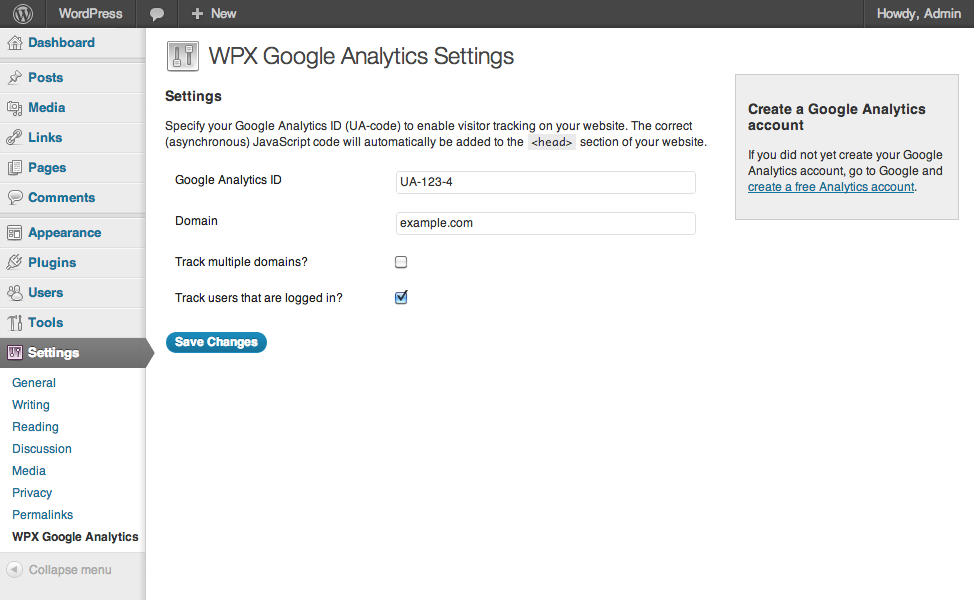
Google Analytics Settings
Installation
- Upload
wpx-google-analytics.phpto the/wp-content/plugins/directory - Activate the plugin through the ‘Plugins’ menu in WordPress
- Go to
Settings>WPX Google Analyticsand paste in your analytics ID
Avis
Il n’y a aucun avis sur cette extension.
Contributeurs & développeurs
« WPX Google Analytics » est un logiciel libre. Les personnes suivantes ont contribué à cette extension.
Contributeurs
Traduisez « WPX Google Analytics » dans votre langue.
Le développement vous intéresse ?
Parcourir le code, consulter le SVN dépôt, ou s’inscrire au journal de développement par RSS.
Historique des changements
1.1
- Language support added
1.0.2
- Cleaned up the code, removed debug statements that caused issues on certain installations.
1.0.1
- Added: Forbidden characters are stripped from the domain.
1.0
- First public release of the plugin.