
Description
This plugin adds the xmlns:addthis= »http://www.addthis.com/help/api-spec » entry to the HTML tag. This head entry is required to make it Valid XHTML. More info at http://www.addthis.com/help/client-api#valid-xhtml
Captures d’écran
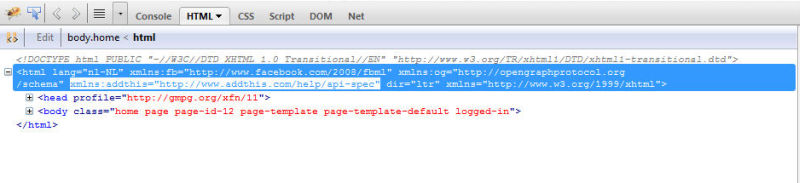
Screenshot of the HTML tag which now includes the xmlns:addthis entry!
Installation
This section describes how to install the plugin and get it working.
- Delete any existing ‘mjd-addthis-xmlns’ folder from the ‘/wp-content/plugins/’ directory.
- Upload the ‘mjd-addthis-xmlns’ folder to the ‘/wp-content/plugins/’ directory.
- Activate the plugin through the ‘Plugins’ menu in WordPress.
FAQ
- Why do I need this plugin?
-
If you are using the AddThis bookmarking plugin ( https://wordpress.org/extend/plugins/addthis/ )
then you need this plugin to make sure that the generated HTML by the AddThis plugin is Valid.
The plugin adds the xmlns:addthis= »http://www.addthis.com/help/api-spec » entry to the html head tag so that the custom attributes of the AddThis plugin are recognized properly.
Avis
Il n’y a aucun avis sur cette extension.
Contributeurs & développeurs
« AddThis xmlns » est un logiciel libre. Les personnes suivantes ont contribué à cette extension.
Contributeurs
Traduisez « AddThis xmlns » dans votre langue.
Le développement vous intéresse ?
Parcourir le code, consulter le SVN dépôt, ou s’inscrire au journal de développement par RSS.
Historique des changements
1.0.0
- Initial release.