

Description
The MaxtDesign Cookie Consent Manager That Actually Works
Most WordPress consent plugins either don’t actually control tracking (they just show a form) or they’re so bloated they slow down your site significantly. MaxtDesign Cookie Consent is different: proper Google Consent Mode v2 implementation in under 10KB.
Why This Plugin?
For Site Owners:
You need CCPA/GDPR compliance but don’t want to sacrifice site performance or deal with complex configuration.
For Developers:
You want clean, efficient code that follows WordPress standards and doesn’t conflict with other plugins.
For Agencies:
You manage multiple client sites and need a reliable, lightweight solution that just works.
Key Features
✓ Actually Controls Tracking
Unlike « checkbox theater » plugins that only show forms, this plugin properly implements Google Consent Mode v2, ensuring GA4 and Google Ads respect user choices.
✓ Blazing Fast (<10KB)
Zero performance overhead. No database queries during page load. Pure localStorage-based consent management.
✓ Three Style Presets
Choose from Minimal, Modern, or Bold popup styles. Customize colors to match your brand.
✓ Works Everywhere
Compatible with any theme. Works with Elementor (optional). Mobile responsive. Accessibility compliant (WCAG 2.1 AA).
✓ Developer-Friendly
Clean code following WordPress standards. Two shortcodes for easy integration. No jQuery dependency. Vanilla JavaScript.
✓ Privacy-First
No server-side user tracking. No external API calls. User consent stored locally. GDPR/CCPA compliant by design.
What is Google Consent Mode v2?
Google Consent Mode v2 (GCM v2) became mandatory in March 2024 for GA4 and Google Ads in the EU. It’s Google’s framework for managing user consent signals across their advertising and analytics products.
This plugin implements all four required consent types:
- analytics_storage – Google Analytics cookies
- ad_storage – Advertising cookies
- ad_user_data – User data for advertising
- ad_personalization – Personalized advertising
Without proper GCM v2 implementation, your GA4 and Google Ads tracking may be unreliable or non-compliant.
How It Works
- Visitor arrives Consent popup appears (customizable position, style, timing)
- User chooses Three options: Accept All, Analytics Only, or Decline All
- Consent stored User choice saved in localStorage (privacy-friendly, no server tracking)
- GCM signals updated Google Analytics and Ads respect the user’s choice immediately
- No repeat popup Cookie remembers they’ve seen popup (configurable duration)
Popup Customization
Style Presets:
* Minimal – Clean and subtle
* Modern – Rounded and polished
* Bold – Strong and prominent
Position Options:
* Top banner
* Bottom banner
* Center modal
Animation Options:
* Slide in
* Fade in
* No animation
Color Customization:
Primary color picker to match your brand
Shortcodes
Display Current Status:
[mdcc_consent_status]
Shows consent chips: « Analytics: On/Off » and « Ads: On/Off »
Manage Consent Interface:
[mdcc_manage_consent title="Your Privacy Choices"]
Full consent management with Accept/Analytics/Decline buttons and current status display.
Both shortcodes update in real-time when consent changes.
Optional Elementor Integration
Prefer to use a custom Elementor popup? Simply enter your Elementor Popup ID in settings, and the plugin will use your custom popup instead while maintaining proper GCM v2 functionality.
Technical Specifications
- Size: <10KB total (CSS + JS combined, gzipped)
- Performance: Zero database queries during page load
- Storage: localStorage-based (no server-side user tracking)
- Dependencies: None (vanilla JavaScript, no jQuery)
- Compatibility: WordPress 5.8+, PHP 7.4+
- Standards: WCAG 2.1 AA accessible, mobile responsive
Perfect For
- WordPress sites using GA4 or Google Ads
- CCPA/GDPR compliance requirements
- Performance-conscious developers
- Agency client sites needing scalable consent management
- Anyone tired of bloated consent plugins
What This Plugin Doesn’t Do
- Not a cookie scanner – Doesn’t automatically detect all cookies on your site
- Not a full compliance suite – Focuses on consent management for Google tracking
- Not multi-platform tracking – Free version handles GA4/Ads only (Pro version coming with Facebook, Hotjar, etc.)
For comprehensive cookie auditing and multi-platform tracking control, consider our Pro version (launching 2025).
Coming in Pro Version
- Facebook Pixel control
- Hotjar tracking control
- LinkedIn Insight Tag
- TikTok Pixel
- Custom script control
- Consent analytics dashboard
- Geolocation-based prompts
- White-label mode for agencies
Privacy Policy
MaxtDesign Cookie Consent does not collect, store, or transmit any user data. All consent preferences are stored locally in the user’s browser using localStorage. No information is sent to external servers.
However, this plugin manages consent for third-party services (Google Analytics, Google Ads). Those services have their own privacy policies:
- Google Analytics Privacy Policy: https://policies.google.com/privacy
- Google Ads Privacy Policy: https://policies.google.com/technologies/ads
It is your responsibility to include appropriate disclosures in your site’s privacy policy about the tracking services you use.
Support
For support, please use the WordPress.org support forum.
Credits
Developed by MaxtDesign – https://maxtdesign.com
Special thanks to the WordPress community for feedback and testing.
Captures d’écran

Admin settings page – Configure popup appearance, content, and behavior with intuitive interface 
Built-in popup (Minimal style, Bottom position) – Clean, unobtrusive consent request with three clear options 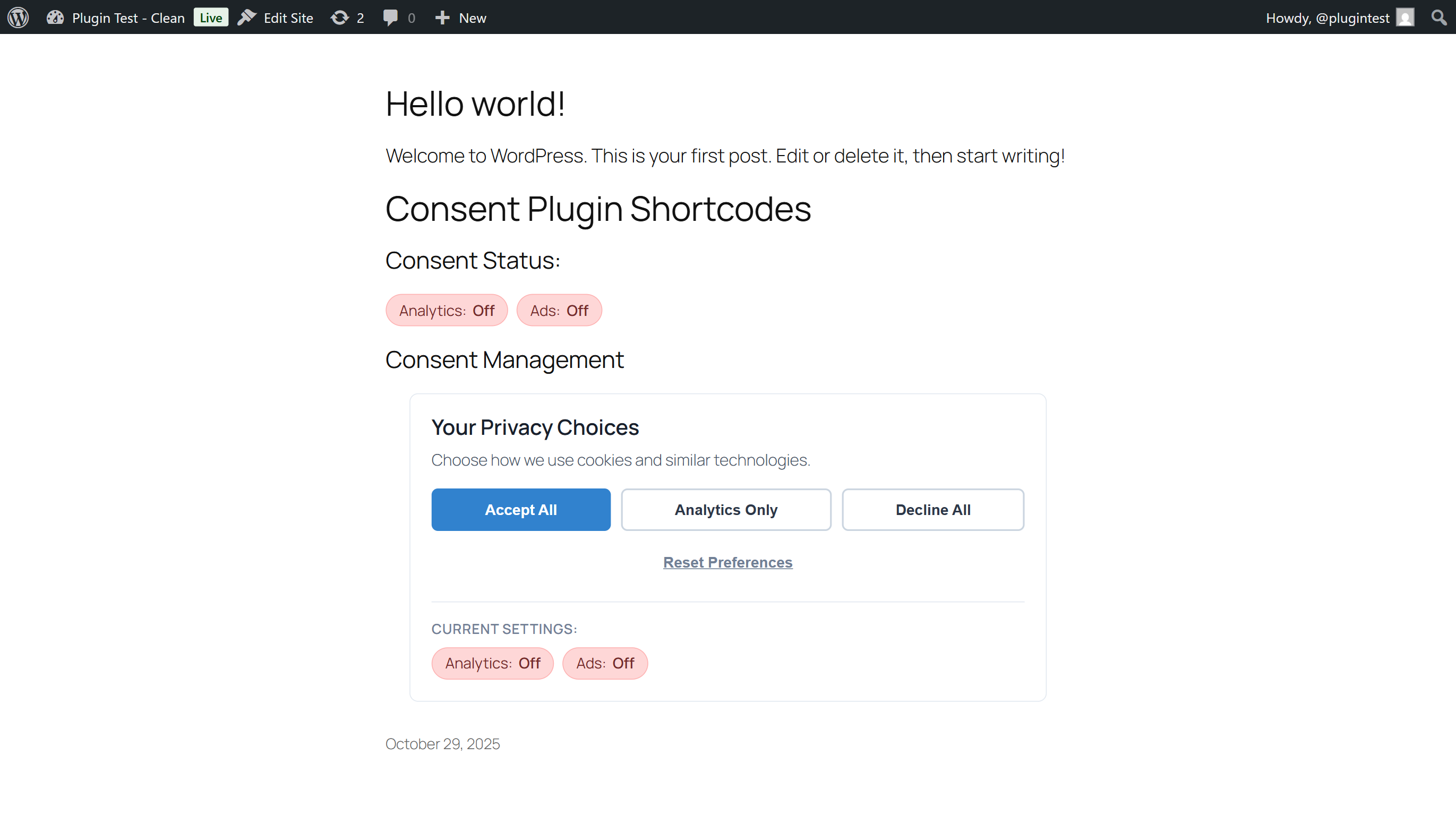
Consent status shortcode – Real-time status chips showing current consent state (Analytics: On, Ads: Off) 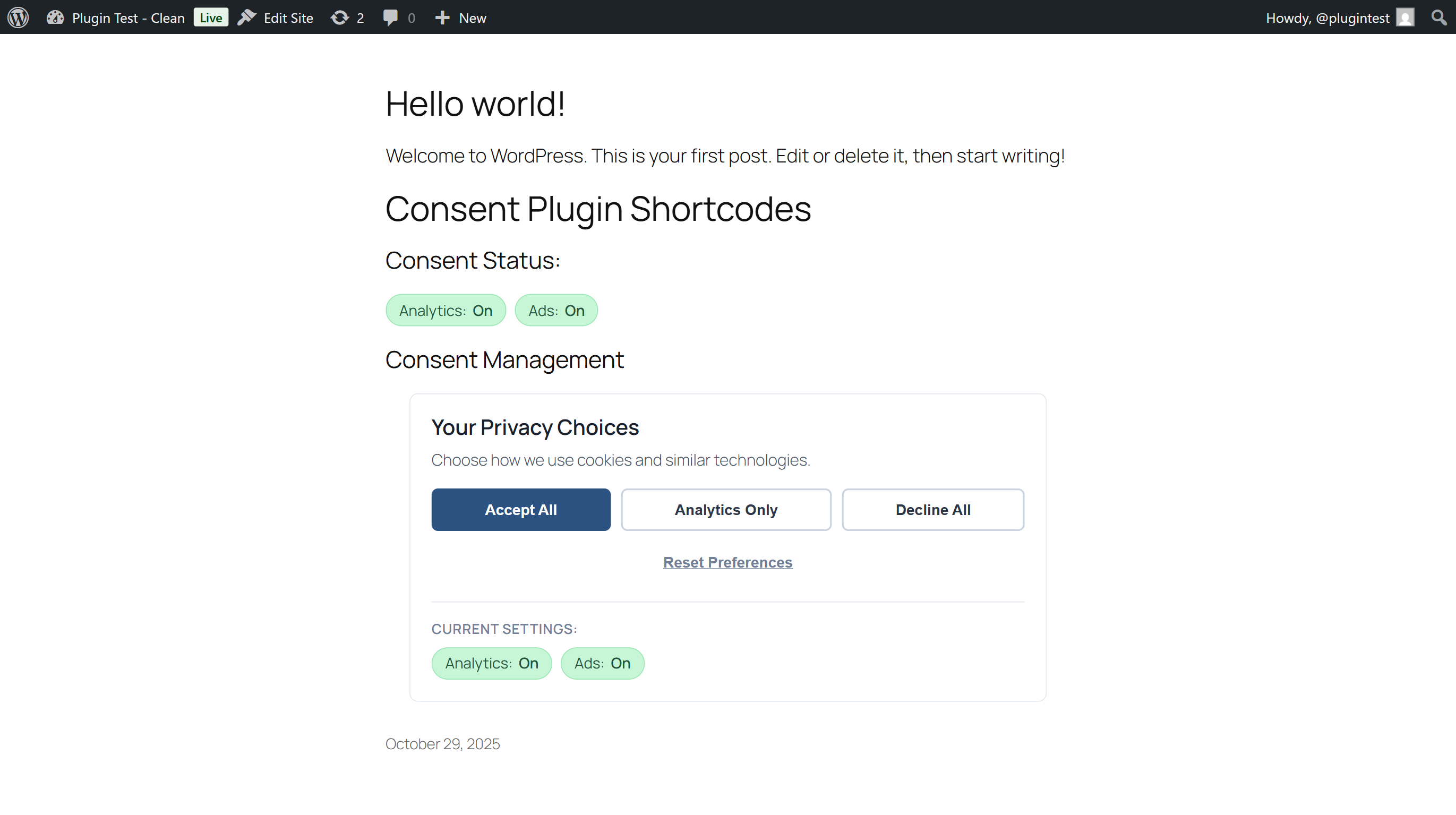
Manage consent shortcode – Full consent management interface for privacy policy pages with all action buttons 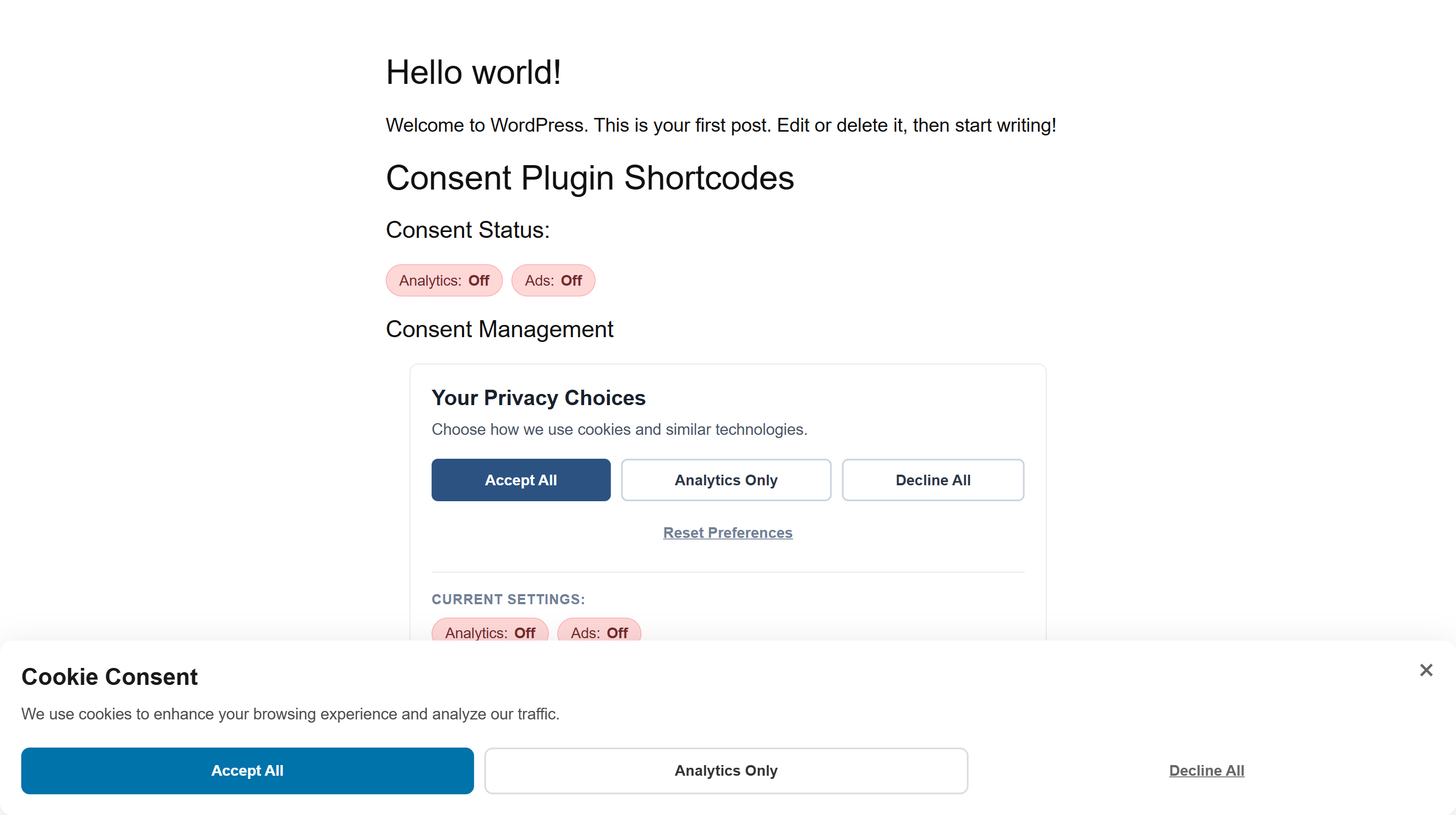
Mobile responsive design – Popup automatically adapts to mobile screens with stacked buttons
Installation
Automatic Installation
- Log in to your WordPress admin panel
- Go to Plugins > Add New
- Search for « MaxtDesign Cookie Consent »
- Click Install Now on this plugin
- Click Activate
- Go to Settings > Cookie Consent to configure
Manual Installation
- Download the plugin ZIP file
- Log in to your WordPress admin panel
- Go to Plugins > Add New > Upload Plugin
- Click Choose File and select the ZIP file
- Click Install Now
- Click Activate Plugin
- Go to Settings > Cookie Consent to configure
Configuration
After activation:
- Go to Settings > Cookie Consent
- Choose a style preset (Minimal, Modern, or Bold)
- Select position (Top, Bottom, or Center)
- Customize primary color to match your brand
- Edit popup text if desired (or keep defaults)
- Save settings
That’s it! The consent popup will now appear to visitors.
Adding Google Analytics or Google Ads
This plugin manages consent, but you still need to add your GA4 or Google Ads tracking code. The plugin ensures that tracking respects user consent choices.
Recommended: Use a plugin like Site Kit by Google or insert tracking code in your theme’s header.
The consent signals will automatically apply to any Google tracking on your site.
Using Shortcodes
Display consent status anywhere:
Place [mdcc_consent_status] in any page, post, or widget to show current consent state.
Add consent management interface:
Place [mdcc_manage_consent] in your privacy policy page or footer to let users change their preferences.
Optional: Elementor Integration
- Create a custom Elementor popup with your consent buttons
- Add the appropriate button actions (see documentation)
- Go to Settings > Cookie Consent
- Enter your Elementor Popup ID in the Elementor Integration section
- Save settings
Your custom popup will now be used instead of the built-in popup.
FAQ
-
What is Google Consent Mode v2?
-
Google Consent Mode v2 is Google’s framework for managing user consent across their advertising and analytics products. It became mandatory in March 2024 for sites using GA4 or Google Ads in the EU.
This plugin properly implements all four required consent types: analytics_storage, ad_storage, ad_user_data, and ad_personalization.
-
No. This plugin manages consent for Google Analytics and Google Ads tracking. It doesn’t automatically detect other cookies on your site.
If you need comprehensive cookie scanning and declaration, consider a full compliance suite like Complianz or CookieYes.
-
Where is consent data stored?
-
User consent choices are stored in their browser’s localStorage. Nothing is stored on your server or sent to external services. This is the most privacy-friendly approach.
-
Does this work with Google Tag Manager?
-
Yes! The plugin updates Google Consent Mode signals that GTM respects. Your GA4 and Google Ads tags in GTM will automatically respect user consent choices.
-
Does this work with WooCommerce?
-
Yes. The plugin is theme and plugin agnostic. It works with WooCommerce, Elementor, and any other WordPress plugins.
-
Can I customize the popup appearance?
-
Yes! Choose from three style presets (Minimal, Modern, Bold), three positions (Top, Bottom, Center), customize the primary color, edit all text, and control animation style.
-
Can I use my own Elementor popup?
-
Absolutely. Enter your Elementor Popup ID in settings and the plugin will use your custom popup while maintaining proper consent functionality.
-
Does this slow down my site?
-
No. The entire plugin is under 10KB (CSS + JS combined). It makes zero database queries during page load and has no external dependencies.
-
Is this GDPR compliant?
-
The plugin provides the technical framework for GDPR-compliant consent management. However, GDPR compliance involves more than just a consent popup (privacy policy, data processing agreements, etc.).
This plugin handles the consent mechanism properly. Legal compliance is your responsibility.
-
What about CCPA compliance?
-
The plugin works for CCPA compliance as it provides clear opt-out mechanisms for tracking. However, CCPA has additional requirements (privacy policy language, etc.) beyond technical consent management.
-
Can users change their consent after dismissing the popup?
-
Yes! Use the
[mdcc_manage_consent]shortcode anywhere on your site (typically in the footer or privacy policy page) to provide a consent management interface. -
Configurable in settings. Default is 7 days. This prevents the popup from showing repeatedly to the same visitor. Range: 1-365 days.
-
Can I re-prompt users who declined tracking?
-
Yes. Enable « Re-prompt on Decline » in settings. If users decline all tracking, they’ll see the popup again once per browsing session.
-
Does this work on mobile?
-
Yes. The popup is fully responsive and works on all screen sizes, from large desktop monitors to small mobile phones.
-
Is this accessible for screen readers?
-
Yes. The plugin follows WCAG 2.1 AA accessibility standards with proper ARIA labels, keyboard navigation, and focus management.
-
What if I deactivate the plugin?
-
Deactivating the plugin will stop the popup from appearing but won’t delete your settings. Reactivating restores your configuration.
-
What if I delete the plugin?
-
Deleting the plugin removes all settings and data from your database. This action cannot be undone.
-
Does this work with caching plugins?
-
Yes. The plugin is designed to work with all major caching plugins (WP Rocket, W3 Total Cache, etc.) because it uses client-side JavaScript and localStorage.
-
Can I translate this plugin?
-
Yes! The plugin is fully translation-ready. Contribute translations at: https://translate.wordpress.org/projects/wp-plugins/maxtdesign-cookie-consent
-
Where can I get support?
-
- Support Forum: https://wordpress.org/support/plugin/maxtdesign-cookie-consent
- Email: [email protected] (for Pro customers)
-
Is there a Pro version?
-
Coming in 2026! Pro will include multi-platform tracking control (Facebook, Hotjar, LinkedIn, TikTok), consent analytics, geolocation-based prompts, and white-label mode for agencies.
Avis
Il n’y a aucun avis pour cette extension.
Contributeurs & développeurs
« MaxtDesign Cookie Consent – Google Consent Mode v2 » est un logiciel libre. Les personnes suivantes ont contribué à cette extension.
Contributeurs
Traduisez « MaxtDesign Cookie Consent – Google Consent Mode v2 » dans votre langue.
Le développement vous intéresse ?
Parcourir le code, consulter le SVN dépôt, ou s’inscrire au journal de développement par RSS.
Journal
1.6.0 – 2025-10-30
Initial public release on WordPress.org
Added:
* Complete standalone consent popup system with three style presets (Minimal, Modern, Bold)
* Google Consent Mode v2 implementation (all four consent types: analytics_storage, ad_storage, ad_user_data, ad_personalization)
* localStorage-based consent storage (zero database queries, privacy-first)
* Admin settings page with popup customization options
* Color picker for primary button color
* Three position options: Top banner, Bottom banner, Center modal
* Three animation options: Slide, Fade, None
* Configurable popup content (title and message)
* Cookie-based « popup shown » tracking (configurable duration: 1-365 days)
* Optional re-prompt on decline (once per session)
* Optional Elementor popup integration
* Two shortcodes: [mdcc_consent_status] and [mdcc_manage_consent]
* Real-time consent status updates (chips update when consent changes)
* Full keyboard accessibility (ESC to close, Tab navigation, focus trap)
* Screen reader support (ARIA labels, role attributes)
* Mobile responsive design
* Complete internationalization support (translation-ready)
* High contrast mode support
* Reduced motion support
* Reset preferences functionality with confirmation
Technical:
* Zero external dependencies (vanilla JavaScript, no jQuery)
* <10KB total size (CSS + JS combined, gzipped)
* WCAG 2.1 AA accessible
* WordPress Coding Standards compliant
* Compatible with WordPress 5.8+
* Compatible with PHP 7.4+
* Works with all themes and major plugins