Search the Community
Showing results for tags 'update metadata'.
Found 2 results
-
Version 2.0.0
252 downloads
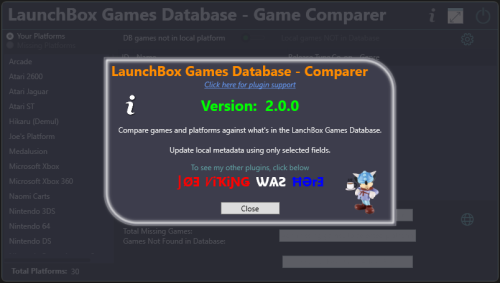
See What You're Missing™ Game/Platform comparer Compare games in your platforms against what's listed in the LaunchBox Games Database See which platforms are in the Games Database that are not in your collection Filter out games by Release Type, Genre and Co-op. Import placeholders (see Game Placeholders below) into to a new platform, those platforms or games not found. (optionally, import missing game placeholders into your existing platform) Output the results to a tab-delimited text file. Custom Metadata Updater (New v2.0.0) Update an individual games metadata or do it in bulk. Select only the fields you want to have updated. All others will be left untouched. Requires LaunchBox 13.19 or newer Installing; Copy the contents of the zip file into your /Plugins/ folder e.g. D:\LaunchBox\Plugins\LBDBcomparer\LBDBcomparer.dll Using: (click or scroll down for using the Custom Metadata Updater) Game/Platform comparer In the Tools menu, select LaunchBox Games Database - Game Comparer Select a platform to compare. (the list excludes platforms you've imported using Add Missing Games to NEW platform [see below]) This will show games listed in the database for this platform that are not found in the selected platform. (this searches and compares by database ID) Click the games ID # to open the LaunchBox Games Database to that game. Other things: Toggle Local games NOT in Database This shows your games that either don't have an associated LaunchBox database ID # or their ID # is not in the database for the selected platform. Toggle Missing Platforms This show database platforms not found in your collection. Search is done by Name Only. Exact match (but Ignore Case). Does not cross-check the platforms Scrape-As value. Does not exclude platforms you've imported using Add Missing Games to NEW platform (see below). Settings: (click the gear icon) Show only games that match the criteria (boxes that are checked). Filter by Release Type, Genre and/or Co-op. Click Save and Close to save the selected filters and close the settings window. Click Reset All, Save and Close to reset all filters to the defaults, save and close the settings window. Click the Close icon to close the window without saving and changes. The column headers will be highlighted Orange if any filters are set for that column. Add/Import options: Add Missing Games to NEW platform This will create a new platform named platform_name (M) e.g. Atari 2600 (M) Add game placeholders of games listed in the datagrid (filtered or otherwise) to the new platform. Re-running it will essentially recreate the platform based on the items in the datagrid. Add missing games to selected platform (not recommended) This will import game placeholders into your existing platform for games listed in the datagrid (filtered or otherwise). Game Placeholders: The imported game placeholders will have set their Title LBDB-ID Broken=True Installed=False With Installed=False, you can set Arrange By and choose Installed. But you can't Filter by it (nor Broken) You can also, on the left panel select View Installed [vs. e.g. Platform Categoy] and then select the No option. This can be helpful if you decide to add them to your existing platform. "Broken" can be used to hide the placeholders. Output Results to A Text File: This will output the results to a tab-delimited text file. The file will be named platform_name (missingGames_count).txt and gets created in /Output/ under this plugins folder. If it's a platform missing from your collection, the filename will be platform_name (M) (missingGames_count).txt e.g. D:\LaunchBox\Plugins\LBDBcomparer\Output\Atari 2600 (137).txt D:\LaunchBox\Plugins\LBDBcomparer\Output\Atari 2600 (M) (137).txt Click the view file icon to view the created file. Click the open folder icon to open you Windows Explorer to the /Output/ folder Notes: This will not check your games that are Additional Versions (Additional Apps). Additional Versions don't contain a LaunchBox database ID # to compare against. It "the numbers don't add up", check your platform for duplicates. Custom Metadata Updater From the LaunchBox main window... Select one or more games. Right-click one of them and select Custom Metadata Updater. If the games' field matches what's in the database, the Database column will show "identical". If they are different, double-click the value in the Database column to update that field in your game. Click the fields name in the left column to see both values in a larger window. (useful for the Notes field) If you selected more than one game, click the arrows to move to the next/previous game. Optionally, you can click Bulk Update, and update only the selected fields for all selected games. (click to go back up to using Game/Platform Comparer) If a plugin update is available, the Info icon will flash red. Click it to find a link to the downloads page.- 7 comments
- 2 reviews
-
- 12
-

-

-
- launchbox games database
- missing games
- (and 2 more)
-
.thumb.png.c9faf450e4d2b690a819048b18173f61.png) LaunchBox Games Database - Comparer Plus View File See What You're Missing™ Game/Platform comparer Compare games in your platforms against what's listed in the LaunchBox Games Database See which platforms are in the Games Database that are not in your collection Filter out games by Release Type, Genre and Co-op. Import placeholders (see Game Placeholders below) into to a new platform, those platforms or games not found. (optionally, import missing game placeholders into your existing platform) Output the results to a tab-delimited text file. Custom Metadata Updater (New v2.0.0) Update an individual games metadata or do it in bulk. Select only the fields you want to have updated. All others will be left untouched. Requires LaunchBox 13.19 or newer Installing; Copy the contents of the zip file into your /Plugins/ folder e.g. D:\LaunchBox\Plugins\LBDBcomparer\LBDBcomparer.dll Using: (click or scroll down for using the Custom Metadata Updater) Game/Platform comparer In the Tools menu, select LaunchBox Games Database - Game Comparer Select a platform to compare. (the list excludes platforms you've imported using Add Missing Games to NEW platform [see below]) This will show games listed in the database for this platform that are not found in the selected platform. (this searches and compares by database ID) Click the games ID # to open the LaunchBox Games Database to that game. Other things: Toggle Local games NOT in Database This shows your games that either don't have an associated LaunchBox database ID # or their ID # is not in the database for the selected platform. Toggle Missing Platforms This show database platforms not found in your collection. Search is done by Name Only. Exact match (but Ignore Case). Does not cross-check the platforms Scrape-As value. Does not exclude platforms you've imported using Add Missing Games to NEW platform (see below). Settings: (click the gear icon) Show only games that match the criteria (boxes that are checked). Filter by Release Type, Genre and/or Co-op. Click Save and Close to save the selected filters and close the settings window. Click Reset All, Save and Close to reset all filters to the defaults, save and close the settings window. Click the Close icon to close the window without saving and changes. The column headers will be highlighted Orange if any filters are set for that column. Add/Import options: Add Missing Games to NEW platform This will create a new platform named platform_name (M) e.g. Atari 2600 (M) Add game placeholders of games listed in the datagrid (filtered or otherwise) to the new platform. Re-running it will essentially recreate the platform based on the items in the datagrid. Add missing games to selected platform (not recommended) This will import game placeholders into your existing platform for games listed in the datagrid (filtered or otherwise). Game Placeholders: The imported game placeholders will have set their Title LBDB-ID Broken=True Installed=False With Installed=False, you can set Arrange By and choose Installed. But you can't Filter by it (nor Broken) You can also, on the left panel select View Installed [vs. e.g. Platform Categoy] and then select the No option. This can be helpful if you decide to add them to your existing platform. "Broken" can be used to hide the placeholders. Output Results to A Text File: This will output the results to a tab-delimited text file. The file will be named platform_name (missingGames_count).txt and gets created in /Output/ under this plugins folder. If it's a platform missing from your collection, the filename will be platform_name (M) (missingGames_count).txt e.g. D:\LaunchBox\Plugins\LBDBcomparer\Output\Atari 2600 (137).txt D:\LaunchBox\Plugins\LBDBcomparer\Output\Atari 2600 (M) (137).txt Click the view file icon to view the created file. Click the open folder icon to open you Windows Explorer to the /Output/ folder Notes: This will not check your games that are Additional Versions (Additional Apps). Additional Versions don't contain a LaunchBox database ID # to compare against. It "the numbers don't add up", check your platform for duplicates. Custom Metadata Updater From the LaunchBox main window... Select one or more games. Right-click one of them and select Custom Metadata Updater. If the games' field matches what's in the database, the Database column will show "identical". If they are different, double-click the value in the Database column to update that field in your game. Click the fields name in the left column to see both values in a larger window. (useful for the Notes field) If you selected more than one game, click the arrows to move to the next/previous game. Optionally, you can click Bulk Update, and update only the selected fields for all selected games. (click to go back up to using Game/Platform Comparer) If a plugin update is available, the Info icon will flash red. Click it to find a link to the downloads page. Submitter JoeViking245 Submitted 09/03/2025 Category Third-party Apps and Plugins
LaunchBox Games Database - Comparer Plus View File See What You're Missing™ Game/Platform comparer Compare games in your platforms against what's listed in the LaunchBox Games Database See which platforms are in the Games Database that are not in your collection Filter out games by Release Type, Genre and Co-op. Import placeholders (see Game Placeholders below) into to a new platform, those platforms or games not found. (optionally, import missing game placeholders into your existing platform) Output the results to a tab-delimited text file. Custom Metadata Updater (New v2.0.0) Update an individual games metadata or do it in bulk. Select only the fields you want to have updated. All others will be left untouched. Requires LaunchBox 13.19 or newer Installing; Copy the contents of the zip file into your /Plugins/ folder e.g. D:\LaunchBox\Plugins\LBDBcomparer\LBDBcomparer.dll Using: (click or scroll down for using the Custom Metadata Updater) Game/Platform comparer In the Tools menu, select LaunchBox Games Database - Game Comparer Select a platform to compare. (the list excludes platforms you've imported using Add Missing Games to NEW platform [see below]) This will show games listed in the database for this platform that are not found in the selected platform. (this searches and compares by database ID) Click the games ID # to open the LaunchBox Games Database to that game. Other things: Toggle Local games NOT in Database This shows your games that either don't have an associated LaunchBox database ID # or their ID # is not in the database for the selected platform. Toggle Missing Platforms This show database platforms not found in your collection. Search is done by Name Only. Exact match (but Ignore Case). Does not cross-check the platforms Scrape-As value. Does not exclude platforms you've imported using Add Missing Games to NEW platform (see below). Settings: (click the gear icon) Show only games that match the criteria (boxes that are checked). Filter by Release Type, Genre and/or Co-op. Click Save and Close to save the selected filters and close the settings window. Click Reset All, Save and Close to reset all filters to the defaults, save and close the settings window. Click the Close icon to close the window without saving and changes. The column headers will be highlighted Orange if any filters are set for that column. Add/Import options: Add Missing Games to NEW platform This will create a new platform named platform_name (M) e.g. Atari 2600 (M) Add game placeholders of games listed in the datagrid (filtered or otherwise) to the new platform. Re-running it will essentially recreate the platform based on the items in the datagrid. Add missing games to selected platform (not recommended) This will import game placeholders into your existing platform for games listed in the datagrid (filtered or otherwise). Game Placeholders: The imported game placeholders will have set their Title LBDB-ID Broken=True Installed=False With Installed=False, you can set Arrange By and choose Installed. But you can't Filter by it (nor Broken) You can also, on the left panel select View Installed [vs. e.g. Platform Categoy] and then select the No option. This can be helpful if you decide to add them to your existing platform. "Broken" can be used to hide the placeholders. Output Results to A Text File: This will output the results to a tab-delimited text file. The file will be named platform_name (missingGames_count).txt and gets created in /Output/ under this plugins folder. If it's a platform missing from your collection, the filename will be platform_name (M) (missingGames_count).txt e.g. D:\LaunchBox\Plugins\LBDBcomparer\Output\Atari 2600 (137).txt D:\LaunchBox\Plugins\LBDBcomparer\Output\Atari 2600 (M) (137).txt Click the view file icon to view the created file. Click the open folder icon to open you Windows Explorer to the /Output/ folder Notes: This will not check your games that are Additional Versions (Additional Apps). Additional Versions don't contain a LaunchBox database ID # to compare against. It "the numbers don't add up", check your platform for duplicates. Custom Metadata Updater From the LaunchBox main window... Select one or more games. Right-click one of them and select Custom Metadata Updater. If the games' field matches what's in the database, the Database column will show "identical". If they are different, double-click the value in the Database column to update that field in your game. Click the fields name in the left column to see both values in a larger window. (useful for the Notes field) If you selected more than one game, click the arrows to move to the next/previous game. Optionally, you can click Bulk Update, and update only the selected fields for all selected games. (click to go back up to using Game/Platform Comparer) If a plugin update is available, the Info icon will flash red. Click it to find a link to the downloads page. Submitter JoeViking245 Submitted 09/03/2025 Category Third-party Apps and Plugins-
- 1
-
-
- launchbox games database
- missing games
- (and 2 more)
.thumb.png.c9faf450e4d2b690a819048b18173f61.png)
