Search the Community
Showing results for tags 'teknoparrot'.
Found 20 results
-

Version 1.0.0
616 downloads
168 Clear Logos! I was looking around, and didn't see that anyone else had done this. I pulled all the clear logos from TeknoParrot's compatibility page and renamed them so that LaunchBox would pick them up properly. This package is complete as of 7/1/22. I'm not clear as to whether or not their compatibility page lists everything in their scope or if there are others. Enjoy!- 1 comment
- 1 review
-
- 6
-

-

-
- teknoparrot
- taito type x
- (and 4 more)
-
Hello everybody, I've been struggling with TeknoParrot when it comes to the pause screen in LaunchBox. All other systems, I have gotten the pause screen to work just fine. Some emulators I had to add a AHK running script to gat the games to shutdown properly but ultimately that took care of the issues. The (2) main issue I have are the following: 1. The emulator doesn't actually pause when entering the pause screen. You can still hear sound in the background still. 2. The game does not resume when choosing that option in the pause screen. The screen goes black like it it trying to resume but nothing more happens. I'm assuming that it doesn't resume, because the emulator never paused in the first place. 3. Most of the time the game closes just fine when choosing exit within the pause screen. However there are times when the screen will go black and nothing more happens. Typically if I enter the pause screen again, and chose exit again then it will close. If I launch the game through TeknoParrot itself I can press "P" and the game pauses fine. If I press "P" again, the game resumes. If I press "Esc" the game closes. So I know the issue doesn't lie within TeknoParrot. I have read seemingly every LaunchBox topic on this and most are several years old and no not necessarily have a solution. My LaunchBox settings that would relate to this issue are below:

-
Version 1.0
346 downloads
My Teknoparrot Platform Video For u all. Enjoy. Teknoparrot.mov-
- 8
-
-
-
- teknoparrot media
- teknoparrot platform video
- (and 1 more)
-
Hello, I have been trying to get reshade to work on TecknoParrot, but have been unsuccessful. Read a few articles about a plugin called Reshade manager for launchbox, but cant seem to get it to run. Any one else have experience using this plugin? Thanks,
-
I'm having an issue getting some Teknoparrot games to run full screen in Big Box. For example, H2Overdrive and the FNF games. If set to full screen in TP it won't launch at all, I have to set it to windowed, which works in TP or Launchbox but won't work in Big Box. All it does is sit on a black screen forever. Outside of Big Box I'm able to workaround the full screen issue by using the Borderless Gaming app, but that won't work in Big Box either. I'm running a Ryzen 6600H Mini PC with integrated Radeon 660 graphics. Has anyone figured out how to get these TP games running full screen in Big Box on an AMD graphics system? Thanks!
-
Here's what I found out when getting Yu-Gi-Oh! 5D's Duel Terminal 6 working. The full directory/file path cannot be more than 64 characters and cannot have any "special" characters. If it does it just closes. Once I corrected the file path problem the game loaded fine. to import the game into LaunchBox and it match the GamesDB I created a folder with a name that matches the gamesdb. Inside I created a dummy file that matches TeknoParrot user profile xml.
-
my emulator settings. I use dummy files to make this work Platform Settings. I have the Games mainly separated into 2 folder one for Arcade and one for Taito Type X, When you look up TeknoParrot games on the GamesDB these are the 2 platforms you find them in. Find the Game on the LaunchBox GamesDB Name the folder to mimic the LBGDB Then inside of the Game folder I create a dummy file that matches the TeknoParrot User profile file but with a .appid file extension. The User profile file gets created after adding and setting up the game inside of the TeknoParrot UI. Now to just import one game at a time just drag and drop the appid file into LaunchBox or Tools - Import - Roms - Add File and locate the appid file If you would like to import a whole batch of games at once. For the TeknoParrot Arcade platform. Go to the TeknoParrot Arcade folder in File Explorer and search for *.appid. Wait for spinning wheel. Select All and drag and drop into Launchbox. If you have Launchbox open to the platform you are importing it makes it easier Now we are in the Import Wizard in LaunchBox. Choose Rom Files. The Platform options. The Emulator Options. Use the files in their current location. Keep going through the wizard. Choose the options you would like. Emumovies options. Now on this next page make sure to check Use folder names instead of rom file names... and the final of the import wizard. Single Game. Batch of Games if the folder names match the GamesDB you get nicely added games and can match EmuMovies too. If there are entries in the GamesDB and/or EmuMovies you'll have the metadata and artwork.
-
Teknoparrot Platform Video View File My Teknoparrot Platform Video For u all. Enjoy. Teknoparrot.mov Submitter DonellHD Submitted 07/24/2024 Category Platform Theme Videos
-
Hi everyone! Not new here really, but I suppose I am newish to posting in the forums here. I mostly hang around libretro forums. I just went public with a youtube channel where I am showcasing various 4K arcade artwork overlays along with megabezel and crt shaders. As of now my focus is on vertical overlays. Please have a look at the channel a bit. There is a gallery for “shorts” and a playlist if you just want to let the vids cycle through their attract modes. Each video is less than 60 seconds each. On mobile, 2160p is available through the youtube app. Or directly on youtube on PC. Downloads are in descriptions for the overlays. I think you can download the video clips from youtube, but if not. I will start posting them here for use in the near future if there is any interest. Thank you for checking it out!
- 15 replies
-
- 1
-
-
- retroarch
- verticaloverlay
- (and 8 more)
-
 Greetings, Sorting through the various platforms that are supported in Teknoparrot can be quite a chore. I've written a script, that will plow through the games you have setup and sort them by platform so you can just drag and drop them into launchbox. known issue: - game titles with : in string wil not create folder (WIP) (fixed) - (script updated) # Author klopjero #Teknoparrot, game Sorting by platform script for use with launchbox # The function of this script is to allow the user to scan for games that are set up in teknoparrot, sort them into platformsso that they can be added to Launchbox. # import the results using folder names. #load assembly fiels for file browser Add-Type -AssemblyName System.Windows.Forms #variables #get teknoparrot location Add-Type -AssemblyName System.Windows.Forms $FolderBrowser = New-Object System.Windows.Forms.FolderBrowserDialog $FolderBrowser.Description = 'Select the folder containing TeknoParrotUI.exe' $result = $FolderBrowser.ShowDialog((New-Object System.Windows.Forms.Form -Property @{TopMost = $true })) if ($result -eq [Windows.Forms.DialogResult]::OK){ $FolderBrowser.SelectedPath } else { exit } $Teknoparrot = $FolderBrowser.SelectedPath $Teknoparrot #Check if TeknoparrotUI.exe lives in $Teknoparrot $found = Test-path $Teknoparrot\TeknoparrotUI.exe IF($found = $true) { Write-Host TheBird is alive matey!, plunderin yer games now, ship ahoy! $imports = Test-Path "$Teknoparrot\imports" IF($imports -eq $false) { new-item -ItemType Directory "$Teknoparrot\imports" } #get your setup games, including platform and full game name $TPSetgames = Get-ChildItem $Teknoparrot\gameProfiles\*.xml | select-object -ExpandProperty BaseName foreach ($TPSetgame in $TPSetgames) { $TPSetgame [xml]$XML = Get-Content $Teknoparrot\GameProfiles\$TPSetgame.xml $gamenameraw = $xml.gameprofile.gamename #clean nasty unwanted characters from game name to allow for folder creation $gamename = $gamenameraw -replace ":","" $json = Get-content $Teknoparrot\descriptions\$TPSetgame.json -raw |ConvertFrom-Json $platform = $json.platform $Tp2pt = test-path $Teknoparrot\imports\$platform\ IF ($Tp2pt -eq $false) { write-host creating new folder $Teknoparrot\imports\$platform\$gamename\$TPSetgame.xml New-Item -ItemType Directory $Teknoparrot\imports\$platform -force New-Item -itemType Directory $Teknoparrot\imports\$platform\$gamename -Force New-Item -ItemType File $Teknoparrot\imports\$platform\$gamename\$TPSetgame.xml -Force } write-host creating new folder $Teknoparrot\imports\$platform\$gamename\$TPSetgame.xml New-Item -itemType Directory $Teknoparrot\imports\$platform\$gamename -Force New-Item -ItemType File $Teknoparrot\imports\$platform\$gamename\$TPSetgame.xml -force } #open imports folder. Invoke-Item $Teknoparrot\imports } teknoparrotfinder.ps1anyway, hope you find it usefull. any feedback would be nice.
 -
I am trying to get the space key on my xarcade to register as UP arrow on Hot Wheels King of the Road and cant seem to get it going. This is my script. It works! when I test it on notepad and stuff I get the cursor going up with each space key press. But when I am playing the game, only the up arrow on the keyboard works and give it gas. Any ideas? Left, right works too. #NoEnv ; Recommended for performance and compatibility with future AutoHotkey releases. ; #Warn ; Enable warnings to assist with detecting common errors. SendMode Input ; Recommended for new scripts due to its superior speed and reliability. SetWorkingDir %A_ScriptDir% ; Ensures a consistent starting directory. #SingleInstance Force Space::SendInput, {Up} ; Press 2x for Boost/ just pressing will give Gas
-
Hi! I was searching for a fast method to configure Teknoparrot with LaunchBox, (i am writing some tutorial for my site) and every guide i found are using the "TXT method", creating a txt file for every TP games... it works but it's a useless work! After some search i found this new method, i haven't found any tutorial talking about his so i decided to show here my method. Add Teknoparrot emulator as always but in the "Default command line parameters" use this "--profile=%romfile%.xml" and enable all the 3 option below like in the first pics. You need to inserti that command line also in the associated platform tab (pics 2) After that instead of creating a txt file for each game, simply import the .xml file of that game placed in the "GameProfile" folder of Teknoparrot. For those who don't know each xml file represent a game supported by TP. Now you don't need to manually edit every game and insert his own command line parameters because it will load directly the xml file and TP will load automatically the game. Maybe someone are already using this method, i don't know but i haven't heard about that.
-
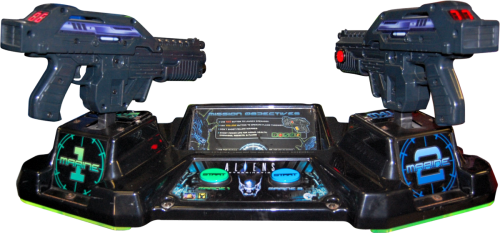
Version 1.0.0
95 downloads
1.0-
- 5
-
-
-
- arcade
- control panels
- (and 1 more)
-
I added Tekno Parrot to my launchbox, and was able to work out most of it. Everything but the logo on the platform wheel. As you can see in the picture it's replaced it with the windows logo. The method I used to add Teknoparrot had me import them as Teknoparrot files, but scrape them as Windows files. I'm not sure of the reasoning behind the scrape, but I'm sure that's the problem. Does anyone know how to fix this? Or at least point me to the correct file to edit. Thanks in advance!
-
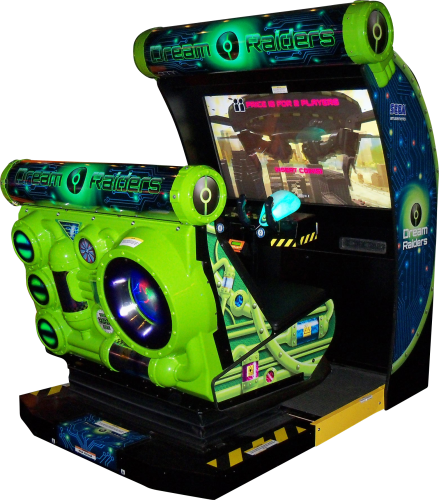
Version 3.0
424 downloads
This is the next installment of arcade cabinets. This time it is for Teknoparrot. I'm always looking for quality images. If you would like to help out, pm me. I hope you like them.-
- 7
-
-

-
- arcade
- teknoparrot
- (and 1 more)
-
 Hello Everyone. Im Getting This Error Screen When I Press ESC to escape from teknoparrot games. it quickly dissapears, but it is very annoying and i did'nt see it before. can someone help me fix this?
-
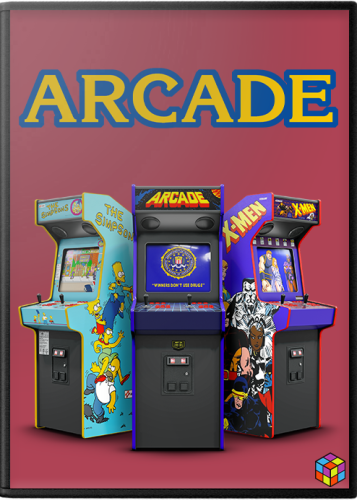
Version 1.0.0
460 downloads
# What is it? This is a pack of 2D boxes intended to be used as Default media in LB/BB. I wanted to create something that would be cohesive with the Arcade box art currently available by default from the LB Media Downloader. # Credit & Thanks This pack is based on work by @Robin55 that I believe was later redone by @Mr. RetroLust - Thank you both for your contributions to LB! Art assets provided to the community by @viking, @Cnells2000, @Dan Patrick and @Antny were also used - Thanks! WIP feedback provided by @X1pheR and @UKPenguins - much appreciated! # Arcade Machines The initial release of this pack covers 29 unique platforms (listed below). I may add more in the future if I happen to come across more high quality cabinet images. -
Arcade Platforms Default Media (Box - Front) View File # What is it? This is a pack of 2D boxes intended to be used as Default media in LB/BB. I wanted to create something that would be cohesive with the Arcade box art currently available by default from the LB Media Downloader. # Credit & Thanks This pack is based on work by @Robin55 that I believe was later redone by @Mr. RetroLust - Thank you both for your contributions to LB! Art assets provided to the community by @viking, @Cnells2000 and @Antny were also used - Thanks! WIP feedback provided by @X1pheR and @UKPenguins - much appreciated! # Arcade Machines The initial release of this pack covers 29 unique platforms (listed below). I may add more in the future if I happen to come across more high quality cabinet images. Submitter machjas Submitted 08/09/2022 Category Platform Default Image Packs
-
So this is probably a very noobish question, but I’m curious about trying Teknoparrot, however several things have been keeping me from attempting it so far. The first is the whole malware false-positive issue. I just wanted confirmation from those in-the-know that this program, as well as that Game Loader RH or whatever it’s called, are actually fine to use. The second issue I’ve had is in actually acquiring the program. I’ve visited the Tekno Gods official website and went to their downloads page, but it just brings up some scary message about my browsing not being private, and there’s no way to bypass it to get to any actual download link. My final concern is that Teknoparrot evidently requires some special C++ program and a special version of Direct X. Will installing this stuff mess up any of the other games and programs I have running on my current Direct X version (which I think is 11)? So I guess in short, is this program worth all the trouble that seems to be involved with it? And if so, could anyone provide a working download link? Any advice would be greatly appreciated!
-
i have guilty gear running on LB but when i double click on it inside launchbox just loads and i have to click on the game and click launch. when i use the bat file outside of launchbox it loads the game normally. what am i doing different. i have several other teknoparrot game running off a similar bat but they load in launchbox properly. CONFIG FOR WORKING GAME LOADING PROPERLY IN LB @echo off E: cd CD\ cd teknoparrot cd games cd Rambo cd E:\Teknoparrot Start teknoparrotUi --profile=Rambo.xml CONFIG FOR GUILTY GEAR XRD WORKING FINE OUTSIDE BUT NOT INSIDE LB @echo off E: cd CD\ cd teknoparrot cd games cd Guilty Gear XRD cd E:\Teknoparrot Start teknoparrotUi --profile=GGXrdSIGN.xml Rambo Loading fine.mp4 Guilty Gear Loading Emulator Only.mp4 Guilty Gear Loading Off Bat.mp4