Search the Community
Showing results for tags 'reflective'.
Found 5 results
-
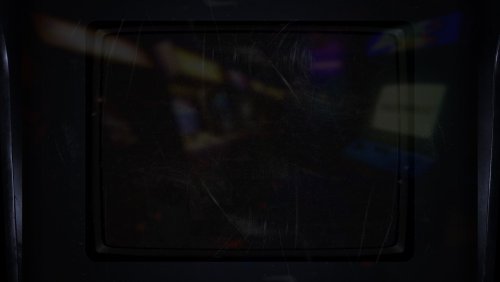
 Alternative Frame for ArcCabView BGFX + how to configure your own frame View File For the purpose of bezel reflection in MAME, ArcCabView is a GODSEND, but I always thought the frame was too thin and too light when using Lights Out bezels.... so I made a wider darker one! The screenshots showcase the frame using different bezels. artwork and bgfx folders go into your MAME directory, overwriting two files: ArcCabView.json and frame.png (⌐⊙_⊙) How to use your own custom frame so it lines up properly with the game screen (using the default ArcCabView preset): 0. If not already installed, download ArcCabView_MAME_BGFX_Chain_2.2d and extract into your MAME directory (probably backup artwork/bgfx and bgfx folders in case you want to revert changes) 1. replace frame.png located in mame/artwork/bgfx/chains/ArcCabView with your custom image 2. load up a game in MAME, then press `/~ (onscreen display hotkey) and adjust Frame Size X, Frame Size Y, and Corner Size so the game screen fits the frame to your liking. 3. Exit game, and open the .cfg file for that rom in mame/cfg 4. Also open the ArcCabView.json file in mame/bgfx/chains/ArcCabView 5. find the adjusted values in the .cfg file and copy them into the .json file. The values in question are highlighted in the image below: 6. Save the .json file. 6½: Optionally, repeat steps 1-6 until satisfied... 7. ಠ_ರೃ P R O F I T. I don't see a lot of mentioning of ArcCabView here, so maybe some MAME users will find it to be a decent (or more subtle) alternative to Mega Bezel Shaders for Retroarch, which I use for other platforms anyways. I'm just very attached to MAME for arcade... Submitter d66dle Submitted 03/11/2025 Category Platform Bezels/Overlays
 -
Version 1.0.0
77 downloads
For the purpose of bezel reflection in MAME, ArcCabView is a GODSEND, but I always thought the frame was too thin and too light when using Lights Out bezels.... so I made a wider darker one! The screenshots showcase the frame using different bezels. artwork and bgfx folders go into your MAME directory, overwriting two files: ArcCabView.json and frame.png (⌐⊙_⊙) How to use your own custom frame so it lines up properly with the game screen (using the default ArcCabView preset): 0. If not already installed, download ArcCabView_MAME_BGFX_Chain_2.2d and extract into your MAME directory (probably backup artwork/bgfx and bgfx folders in case you want to revert changes) 1. replace frame.png located in mame/artwork/bgfx/chains/ArcCabView with your custom image 2. load up a game in MAME, then press `/~ (onscreen display hotkey) and adjust Frame Size X, Frame Size Y, and Corner Size so the game screen fits the frame to your liking. 3. Exit game, and open the .cfg file for that rom in mame/cfg 4. Also open the ArcCabView.json file in mame/bgfx/chains/ArcCabView 5. find the adjusted values in the .cfg file and copy them into the .json file. The values in question are highlighted in the image below: 6. Save the .json file. 6½: Optionally, repeat steps 1-6 until satisfied... 7. ಠ_ರೃ P R O F I T. I don't see a lot of mentioning of ArcCabView here, so maybe some MAME users will find it to be a decent (or more subtle) alternative to Mega Bezel Shaders for Retroarch, which I use for other platforms anyways. I'm just very attached to MAME for arcade...-
- 2
-

-
- arccabview
- mame
- (and 6 more)
-
Version 2.0.0
125 downloads
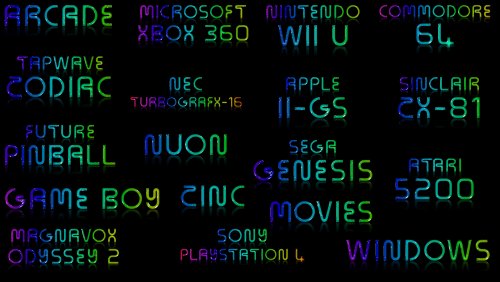
I made these for one of my themes and thought I would share them with the community. They look decent in most Launchbox & Bigbox themes if you like the neon look. 2.0.0 includes around 250 clear logos (Platforms, Platform Categories, a few Playlists as well as some extras like TV Shows, Movies, Comics, etc.). Enjoy! -The Papaw-
- 5
-
-

-

-
- platform
- cear logos
- (and 6 more)
-
Neon Looking Platform Clear Logos for LB & BB View File I made these for one of my themes and thought I would share them with the community. They look decent in most Launchbox & Bigbox themes if you like the neon look. I really like them in @Mr. RetroLust's Neon Deluxe Arcade - LaunchBox Theme. I made them for 4k so they are on the bigger side, so you might want to make them smaller for certain themes Includes around 250 clear logos (Platforms, Platform Categories, and a few Playlists as well as some extras like TV Shows, Movies, Comics, etc.). Enjoy! -The Papaw Submitter The Papaw Submitted 11/06/2022 Category Platform Clear Logos
-

Version 1.0.0
348 downloads
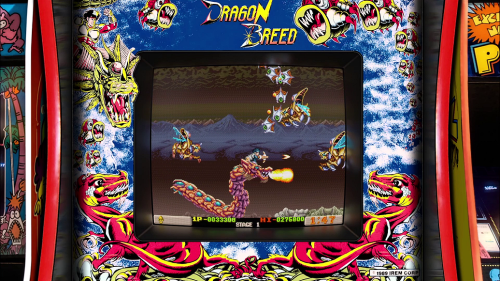
Here is Pack #3 my Realistic Arcade Bezel Collection featuring the Mega Bezel Reflective Shader for #Retroarch. Big thanks to HSM for suggesting to me that I use it with my realistic arcade bezels. He was right they work well together. You can now finally download this third collection.- 2 comments
-
- 9
-
-
- orionsangel
- arcade
- (and 8 more)