Search the Community
Showing results for tags 'nintendo 64'.
-
Version 1.0.0
17 downloads
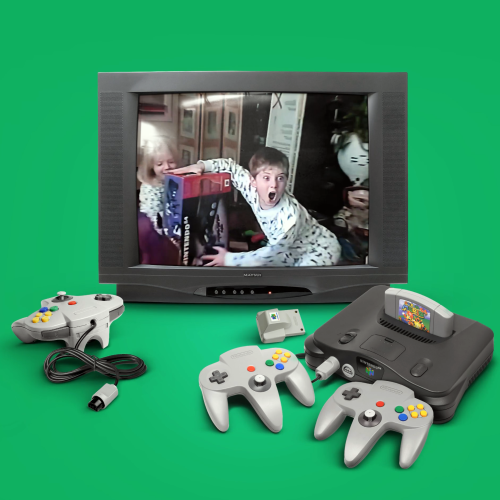
I've made an edit of Viking's great "Colorful_4K_-_Nintendo_64_-_(1.0)_by_Viking.mp4" platform intro video, featuring the famous Nintendo 64-kid from that time. All credits to viking: COLORFUL platform video set by viking I just edited and inserted a clip in the beginning. Blends and fits nice with the Colorful theme. Enjoy. - Hommer-
- 1
-

-
- colorful theme
- viking
- (and 1 more)
-
Colorful 4K - Nintendo 64 - Hommers N64-kid edit View File I've made an edit of Viking's great "Colorful_4K_-_Nintendo_64_-_(1.0)_by_Viking.mp4" platform intro video, featuring the famous Nintendo 64-kid from that time. All credits to viking: COLORFUL platform video set by viking I just edited and inserted a clip in the beginning. Blends and fits nice with the Colorful theme. Enjoy. - Hommer Submitter Hommer Submitted 04/06/2026 Category Platform Theme Videos
-
![More information about "Platform Video Themes [16:9]"](//forums.cdn.launchbox.gg/monthly_2023_03/3DOW.thumb.png.41706d5f86850cd0c3f577befdece425.png)
Version 1.1.0
11,025 downloads
Platform Video Themes [16:9] - Nlash Sega Master System Sega Genesis Sega CD Sega 32X Sega Saturn Sega Dreamcast Nintendo Entertainment System Super Nintendo Entertainment System Super Nintendo Entertainment System Alt Nintendo 64 Nintendo Gamecube NEC PC Engine CD NEC TurboGrafx-16 NEC Turboduo/TurboGrafx-CD SNK Neo Geo CD Atari Jaguar Sony Playstation Sony Playstation 2 Panasonic 3DO to be continued...??? Converted from Hyperspin to Hyperspin Attraction and then recorded. I will successively add the rest of the themes in this style Many thanks to the Nlash, creator of the original themes. 🤘 You can download the rest of the available theme videos here:- 22 comments
- 1 review
-
- 26
-

-
-

-

-
- sega master system
- sega genesis
- (and 14 more)
-
.thumb.png.b2f382858208236fdef4b09775869241.png)
Version 1.0.0
547 downloads
New 3d model- 1 review
-
- 7
-
-
-
-
- n64
- nintendo 64
- (and 4 more)
-
ABeezy's Nintendo 64 Box Fronts View File Hey Guys, Just like the new high-res N64 carts, here are all 296 released NTSC Nintendo 64 box art fronts. These are all high-res and are all a uniform size. They are much better then what is currently out there. I have decided to do this set because N64 could use some love and these are all accurate to what was released. I have named them using the no-intro naming scheme (as all my files will eventually be updated to this format). When dropping these in your Launchbox build there are a handful that do not auto-load; you will have to manually update your game name in Launchbox. If anyone notices any issues or anything let me know otherwise enjoy! Submitter ABeezy13 Submitted 08/07/2020 Category Game Box Art
-
.thumb.png.c9e262b2a020cea75f14d6b6b1a1a43d.png)
Version 2.0.0
1,057 downloads
Hey Guys, Here are all 296 released NTSC Nintendo 64 front carts. These are all high-res and much better then what is currently out there. I have decided to do this set because N64 could use some love and these are all accurate carts with the appropriate cart colors for each game that offered a colored variant. I have named them using the no-intro naming scheme (as all my files will eventually be updated to this format). When dropping these in your Launchbox build there are a handful that do not auto-load; you will have to manually update your game name in Launchbox. Feel free to also check out and download my N64 box art which can be located here. I have completely updated my N64 cart pack as this is one of the first sets I did.... I have gone ahead and redid this set with much higher quality images and created a high resolution cart template, including more accurate gold carts, and the other colored carts. This set also better eliminates light sources on the cart itself for better viewing in LB/BB. Also included once again are the 15 alternate release carts along with a NEW added BONUS, the 7 unique PAL only releases. These files are much larger in both size and dimensions and provide for a better viewing experience so I suggest you download these and delete my old set (or any N64 set you have as this is the best out there). The N64 logo that can be found on every cart is also now uniform as I like to do on my sets keeping the authenticity. -

Version 1.0.0
125 downloads
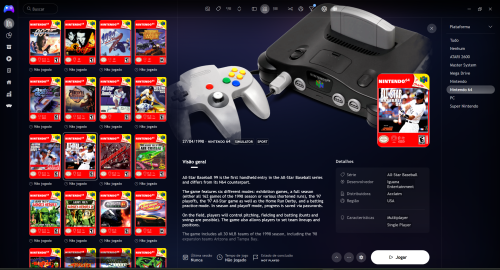
Hello everyone, how are you? I'm Leto and I'm here to exclusively post for the first time my vertical Nintendo 64 covers, which I customized in Photoshop. It was a professional job, valuing the platform that had such an impact on my life. I'm sure that from now on, with this hard work done for Nintendo 64 fans, everyone will remember their games again. There are 298 covers following the same pattern, with a resolution of 600x840 for the main Nintendo 64 games, which in my opinion is more than necessary for all fans of the platform. Note: If anyone uses them, don't forget to give credit to the creator of the covers, thank you very much. A hug to everyone and have fun. NOTE: It has been updated with the "Only for N64" changes on the covers of exclusives or not... Quoted by user "Suhrvivor"- 6 comments
- 1 review
-
- 1
-
-
- n64
- nintendo 64
- (and 1 more)
-
.thumb.png.bf8993c109d79ee1158f353910982cb7.png)
Version 1.0.0
2,256 downloads
Hey Guys, Just like the new high-res N64 carts, here are all 296 released NTSC Nintendo 64 box art fronts. These are all high-res and are all a uniform size. They are much better then what is currently out there. I have decided to do this set because N64 could use some love and these are all accurate to what was released. I have named them using the no-intro naming scheme (as all my files will eventually be updated to this format). When dropping these in your Launchbox build there are a handful that do not auto-load; you will have to manually update your game name in Launchbox. If anyone notices any issues or anything let me know otherwise enjoy! -
Hello all, I've recently downloaded and installed Simple64, having heard it works way better than most previous 64 emulators. It does seem really good so far, but I can't get the games to launch through Launchbox. If I launch a game, the emulator opens, but it doesn't go further than that. Is there an additional setup step I need to do? I've attached my settings from Launchbox here. Any help would be very appreciated.

-
.thumb.jpg.bdf5a3cfa28552ac07a940eb00c3fcdc.jpg)
Version 1.0.0
150 downloads
Complete Nintendo 64 1G1R Fanart Pack compiled and created by CORE Team. 1920x1080 JPEG format No intro naming -
Version 1.0.0
48 downloads
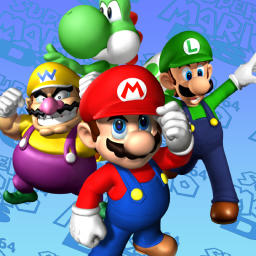
A sound pack I have created using sounds from Super Mario 64 DS. Does not include a startup sound, as I made this intended for a playlist. Back.WAV Move.WAV Select.WAV-
- 3
-
-
-
- mario
- nintendo 64
- (and 3 more)
-
Super Mario 64 DS Sound Pack View File A sound pack I have created using sounds from Super Mario 64 DS. Does not include a startup sound, as I made this intended for a playlist. Back.WAV Move.WAV Select.WAV Submitter drmalouf Submitted 05/08/2024 Category Sound Packs
-
Platform Video Themes [16:9] View File Platform Video Themes [16:9] - Nlash Sega Master System Sega Genesis Sega CD Sega 32X Sega Saturn Sega Dreamcast Nintendo Entertainment System Super Nintendo Entertainment System Super Nintendo Entertainment System Alt Nintendo 64 Nintendo Gamecube NEC PC Engine CD NEC TurboGrafx-16 NEC Turboduo/TurboGrafx-CD SNK Neo Geo CD Atari Jaguar Sony Playstation Sony Playstation 2 Panasonic 3DO to be continued.... Converted from Hyperspin to Hyperspin Attraction and then recorded. I will successively add the rest of the themes in this style Many thanks to the Nlash, creator of the original themes. 🤘 You can download the rest of the available theme videos here: Submitter Benjam Submitted 11/01/2022 Category Platform Theme Videos
- 1 reply
-
- 2
-
-

-
- sega master system
- sega genesis
- (and 14 more)
-
355 downloads
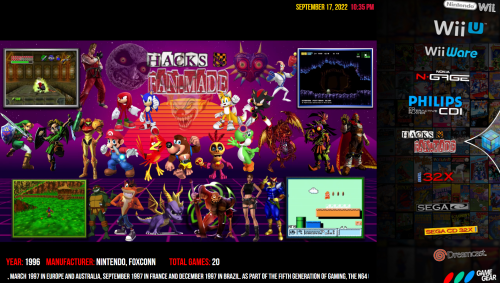
Platform Videos I'm Making as I need them.- 1 review
-
- 5
-
-
-
- platform video
- microsoft
- (and 38 more)
-
I have a version of the 1964 (N64) emulator that allows you to run Goldeneye and Perfect Dark in a silky smooth 60fps, its absolutely the best option for emulating these games but I can't get it to work within Launchbox. When I try to run the game, it simply takes me to the rom browser screen of the emulator but doesn't auto start the game like other emulators do. I'm assuming there is a something I need to do in the command line. Does anyone know how to get this emulator up and running in Launchbox? Thanks.
-
.thumb.png.dbfd239f8645db97ba317ce2d300e087.png)
Version 1.0.0
152 downloads
Special thanks to: keith_loving brolly-
- 2
-
-
- n64
- nintendo 64
- (and 2 more)
-
.thumb.png.f8f9c77ac7d7b860bdce0b3b45bdbc77.png)
Version 1.0
526 downloads
Hi all, After some time I return with my new Nintendo 64 3D Covers set (FHD version). They use Launchbox name pattern and is part of my personal build, Projeto Launchbox. I used my modified template from @Mr. RetroLust. Thank you very much Sir!! 304 files - 1778 x1164 Enjoy!! Cauptain Inc. - [email protected] - www.facebook.com/groups/projetolaunchbox -
Version 1.0.0
530 downloads
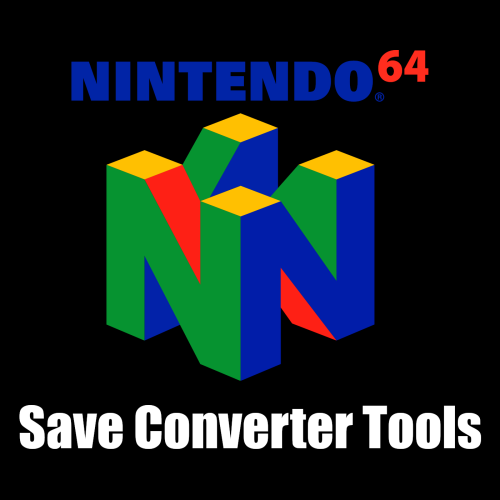
This is for anyone who backup N64 Save Files from Retail Cartridge, EverDrive Flash Cartridge, or Controller Pak and want to use it on N64 Emulator that only support SRM File. These tools also helps if you want to import N64 Save File from Emulator to Retail Cartridge, EverDrive Flash Cartridge, or Controller Pak. Convert EEP to SRM with Batch Script (Not Recommended) 1) Place all EEP Save Files in the same directory where you extracted. 2) Run "EEP to SRM.bat" This Batch Script will rename all EEP Save Files to SRM Save File Format. Convert EEP/MPK to SRM Drag EEP Save File or MPK Save File to "pj64tosrm_32bit.exe" or "pj64tosrm_64bit.exe" Only drag one file at a time. Convert SRA/FLA to SRM 1) Run "ED64-Saveswap.exe" and select SRA Save File or FLA Save File. 2) Leave everything as default and click on "- Convert file -" This will create another SRA/FLA Save File by swap a Save Data to be compatible with N64 Emulators that only reads SRM Save Files. 3) Drag SRA Save File or FLA Save File to "pj64tosrm_32bit.exe" or "pj64tosrm_64bit.exe" Only drag one file at a time. Convert SRM to EEP with Batch Script (1KB/2KB Size only) If SRM Save File size is 290KB. Skip to "Convert SRM to EEP/MPK" instead. 1) Place all SRM Save Files in the same directory where you extracted. 2) Run "SRM to EEP.bat" This Batch Script will rename all SRM Save Files back to EEP Save File Format. Convert SRM to EEP/MPK Drag SRM Save File to "pj64tosrm_32bit.exe" or "pj64tosrm_64bit.exe" Only drag one file at a time. Convert SRM to SRA/FLA 1) Drag SRM Save File to "pj64tosrm_32bit.exe" or "pj64tosrm_64bit.exe" Only drag one file at a time. 2) Run "ED64-Saveswap.exe" and select SRA Save File or FLA Save File. 3) Leave everything as default and click on "- Convert file -" This will create another SRA/FLA Save File by swap a Save Data back to original form to be compatible with N64 Retail Cartridge or EverDrive Flash Cart. Credits All credits goes to the people who made these Tools Software happened. ED64-Saveswap by saturnu pj64tosrm by Higor (heuripedes) -
 N64 Save Converter Tools View File This is for anyone who backup N64 Save Files from Retail Cartridge, EverDrive Flash Cartridge, or Controller Pak and want to use it on N64 Emulator that only support SRM File. These tools also helps if you want to import N64 Save File from Emulator to Retail Cartridge, EverDrive Flash Cartridge, or Controller Pak. Convert EEP to SRM with Batch Script (Not Recommended) 1) Place all EEP Save Files in the same directory where you extracted. 2) Run "EEP to SRM.bat" This Batch Script will rename all EEP Save Files to SRM Save File Format. Convert EEP/MPK to SRM Drag EEP Save File or MPK Save File to "pj64tosrm_32bit.exe" or "pj64tosrm_64bit.exe" Only drag one file at a time. Convert SRA/FLA to SRM 1) Run "ED64-Saveswap.exe" and select SRA Save File or FLA Save File. 2) Leave everything as default and click on "- Convert file -" This will create another SRA/FLA Save File by swap a Save Data to be compatible with N64 Emulators that only reads SRM Save Files. 3) Drag SRA Save File or FLA Save File to "pj64tosrm_32bit.exe" or "pj64tosrm_64bit.exe" Only drag one file at a time. Convert SRM to EEP with Batch Script (1KB/2KB Size only) If SRM Save File size is 290KB. Skip to "Convert SRM to EEP/MPK" instead. 1) Place all SRM Save Files in the same directory where you extracted. 2) Run "SRM to EEP.bat" This Batch Script will rename all SRM Save Files back to EEP Save File Format. Convert SRM to EEP/MPK Drag SRM Save File to "pj64tosrm_32bit.exe" or "pj64tosrm_64bit.exe" Only drag one file at a time. Convert SRM to SRA/FLA 1) Drag SRM Save File to "pj64tosrm_32bit.exe" or "pj64tosrm_64bit.exe" Only drag one file at a time. 2) Run "ED64-Saveswap.exe" and select SRA Save File or FLA Save File. 3) Leave everything as default and click on "- Convert file -" This will create another SRA/FLA Save File by swap a Save Data back to original form to be compatible with N64 Retail Cartridge or EverDrive Flash Cart. Credits All credits goes to the people who made these Tools Software happened. ED64-Saveswap by saturnu pj64tosrm by Higor (heuripedes Submitter ABOhiccups Submitted 04/28/2022 Category Third-party Apps and Plugins
 -
N64 Save Converter Tools View File This is for anyone who backup N64 Save Files from Retail Cartridge, EverDrive Flash Cartridge, or Controller Pak and want to use it on N64 Emulator that only support SRM File. These tools also helps if you want to import N64 Save File from Emulator to Retail Cartridge, EverDrive Flash Cartridge, or Controller Pak. Convert EEP to SRM with Batch Script (Not Recommended) 1) Place all EEP Save Files in the same directory where you extracted. 2) Run "EEP to SRM.bat" This Batch Script will rename all EEP Save Files to SRM Save File Format. Convert EEP/MPK to SRM Drag EEP Save File or MPK Save File to "pj64tosrm_32bit.exe" or "pj64tosrm_64bit.exe" Only drag one file at a time. Convert SRA/FLA to SRM 1) Run "ED64-Saveswap.exe" and select SRA Save File or FLA Save File. 2) Leave everything as default and click on "- Convert file -" This will create another SRA/FLA Save File by swap a Save Data to be compatible with N64 Emulators that only reads SRM Save Files. 3) Drag SRA Save File or FLA Save File to "pj64tosrm_32bit.exe" or "pj64tosrm_64bit.exe" Only drag one file at a time. Convert SRM to EEP with Batch Script (1KB/2KB Size only) If SRM Save File size is 290KB. Skip to "Convert SRM to EEP/MPK" instead. 1) Place all SRM Save Files in the same directory where you extracted. 2) Run "SRM to EEP.bat" This Batch Script will rename all SRM Save Files back to EEP Save File Format. Convert SRM to EEP/MPK Drag SRM Save File to "pj64tosrm_32bit.exe" or "pj64tosrm_64bit.exe" Only drag one file at a time. Convert SRM to SRA/FLA 1) Drag SRM Save File to "pj64tosrm_32bit.exe" or "pj64tosrm_64bit.exe" Only drag one file at a time. 2) Run "ED64-Saveswap.exe" and select SRA Save File or FLA Save File. 3) Leave everything as default and click on "- Convert file -" This will create another SRA/FLA Save File by swap a Save Data back to original form to be compatible with N64 Retail Cartridge or EverDrive Flash Cart. Credits All credits goes to the people who made these Tools Software happened. ED64-Saveswap by saturnu pj64tosrm by Higor (heuripedes Submitter ABOhiccups Submitted 04/21/2022 Category Third-party Apps and Plugins
-
I have a version of the 1964 (N64) emulator that allows you to run Goldeneye and Perfect Dark in a silky smooth 60fps, and keyboard and mouse support. its absolutely the best option for emulating these games but I can't get it to work within Launchbox. When I try to run the game, it simply takes me to the rom browser screen of the emulator but doesn't auto start the game like other emulators do. I'm assuming there is a something I need to do in the command line. Does anyone know how to get this emulator up and running in Launchbox? Everytime I open both perfect dark and golden eye in launchbox it opens 1964 with an error message saying "error opening this file, please refresh the rom list". Please help!!!!!
-
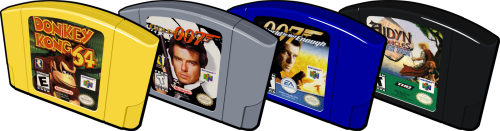
Nintendo 64 3D Cart Vector View File Nintendo 64 3D Cart Vector 550 x 444 correct labels missing: Mario no Photopie (Japan) Template credits for BBB Submitter juniorunderground Submitted 10/13/2021 Category Game Cart Images
-
- 1
-
-
- nintendo 64
- n64
- (and 3 more)
-
Version 1.0.0
126 downloads
Nintendo 64 3D Cart Vector 550 x 444 correct labels missing: Mario no Photopie (Japan) Template credits for BBB-
- 3
-
-
-
- nintendo 64
- n64
- (and 3 more)
-
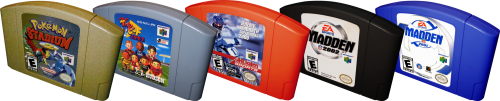
Nintendo 64 Realistic 3D Cart View File Nintendo 64 Realistic 3D Cart 550 x 441 correct labels Submitter juniorunderground Submitted 10/13/2021 Category Game Cart Images
-
- 1
-
-
- nintendo 64
- n64
- (and 3 more)
-
Version 1.0.0
179 downloads
Nintendo 64 Realistic 3D Cart 550 x 441 correct labels-
- 3
-
-
-
- nintendo 64
- n64
- (and 3 more)


![More information about "Platform Video Themes [16:9]"](http://forums.cdn.launchbox.gg/monthly_2023_03/3DOW.thumb.png.41706d5f86850cd0c3f577befdece425.png)

.thumb.png.b2f382858208236fdef4b09775869241.png)

.thumb.png.c9e262b2a020cea75f14d6b6b1a1a43d.png)
.thumb.png.bf8993c109d79ee1158f353910982cb7.png)


.thumb.jpg.bdf5a3cfa28552ac07a940eb00c3fcdc.jpg)


.thumb.png.dbfd239f8645db97ba317ce2d300e087.png)

.thumb.png.f8f9c77ac7d7b860bdce0b3b45bdbc77.png)

