Search the Community
Showing results for tags 'machtendo'.
Found 16 results
-

Version 6.5
221 downloads
Update: I'm now maintaining this script on Github here: https://github.com/machtendo/rom-parse What's this? This is a Windows Powershell script you can use to sort any No-Intro romset into a consistent and intuitive structure. The goal is to sort and organize ROM files by region, release type and revision. This script creates a directory structure to accommodate for all the various release types and flags found in a No-Intro set, which is then replicated to folders for the four major release regions, then sorted appropriately. By default, this script creates full sets for each region - for example, (World) releases are actually COPIED to every major region - I wanted to avoid regional biases where I could so that if someone wanted a full Japanese set or a European set, you only need run the script and grab the contents of the corresponding folder. You can disable this by commenting or removing the "Regional Bias" section of the script. Only available as a Windows Powershell script, not compatible with Linux or macOS currently. Why's this? In order to simplify compatibility with various frontends, to satisfy my own preferences, and possibly the preferences of others. A few use-cases can be found below. When using LaunchBox, playlists can be created by using the "Application/ROM Path" parameter - the filepaths/folder structure created by this script will allow you to be as granular as you would like. When using other frontends or utilities, usually you're actually just browsing your file/folder structure - the filepaths/folder structure created by this script are meant to be descriptive and (hopefully) intuitive. Once the script is run, one could simply delete entire regions, remove all the various Test Programs, trim BIOS files, delete Demo or Sample roms, Prototypes, and easily create a custom set that suits their individual taste. This script is entirely filetype agnostic - it doesn't care about file extensions, so as long as the set of files you're applying this script to uses No-Intro's flags, this script can be used to sort them - one could also use this script to sort through artwork/image/media files for corresponding ROM files. Instructions Simply copy this script file into the folder containing your rom files, and double click to run it. That's it! If you happen to receive an error saying something along the lines of "Running Scripts is Disabled on this System" you can open the folder in Terminal or PowerShell and run the script with the following command. I'll defer to this article if you would like more information. powershell -ExecutionPolicy Bypass -File .\Machtendo No-Intro ROM Parse v5.0.ps1 Logic & Structure How have these files been sorted, and why? BIOS Files BIOS files are first moved into a _BIOS folder prior to any sorting functionality. This is so that any available version is immediately and easily accessible for use with an emulator if needed. Regions I'm going by the three historically major release regions, with a fourth "Other" region to cover the other minor release regions. North America US Canada Japan Japan Europe Italy Spain Sweden France Germany Australia Denmark Scandinavia Other Korea Brazil Argentina Taiwan Mexico Russia Hong Kong Netherlands China Greece Asia No-Intro Flags The file structure for the No-Intro flags is replicated to the four regional folders described above. Aftermarket Releases - Licensed, Unlicensed, or Homebrew games released for a platform after its "active" or "canonical" lifespan. Hacks - Not strictly within the scope of No-Intro - these ROMs have had patches applied to them to modify, transform, or attempt to improve an existing game. i.e. patches that can be found at RDHN (romhacking.net) Alternate Releases - Re-release of a ROM on a later platform or in a "Classics" Collection, i.e. Virtual Console, Nintendo Switch Online, or compilations such as "Castlevania Anniversary Collection" Official Releases - Licensed games released at the time of a platform's "active" lifespan. Pre-Release - Unfinished games - betas, demos, or prototypes not meant for the general public Test Cartridges & Utilities - These are tools generally used by developers or hardware manufacturers, mostly for testing purposes or diagnostics/troubleshooting Translations - Again, not strictly within the scope of No-Intro, but these are ROM files with an applied translation patch, commonly denoted with the [T-En] flag. Note that the region that these translations are targeting is the region the rom will be moved to - i.e. target language is English, therefore ends up in the North America > Translations folder. Currently, only [T-En] is supported. Unlicensed Releases - Unlicensed games that were released DURING the canonical lifespan of the platform in question without explicit permission or input of the platform's manufacturer. Previous Revisions - Earlier releases of a given title - The latest Revision is kept in the "Official Releases" folder, while the earlier revisions end up here. Notes & Clarification Keep in mind, this script is only intended for use with romsets following the No-Intro naming convention. More information can be found here: https://wiki.no-intro.org/index.php?title=Naming_Convention This script cares ONLY about the No-Intro naming convention - the use of DAT files and ROM managers have not been considered, and splitting up these ROM files may break compatibility with said DAT files or ROM managers. Starting with v5.0, support for parsing/sorting numbered revisions was added - I have not yet verified if this script generates a perfect DAT-worthy 1G1R set. By default, no ROM files are deleted by this script - I'm only sorting and organizing. I am also not responsible for any undesirable effects or outcomes running this script on your machine may have. Feedback welcome in the comments! Tested with the following platforms -
Version 1.0.0
570 downloads
By far my largest contribution to date.. This set of Clear Logos was designed to work in conjunction with Dan Patrick's Platform Logos (found here), using a subset of these logos, and a font matching (or at least super close to) what he used in his own Playlist images. The intention was to stay simple and keep it consistent above all else. This collection is available in 3 Styles: Dark - Best used with Light Themes Light - Best used with Dark Themes Outline - Designed to read well regardless of Light or Dark theming. The Playlists available for each Platform are: Official Releases - Games released during the lifespan of the platform Aftermarket Releases - Games released after the platform's lifecycle (homebrew, indie releases, etc) Favorites - For games marked as favorites Translations - Translated games Unreleased Games - Games developed and intended to be released during a platform's lifecycle, but no official release Hacked Games - Hacked games! Finally, there are currently 73 Platforms covered in each set: Massive thanks to @Dan Patrick in all sincerity, for the countless hours he put in on these logos to begin with. I also wanted to thank @faeran - Even though we've never had any direct communication (that I'm aware of, at least), I learned a lot about theming and media by reading his posts and watching his theming videos on YouTube. Enjoy! I hope the community can make use of this, and I'm always open to suggestions, ideas and any way I can improve my work.- 1 comment
-
- 2
-

-

-
- clear logo
- pack
- (and 9 more)
-
 Machtendo No-Intro ROM Parse View File What's this? This is a Windows Powershell script you can use to sort any No-Intro romset into a consistent and intuitive structure. The goal is to sort and organize ROM files by region, release type and revision. This script creates a directory structure to accommodate for all the various release types and flags found in a No-Intro set, which is then replicated to folders for the four major release regions, then sorted appropriately. By default, this script creates full sets for each region - for example, (World) releases are actually COPIED to every major region - I wanted to avoid regional biases where I could so that if someone wanted a full Japanese set or a European set, you only need run the script and grab the contents of the corresponding folder. You can disable this by commenting or removing the "Regional Bias" section of the script. Only available as a Windows Powershell script, not compatible with Linux or macOS currently. Why's this? In order to simplify compatibility with various frontends, to satisfy my own preferences, and possibly the preferences of others. A few use-cases can be found below. When using LaunchBox, playlists can be created by using the "Application/ROM Path" parameter - the filepaths/folder structure created by this script will allow you to be as granular as you would like. When using other frontends or utilities, usually you're actually just browsing your file/folder structure - the filepaths/folder structure created by this script are meant to be descriptive and (hopefully) intuitive. Once the script is run, one could simply delete entire regions, remove all the various Test Programs, trim BIOS files, delete Demo or Sample roms, Prototypes, and easily create a custom set that suits their individual taste. This script is entirely filetype agnostic - it doesn't care about file extensions, so as long as the set of files you're applying this script to uses No-Intro's flags, this script can be used to sort them - one could also use this script to sort through artwork/image/media files for corresponding ROM files. Instructions Simply copy this script file into the folder containing your rom files, and double click to run it. That's it! If you happen to receive an error saying something along the lines of "Running Scripts is Disabled on this System" you can open the folder in Terminal or PowerShell and run the script with the following command. I'll defer to this article if you would like more information. powershell -ExecutionPolicy Bypass -File .\Machtendo No-Intro ROM Parse v5.0.ps1 Logic & Structure How have these files been sorted, and why? BIOS Files BIOS files are first moved into a _BIOS folder prior to any sorting functionality. This is so that any available version is immediately and easily accessible for use with an emulator if needed. Regions I'm going by the three historically major release regions, with a fourth "Other" region to cover the other minor release regions. North America US Canada Japan Japan Europe Italy Spain Sweden France Germany Australia Denmark Scandinavia Other Korea Brazil Argentina Taiwan Mexico Russia Hong Kong Netherlands China Greece Asia No-Intro Flags The file structure for the No-Intro flags is replicated to the four regional folders described above. Aftermarket Releases - Licensed, Unlicensed, or Homebrew games released for a platform after its "active" or "canonical" lifespan. Hacks - Not strictly within the scope of No-Intro - these ROMs have had patches applied to them to modify, transform, or attempt to improve an existing game. i.e. patches that can be found at RDHN (romhacking.net) Alternate Releases - Re-release of a ROM on a later platform or in a "Classics" Collection, i.e. Virtual Console, Nintendo Switch Online, or compilations such as "Castlevania Anniversary Collection" Official Releases - Licensed games released at the time of a platform's "active" lifespan. Pre-Release - Unfinished games - betas, demos, or prototypes not meant for the general public Test Cartridges & Utilities - These are tools generally used by developers or hardware manufacturers, mostly for testing purposes or diagnostics/troubleshooting Translations - Again, not strictly within the scope of No-Intro, but these are ROM files with an applied translation patch, commonly denoted with the [T-En] flag. Note that the region that these translations are targeting is the region the rom will be moved to - i.e. target language is English, therefore ends up in the North America > Translations folder. Currently, only [T-En] is supported. Unlicensed Releases - Unlicensed games that were released DURING the canonical lifespan of the platform in question without explicit permission or input of the platform's manufacturer. Previous Revisions - Earlier releases of a given title - The latest Revision is kept in the "Official Releases" folder, while the earlier revisions end up here. Notes & Clarification Keep in mind, this script is only intended for use with romsets following the No-Intro naming convention. More information can be found here: https://wiki.no-intro.org/index.php?title=Naming_Convention This script cares ONLY about the No-Intro naming convention - the use of DAT files and ROM managers have not been considered, and splitting up these ROM files may break compatibility with said DAT files or ROM managers. Starting with v5.0, support for parsing/sorting numbered revisions was added - I have not yet verified if this script generates a perfect DAT-worthy 1G1R set. By default, no ROM files are deleted by this script - I'm only sorting and organizing. I am also not responsible for any undesirable effects or outcomes running this script on your machine may have. Feedback welcome in the comments! Tested with the following platforms Submitter machjas Submitted 05/03/2023 Category Third-party Apps and Plugins
 -
.thumb.png.12a2474dd8f5118b70c9afffecd0c910.png)
Version 1.0.0
64 downloads
I created a few clear logos featuring the Steam Deck! Clear Logos The intention is to use these for playlists or platforms, like "Steam Deck Verified" as an example. There are black and white variants for use with light or dark themes. Icon Files I also included two .ICO files to use in Windows, the reason being that I now have a scaled down LB/BB build that lives on my Steam Deck, and my primary portable build that's much larger on an external drive that's accessible when the Deck is docked. I wanted to create icons to further differentiate them on my start screen. Credit Thanks again to @Dan Patrick - I used his recreations of the LaunchBox and BigBox cube logos, and sourced the Steam Deck outline image online and modified it to add more contrast between the outline and base colors. -
Steam Deck - Misc Clear Logos, Icons View File I created a few clear logos featuring the Steam Deck! The intention is to use these for playlists or platforms, like "Steam Deck Verified" as an example. There are black and white variants for use with light or dark themes. I also included two .ICO files to use in Windows, the reason being that I now have a scaled down LB/BB build that lives on my Steam Deck, and my primary portable build that's much larger on an external drive that's accessible when the Deck is docked. I wanted to create icons to further differentiate them on my start screen. Submitter machjas Submitted 09/02/2022 Category Platform Clear Logos
-
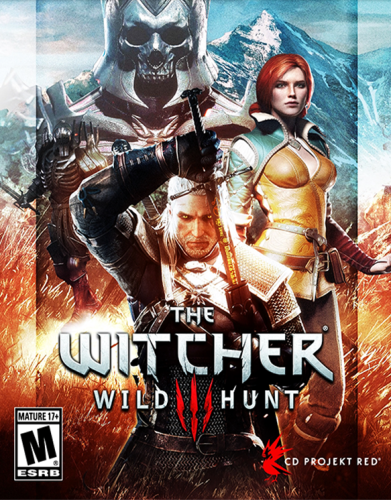
Version 1.5.4
958 downloads
No Filters. No Cases. No Effects. Box Art Each of these images has been adjusted manually - great care was taken to preserve the aspect ratio of the source material, and resized to within a few pixels of 546x747 while maintaining as much of the original artwork as possible. The artwork itself was sourced from around the internet, either through LB, EmuMovies, or a good ol' fashioned Google Image Search. I've been manually adding my own media to my LB library for over a year for things that aren't in either of the databases, so there's a ton of stuff here that isn't currently available through the LB Media Downloads. This is the "raw" version of my Uniform Matte Finish and Microsoft Operating Systems packs. Screenshot - Gameplay I prefer to have at least a couple screenshots for each of my PC games, so as I would look for the box art to use, I would also download several gameplay screenshots. Again, many of these are not found in the LB media downloads, and were sourced from a Google Image search. This pack's initial release contains 3,912 images. The only thing that's been done to modify these screenshots is that they were all scaled to a height of 720px while maintaining their original aspect ratio to maintain a baseline of quality and uniform size among all images. Installation To install any of these packs, you can simply use the new Launchbox Image Pack Importer by clicking Menu > Tools > Image Packs > Import. Please be sure your import settings are set to the correct platform and image type, and read the prompts carefully. This will work great as a simple uniform set of boxes/screenshots on its own, but I wanted to provide this to the LB community as a resource. Feel free to use it as you see fit, and be sure to check out my other work! -
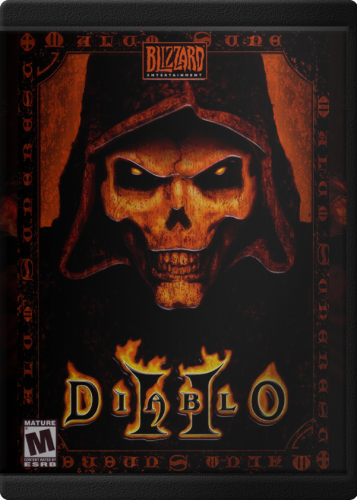
Version 1.0.4
352 downloads
Hey, everyone! Since the beginning, PC Games have come in all shapes and sizes. This is great to make an interesting shelf collection, but it looks a little odd in Launchbox. I wanted to create a uniform set with a bit of realism. I worked out a way to get a nice matte plastic finish on the sleeve with just the slightest bit of sheen to it. Each of these images has been adjusted manually - great care was taken to preserve the aspect ratio of the source material, and fit into this case and maintain as much of the original artwork as possible. The artwork itself was sourced from around the internet, either through LB, EmuMovies, or a good ol' fashioned Google Image Search. I've been manually adding my own media to my LB library for over a year for things that aren't in either of the databases, so there's a ton of stuff here that isn't currently available through the LB Media Downloads. I want to give a nod and a firm handshake to @Retrofrogg for giving me some helpful advice, and ultimately convincing me to allow for cropping to make this work. Also thanks to everyone in the LB Discord for their feedback on this and other projects I've dumped in there. The raw version of this pack can be found HERE - No Filters. No Cases. No Effects. Enjoy! Also be sure to check out the matching pack of Microsoft Operating System boxes to use as default media! -
Collections Playlist Categories (Clear Logo) View File # What is it? Clear Logos I created for myself to use with my Playlists categories I modified a music playlist icon and created custom icons for each - the font is based on the Famicom Disk System logo. It's simple, uniform, fairly minimalistic, and to the point. I'll likely end up creating more as I work my way through my structure, so if you dig it, keep an eye out! Submitter machjas Submitted 08/11/2022 Category Playlist Clear Logos
-
Version 1.0.0
368 downloads
# What is it? Clear Logos I created for myself to use with my Playlists categories I modified a music playlist icon and created custom icons for each - the font is based on the Famicom Disk System logo. It's simple, uniform, fairly minimalistic, and to the point. I'll likely end up creating more as I work my way through my structure, so if you dig it, keep an eye out! -
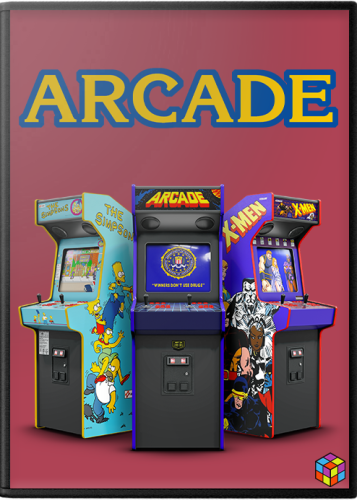
Version 1.0.0
460 downloads
# What is it? This is a pack of 2D boxes intended to be used as Default media in LB/BB. I wanted to create something that would be cohesive with the Arcade box art currently available by default from the LB Media Downloader. # Credit & Thanks This pack is based on work by @Robin55 that I believe was later redone by @Mr. RetroLust - Thank you both for your contributions to LB! Art assets provided to the community by @viking, @Cnells2000, @Dan Patrick and @Antny were also used - Thanks! WIP feedback provided by @X1pheR and @UKPenguins - much appreciated! # Arcade Machines The initial release of this pack covers 29 unique platforms (listed below). I may add more in the future if I happen to come across more high quality cabinet images. -
Arcade Platforms Default Media (Box - Front) View File # What is it? This is a pack of 2D boxes intended to be used as Default media in LB/BB. I wanted to create something that would be cohesive with the Arcade box art currently available by default from the LB Media Downloader. # Credit & Thanks This pack is based on work by @Robin55 that I believe was later redone by @Mr. RetroLust - Thank you both for your contributions to LB! Art assets provided to the community by @viking, @Cnells2000 and @Antny were also used - Thanks! WIP feedback provided by @X1pheR and @UKPenguins - much appreciated! # Arcade Machines The initial release of this pack covers 29 unique platforms (listed below). I may add more in the future if I happen to come across more high quality cabinet images. Submitter machjas Submitted 08/09/2022 Category Platform Default Image Packs
-
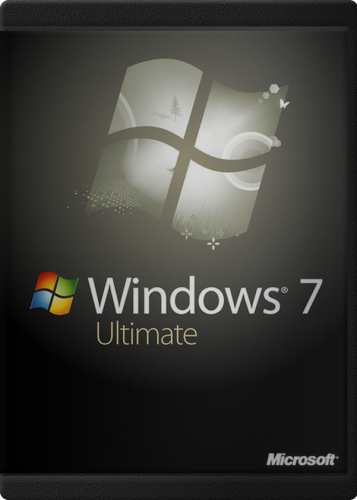
Version 1.0.0
87 downloads
Bonus! We've all grown up playing on computers with whatever OS was available at the time (for better or worse), so people may gravitate to using different things with their their own LB configurations, or maybe you associate a certain subset of games with a specific OS and have different Platforms configured based on that, regardless of what you're running now. With this in mind, I thought it would be cool to have some options for default media to use in conjunction with the other Uniform Matte Plastic set I created. Here, you'll find all the greatest hits! MS-DOS Windows 3.1 Windows 95 Windows 98SE Windows 2000 Windows ME Windows XP Home & Pro Windows Vista Home Basic, Home Premium, Business & Ultimate Windows 7 Home, Pro & Ultimate Windows 10 Home & Pro Enjoy! Also be sure to check out the other set: PC Games - 1500+ Titles - Uniform Matte Plastic (Box - Front) -
PC - Microsoft Operating Systems - Uniform Matte Finish (Box - Front) View File Bonus! We've all grown up playing on computers with whatever OS was available at the time (for better or worse), so people may gravitate to using different things with their their own LB configurations, or maybe you associate a certain subset of games with a specific OS and have different Platforms configured based on that, regardless of what you're running now. With this in mind, I thought it would be cool to have some options for default media to use in conjunction with the other Uniform Matte Plastic set I created. Here, you'll find all the greatest hits! MS-DOS Windows 3.1 Windows 95 Windows 98SE Windows 2000 Windows ME Windows XP Home & Pro Windows Vista Home Basic, Home Premium, Business & Ultimate Windows 7 Home, Pro & Ultimate Windows 10 Home & Pro Enjoy! Also be sure to check out the other set: PC Games - 1500+ Titles - Uniform Matte Plastic (Box - Front) Submitter machjas Submitted 07/28/2022 Category Platform Default Image Packs
-

Version 1.0.0
1,411 downloads
Machtendo - Bezels Set ( v1.0 = 175 Bezels) - LaunchBox Community Appreciation Hello, all! I was inspired by the work of a few users here in the community to teach myself how to use Photoshop and I wanted to create my own unique set of bezels. I taught myself just enough Photoshop to accomplish what I'd hoped to accomplish. I made these for myself because I loved so many of the different styles and sets I'd seen on here, which varied widely - but I wanted a more uniformed set that I felt would work well with Viking's Colorful (Dark) Theme. I decided that I'd go ahead and post them here, to express my gratitude for all the hard work everyone has put in to make LaunchBox what it is. Since I am interested to learn more Photoshop, I think I'm going to continue experimenting with these. If the community seems to like them, I'll post an update every so often. If anyone has any feedback or tips, I'm always willing to learn! Resolution: 1920 x 1080 Usage: I use these in RetroArch, I personally set the Configuration up by Content Directory in the ../config/[emulator] folder. In these config files, I point to the overlay file path with integer scaling turned on, with the opacity set to 1.0. I'll post a sample config later on. Categories: Generic or Abstract = 6 Platforms = 129 Games\Series = 10 Games\Individual = 30 Total = 175 Credit for the original artwork: @Orionsangel - @JRPGod - @nadonate - @Kondorito - @ci2own - @harryoke Also, super appreciative of @Jason Carr for creating and maintaining LaunchBox in the first place -
Platform Playlists - Clean & Simple Set View File By far my largest contribution to date.. This set of Clear Logos was designed to work in conjunction with Dan Patrick's Platform Logos (found here), using a subset of these logos, and a font matching (or at least super close to) what he used in his own Playlist images. The intention was to stay simple and keep it consistent above all else. This collection is available in 3 Styles: Dark - Best used with Light Themes Light - Best used with Dark Themes Outline - Designed to read well regardless of Light or Dark theming. The Playlists available for each Platform are: Official Releases - Games released during the lifespan of the platform Aftermarket Releases - Games released after the platform's lifecycle (homebrew, indie releases, etc) Favorites - For games marked as favorites Translations - Translated games Unreleased Games - Games developed and intended to be released during a platform's lifecycle, but no official release Hacked Games - Hacked games! Finally, there are currently 73 Platforms covered in each set: Massive thanks to @Dan Patrick in all sincerity, for the countless hours he put in on these logos to begin with. I also wanted to thank @faeran - Even though we've never had any direct communication (that I'm aware of, at least), I learned a lot about theming and media by reading his posts and watching his theming videos on YouTube. Enjoy! I hope the community can make use of this, and I'm always open to suggestions, ideas and any way I can improve my work. Submitter machjas Submitted 06/19/2022 Category Playlist Clear Logos
-
Machtendo - 1080p Bezels Set ( v1.0 = 175 Bezels) - LaunchBox Community Appreciation View File Machtendo - Bezels Set ( v1.0 = 175 Bezels) - LaunchBox Community Appreciation Hello, all! I was inspired by the work of a few users here in the community to teach myself how to use Photoshop and I wanted to create my own unique set of bezels. I taught myself just enough Photoshop to accomplish what I'd hoped to accomplish. I made these for myself because I loved so many of the different styles and sets I'd seen on here, which varied widely - but I wanted a more uniformed set that I felt would work well with Viking's Colorful (Dark) Theme. I decided that I'd go ahead and post them here, to express my gratitude for all the hard work everyone has put in to make LaunchBox what it is. Since I am interested to learn more Photoshop, I think I'm going to continue experimenting with these. If the community seems to like them, I'll post an update every so often. If anyone has any feedback or tips, I'm always willing to learn! Resolution: 1920 x 1080 Categories: Generic or Abstract = 6 Platforms = 129 Games\Series = 10 Games\Individual = 30 Total = 175 Credit for the original artwork: @Orionsangel - @JRPGod - @nadonate - @Kondorito - @ci2own - @harryoke Also, super appreciative of @Jason Carr for creating and maintaining LaunchBox in the first place Submitter machjas Submitted 09/19/2021 Category Platform Bezels/Overlays


.thumb.png.12a2474dd8f5118b70c9afffecd0c910.png)
