Search the Community
Showing results for tags 'colecovision'.
Found 24 results
-
Version 1.0.1
500 downloads
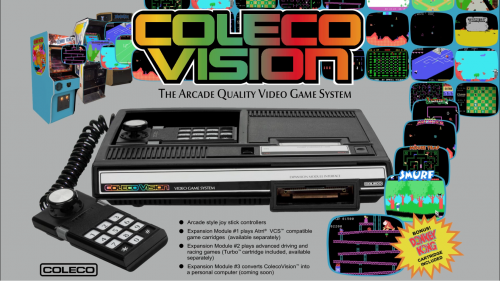
This is my first platform theme that I am making available to the community. My work blends a few influences relevant to the platform while showcasing the machine itself along with the games the platform ran: 1) Music made using sounds available on the platform 2) The platform's boot screen if available 3) Commercial influences usually in the form of the platform's marketing jingle. 4) The platform's packaging. In this way, the platform video itself gives an accurate interpretation of what the platform is, was marketed as, and what it looked and sounded like. The version available on Launchbox-app.com has no watermark.- 3 comments
-
- 15
-

-

-
- colecovision
- platform
- (and 2 more)
-
figured out how to copy the post I'm going to post this answer in a few different areas on the forum. I have been trying to figure out how to launch retroarch mame for the systems that don't have a stand alone core. I have finally found a mostly elegant solution 1) Add a New Emulator - I have named mine RetroArch MAME console cores Add your retroarch.exe Make sure to check "Don't use quotes..." 2) Tab over to the Associated Platforms Here's the magic sauce example 1 "neocdz -cdrm \"%romfile%\"" example 2 "a5200 -rp \"F:\Roms\Atari 5200\" -cart \"%romfile%\"" example 3 "coleco -rp F:\Roms\ColecoVision\ -cart \"%romfile%\"" The reason for the "Don't use quotes" and adding this as a new emulator is because of the special thing we have to do to the command line using mostly the same arguments has standalone mame/mess you have to have all the arguments in double quotes " but because of how Windows handles long file names with spaces the locations have to be in quotes to. This throws retroarch/the windows commandline off. This is where the \ before the double quote at the beginning and the \ before the closing double quote per directory/location. Also we can use the launchbox variable %romfile% to help make this work. 3) On top of all that you also have to specify the rompath if the mame core hasn't generated an ini with the rompath. This is needed for the bios of the core you are loading. If all your mame console bios files are in the same dir you could just use that for each entry The core will generate ini files for each system after first run. 4) I also edited my retroarch core options file. I probably enable boot to bios but I don't at the moment. There is my setup for launching roms through retroarch mame. I hope this helps

-
.thumb.jpg.b91b4d9b3a4709a5d4541fd30db0b5c3.jpg)
Version 1.0.0
105 downloads
Complete ColecoVision 1G1R Fanart Pack compiled and created by CORE Team. 1920x1080 JPEG format No intro naming-
- 3
-
-
- core
- background
- (and 2 more)
-
ColecoVision Sound Pack View File A sound pack I have created using various sounds from the ColecoVision and it's games. Does not include a startup sound, as I made this intended for a playlist. Back.wav Move.wav Select.wav Submitter drmalouf Submitted 05/09/2024 Category Sound Packs
-
Version 1.0.0
34 downloads
A sound pack I have created using various sounds from the ColecoVision and it's games. Does not include a startup sound, as I made this intended for a playlist. Back.wav Move.wav Select.wav-
- 1
-
-
- colecovision
- sound
- (and 1 more)
-
 Intellivision Flashback, ColecoVision Flashback, and Coleco Sonic platform/playlist videos (and logos!) View File Hello Everyone! I've been using BigBox for over a year now, and only now am I making my first forum post! I have a Mini Console category on my setup, and I couldn't find any videos for the ColecoVision and Intellivision flashback consoles, so I made my own and wanted to share them. Attached to this post are also logos for each system. I also made a video for the Coleco Sonic, since I had one growing up and wanted a playlist for that as well. I hope whoever needs them enjoys! Submitter drmalouf Submitted 03/28/2024 Category Platform Theme Videos
 -
Version 1.0.0
111 downloads
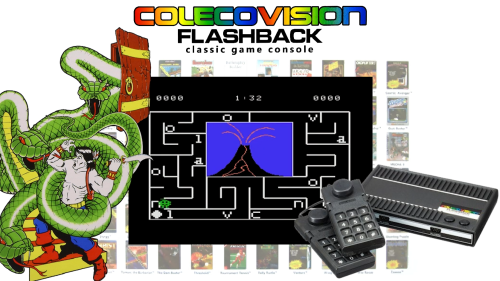
Hello Everyone! I've been using BigBox for over a year now, and only now am I making my first forum post! I have a Mini Console category on my setup, and I couldn't find any videos for the ColecoVision and Intellivision flashback consoles, so I made my own and wanted to share them. Attached to this post are also logos for each system. I also made a video for the Coleco Sonic, since I had one growing up and wanted a playlist for that as well. I hope whoever needs them enjoys!-
- 1
-
-
- intellivision
- colecovision
- (and 7 more)
-
.thumb.png.aff6c93f360f1b2744c34cda1b3116da.png)
Version 1.0.0
211 downloads
More cartridge art from a second generation console. This time ColecoVision. I made the first cartridge art set for this system years ago, but they need an upgrade. This one uses all new cart templates with high resolution images and text. All the major releases are included with a few prototypes and unlicensed games mixed in. There are a ton on unlicensed carts I cannot find any art for. I included some photoshop psd templates for those who would like to make their own.- 1 comment
-
- 3
-
-
-
- colecovision
- cart art
- (and 1 more)
-
Version 1.0.0
130 downloads
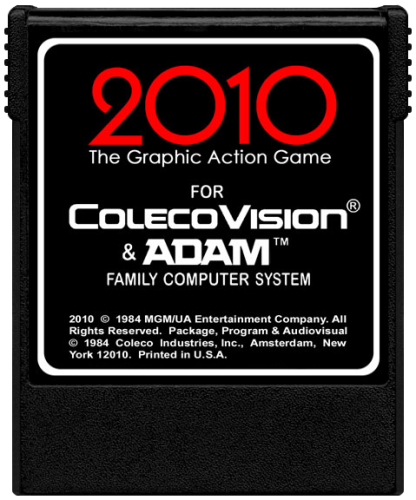
Some of the front covers that these use are not mine they were on my hard drives that I downloaded ages ago, don't know who they belong to, I created the Carts & missing Covers. If there are any mistakes or missing covers let me know at [email protected] and I will try to fix them, thanks.- 2 comments
-
- 4
-
-
- colecovision
- 2d
- (and 1 more)
-
ColecoVision - 2D Carts View File Some of the front covers that these use are not mine they were on my hard drives that I downloaded ages ago, don't know who they belong to, I created the Carts & missing Covers. If there are any mistakes or missing covers let me know at [email protected] and I will try to fix them, thanks. Submitter jayrox Submitted 04/19/2022 Category Game Cart Images
-
ColecoVision - 3D Boxes View File Some of the front covers that these use are not mine they were on my hard drives that I downloaded ages ago, don't know who they belong to, I created the 3D Boxes & missing Covers. If there are any mistakes or missing covers let me know at [email protected] and I will try to fix them, thanks. Submitter jayrox Submitted 04/19/2022 Category Game Box Art
-
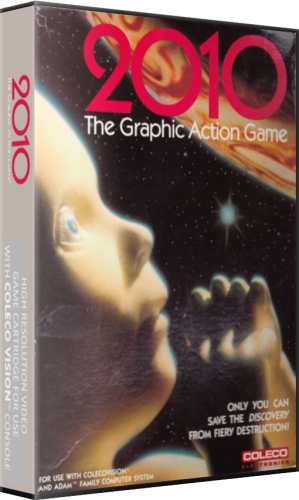
Version 1.0.0
161 downloads
Some of the front covers that these use are not mine they were on my hard drives that I downloaded ages ago, don't know who they belong to, I created the 3D Boxes & missing Covers. If there are any mistakes or missing covers let me know at [email protected] and I will try to fix them, thanks.-
- 8
-
-
-
- colecovision
- 3d
- (and 1 more)
-
I decided to use Colem as a Colecovision emulator because it plays the nonstandard .bin file that is used with the Pac-Man Collection that was released in 2008. I really haven´t found any other emulators where this file format works. Colem works fine from Launchbox, but when the game starts it does not enter the game. I need to press 1 or 2 for 1 or 2 players, but every key that I have tried will not start the game. I tried binding my controller several times but the only options in Colem are for the 4 fire buttons which I already mapped to my xbox 360 controller. Outside of being able to start the games, all is working fine. The instructions from the emulator mention that the keypads function the same as the Colecovision controller, but when I press 1 or 2 nothing happens in the emulator. Posting here to see if anyone uses this emulator and if they are able to get this working. Not really a Launchbox question as all works fine with Launchbox.
-
Hello, The current command line for Colecovision in Retroarch specifies the MESS core which is no longer available for download. -L "cores\mess_libretro.dll" There is a MESS_2014 however it does not appear to work. (I made the following change to the command line incorporating MESS_2014): -L "cores\mess2014_libretro.dll" Again, it does not work I also tried the Blue MSX core, but I can't figure out how to use it to actually load a GAME in Launchbox. It loads the Colecovision BIOS for every game I select and nothing else. I think I need a command line (that I don't know). Would love to have Colecovision working in Launchbox (Bigbox) so thanks in advance for any tips!
-
On bigbox on the unified theme console platform wheel Im trying to find out where to save the image for colecovision so that it comes up as the coleco image instead of the generic white text. Any help is appreciated. Thanks
-
Simply was wondering what you guys recommend in terms of best Colecovision emulator. To be honest, I highly prefer using RetroArch or MESS when it comes to all consoles. I'd rather learn two software programs than 100 seperate emulators. That's just me, so if a standalone emulator is the best or only option, then I'd appreciate your recommendation, but these two emulators are my preference FYI. I've seen that the BlueMSX core in RetroArch has ColecoVision compatibility. I know that BlueMSX is a cycle accurate emulator for the MSX, but can't find any compatibility reports on ColecoVision games. Is this the core you guys recommend for ColecoVision? Also, I saw Bizhawk (I think that's what is called) is similar to RA and has a Colecovision core. What do you guys think?
-
ColecoVision Platform Theme Video View File This is my first platform theme that I am making available to the community. My work blends a few influences relevant to the platform while showcasing the machine itself along with the games the platform ran: 1) Music made using sounds available on the platform 2) The platform's boot screen if available 3) Commercial influences usually in the form of the platform's marketing jingle. 4) The platform's packaging. In this way, the platform video itself gives an accurate interpretation of what the platform is, was marketed as, and what it looked and sounded like. The version available on Launchbox-app.com has no watermark. Submitter mcfilmmakers Submitted 03/28/2018 Category Platform Theme Videos
- 1 reply
-
- 3
-
-
- colecovision
- platform
- (and 2 more)
-
Miscellaneous Platform Banners View File This is a short compilation of banners that were missing and did not download when I created the Platforms in LaunchBox. I made them in the default style. Submitter dragon57 Submitted 11/22/2017 Category Platform Banners
-
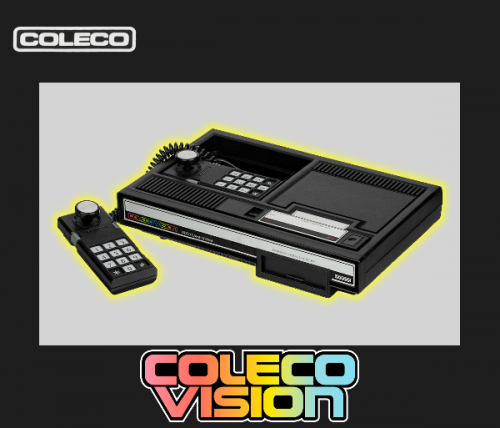
Version 1.0.0
600 downloads
This is a short compilation of banners that were missing and did not download when I created the Platforms in LaunchBox. I made them in the default style.-
- 2
-
-
-
- png
- colecovision
- (and 3 more)
-
Ok, first I would like to start by saying yes, I am quite the humble noob, but I don't know where to turn to other than to shame myself to you all. I've be trying to get ColecoVision up and running on LaunchBox. I used this (https://www.youtube.com/channel/UCSIht6UXIEXIgz4eXAEShxA/discussion) video as my guide. I've got everything going up to the Split MAME rom pack part, and I know he's being intentionally vague on where to go for this, but I have no idea how to get this working beyond here. Can anybody please ELI5 and get me through this. Thank you.
-
ColecoVision Cinematic Video View File ColecoVision Cinematic Video I call this one "Kong's Escape Plan" 1080p@60fps Submitter RetroHumanoid Submitted 06/06/2017 Category Platform Theme Videos
-
Hi all, Here is a collection of many hours of work of collecting and creating metadata, images, manuals, and vidoes from various sources for the Colecovision system. Feel free to use and distribute our add this content to the Launchbox Database. Most of it was from other sources (THANK YOU TO ALL THOSE THAT HAVE CONTRIBUTED TO THE VARIOUS PROJECTS IN THE PAST THAT I WAS ABLE TO PULL STUFF FROM!) but the missing stuff I went ahead and made myself to get it as complete as I was able to get it. You should be able to just drop these in your Launchbox install and be good to. Public Domain Homebrew roms are provided with this torrent but NO commercial games. This is for your convenience. If you see missing content you can provide or have higher quality images, videos, etc. PLEASE LET ME KNOW! I will gladly use them on the next update. Enjoy! Hopefully this will save people a lot of time. Figured If I am doing it for myself I might as well see if others would like using it. - Hubz Colecovision Launchbox V2.1.torrent
-
Hi, I can't seem to launch several standalone emulators from launchbox. These include blueMSX.exe and Colem.exe, when I select a game I get an hourglass for a second and then nothing else happens. I have confirmed that both executables work directly so I'm not sure what the issue is. I've also tried running lb as an admin to no avail. I have been able to get dolphin.exe and retroarch.exe to launch via launchbox without issue. Any suggestions would be greatly appreciated.
-
Hello, I haven't been able to import anything into Launchbox successfully (just purchased BigBox about an hour ago so I'm determined to figure it out). I thought I would start with something simple (Colecovision) (small Rom files) but can't get that working. (Note - I have fully configured Hyperspin for most platforms so I'm not a complete idiot ;-) Here I s what I am doing: I select import ROM's. Select folder containing Colecovision ROM's Select Colecovision as the Platform Specify MAME as the Emulator Hit Next, Select options to import everything possible Result is always 0 files imported. I looked for a Launchbox YouTube video on setting up Colecovision but there doesn't appear to be one. Thanks for any help!


.thumb.jpg.b91b4d9b3a4709a5d4541fd30db0b5c3.jpg)

.thumb.png.aff6c93f360f1b2744c34cda1b3116da.png)