Search the Community
Showing results for tags 'artwork'.
-
Prior to the second lockdown in the UK, I finally got around to setting up my new MAME collection in Launchbox. To my delight, most of the automatically downloaded logos were super clean and looked perfect. High-fives all around. In the back of my mind, I’d wanted to add my favourite ZX Spectrum, Amiga, and Atari ST games to Launchbox. When the second lockdown hit and I was stuck at home, I had no excuse not to. I got over the technical hurdle of getting the older emulators running, but quickly noticed that many logos were missing or low quality. No surprise, since these systems are pretty niche and old. Being an art director in TV, film, and games for 20-odd years, this sort of thing triggered my artistic OCD. Luckily, I still have physical copies of many of the games, so I began scanning and cleaning logos. Before long, the project snowballed into other consoles like PlayStation, PSP, and GameCube. Misaligned discs, bad cut-outs, or ones that didn’t spin properly really bugged me, so I fixed those too. Here’s a rough breakdown of the work I’ve done by platform. When I get the time, I’ll share some of the disc templates in case they’re useful. ZX Spectrum I did a lot of work here, scanning original artwork and digitally cleaning logos to make them consistent. I also adjusted spacing so that the “visual mass” of each logo felt balanced in Launchbox. Notable examples: Robocop 1–3, R-Type, Overlander, Jet Set Willy. Atari ST and Amiga Generally in better shape, but common problems were low resolution, blurriness, and bad alpha edges from cut-outs. Many were designed for light backgrounds, so I created versions that work on dark backgrounds. Good examples: Venus Flytrap, X-Out, the Lotus series. SNES and Mega Drive (Genesis) Mostly solid, but I made a few tweaks here and there. PS1, PS2, GameCube This took the most time. I centred and cleaned disc artwork, often scanning from my own copies (e.g. Wipeout, Destruction Derby). Where possible, I pulled high-res box/disc scans online. I couldn’t cover every region, but aimed to ensure at least one decent disc per title, prioritising PAL/European editions. In total: around 75 GameCube, 165 PS1, and 265 PS2 discs. PS1 needed the most work due to inconsistent print quality. Game Boy and Game Boy Advance Game Boy media was generally fine, but GBA logos varied a lot in quality and spacing. I worked through about 400 GBA logos. I’ll probably do another pass on the ZX Spectrum, Amiga, and Atari ST logos, as I’m not sure I uploaded everything. Now that lockdown’s ending, I’ll ease off for a while. But I thought I’d share the obsessive work that’s been keeping me busy.

-
 These Realistic Arcade Bezels were made by Orionsangel and tested on Windows 10 with Mame and Retroarch. Thanks to HyperSpaceMadness, Mr. RetroLust, ArsInvictus, Duimon, Dreamstate & MQC. As well as Mr. Do. Most of these realistic arcade bezels could not have been made without them. Check out my youtube channel here - https://www.youtube.com/orionsangel
- 827 replies
-
- 18
-

-

-

-

-

-
Hello everyone, The Bezel Project was created with the goal of making a custom bezel for every ROM with an easy install script for the raspberry pi. It has been ported over for Odroid, and Mac and I would love some help getting it over to LaunchBox for more people to enjoy! We’ve made thousands of them for multiple consoles and there has been a lot of demand to get them working on PC, but I need help. Here is more information about us from our GitHub page if that helps. Thank you and we appreciate it very much. https://github.com/thebezelproject/BezelProject
- 521 replies
-
- 12
-
-
-

Version 22.0
70,374 downloads
Note: This thread will not be pushed to the front in the "whats new" section, if you want notifications for future updates to this file be sure to follow this page by using the follow button in the upper right corner Part of the "Lights Out - Realistic Bezels" series, for RetroArch bezels in this series see: https://forums.launchbox-app.com/files/file/1950-mr-retrolusts-lights-off-retroarch-bezels/ About: NOTE: This original project uses a reflection and scratch layer to add a realistic effect, it defines the style of the project, this is not for everyone. But please don't request "a clean verion" as I haven't kept the layer formats for all these 2000 games, this project is what it is. Realistic bezels in 3840x2160 resolution for MAME. My goal was to make bezels for around 1300 MAME games I had in my collection but I ended up making many bezels more. I started this project in 2019 and finished it in 2026. I used existing high quality artwork but also cleaned a lot of previously unavailable artwork which @Mr. Do had in his amazing collection. I searched high and low with google images to find existing artwork, which took me to Japanese websites often using google translate and research to get to those obscure images. The quality isn't always as high but I made sure I always used the highest quality I could find. Note: These artwork packs are made for older versions of Mame, if you use Mame 0.226 and upwards and find these files don't work right please see this post as you need to have them in a different lay structure: ============== Installation: Place the zip files inside the packs in mame/artwork/ Also be sure to curve the screen in Mame effects, you can use the preset files I've included in the downloads but they are for an older version of Mame (0.198) so they might not work on newer versions. To learn more about effects in Mame be sure to read this well: https://docs.mamedev.org/advanced/hlsl.html ============== Credits: Most of the artwork used are from the most excellent @Mr. Do & the many team members: http://mrdo.mameworld.info/index.php For NeoGeo artwork much artwork came from: http://www.neogeosoft.com/ For Flyer artwork the amazing: https://flyers.arcade-museum.com/ and https://www.flyerfever.com/ Some artwork used from: https://www.verticalarcade.com/ which has amazing vertical bezels, be sure to pay them a visit. Some artwork used from imbord3rlin3: https://www.arcade-projects.com/threads/high-resolution-scan-database-scans-as-a-free-service.24725/ Photos from Museum of the Game® & International Arcade Museum® https://forums.arcade-museum.com/ For research the great Arcade Database by: http://adb.arcadeitalia.net/ Special thanks to the following people, without them this project wouldn't be what it is: @ArsInvictus John Merrit, @Briball @cmgssilva @Orionsangel @Boz1978 @L4ZYD4NE @Manson976 UDb23 @IainSA TheGuru, Smitdogg, CAG, DrVectrex, tbombaci, italie, MAMEWorld, Ad_Enuff, UDb Raspbear, @destrowade @CKL @Thoggo @Antny @Dreamstate Andyaust @zugswang Spinnhacker, CCF Gameplay, jkburks, Comboman, Tim Lindquist, TrevEB, Aaron Giles, Jumpman1981, @kloug666, Tormod, yaggy, @NightVoice, Dillweed, @NeoKarnage, Vaughan, Zorg, Divemaster, Ad_Enuff, ranger lennier, Kiltron, @damageinc86, AntoPISA -
Version 0.16
36,862 downloads
LIGHTS OUT! BEZELS UPDATED TO THE NEWEST MAME CODE Mr. RetroLust created a series of bezels which is a masterpiece : Yet as he uses a rather old version of MAME, some of those bezels are not compatible with the latest releases which use a redesigned artwork system (MAME 0.226 onwards). As I intend to continue to enjoy his creations in optimal conditions, I have undertaken to update all the lay files and to correct recent incompatibilities. The original project uses a reflection and scratch layer to add a realistic effect which defines its style. You will find here the complete arcade 4K widescreen collection updated to the most recent lay code and expanded in various ways. Mainly based on the version 17.0 of the original collection : I’ve updated/edited all the lay files. Renamed files in sync with latest MAME release (0.281 at the time of this writing). Merged some archives to avoid any conflict with the classic artworks of Mr. Do and progetto-SNAPS. Converted and integrated some of Mr. RetroLust's non-MAME specific arworks*. Added Xeno Crisis bezel by Layer0730. Added blue MAME cab bezel by d66dle. Added some new artworks in the same style (Ex: Darius II Dual-Screen). Replaced most of the screen overlays based on pics with lay-coded ones according to the latest MAME sources (ex : Circus). Corrected some MAME artwork display known bugs (ex : Dead Eye). Added switchable gear shift for racing games when possible (ex : Pole Position). Added optional custom enhancements (ex : Galaga). Added color variations (ex : Barricade). Added BIOS specific bezels (ex : Deco Cassette System). Added generic horizontal and vertical bezels to use as fallback art files for every game missing individual artwork. Included a folder INI file to display a list of all games of the collection. If you spot a bug, or a game I forgot to add a gear shift, please indicate it in the comments, I will try to rectify it ASAP. * : Converted for MAME and upscaled to 4K some artworks from HD Lights Out! Retroarch Bezels 8.5. Converted for MAME the Sammy Atomiswave 4K Lights Out! Realistic Bezels 1.0.0. Converted for MAME the Sega Naomi 4K Lights Out! Realistic Retroarch Bezels 1.3. INSTALLATION Easy 'n' dirty way (not recommended) : Unzip all LightsOutRevisited0-Z archives in MAME/ARTWORK/ Install updates one after the other, just unzip and replace all files when asked. Put horizontal and vertical INIs in the root folder of your MAME installation or in MAME/INI/PRESETS/ Advanced 'n' clean way : Use the provided DAT to rebuild the collection with Clrmamepro, Romcenter or your favorite ROMs manager. Place the resulting ZIP files in MAME/ARTWORK/ Put horizontal and vertical INIs in the root folder of your MAME installation or in MAME/INI/PRESETS/ It is ESSENTIAL to use the included horizontal and vertical INIs to make the generic fallback bezels work. Optional : Put vector, vector-mono and raster INIs in the root folder of your MAME installation or in MAME/INI/PRESETS/ Put Lights Out Bezels Revisited INI in MAME/FOLDERS/ The FOLDERS INI file is entirely optional. The vector and the vector-mono INIs are highly recommended but not essential. The raster INI is ONLY to be used if you use the D3D HLSL graphics mode. I personally use the BGFX graphics mode for the rasters and the fantastic ArcCabView shader from Ducon2016 and Houb (included in UPDATE TO LIGHTS OUT 10.0 - MAME 0.276). Let's play ! All hails to Mr. RetroLust for the incredible work that he made with his original bezels. Special thanks to the following people who directly or indirectly inspired and/or helped me with this project : AntoPISA, d66dle, Ducon2016, Houb, Layer0730, Mr. Do, numerous members from MAMEWorld, Starman99x, Vaughan and Widge-5. After downloading and testing the release, if you enjoyed it, please come back and react by reviewing or liking the page. It will take you just a few seconds and help me give visibility to this project. -
Version 1.0.2
13,658 downloads
I have created playlist clear logo sets, which I have based on the logo font for each system. I had to create entire fonts and edit other fonts to resemble the logo font for many of the systems. Each set contains a black, white and a colour version of clear logos for the following... Playlists logos include: Genres logos include: Regions logos include: Years logos include: Not every platform category\playlist will utilize every logo depending on your build. I have used the same naming system thats used in the Unified Theme. So I would suggest verifying the playlist/platform names before dropping them into your images folder... as some may differ from user to user and wrongly named files will not show up in BigBox. If you do have different platform names you can use Bulk Rename Utility to rename them quick and easy. How to add them to LaunchBox. Instructions: Drag and drop the Platform Categories and the Playlists folders into the Launchbox Images folder. Launch BigBox and go into -> Options -> Image Cache and Refresh Platform Wheel Images. Here's links to all the fonts and .psd templates i used to make these for anyone who wants to create their own missing playlist logos. Playlist Templates Playlist Fonts Enjoy!- 20 comments
- 3 reviews
-
- 13
-
-
-
-
-
- artwork
- clear logos
- (and 4 more)
-
 Mo' Colors for your Game Boy Color - Lights Out! Retroarch Bezels View File I have edited some alternate colors to go along with Mr. RetroLust's platform bezels for Retroarch (specifically the GBC ones), which you can find here: I liked the idea of having different colored GBC bezels per game, so I added a bunch of basic colors not present in the original variants. This includes new flat and transparent colors, de-saturated versions, and a simple black one... totaling to 27 new overlays. Because why not. You can use the save game override option in Retroarch to save the bezel per game, and/or you can pick one to use by default for your GBC core, using the save core override option. The files are in the folder structure: overlays/_MR.RETROLUST, so you can simply drop overlays into your Retroarch directory. GIMP .xcf file is also included separately for convenience. ┏(^0^)┛ CREDITS: Mr. RetroLust for the original overlays! Submitter d66dle Submitted 01/08/2026 Category Platform Bezels/Overlays
 -
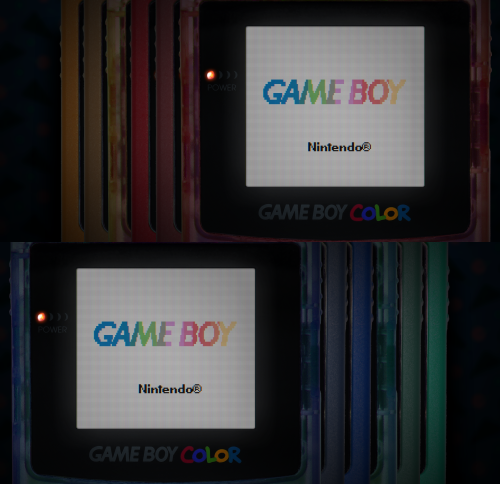
Version 1.0.0
39 downloads
I have edited some alternate colors to go along with Mr. RetroLust's platform bezels for Retroarch (specifically the GBC ones), which you can find here: I liked the idea of having different colored GBC bezels per game, so I added a bunch of basic colors not present in the original variants. This includes new flat and transparent colors, de-saturated versions, and a simple black one... totaling to 27 new overlays. Because why not. You can use the save game override option in Retroarch to save the bezel per game, and/or you can pick one to use by default for your GBC core, using the save core override option. The files are in the folder structure: overlays/_MR.RETROLUST, so you can simply drop overlays into your Retroarch directory. GIMP .xcf file is also included separately for convenience. ┏(^0^)┛ CREDITS: Mr. RetroLust for the original overlays! -
These custom console themed overlays were edited and assembled by me to play your retro console games with a unique nostalgic bezel on Retroarch. Please enjoy and have fun. Please give me credit and the others involved if you use it on your Youtube channel. Thanks. The Mega Bezel Reflection Shader is by Hyperspacemadness Some of the original artwork came from ReignStumble Credit is given to RetroKenesis for the bezel frames Here's a Tutorial on how to add them to Retroarch. Older versions...
- 179 replies
-
- 13
-
-
-
-
- video
- orionsangel
- (and 14 more)
-

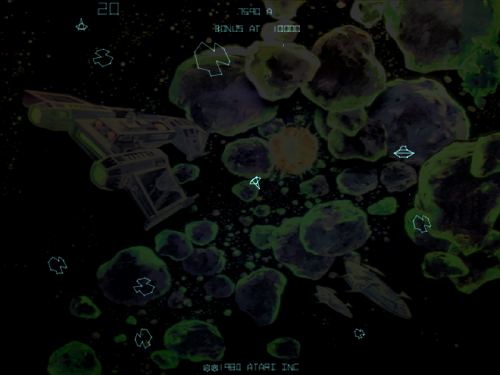
Version 1.0.0
481 downloads
Background artwork for the MAME games Asteroids Deluxe (astdelux.zip) and Space Invaders (invaders.zip). The backgrounds are made for the RetroArch core "Arcade (MAME - Current)", which is the latest version of MAME. Older RetroArch cores are NOT supported! Place the files inside the artwork folder: RetroArch\system\mame\artwork Do not change the name of the files and don't unpack them, otherwise MAME will not recognize the files correctly! MAME should use the backgrounds automatically. If not, press TAB on your keyboard to open the MAME menu, navigate to Video Options >> Screen #0 and select "Upright_Artwork". -

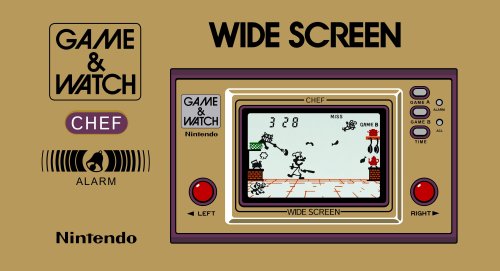
Version 1.0.0
1,187 downloads
I've spent years recreating the Nintendo G&W boxes....it started as an exercise to see how far I could push PowerPoint - but became an obsession. I've now completed the fronts, backs, logo's and spines. I've included 6 files: 59 G&W Box - Front - Reconstructed: "Good to Go" - Just drop in your LB folder 59 G&W Box - Back - Reconstructed: "Good to Go" - Just drop in your LB folder 59 G&W Clear Logo's: "Good to Go" - Just drop in your LB folder 59 G&W Box - Spine: "Good to Go" - Just drop in your LB folder (noting that BigBox seems to incorrectly handle the depth, so I've proportionally "squished" these so they appear correct) Full G&W Logo's (all the logo's and variants I recreated) Full G&W Reconstructed Fronts and Backs (all the front and backs I recreated - including various 1st / 2nd / 3rd artwork issues and the UK, France, Germany, Belgium (I believe), Australia and Argentina artworks) For the "Super Mario Bros: Special Edition" - please see the comments as I've adding the case and logo there (to save re-uploading the whole 7z again)- 12 comments
-
- 20
-
-
-
-
-
- game and watch
- artwork
- (and 2 more)
-
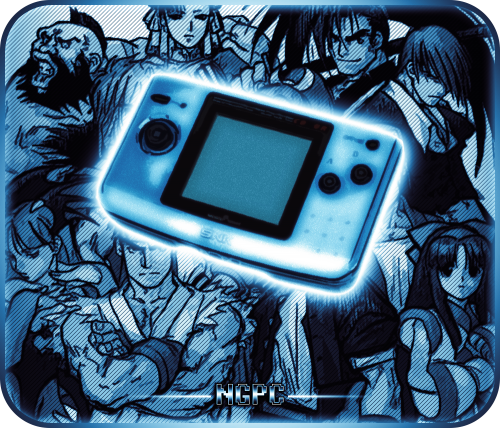
Version 1.4.5
2,244 downloads
These are platform banners that I've created for Big Box that have been available on the forums for some time now but haven't actually been in the downloads section. I'm uploading them here as some may not be aware of them. Platforms currently covered: 3DO Amiga Arcade (2 variants) Atari 8-bit Atari 2600 Atari 5200 Atari 7800 Atari Jaguar Atari ST (2 variants) Atomiswave Capcom CPS-1 (2 variants) Capcom CPS-2 (2 variants) Capcom CPS-3 Classic PC (custom platform) Commodore 64 GCE Vectrex MS-DOS Neo Geo Neo Geo Pocket Color Nintendo 64 Nintendo DS Nintendo Entertainment System Nintendo Gamecube Nintendo Game Boy (2 variants) Nintendo Game Boy Advance Nintendo Game Boy Color (2 variants) Nintendo Wii PC/Windows PC Engine PC Engine-CD (2 variants) ScummVM Sega 32X Sega CD Sega Dreamcast Sega Game Gear Sega Genesis Sega Master System (2 variants) Sega Model 2 Sega Naomi (2 variants) Sega Saturn Sony Playstation Sony Playstation 2 Sony PSP Super Nintendo Entertainment System SuperGrafx Taito Type X TurboGrafx-16 TurboGrafx-CD (2 variants) Sharp X68000 I will continue to create more based on requests as time allows. If you have a specific request, post it in the comments and I'll see what I can do. Other image/video projects: -
Version 1.0.0
523 downloads
Marquee artwork for those with stretch LCD displays. I decided to share my personal collection of arcade rips from TTX, Teknoparrot, etc. I just put all in one zip file as I am not sure how I want to organize yet... games from TTX, RingEdge, RingWide, Lindbergh, Raw Thrills, GlobalVR, etc. There might be a few I need to update that look like ass, also will be adding more as I go along. -
Mr. RetroLust's MAME Lights Out Bezels Revisited View File LIGHTS OUT! BEZELS UPDATED TO THE NEWEST MAME CODE Mr. RetroLust created a series of bezels which is a masterpiece : Yet as he uses a rather old version of MAME, some of those bezels are not compatible with the latest releases which use a redesigned artwork system (MAME 0.226 onwards). As I intend to continue to enjoy his creations in optimal conditions, I have undertaken to update all the lay files and to correct recent incompatibilities. The original project uses a reflection and scratch layer to add a realistic effect which defines its style. You will find here the complete arcade 4K widescreen collection updated to the most recent lay code and expanded in various ways. Mainly based on the version 17.0 of the original collection : I’ve updated/edited all the lay files. Renamed files in sync with latest MAME release (0.281 at the time of this writing). Merged some archives to avoid any conflict with the classic artworks of Mr. Do and progetto-SNAPS. Converted and integrated some of Mr. RetroLust's non-MAME specific arworks*. Added Xeno Crisis bezel by Layer0730. Added blue MAME cab bezel by d66dle. Added some new artworks in the same style (Ex: Darius II Dual-Screen). Replaced most of the screen overlays based on pics with lay-coded ones according to the latest MAME sources (ex : Circus). Corrected some MAME artwork display known bugs (ex : Dead Eye). Added switchable gear shift for racing games when possible (ex : Pole Position). Added optional custom enhancements (ex : Galaga). Added color variations (ex : Barricade). Added BIOS specific bezels (ex : Deco Cassette System). Added generic horizontal and vertical bezels to use as fallback art files for every game missing individual artwork. Included a folder INI file to display a list of all games of the collection. If you spot a bug, or a game I forgot to add a gear shift, please indicate it in the comments, I will try to rectify it ASAP. * : Converted for MAME and upscaled to 4K some artworks from HD Lights Out! Retroarch Bezels 8.5. Converted for MAME the Sammy Atomiswave 4K Lights Out! Realistic Bezels 1.0.0. Converted for MAME the Sega Naomi 4K Lights Out! Realistic Retroarch Bezels 1.3. INSTALLATION Easy 'n' dirty way (not recommended) : Unzip all LightsOutRevisited0-Z archives in MAME/ARTWORK/ Install updates one after the other, just unzip and replace all files when asked. Put horizontal and vertical INIs in the root folder of your MAME installation or in MAME/INI/PRESETS/ Advanced 'n' clean way : Use the provided DAT to rebuild the collection with Clrmamepro, Romcenter or your favorite ROMs manager. Place the resulting ZIP files in MAME/ARTWORK/ Put horizontal and vertical INIs in the root folder of your MAME installation or in MAME/INI/PRESETS/ It is ESSENTIAL to use the included horizontal and vertical INIs to make the generic fallback bezels work. Optional : Put vector, vector-mono and raster INIs in the root folder of your MAME installation or in MAME/INI/PRESETS/ Put Lights Out Bezels Revisited INI in MAME/FOLDERS/ The FOLDERS INI file is entirely optional. The vector and the vector-mono INIs are highly recommended but not essential. The raster INI is ONLY to be used if you use the D3D HLSL graphics mode. I personally use the BGFX graphics mode for the rasters and the fantastic ArcCabView shader from Ducon2016 and Houb (included in UPDATE TO LIGHTS OUT 10.0 - MAME 0.276). Let's play ! All hails to Mr. RetroLust for the incredible work that he made with his original bezels. Special thanks to the following people who directly or indirectly inspired and/or helped me with this project : AntoPISA, d66dle, Ducon2016, Houb, Layer0730, Mr. Do, numerous members from MAMEWorld, Starman99x, Vaughan and Widge-5. After downloading and testing the release, if you enjoyed it, please come back and react by reviewing or liking the page. It will take you just a few seconds and help me give visibility to this project. Submitter kloug666 Submitted 11/29/2022 Category Platform Bezels/Overlays
-
Mr. RetroLust's - Mame 4K - Lights Out - Realistic Bezels / Artwork View File Note: This thread will not be pushed to the front in the "whats new" section, if you want notifications for future updates to this file be sure to follow this page by using the follow button in the upper right corner Part of the "Lights Out - Realistic Bezels" series, for RetroArch bezels in this series see: https://forums.launchbox-app.com/files/file/1950-mr-retrolusts-lights-off-retroarch-bezels/ About: NOTE: This original project uses a reflection and scratch layer to add a realistic effect, it defines the style of the project, this is not for everyone. But please don't request "a clean verion" as I haven't kept the layer formats for all these 2000 games, this project is what it is. Realistic bezels in 3840x2160 resolution for MAME. My goal was to make bezels for around 1300 MAME games I had in my collection but I ended up making many bezels more. I started this project in 2019 and finished it in 2026. I used existing high quality artwork but also cleaned a lot of previously unavailable artwork which @Mr. Do had in his amazing collection. I searched high and low with google images to find existing artwork, which took me to Japanese websites often using google translate and research to get to those obscure images. The quality isn't always as high but I made sure I always used the highest quality I could find. Note: These artwork packs are made for older versions of Mame, if you use Mame 0.226 and upwards and find these files don't work right please see this post as you need to have them in a different lay structure: ============== Installation: Place the zip files inside the packs in mame/artwork/ Also be sure to curve the screen in Mame effects, you can use the preset files I've included in the downloads but they are for an older version of Mame (0.198) so they might not work on newer versions. To learn more about effects in Mame be sure to read this well: https://docs.mamedev.org/advanced/hlsl.html ============== Credits: Most of the artwork used are from the most excellent @Mr. Do & the many team members: http://mrdo.mameworld.info/index.php For NeoGeo artwork much artwork came from: http://www.neogeosoft.com/ For Flyer artwork the amazing: https://flyers.arcade-museum.com/ and https://www.flyerfever.com/ Some artwork used from: https://www.verticalarcade.com/ which has amazing vertical bezels, be sure to pay them a visit. Some artwork used from imbord3rlin3: https://www.arcade-projects.com/threads/high-resolution-scan-database-scans-as-a-free-service.24725/ Photos from Museum of the Game® & International Arcade Museum® https://forums.arcade-museum.com/ For research the great Arcade Database by: http://adb.arcadeitalia.net/ Special thanks to the following people, without them this project wouldn't be what it is: @ArsInvictus John Merrit, @Briball @cmgssilva @Orionsangel @Boz1978 @L4ZYD4NE @Manson976 UDb23 @IainSA TheGuru, Smitdogg, CAG, DrVectrex, tbombaci, italie, MAMEWorld, Ad_Enuff, UDb Raspbear, @destrowade @CKL @Thoggo @Antny @Dreamstate Andyaust @zugswang Spinnhacker, CCF Gameplay, jkburks, Comboman, Tim Lindquist, TrevEB, Aaron Giles, Jumpman1981, @kloug666, Tormod, yaggy, @NightVoice, Dillweed, @NeoKarnage, Vaughan, Zorg, Divemaster, Ad_Enuff, ranger lennier, Kiltron, @damageinc86, AntoPISA Submitter Mr. RetroLust Submitted 12/07/2019 Category Platform Bezels/Overlays
-

Version 2
190 downloads
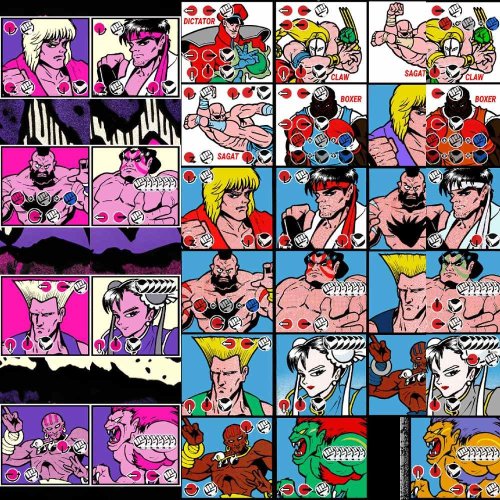
-Special moves added. -Dark Versions. -Tons of New Bezels made. They are 22 in total and come ready to be installed on MAME emulator. You can select them pressing TAB > Video. -(For Editors) 1440p Source Files. Feel free to edit any file. The Bezels are at 1080p 300kb, i feel this is the most efficient quality/size way to use them. Have fun! Credits to rodimusprimal he uploaded the original Hyper Fighting bezel eslewhere, i tweaked it and added the other ones. The post had 35 downloads. I removed it because i f*cked up.- 2 comments
-
- 4
-
-
-
- street fighter 2
- street fighter ii
- (and 29 more)
-
Version 1.0.1
12,327 downloads
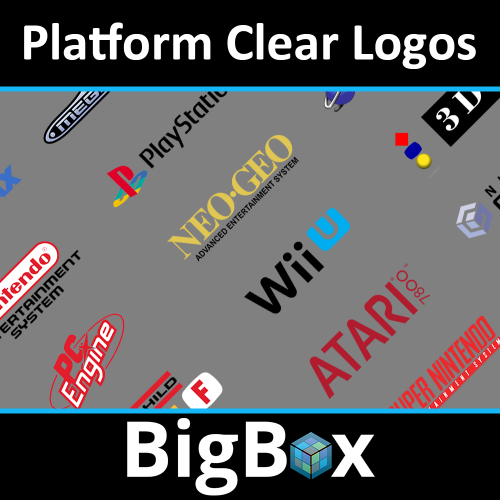
This is a Basic Platform Clear Logo Set containing over 500 clear logos. It contains platform, platform category, playlist and a few third-party clear logos. There is variations of some platform clear logos as well. This set works well with themes that have light coloured backgrounds and i have also made an alternate white version for themes that have dark coloured backgrounds. Its an updated set of the platform clear logos that i used for my White Trim set. How to add them to LaunchBox. Instructions: Rename the PNG file exactly the same name of the desired platform as it is named in LaunchBox. Copy/paste *.PNG file in your ...\ LaunchBox \ Images \ Platforms \ <Platform name> \ Clear Logo. Delete the old logo (if present). Launch BigBox and go into -> Options -> Image Cache and Refresh Platform Wheel Images. How to add them to a Theme. Instructions: Rename the PNG file exactly the same name of the desired platform as it is named in LaunchBox. Copy/paste *.PNG file in your ...\ LaunchBox \ Themes \ <Theme name> \ Images \ Platforms \ Clear Logo. Delete the old logos (if present). Launch BigBox and go into -> Options -> Image Cache and Refresh Platform Wheel Images. Enjoy!- 6 comments
- 2 reviews
-
- 29
-
-
-
-
-
- fullset
- platform clear logos
- (and 4 more)
-
Street Fighter 2 Bezels Special Moves - World Warrior, Champion Edition, Hyper Fighting - Dark Version, 1080p, PSD 1440p Source File View File -Special moves added. -Dark Versions.-Tons of New Bezels made. They are 22 in total and come ready to be installed on MAME emulator. You can select them pressing TAB -> Video. -(For Editors) 1440p Source Files. Feel free to edit any file. The Bezels are at 1080p 300kb, i feel this is the most efficient quality/size way to use them. Have fun! Credits to rodimusprimal he uploaded the original Hyper Fighting bezel eslewhere, i tweaked it and added the other ones. The post had 35 downloads. I removed it because i f*cked up. Submitter EL REY BUGE Submitted 04/21/2024 Category Platform Bezels/Overlays
-
The OrionsAngel ULTIMATE 5 Pack Arcade Bezel Collection featuring the Mega Bezel Reflection Shader View File Here you can more conveniently download all 5 packs of my Realistic Arcade Bezel Collection featuring the Mega Bezel Reflection Shader. Thank you to everyone who helped me along the way. The ones who scanned official bezels and created original bezels. Also the ones who compiled all my work and made it easier for everyone to use. I couldn't have done this without you guys. Thank you! I would like to give shout outs to the following people, ArsInvictus MrRetroLust MQC Raspbear hgoda90 Thechonv2 UDb23 Dreamstate 303george Mr. Do If I forgot anyone let me know. I also want to thank everyone who has given me love and support for all the bezels that I have made over the years. It's kept me going. I appreciate all of you. Now enjoy the bezels and always have fun! Check out and subscribe to my YouTube channel for new updates - https://www.youtube.com/orionsangel You can also find me at, https://twitter.com/0rionsangel https://www.facebook.com/0rionsangel https://www.twitch.tv/orionsangel https://www.instagram.com/orionsangels Submitter Orionsangel Submitted 11/30/2023 Category Platform Bezels/Overlays
-
 Does anyone have complete packs of Sega Model 2 and Sega Model 3 arcade game bezels/overlays? I've been looking for weeks and the best I've found is an incomplete and unusable repository for Sinden Light Gun games where the bezels are either in 4 separate pieces or they are simply too dark to use. I use mouse and keyboard for my lightgun games, so darkened bezels aren't a good fit for me. Someone posted on Reddit that they have complete sets of these game bezels, but I can't reach the person who made the post and they didn't leave a download link. Any help would be greatly appreciated. Thanks.
 -
Version 1.0.0
379 downloads
Here is a collection of familiar Daphne and ALG marquees, but also added some fan made singe games as well such as Samurai Jack, TitanAE, Star Blazers, etc... Also for American Laser Games I added fanmade singe shooters Platoon and Freedom Fighter. And while I was at it... I did the ActionMAX games, hell why not...- 2 comments
-
- 12
-
-
-
Version 1.0.0
1,382 downloads
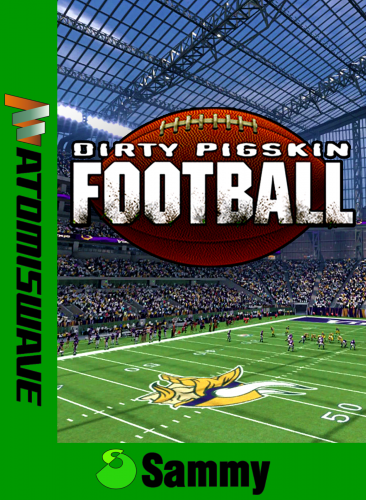
Hi all, Rebuild the Atomiswave Artwork Front cover (HD/UHD version). 27 files - 1534x2100 They use the rom name pattern. Enjoy!! PS: A new game cover add: - Kenju Cauptain Inc. - [email protected] - youtube.com/c/cauptain- 5 comments
- 2 reviews
-
- 12
-
-
-
-
- sammy
- atomiswave
- (and 6 more)
-
I couldn't find anything for this game so I made my own 776666431_skullxboa.zip
-
 MASSIVE - 1000's of Clear Logos focusing on Genres/Categories (Part of The Papaw TV Collection) View File This is a MASSIVE collection of clear logos focusing on Genres (categories) and with some Collections included. There is a download pack for 40 different platforms. There are 1000'S of clear logos in this collection. They work fine with all the available themes that I've tried. There is a separate download pack for each platform. Each downloaded zip contains 2 folders (one is a folder with the clear logos which is pretty much a drag-n-drop thing, the 2nd is a folder with matching playlists (auto-generated) if you wish to try them, (keep in mind the playlists are far from perfect and still being updated), along with Readme.txt that explains where everything goes. I was inspired to do this when I switched to the Retro Console Theme by cemfundog and some logo work done by scooter1974. It got me started when I wanted to create a couple for myself and well, that couple just keeps growing now.... Thanks to both of you for your help. Per request, I added the complete set in a single file called for easier downloading. It contains everything that's in all the individual downloads. (it is the very last file in the downloads or use the link) Complete Collection v4.1.1.zip You can get the matching videos here: Extreme Gamer Collection (works with COLORFUL and most other themes) Ultimate Playlist Beginner Setup Guide & Starter Collection (with New Video Sets, smaller in size and easier to download) Massive #1 - 100's of Videos that match these clear logos - The screenshots above are NOT using the matching videos Massive #2 - Another set of almost 500 genre/category Videos that match these - Cemfundog and I collaborated on this and using his design I created these to go with his animated Retro Console Theme v2. TV Commercial Platform Videos Download Retro Console Theme: Retro Console Theme or Retro Console Theme V2 These logos really pop if you set BigBox to use Platform Categories as the view. Of course, the better your genres are defined, the better your playlists (and logos) will work for you. That's why I included my matching playlists to help you get started if you have been putting it off like I did for years..haha. Make copies or backups of your files (the one mentioned in the Readme) then you can try these and if you don't like them, you can delete them and easily put things back like you had them. As it stands right now, there are close to 20,000 files in the collection. If you are working with limited storage space, you can always download the systems you need, pick out the ones you want to use and delete the rest. Each system download has the same content concerning the genres/categories, meaning if one system has a clear logo for "Baseball", every system will have a clear logo for "Baseball. I done it this way so if you add a new game and you choose a new genre for it that is new to your setup, and the genre files have already been installed from here, they will be picked up automatically for you. (If I create a new category, genre or collection, it will be added it to all the systems.) Concerning the Play Mode images: I have tried to make all the images that pertain to the # of players, local, online, single player, multiple player, local co-op, split screen, 2-Player Alternating, etc., specific to each individual platform. Like the Xbox 360 images have 360 controllers on them or the Wii U images have a Wii U on one side and the Wii U Controller on the other. Just a added touch. All systems will play mode images for up to 8 players (starting in version 2) in both Simultaneous and Alternating, so I tried to fit many different setups, as we all have have different likes. My objective it to finish through my library with the genres I have, then I will either begin all over again maybe focusing on Collections I have or try to make matching video snaps, not sure yet. I will try to accept requests now for other genres/categories....I ask you be patient as I am only one old feller and I'll do the best I can. PLEASE keep requests to things that will have at least 5-10 games that will pertain to it. I am trying to focus it around single word genre/categories best I can. This is a work-in-progress and on-going I'm sure. The better the metadata, the better searches and organization it makes. Here are the systems included so far: (Updated to v4 on 06-15-20) 3DO Interactive Arcade Atari 2600 Atari 5200 Atari 7800 Atari Jaguar Atari Lynx Atari ST ColecoVision Commodore Amiga Mattel Intellivision Microsoft Xbox Microsoft Xbox 360 NEC TurboGrafx-16 Nintendo 3DS Nintendo 64 Nintendo DS Nintendo Entertainment System Nintendo Game Boy Advance Nintendo Game Boy Color Nintendo GameCube Nintendo Switch Nintendo Wii Nintendo Wii U ScummVM Sega 32X Sega CD Sega Dreamcast Sega Game Gear Sega Genesis Sega Saturn Sharp X68000 - NEW SNK Neo Geo AES SNK Neo Geo Pocket Color Sony Playstation Sony Playstation 2 Sony Playstation 3 Sony Playstation 4 (no playlists) - New emulators are starting to show progress now so just preparing Sony PSP Super Nintendo Entertainment System Windows Wonderswan Color Feel free to leave comments, questions and suggestions and I will get back as soon as I can. Submitter The Papaw Submitted 02/21/2020 Category Playlist Clear Logos
 -
 Hello friends! Main D&D video now plays in both BigBox default themes but the background art for playlists has gone missing. This used to work fine... I have plenty of screenshots proving so. SEE POST #2. The video issue must have been fixed in a recent update but now playlist art is broken? ------------------------------------------------------------------------------------------------------------------------------------------------ Does anyone know how to configure the BigBox settings so a video plays for the platform/platform category while artwork is displayed for the playlists? I can get it to do one or the other but not both with the 2 themes that come with BigBox. If a video plays in the platform category, no background artwork is displayed when viewing playlists (DEFAULT THEME). Conversely, if background artwork is displayed for playlists, no video is played in the platform category (CriticalZone V2 - DEFAULT). Is there a THEME or a way to get the Video to play for the Platform Category AND background artwork shown for the playlists? Is this not possible or perhaps a glitch? I've tried every setting I can find withing the options menu. I only need this type of setup for this one platform. Thanks for any help you can provide



.png.66bb5f9e70e77d2030c8c83f973e3a6a.png)
.png.3a361075a65a01328d046079a5821330.png)


3.jpg.742da72ac43a94705002c210c5b6f7fd.thumb.jpg.f8fc1cacc611a7156fb5cc60847b357f.jpg)