

spiritedusual
-
Posts
72 -
Joined
-
Last visited
spiritedusual's Achievements

16-Bit Artificial Intelligence (4/7)
18
Reputation
-
Launchbox Second Screen Companion
spiritedusual commented on spiritedusual's file in Third-party Apps and Plugins
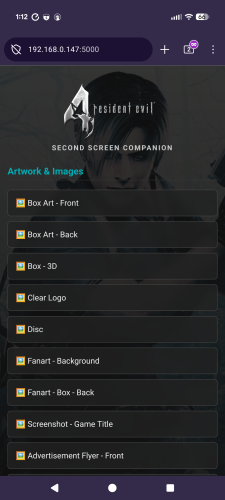 Hey there thanks for the kind words. I'm trying to understand what you're asking. It sounds like you're saying manuals are not included. I just tested it and the manuals are working for me. Do you use the manual importer from the launchbox import process or are you downloading them manually? Do you keep your manuals in the default manuals folder? Should be /manuals/"platform"/"game.pdf".
 -
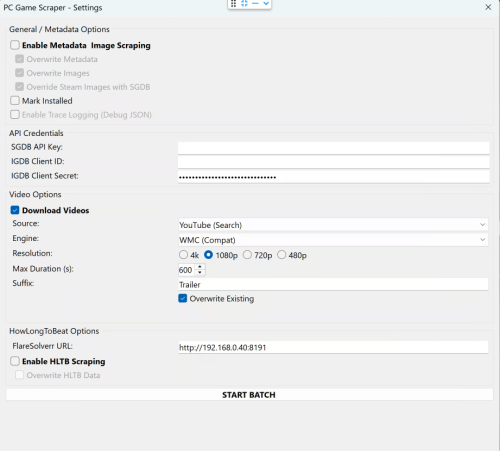 Playnite for sure has a lot of scrapers and is better at some things but I've used both a lot and Launchbox IMO is better once you get over the learning hurdle. Playnite themes looks really nice though.
 -
Add your game just the title and platform would be the bare minimum I would say. Then right click on it after adding it and click PC Game Scraper and run the plugin. Please review the instructions for API information. If this is NOT a PC game you will need API access to IGDB.
-
My plugin doesnt show up there. When selecting a game or games right click and select the PC Game Scraper at the bottom of the menu.
-
There a reason we can't scrape from IGDB.com???
spiritedusual replied to Sprinklezonk's topic in Troubleshooting
Wow whoever made that plugin must be super cool -
Glad to hear its working out for you!
-
Got it. Well its good to hear it's working as its designed but yea right now not a way to change the default download location. It is something I will add soonish though. In the mean time you'll have to manually move your media to your designated drive. I know you've already got your system all set up, but you might want to look in to symlinks/junctions. If you don't know what they are it basically a way to make your files appear in two locations without using up any extra space. If you used this you could leave launchbox settings as they are and just move your files in to a folder and symlink/junction that location to where launchbox expects the media to be. I'm not super knowledgeable about it but it might be worth looking in to.
-
Great thanks. Yea there are instructions for how to deal with the youtube thing. And as for your media location, it looks like you dont keep it with the launchbox install. So the media that is downloaded is in the /launchbox/videos/ and /images/ folder though right?
-
There is a log in the plugin folder that will detail whats happening with youtube if you post it here I can help you with that. Also let me know how you organize your videos so I can understand what you need for when I add in the custom location feature.
-
So yea that summary screen at the end is not accurate and its on my to do list. Im getting some mixed messages from you here though. You're saying that it fails and you see no added media following use but then in your edit you say that the images and videos have been downloaded. Maybe you mean its saying nothing downloaded in the summary screen but they files are present and you're not seeing them because your folder structure is different? You're not the first person to ask for a way to define the download location. Its something I'll look into when I'm done with my current project. So just to confirm, the media and metadata are downloading but the media isn't in the location you want it to be in so launchbox isn't detecting it? How do you have your folders set up?
-
No everything you may need is in the archive and the log is created as soon as you click the plugin even if you cancel right away you should have something. Please send a screenshot of your plugin folder with all the files. And please still detail your exact situation as well.
-
It's in the same folder as the plugin
-
Hey I'm not at a computer right but can you tell me exactly what you did step by step from opening the plugin to when you get this error? Which game what platform etc... also the plugin has a log file it generates at each run can you post that as well?
-
PC Game Scraper
spiritedusual replied to spiritedusual's topic in Third-Party Applications and Plugins (Released)
I've thought about adding mobygames but Id need an API key to test it and like you mentioned it costs money to get an API and I'm not interested in paying for that access. -
Launchbox Second Screen Companion
spiritedusual commented on spiritedusual's file in Third-party Apps and Plugins
It sort of sounds like you're saying the IP is not your host pc, is that correct? That IP should be the computer you're running Launchbox on. Is it not? If it's not which device is that IP assigned to?
