
I have tried quite a few forms plugins, but Formidable is definitely the best if you need a bit more advanced control and custom functionality. Great features out of the box and plenty of hooks to add your own functionality.


Last updated on March 4, 2025 by Formidable Team
The Best WordPress Custom Application Plugin
Do you want to build custom web applications on your WordPress website? Do it quickly and easily with the best WordPress custom application plugin.
Approximate read time: 6 minutes
Ever wish you could have one tool that could create almost anything?
Whether it's a job board or real estate listing on a website page. Or maybe a user directory, recipe database, or journal platform. But doing all of that would require decades of coding experience, hours of time, and a lot of money to afford all the plugins.
But it doesn’t have to.
You can do that with Formidable Forms WordPress Application Builder (Formidable Views). And you don't need any coding skills to do it.
If all that sounds good, let's explore how Formidable Views can help.
Upgrade your WordPress site with powerful, flexible forms.
Introducing the best WordPress custom application plugin
Think of Views as an add-on to Formidable Forms.
It takes your form entries and helps you build entire web apps. So, depending on your needs, you can quickly create entire applications like real estate listing websites, user directories, or databases for a recipe WordPress site.
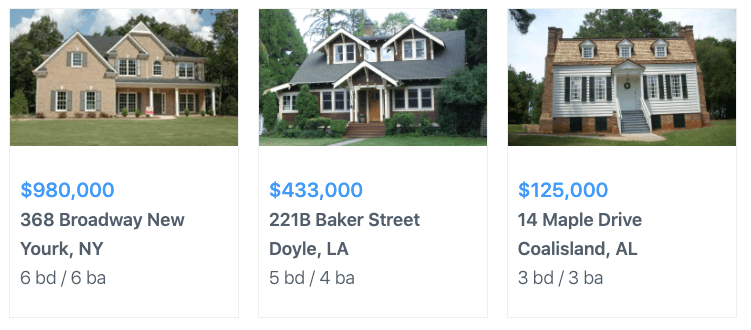
And while you don't have to be a developer to use it, the things you can do with a bit of code are incredible. That's where you can use the most advanced Views functionality and build custom applications that’ll blow your clients away.
So, how does it work exactly? Let's dive in!

From Idea to Reality in Minutes. Build Powerful Forms, Dashboards, Apps and More.
Formidable Forms makes advanced site building simple. Launch forms, directories, dashboards, and custom WordPress apps faster than ever before.
What WordPress custom application can I build with Formidable Forms Views?
Typically, forms are used to collect data.
From customers, website subscribers, prospects, and maybe even employees. But you can do more than create a form (like a contact form).
Formidable Views allows displaying form entries beautifully on your website pages. This is an oversimplification, to be honest. It doesn’t scratch the surface of what you can build using Views.
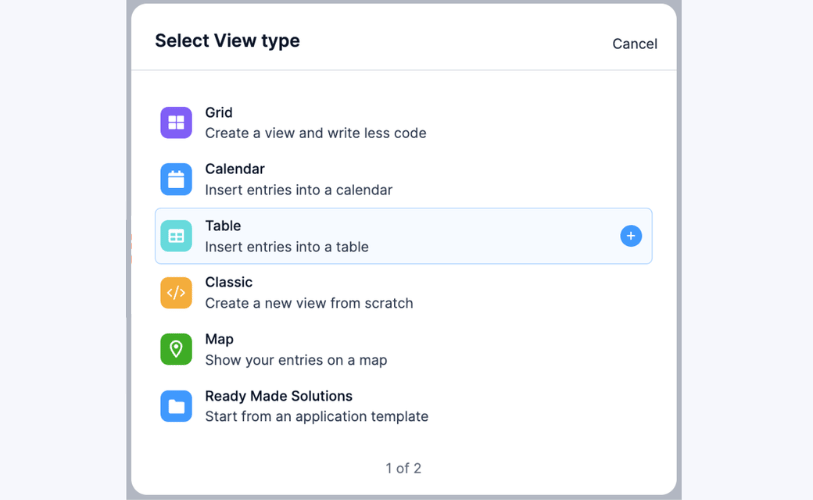
There are 5 different types of Views you can use with the custom application plugin, depending on your needs:
1. Design WordPress grid themes with Grid Views

The Grid View builder turns Formidable into a WordPress grid plugin.
It lets you display information in a grid-like layout. The display can be in text format (e.g., a job listing), image form (an art gallery), or a combination which is a simple user experience.

You can build these quickly using the grid builder and get a live preview to monitor your progress.
Additionally, the layout editor lets you choose the number of grid columns you want, and some settings let you style the View according to your preference.

The Grid View builder saves time and effort. It allows you to quickly build and publish a business directory on a webpage. Then, you can add any advanced customization you need.
All you need is a Formidable form that contains the details you want to display and the Views add-on.
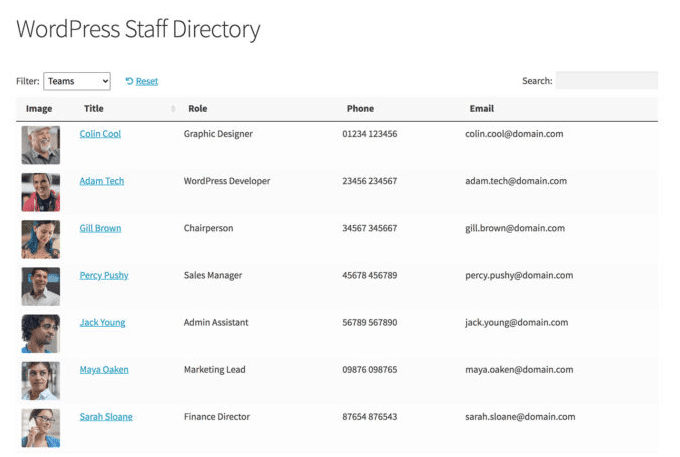
2. Build table-based WordPress custom applications with Table Views
A Table View type gets your form submissions into a table in seconds.
They turn Formidable Views into a WordPress table plugin. Table Views work well for any information best displayed via a table layout, including pricing lists, employee profiles, internal reports, and job boards.

Like Grid Views, you only need form submissions to build this view. To start, you need to map the headings on your table to the entries in the form.

For example, if you want to create a job board like the one shown below, use a form with Job Title, Location, Type, and Categories as the entries.
Afterward, you only need to complete the form; Table Views will handle the rest.

Now, you can select the fields you’d like included in the table, which can be created instantly as a responsive Table View.
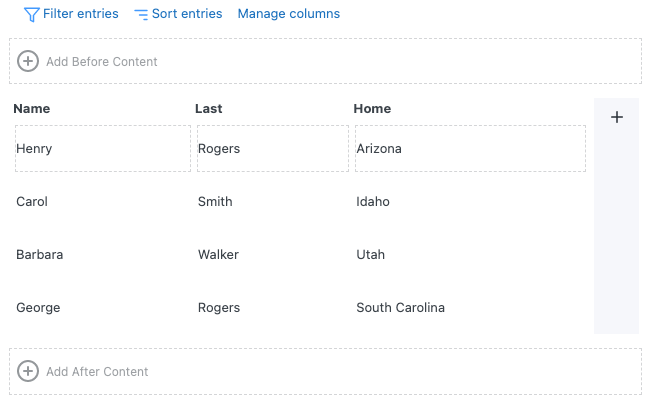
You can click Switch to a Classic View if you want complete HTML control to make changes after creating the table.
3. Create date-based custom applications with Calendar Views
You may need a custom calendar application for several reasons.
For example, an event calendar can be used as a timesheet and tool to track staff vacations. You may also use a booking calendar to collect and track customer appointments on your website.

A Calendar View lets you place entries directly into a calendar. So, the feature is ideal for any WordPress custom application that involves specific dates. You can display submissions by date, keep track of birthdays, and add special events to a calendar. And you can do all these quickly and easily.
4. Take full customization control with Classic Views
The Classic View is perfect for creating a view from scratch. So, this is your option if you're a developer or someone with some coding skills.
Want to build a grid list or table-style application but want full control over the customization? You can start quickly with a Grid View and then switch to Classic.

This option is perfect for developers and web designers who have worked with legacy Formidable Views and prefer HTML.
The Classic View can be used to build all the same WordPress custom applications as the Grid and Table Views. The major difference here is that you handle all the HTML yourself.
For example, you can create a book database, a business directory, and a menu list in your desired format.
5. Show different locations with Map Views
Have an event location to show? Or maybe you need to display multiple locations on a map?
Then Map Views is the perfect solution. It easily creates maps from form entries using the Address field.

But it doesn't stop there. You can add more data, such as the address information, name of a business or event, or any other information that would help users. Use this for real estate listings, store locations, or venues.
Leverage the advanced filtering options in Views
In the legacy Formidable Visual Views, entries would show when they matched ALL filters. Unfortunately, this was limiting in many cases. This didn't meet the bar with our promises of limitless web apps.
Now, filtering is more flexible and functional with powerful groups of AND/OR conditions.
For example, with legacy Views, you can filter by saying, "User ID is equal to current_user." This means that only the person who created an entry can see it. Well, that's cool.
But what if you want that person AND an Editor to see the entry? You can set that up in seconds without adding any custom code.
Get started with this WordPress application plugin
Formidable Views is one-of-a-kind.
And there's no better way to meet your client's needs if you need a custom application. So, if you're ready to get started, grab this custom application plugin using the button below:
We can’t wait to see the form-based solutions you will build.
Get the Formidable Forms Newsletter
More posts about Formidable Views
 Formidable Views Just Got a Major Styling Upgrade
 How to Build a Calculator That Recommends Actions (Not Just Numbers)
 When Teams Outgrow WPForms (And What Breaks First)
This article may contain affiliate links. Once in a while, we earn commissions from those links. But we only recommend products we like, with or without commissions.

