
Fantastic - could not be better! The support has been amazing and I now have three different Stripe payment forms that I can keep on duplicating and changing the name of the product.

Last updated on June 25, 2025 by Formidable Team
How To Create a Customer Survey [With Examples and Tips!]
Learn how to create a customer survey with examples and tips! Discover strategies and best practices for designing surveys that get valuable information.

Approximate read time: 9 minutes
People have a love-hate relationship with online surveys, especially customer surveys.
They're wonderful for gathering customer feedback and areas for improvement, but many people ignore them. And that's why response rates can be as low as 2% or as high as 85%!
The key is to create a customer survey that's targeted and well-executed.
And that's what I'll show you with this post. From how to create a customer survey to the best examples, this tutorial will help put an effective customer satisfaction survey on any website today!
So, let's get started.
Upgrade your WordPress site with powerful, flexible forms.
What is a customer survey?
A customer survey is a tool businesses use to get feedback from customers.
Like talking with customers, businesses can use this feedback to improve their products or services. Customers can tell businesses what they like, what they don't, and how they'd like to see things change.
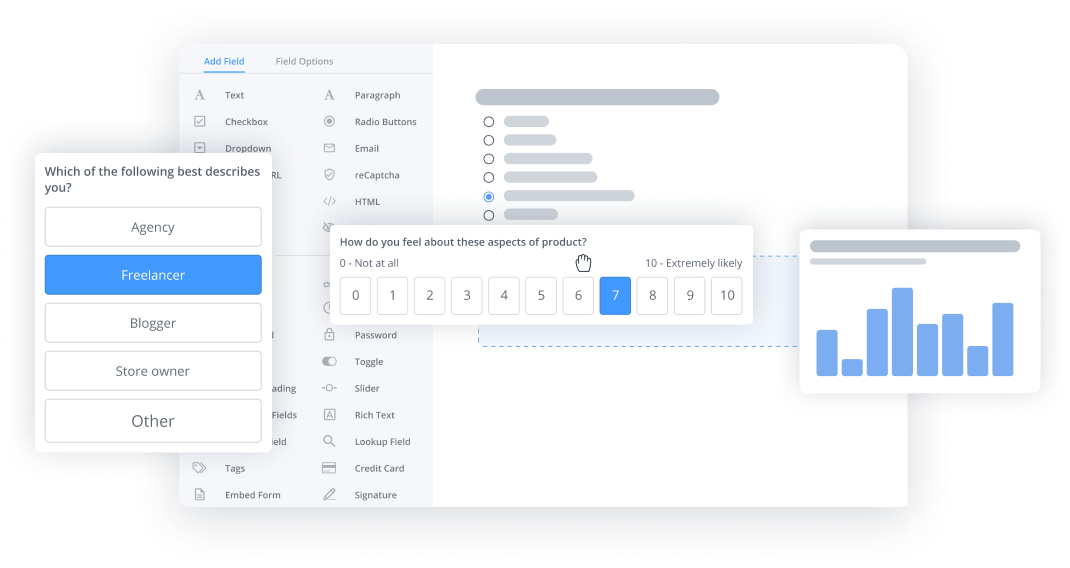
There are also multiple survey types. Open-ended questions allow customers to write their own answers, and multiple-choice questions give customers some guidance.
And here's why getting that right is important:
- Understand customer satisfaction: Find out if customers are happy with a business's products and services.
- Find areas of improvement: Learn what needs fixing and where to make changes.
- Measure customer loyalty: See if customers are likely to return or recommend a business to others.
- Gather new ideas: Get fresh suggestions from people who use the products. This is an excellent form of market research.
So, now that you know the basics of a customer survey. Let's dive into some of the best tips for creating a customer survey.
From Idea to Reality in Minutes. Build Powerful Forms, Dashboards, Apps and More.
Formidable Forms makes advanced site building simple. Launch forms, directories, dashboards, and custom WordPress apps faster than ever before.
How to create a customer survey in WordPress
Creating a customer survey doesn't have to be difficult.
In fact, if a website uses WordPress, it's extremely easy to create one using one of the best WordPress survey plugins. It's also just a few steps to get started:
Step 1: Install and activate Formidable Forms
The best way to create a customer survey in WordPress is using Formidable Forms.
It's the most advanced WordPress form builder, and its WordPress survey plugin helps anyone create a survey. And with its WordPress form templates, an entire survey can be created in a few minutes. Plus, its integration with popular services and integrations means businesses can do more with their surveys and data.

If there's any trouble, our KnowledgeBase docs will help get Formidable installed and activated on any WordPress site.
Step 2: Enable WordPress Survey and Polls add-on
Formidable Forms' WordPress survey plugin handles everything behind the scenes, so I don't have to do any heavy lifting.
To turn it on, I'll go to my WordPress dashboard and Formidable → Add-Ons. Here's where I can install any add-on I need for Formidable, but I'm focusing on the Surveys and Polls add-on. So, I can search for "survey" or scroll down and find it myself.

I'll click the Install button and wait for it to activate. Once that's finished, I'm ready to start my survey!
Step 3: Create a customer survey form
First, I'll go to Formidable → Forms and click the Add New button.
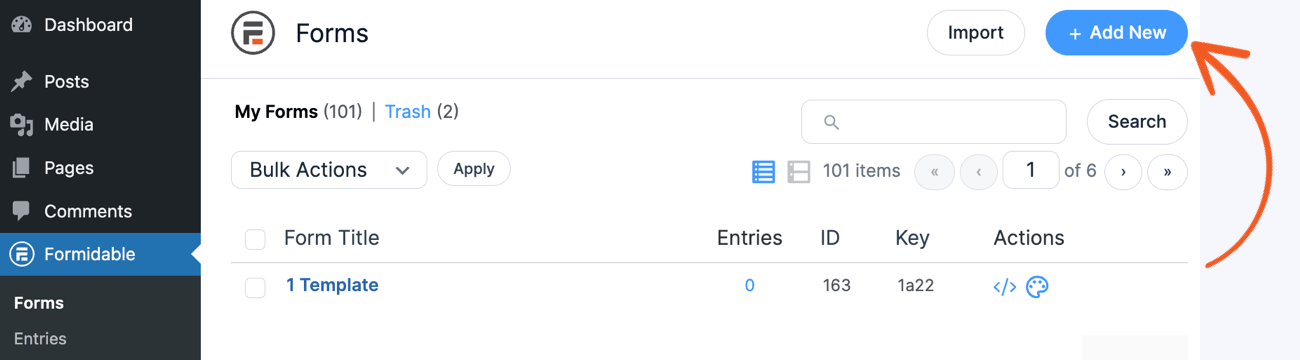
There are two options with Formidable:
- Build a form from scratch
- Use one of Formidable's WordPress form templates
To start from scratch, I can click the Create a blank form button at the top of the page. This allows me to customize the form exactly how I want.
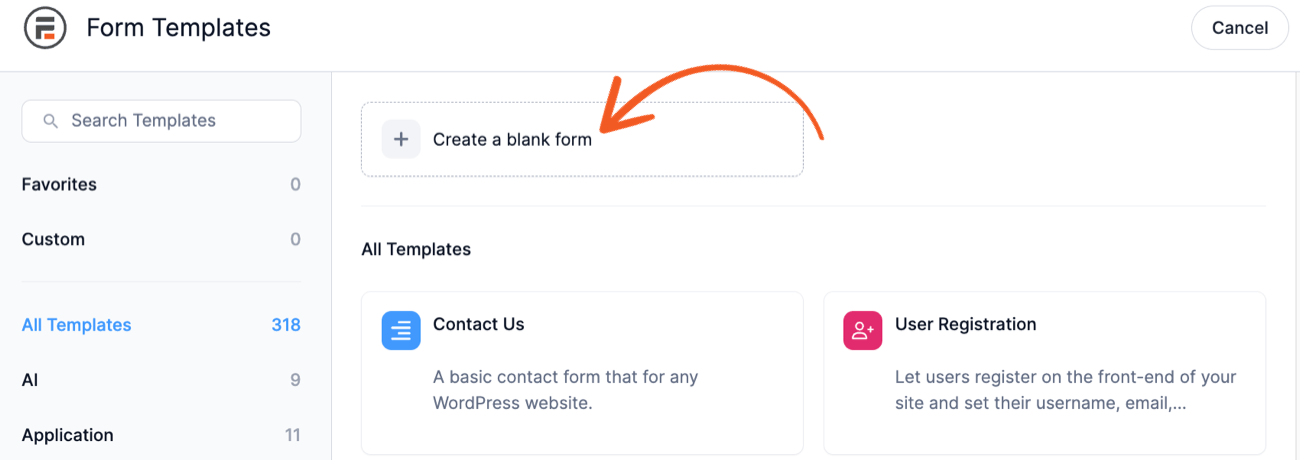
But Formidable already has a Net Promoter Score Survey Form template I can use to get started much faster. So, I'll use that to save time and get my form up and running faster.
So, I'll go to the Survey tab on the templates page and choose the Net Promoter Score (NPS) Survey.

Next, the plugin will direct me to the drag and drop form builder.
Here, I can begin adding any form fields I need. Text, dropdowns, radio buttons — anything that helps get the information to help improve my business.

Since this is an NPS template, the fields I need are already in the form. I can customize them in the Field Options section on the left-hand side.
So, my form will look something like this:

If needed, I can continue adding any other fields I may need for information relevant to my business. But for now, this form has all the fields I need.
Step 4: Publish the survey
I'll go to the post/page where I'll show (or redirect) my customers to take the survey.
Next, I'll add a WordPress block, search for the Formidable Forms block, and add it. Then, I can choose my NPS survey from the dropdown menu.
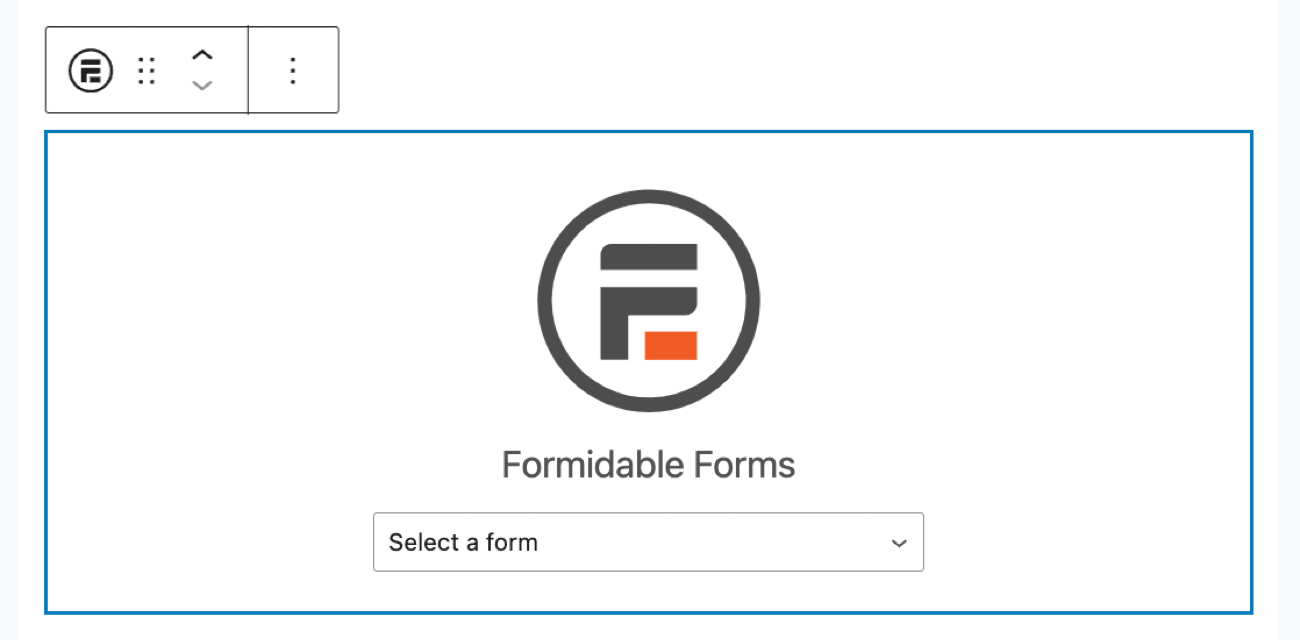
My form will appear on the page, and I can click Publish, so it's live!
Step 5: Analyze survey data (optional)
Simply publishing the survey and letting customers take it isn't the end.
Now, I must also analyze the data to see trends, where my business can improve, and any other related data. And for that, I'll use Formidable's WordPress charts and graphs plugin.
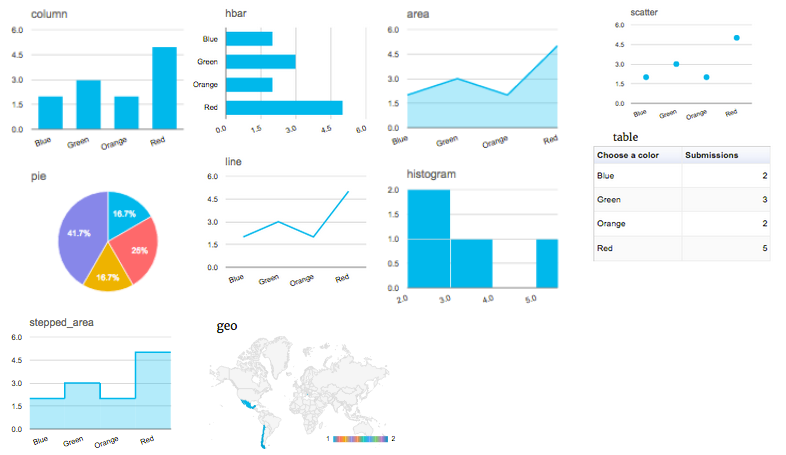
The plugin makes data display easy by inserting a graph, whether on the front end or back. For example, I would have a few options if I wanted to create an entire dashboard to monitor my NPS results.
Formidable Views, a WordPress application builder, is what powers it all. It can take any form data and display it on a website. That includes a bar graph, pie chart, histogram, and other types.
If interested, check out how to create a chart in WordPress for a more detailed explanation.
7 tips for a great customer survey
1. Keep it short and simple
The last survey I filled out took nearly 15 minutes. It was for a company I like, and even though I knew there was an Amazon coupon at the end, I still nearly gave up!

The simple fact is that people are busy and don't have time to spare. Many people are also concerned about their privacy and online security, so survey questions that seem irrelevant to a purchase can be off-putting.
Keep it short and simple as possible, prioritizing the most valuable data for your customer survey form.
2. Use clear language
Nothing kills a customer survey faster than unclear language.
Whether it's strange question wording or using jargon, it can send customers running away from a survey.
So, aim to make the questions as clear and easy to understand. It's also important to avoid loaded questions or ones that ask too many questions at once. Each question should have one purpose to avoid confusion.
3. Start with easy questions
Starting off with a few easy questions warms customers up to the survey.

They become more comfortable and confident about the survey before moving on to more complex and sensitive questions.
4. Offer an incentive
Even before customers reach a website, give them a reason to take a customer survey.
A simple opening headline, such as "Claim your 20% off coupon when you complete our 5-minute survey," can significantly increase the number of survey respondents.
5. Use different types of customer satisfaction survey questions
Use a variety of question types to mix things up for customers.

Multiple-choice, ranking, open-ended, and Likert scale questions are all excellent ones to use. This keeps things interesting for customers and expands the information a business can get from them.
6. Test the survey
Run a test on a small group before launching the survey to all customers.
This is a great opportunity to get valuable feedback on the survey. Any unclear questions, privacy concerns, or other issues quickly show up when customers start taking the survey. And that's an excellent chance to clean it up and improve it before all customers see it. Also, make sure it works as a mobile survey so it displays on all devices.
7. Follow up
The work doesn't stop at just collecting survey responses.
After, thank customers and let them know how the business will use the survey. Consider sharing any changes the business will make because of the customer's feedback. This goes a long way toward making the customer feel heard and valued.
Best customer survey examples
Net Promoter Score (NPS) survey
NPS surveys are one of the most popular survey types.
Usually, it asks how likely a customer is to recommend something on a scale of 1-10. And then, customers belong to different categories based on their answer:
- Promoters are customers who score 9-10
- Passives are those who score 7-8
- Detractors are those who score 0-6
Businesses can calculate their NPS by subtracting the percentage of Detractors from Promoters.
This score helps understand customer satisfaction and find improvement areas. Regularly tracking this score shows changes in customer loyalty, which makes it easy to adapt as needed.
Example NPS questions:
- "On a scale of 0-10, how likely are you to recommend our product to a friend or colleague?"
- "What is the main reason for your score?"
- "What can we do to improve?"
Customer Satisfaction (CSAT) survey
A customer satisfaction survey also aims to find out how satisfied customers are with a product or service.
CSAT and NPS surveys are similar, except CSAT surveys don't use a numbered scale. It typically asks customers to choose from options like Very Satisfied, Satisfied, Neutral, Dissatisfied, and Very Dissatisfied. Then, businesses can create an overall CSAT score using the responses.
These customer answers give a snapshot of customer happiness and any areas of improvement.
Example CSAT survey questions:
- "How satisfied are you with our product/service?"
- "What did you like most about our product/service?"
- "What can we do to improve your experience?"
Product feedback survey
Product feedback surveys get detailed information about a specific product.
This type of survey is perfect for understanding what customers like, what needs improvement, and what new features they'd like to see.
This information helps make key decisions about improving products and meeting customer needs. Regularly using these survey types helps businesses stay in tune with customer preferences.
Example product feedback questions:
- "How would you rate the quality of our product?"
- "What features do you think need improvement?"
- "What new features would you like to see?"
Customer Effort Score (CES) survey
The CES survey differs a bit from the previous survey types.
This survey doesn't ask about customer experiences with products or services. Instead, it focuses on how easily customers can communicate with a business, especially for issues.
CES surveys help find friction points in the customer journey. For example, customers may spend too much time contacting customer service or find the process too complicated. Either way, reducing customers' efforts to get help or find information helps improve overall satisfaction and loyalty.
Example CES questions:
- "How easy was resolving your issue with our support team?"
- "What could we do to make your experience easier?
- "How quickly did our team resolve your issue?"
Ready to create a customer satisfaction survey?
A lot to take in, right?
But don't worry. With some trial and error, creating a customer satisfaction survey will become easier, and it will also yield better results.
So, if you're ready to start, grab Formidable Forms using the button below and start building today!
Read more about surveys!
 How To Create an Online Questionnaire in WordPress
 How To Create a Mobile Survey in WordPress [3 Easy Steps!]
 14 Customer Satisfaction Survey Questions You Can Steal
This article may contain affiliate links. Once in a while, we earn commissions from those links. But we only recommend products we like, with or without commissions.
