

Kuvaus
This plugin adds a simple function to the TinyMCE editor that allows editing the cite attribute of a blockquote element.
To call the editing window, just double-click or right-click on the blockquote element.
Kuvankaappaukset

Screenshot 1 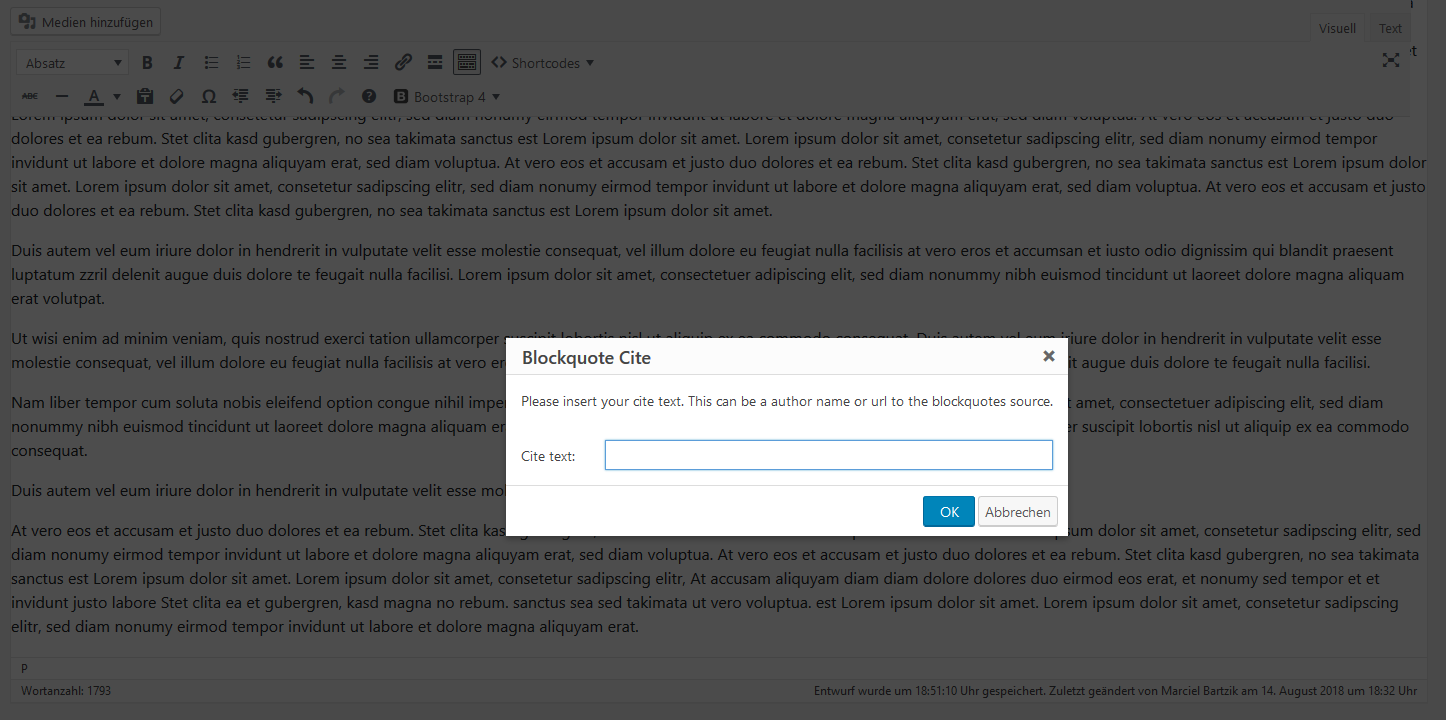
Screenshot 2
Asennus
- Upload the plugin files to the
/wp-content/plugins/add-tinymce-blockquote-citedirectory, or install the plugin through the WordPress plugins screen directly. - Activate the plugin through the ’Plugins’ screen in WordPress
UKK
-
How can I display the cite attribute at my theme?
-
You can display the value from
citeattribute by adding the following code to your theme style.css:
/* css */
blockquote[cite]:after {
content: ”\2014\00a0” attr(cite) ””;
display: block;
}
Arvostelut
There are no reviews for this plugin.
Avustajat & Kehittäjät
“Add TinyMCE Blockquote Cite” perustuu avoimeen lähdekoodiin. Seuraavat henkilöt ovat osallistuneet tämän lisäosan kehittämiseen.
Avustajat
Käännä “Add TinyMCE Blockquote Cite” omalle kielellesi.
Oletko kiinnostunut kehitystyöstä?
Browse the code, check out the SVN repository, or subscribe to the development log by RSS.
Muutosloki
1.0.1
- minor updates.
1.0.0
- first stable version.
0.1
- first version.