

Description
UrlifyWriter is an AI content generator for WordPress focused on content automation.
- URL Article: Paste a URL (allowed by robots.txt) to generate a clean WordPress post.
- Keywords Articles: Enter keywords and instructions to generate single or multiple posts.
- AutoScan: Monitor a page (for example, a homepage or listing). The plugin checks it at intervals, detects new links, writes original AI posts, and publishes them automatically according to your configuration.
The plugin respects robots.txt and does not bypass paywalls or restricted content.
Content generation is handled by the UrlifyWriter external service, which uses GPT-based models via OpenAI internally.
📺 Video tutorial
Watch the full step-by-step tutorial on YouTube:
Images
UrlifyWriter supports multiple image sources:
-
AI-generated images:
AI images may be included depending on your license plan.
If you add your own OpenAI API key, you can generate AI images regardless of your license. -
Pixabay:
Royalty-free stock images. UrlifyWriter can include a limited number of Pixabay images by default.
Adding your own Pixabay API key allows you to include more images per article. -
Source images:
UrlifyWriter can attempt to reuse images from the original source page.
The extracted image may vary depending on the structure and markup of the source website, and the selected image may not always match the main featured image.
You are responsible for ensuring that you have the appropriate rights or permission to reuse any source images.
External Services
UrlifyWriter API (urlifywriter.com)
The plugin connects to the UrlifyWriter API to generate articles and, optionally, AI-generated images.
What the service is used for
– Article generation from URLs or keywords
– AI image generation
– License validation
What data is sent
– User-provided URLs or keywords
– Optional instructions written by the user
– Site domain and basic environment data (WordPress version, plugin version) for licensing and compatibility
When data is sent
– When creating articles manually
– When AutoScan detects new content
– When validating a license key
Service provider
– UrlifyWriter API
Terms & Privacy
– Terms of Service: https://urlifywriter.com/terms/
– Privacy Policy: https://urlifywriter.com/privacy/
Pixabay API
Used optionally to fetch royalty-free stock images.
What the service is used for
– Retrieving stock images for generated articles
What data is sent
– Search keywords related to the article topic
– API key (only if the user provides one)
When data is sent
– Only when image generation is enabled and Pixabay is selected
Terms
– API documentation: https://pixabay.com/api/docs/
– Terms of Service: https://pixabay.com/service/terms/
Cloudflare
Used to securely deliver the external API and improve performance.
What the service is used for
– API delivery
– Security and performance
Privacy
– https://www.cloudflare.com/privacypolicy/
OpenAI API (api.openai.com)
Used when the user provides their own OpenAI API key to validate the key and to generate AI images.
What the service is used for
– Validating the user-provided OpenAI API key
– Generating AI images (optional feature)
What data is sent
– The user-provided OpenAI API key, sent in the Authorization header
– Image generation prompts derived from post titles or keywords when AI images are enabled
When data is sent
– When the user tests or saves an OpenAI API key
– When AI image generation is enabled and an image is requested
Terms & Privacy
– Terms of Use: https://openai.com/terms
– Privacy Policy: https://openai.com/privacy
Privacy & Legal
- UrlifyWriter does not bypass website restrictions.
- Always respect robots.txt, website terms, and copyright.
- Generated content is original and created by an external AI service.
- Reuse of source images is the responsibility of the user.
Screenshots

Create Article screen – generate an article from a URL or keywords. 
Auto Scan dashboard – automatically detect and rewrite new articles from external websites. 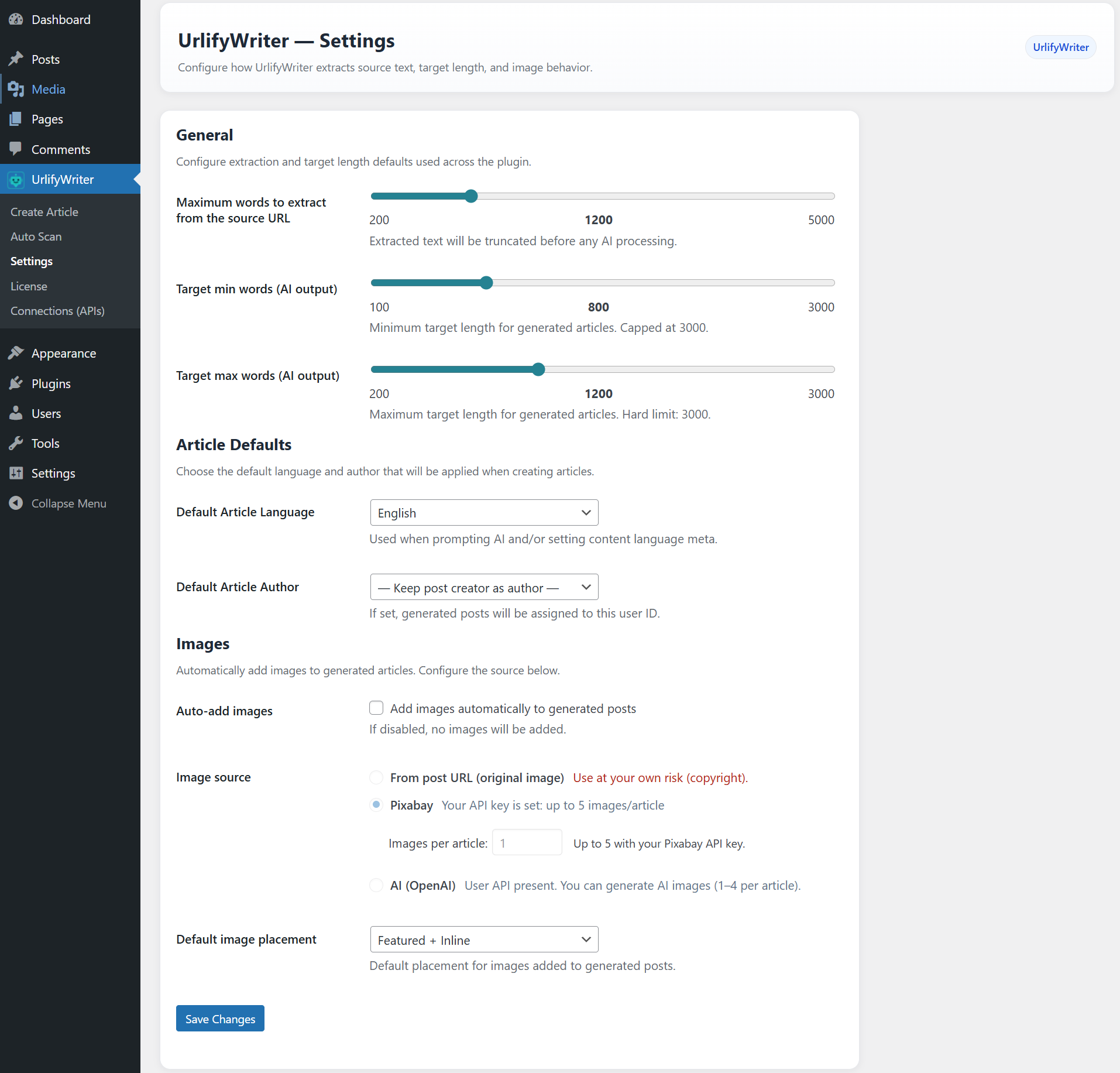
Settings screen – general plugin configuration options. 
Language settings – available languages for content generation. 
Connections (APIs) – manage OpenAI and Pixabay API keys. 
License screen – activate and manage your UrlifyWriter license. 
Create Article with filled options – example of advanced article configuration. 
Generated article result – preview of a newly created post. 
Generated post content – first part of the published article. 
Generated post content – continuation of the article (long content example). 
Auto Scan with configured source – detected articles waiting to be processed. 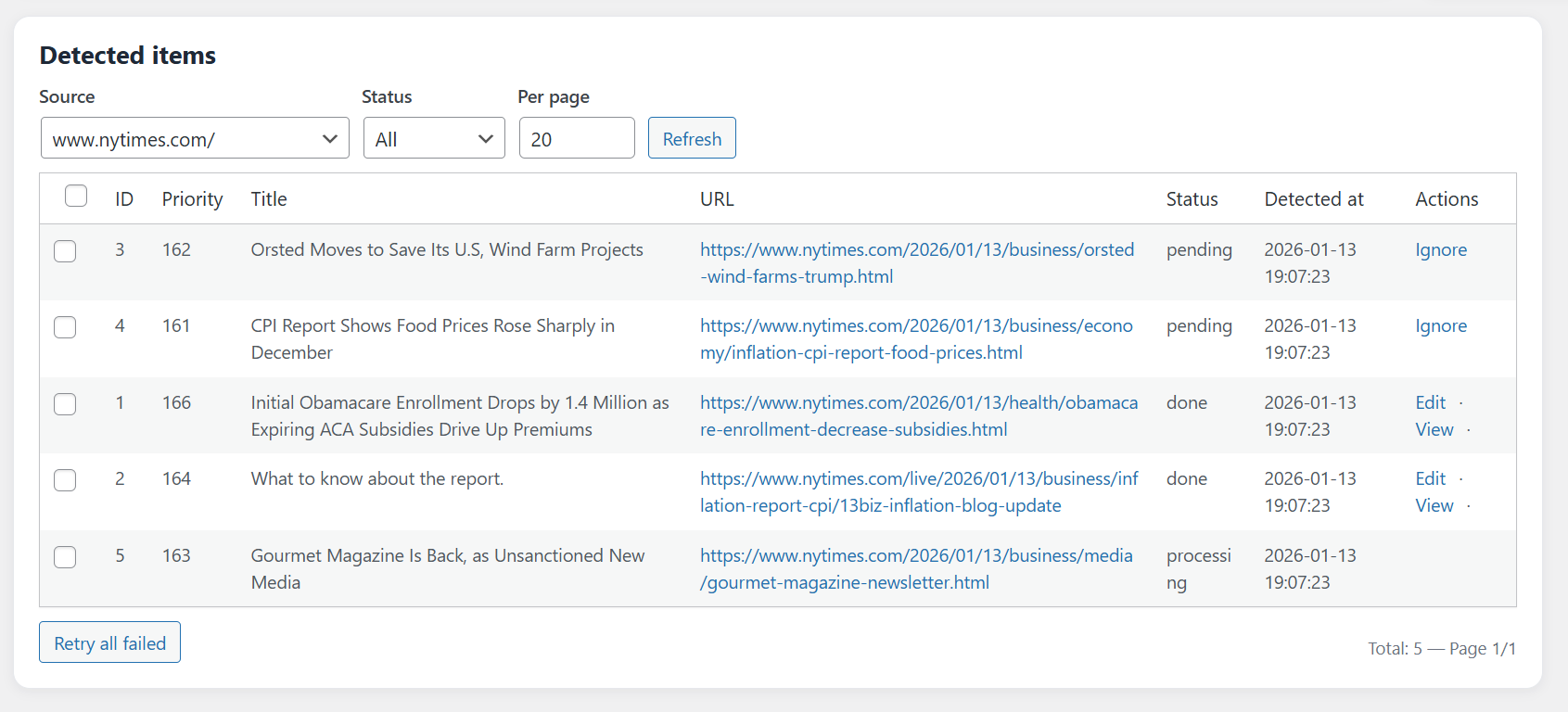
Auto Scan progress view – real-time status showing completed and pending articles.
Installation
- Upload the
urlifywriterfolder to the/wp-content/plugins/directory. -
Activate the plugin through the ‘Plugins’ menu in WordPress.
-
License Activation
To use UrlifyWriter, you need to activate a license.If it’s your first time using the plugin, you must obtain a free license (at no cost) and activate it from the plugin interface.
The free license includes limited monthly usage. You can upgrade to a paid license at any time if you need higher limits.
- Go to UrlifyWriter > License in your WordPress dashboard.
- Click the option to obtain a free license or enter an existing license key.
- Click Validate to activate it.
- Images & API Connections (Optional)
UrlifyWriter includes built-in image support and can optionally connect to external services for additional images.
- By default, UrlifyWriter can include one Pixabay image per article without any API configuration.
- If you add a Pixabay API key, you can include more images per article.
-
If you add an OpenAI API key, you can generate AI images regardless of your license plan.
License limits for images only apply when using the built-in image options without your own API keys.
-
To configure APIs, go to UrlifyWriter > Connections (APIs).
- Supported services:
- Pixabay – https://pixabay.com/api/docs/
- OpenAI – https://platform.openai.com/api-keys
-
Create Your First Article
- Go to UrlifyWriter > Create Article.
- Generate an article from a URL.
- Choose whether to save the article as a draft, schedule it, or publish it immediately.
-
Auto Scan (Optional)
- Go to UrlifyWriter > Auto Scan.
- Add a source URL from a domain you want to monitor.
- UrlifyWriter will periodically scan the source, rewrite newly detected articles with AI, and create posts based on your settings.
FAQ
-
Does AutoScan publish automatically?
-
Yes. AutoScan can publish automatically when new items are detected. You control how many items it processes per run and whether it creates drafts or publishes.
-
Does it scrape entire websites?
-
No. AutoScan targets a single page that you specify. It detects new links on that page and uses them as context to generate original articles.
-
Which AI technology is used?
-
Content and optional image generation are handled by the UrlifyWriter external service.
In some cases (such as listing available models), the plugin may connect directly to third-party AI provider APIs if the user configures their own API keys. -
Can I use Pixabay images?
-
Yes. Pixabay images can be included without an API key. Adding your own key enables additional images per article.
-
Is there a review step before publishing?
-
You can manually create drafts using the URL or keyword tools. AutoScan publishes automatically.
Reviews
There are no reviews for this plugin.
Contributors & Developers
“UrlifyWriter | AI Content Generator from URLs” is open source software. The following people have contributed to this plugin.
Contributors
Translate “UrlifyWriter | AI Content Generator from URLs” into your language.
Interested in development?
Browse the code, check out the SVN repository, or subscribe to the development log by RSS.
Changelog
1.02
- Fixed a minor auto scan issue.
1.01
- Fixed a minor batch generation issue.
1.00
- Initial release: URL Article, Keyword Articles (single/batch), AutoScan automatic publishing, external API generation, Pixabay support, Cloudflare delivery.