

توضیحات
The “WP Plugin Showroom” Plugin is a very easy way to show Wordpres plugins in a showroom. You can show a wp plugin in a post or site.
Usage
- Create a post or site
- Paste the following shortcode [plgshow name=””]
- finished
Bugs, technical hints or contribute
Please give me feedback, contribute and file technical bugs on GitHub Repository. Thanks 🙂
Credits
Developed by Triopsi
Donations
If you like the plugin, consider a donation to support further development. Click here
عکسهای صفحه
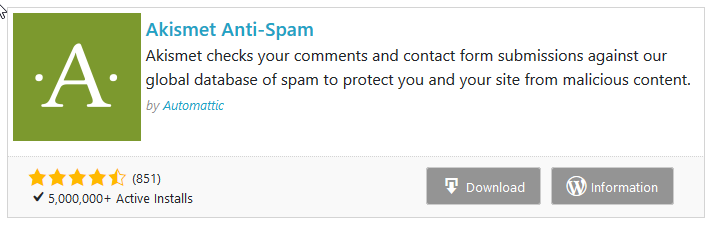
Plugin Showroom in a Post 
Plugin Showroom in a Post 
Shortcode in a post
بلوکها
این افزونه 1 بلوک ارائه میدهد.
- WP Plugin Showroom
نصب
- Upload
wp-plugin-showroomto the/wp-content/plugins/directory - Activate the plugin through the ‘Plugins’ menu in WordPress
سوالات متداول
Nothing yet.
نقد و بررسیها
نقد و بررسیای برای این افزونه یافت نشد.
توسعه دهندگان و همکاران
“WP Plugin Showroom” نرم افزار متن باز است. افراد زیر در این افزونه مشارکت کردهاند.
مشارکت کنندگان
ترجمه “WP Plugin Showroom” به زبان شما.
علاقه مند به توسعه هستید؟
Browse the code, check out the SVN repository, or subscribe to the development log by RSS.
گزارش تغییرات
1.1.2
- Tested up WP 5.7
- litle php code fixe
- code formatted
1.1.1 (05/02/2021)
- functions deprecated fix
1.1.0 (13/02/2020)
- Add Gutenberg Block
1.0.1 (10/02/2020)
- Add option links into plugin list
- Bugfix: date fix
1.0.0 (10/02/2020)
- Bugfix: Verify – No Plugin found
- Add setting page
- Add clear buffer button on the setting page
- Bugifx: Author Link
- Style: Description Font Size 0.8em
0.0.1 (09/02/2020)
- First release.