

توضیحات
Stachethemes Seat Planner is a WooCommerce plugin that allows you to create and sell seat-based products for your customers to choose their seats easily.
Features
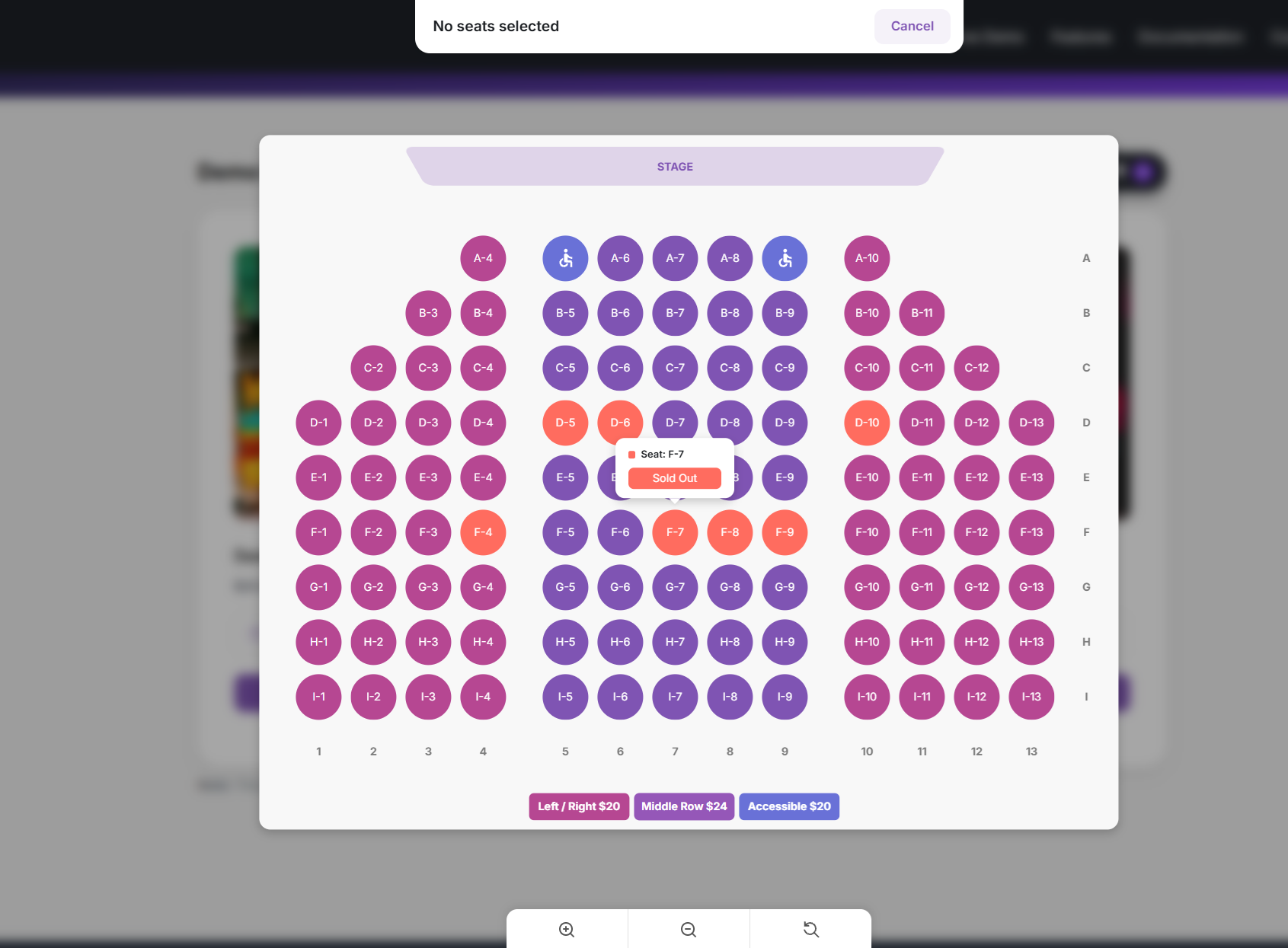
- Interactive Seat Selection: Customers can select seats in real-time using a dynamic seat map.
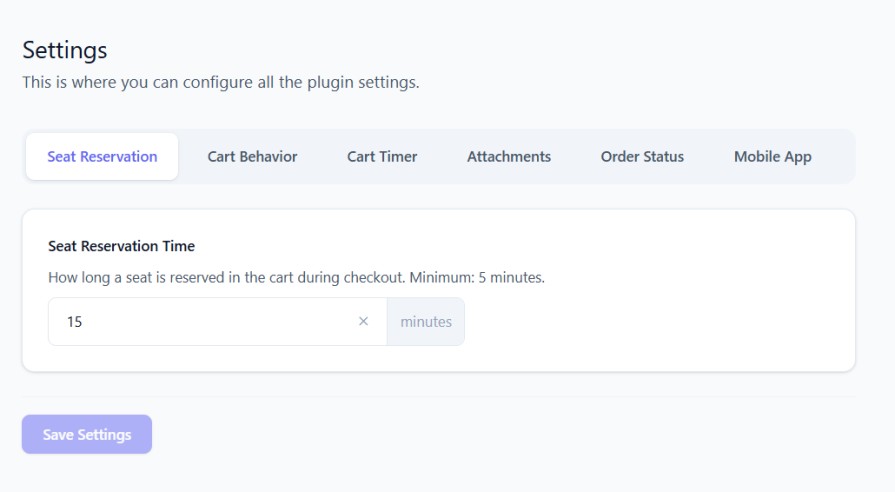
- Seat Reservation: Seats added to the cart are reserved for a configurable duration, preventing others from selecting them.
- Handicap Accessible Seating: Mark seats as “Handicap Seats” and use customizable background colors to highlight accessibility.
- Easy-to-Use Drag & Drop Editor: Manage seats effortlessly with a simple drag-and-drop interface. No technical skills required.
- QR Code Generator for Each Seat: Automatically generate a unique QR code for each seat purchased, allowing for easy digital validation.
- QR Code Scanner for Ticket Validation: Enable quick entry and ensure smooth check-ins for event attendees.
- Auto Complete Orders: Option to automatically update the order status to “Completed” when payment is received for orders containing Auditorium products.
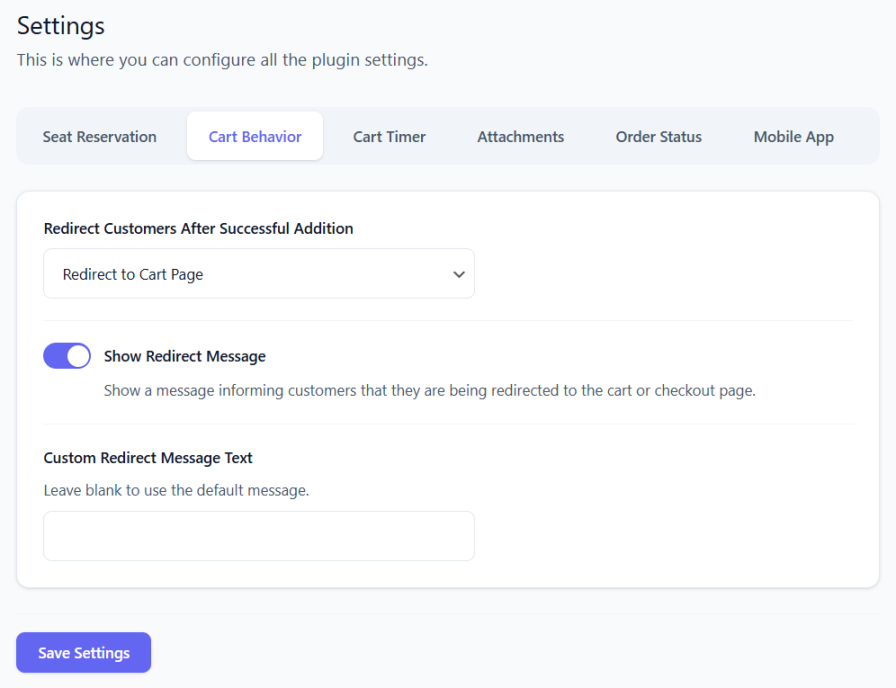
- Auto Redirect to Cart/Checkout Page: Set up automatic redirection to the cart or to the checkout page after a customer adds a seat to their cart.
- Cart Timer: Option to display a timer under each seat in the cart and checkout page.
- Double Booking Checker: Detects and flags accidental duplicate seat reservations.
- Ghost Booking Checker: Detects and fixes seats that appear free on the front-end but have existing orders.
Premium Features
Upgrade to Stachethemes Seat Planner Premium for advanced features:
- Seat Discounts: Offer fixed or percentage-based discounts. Option to restrict specific discounts to selected user roles.
- Date Selection: Option to select date & time for each individual product.
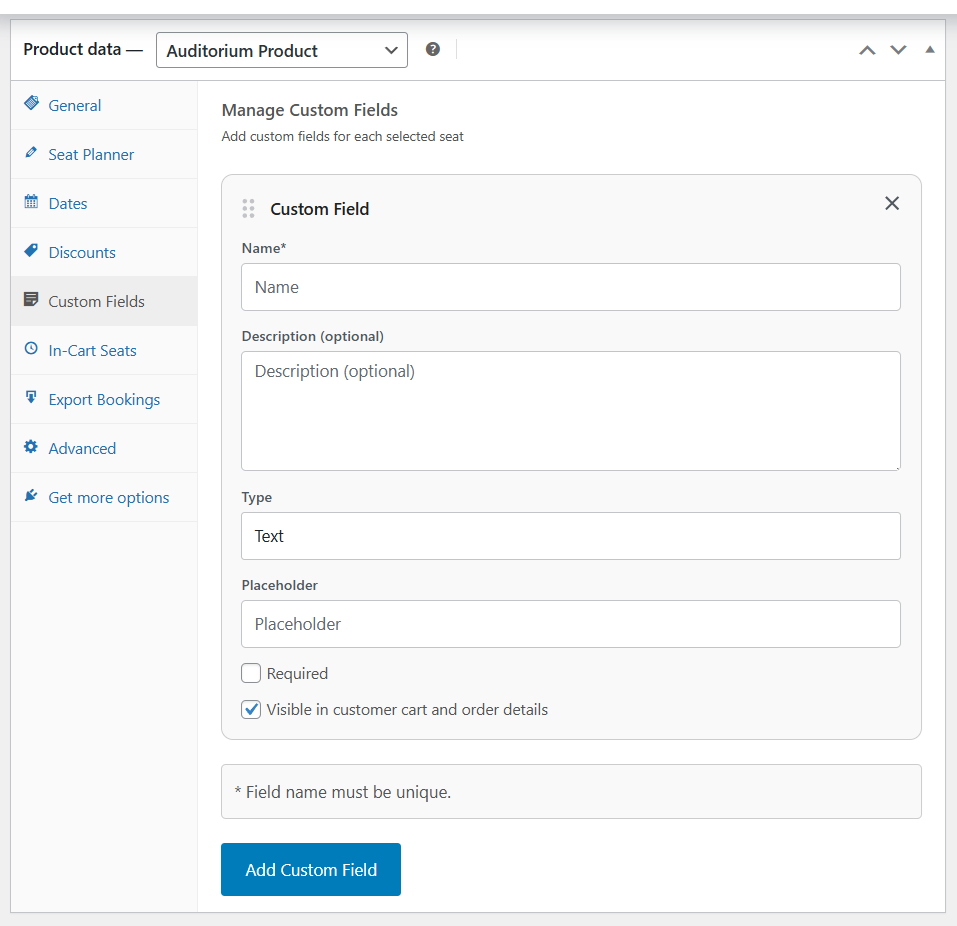
- Custom Fields: Assign additional free or paid features to individual seats via custom fields.
- PDF Ticket Attachments: Attach ticket details & QR Code as a PDF file to the “Order Completed” email.
- CSV Import & Export Layouts: Import and export seat layouts in CSV format.
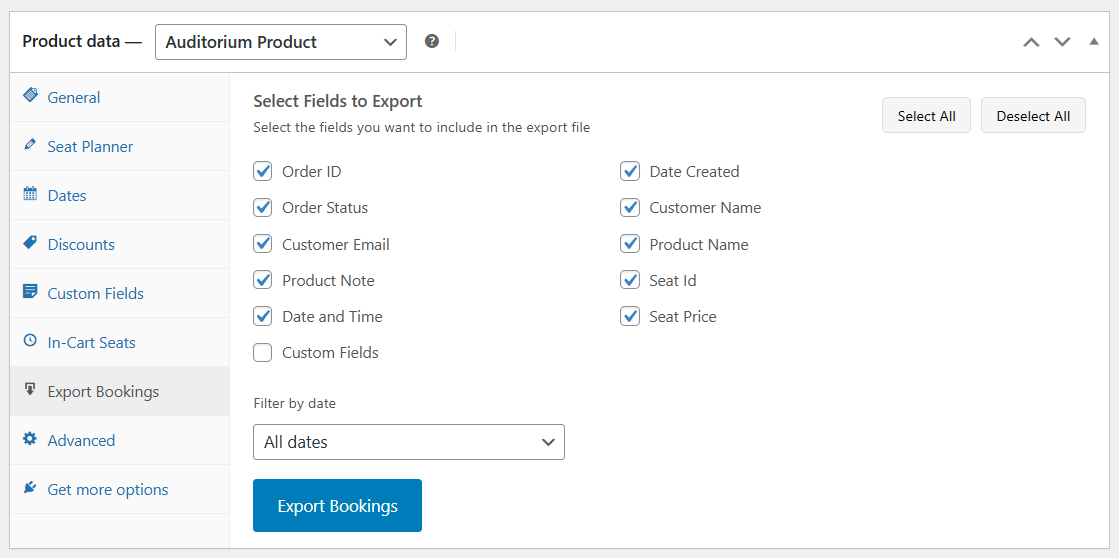
- CSV Booking Export: Exports booking data for each reserved seat in CSV format.
- Mobile App: Free standalone android app for scanning and validating tickets.
Demo
Source Repository
Credits
عکسهای صفحه







نصب
Installation from within WordPress
- Visit Plugins > Add New.
- Click Upload Plugin and upload the plugin archive.
- Install and activate the Stachethemes Seat Planner Lite plugin.
Manual Installation
- Upload the entire
stachethemes-seat-planner-litefolder to the/wp-content/plugins/directory. - Visit Plugins.
- Activate the Stachethemes Seat Planner Lite plugin.
نقد و بررسیها

27 ژانویه 2026
Nice and complete plugin (even the free version). Good support as well.
توسعه دهندگان و همکاران
“Stachethemes Seat Planner Lite” نرم افزار متن باز است. افراد زیر در این افزونه مشارکت کردهاند.
مشارکت کنندگان
ترجمه “Stachethemes Seat Planner Lite” به زبان شما.
علاقه مند به توسعه هستید؟
Browse the code, check out the SVN repository, or subscribe to the development log by RSS.
گزارش تغییرات
1.4.1
- Added seat details tooltip on mobile devices
- Added new option in general settings to show or hide the seat details tooltip
- Other minor bug fixes
1.4.0
- Added Manager section in the Admin Panel
- Added option to hide the QR Code
1.3.0
- New tool “Edit Order”, enabling admins to modify existing orders data, such as changing seat ID.
1.1.0
- New general option “Enforce WooCommerce Cart Calculation”. This option helps fix the issue with missing cart price on certain themes.
- Fixed issue where the cart timer may not work properly on certain carts
1.0.42
- Fixed a bug where setting a non-existent or invalid product ID in the shortcode caused a crash.
1.0.40
- Option to disable the “Select Seat” button on product listings (product loops) such as the Shop page and category pages.
- New Accent Color option for simpler front-end UI color customization. Legacy color customization options have been removed.
- Merged Cart Timer and Add to Cart settings into a new Cart Behaviour tab in the plugin settings.
- Front-end UI now displays the Close button at all times.
- Front-end UI buttons and elements now follow the Accent Color setting.
- Converted the Round Corners option to a slider for better control over element border radius.
- Minor fixes and improvements.
1.0.38
- The Plugin now uses it’s own “Select Seat”, “View Cart” buttons.
- Added option to change colors for “Select Seat”, “View Cart”, “Add to Cart” buttons.
- Added Front-end seat tooltip
- Added Compatibility mode for cache plugins (e.g. WP Rocket, LiteSpeed) when lazy loading breaks due to JS optimization.
- Added New editor option “Additional Class Name” allowing custom CSS classes to be attached to objects.
- Improved UI for adding dates to the product.
- “Seat Reservation Time” and “Auto-Complete Orders” options moved to the new General tab in plugin settings.
1.0.36
- Added new plugin dashboard centralizing settings and features.
- Added new option “Auto-Complete Orders”: automatically marks orders as Completed when payment is received for auditorium products.
- Added new option to control whether users are redirected after adding seats to the cart.
- Added new option to choose whether users are redirected to the cart or checkout page.
- Added new option to control whether customers are shown a message during redirection.
1.0.35
- Added Dashboard Widget showing Seats Sold & Revenue for the last 30 days
- Added Option to Lock objects in the Drag & Drop Editor
- Added Visual UI for turning grid-snap on/off, grid color, grid size
- Added message when user is redirected to cart/checkout page on the front-end
1.0.34
- Bug fix where product can be incorrectly flagged as Unavailable
1.0.33
- Bug fix where deleting a draft order can accidentally release slot reservation
- Other minor bug fixes
1.0.32
- UI/UX improvements
- Added UI for Auto Incremental Patterns
- Added Booking Integrity Checker Tools
- Added option to check Reservation Details from the front-end if the user has Shop Manager role
1.0.28
- Minor fixes & improvements
- Enabled option to Scan QR Codes from the Dashboard
1.0.5
- Add to cart seat validation improvements
1.0.4
- Initial public release with core seat selection features.