

توضیحات
Clickable Sidebar Menu allows you to create customizable sidebar menus for your WordPress site. It supports multi-level submenus, color customization, and more.
Features
- Create sidebar menus with multiple levels of submenus.
- Customize menu and submenu colors directly from the settings page.
- Responsive and accessible.
- Easy to use shortcode for embedding the sidebar menu.
Shortcode
Use the shortcode [csms_sidebar_menu] to display the sidebar menu on your site.
License
This plugin is licensed under the GPLv2 or later. For details, see https://www.gnu.org/licenses/gpl-2.0.html.
عکسهای صفحه
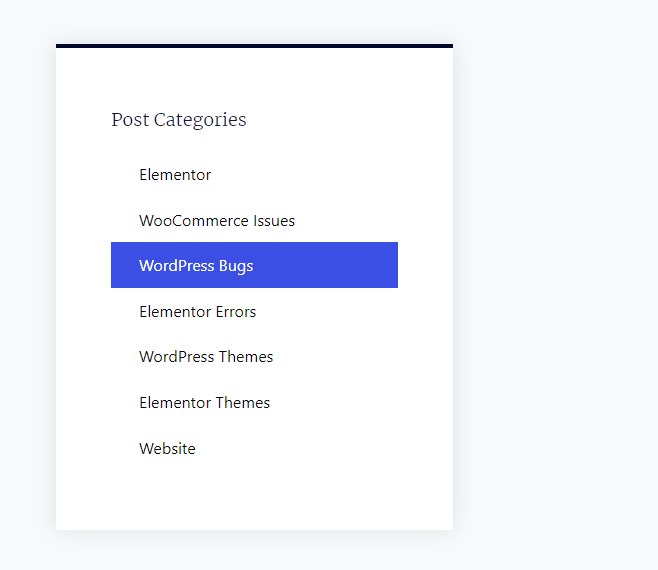
Example of a sidebar menu with custom colors applied. 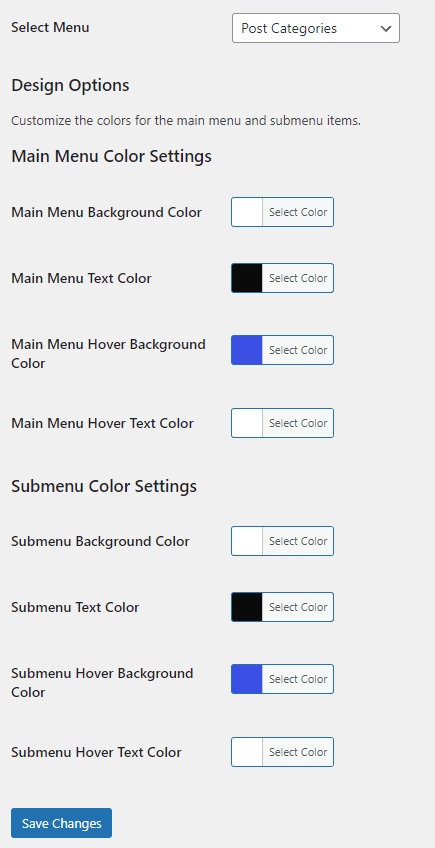
The main settings page of the WP Sidebar Menu plugin. 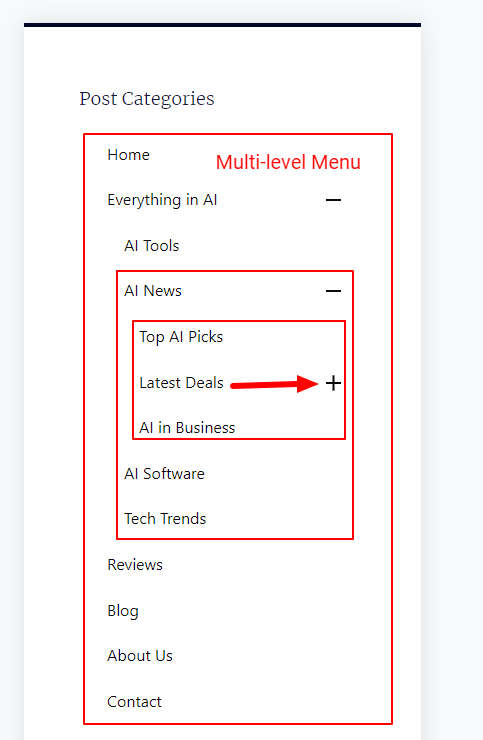
Display of submenu items in the sidebar menu.
نصب
- Upload the
wp-sidebar-menufolder to the/wp-content/plugins/directory. - Activate the plugin through the ‘Plugins’ menu in WordPress.
- Go to Settings > Sidebar Menu to configure your menu and color options.
- Use the
[csms_sidebar_menu]shortcode to display the menu.
سوالات متداول
-
Use the shortcode
[csms_sidebar_menu]in your posts, pages, or widgets to display the sidebar menu. -
Go to the plugin settings page under Settings > Sidebar Menu to customize the colors.
-
Yes, you can select which menu to display from the plugin settings page.
نقد و بررسیها
نقد و بررسیای برای این افزونه یافت نشد.
توسعه دهندگان و همکاران
“Clickable Sidebar Menu” نرم افزار متن باز است. افراد زیر در این افزونه مشارکت کردهاند.
مشارکت کنندگان
ترجمه “Clickable Sidebar Menu” به زبان شما.
علاقه مند به توسعه هستید؟
Browse the code, check out the SVN repository, or subscribe to the development log by RSS.
گزارش تغییرات
1.0
- Initial release.
1.0.1
- Added new arrows to the sidebar menu
1.0.2
- We’ve fixed some bugs