
توضیحات
Relatura Directory Optimizer helps WordPress directory owners generate structured representations of listing information so external services — including AI-based systems — can process directory content more reliably.
Directory sites already contain business and service listing data. Relatura creates a structured normalization layer on top of existing content without requiring you to rebuild your site.
The plugin provides:
- Field mapping from directory data to a normalized schema
- AI-powered normalization via a secure external provider
- Execution summaries and per-listing normalized field storage
- Safe preview and commit workflows
- Optional attribution and referral features (early-stage)
No destructive changes are made unless explicitly confirmed. Existing listing content remains intact.
Relatura is currently in early live beta. Limits and features may evolve as we gather feedback.
External services
Relatura Directory Optimizer connects to external APIs to provide AI-assisted “normalization” features and backend connectivity checks.
These connections are optional for installing/activating the plugin, but the related features will not function unless the site administrator configures and enables them.
1) Relatura API (https://api.relatura.com)
Used for: Backend connectivity checks (e.g., service health/profile) and Relatura-managed API operations required by the plugin’s backend integration.
Data sent: install/site identifier, optional site URL, plugin version, text submitted for normalization or related processing, and technical request metadata (such as timestamps, request IDs, and error logs).
When sent: When an administrator views relevant plugin admin pages that show backend status, and when backend-dependent actions are invoked by the administrator.
Why sent: To provide API services and proxy AI/LLM requests without exposing provider API keys.
Service provider: Relatura (api.relatura.com)
Terms: https://api.relatura.com/terms.html
Privacy: https://api.relatura.com/privacy.html
2) OpenAI API (https://api.openai.com)
Used for: AI text normalization when the administrator enables OpenAI and runs normalization actions.
Data sent: The text content selected by the administrator for normalization (for example, listing fields), along with administrator-selected settings/context required to generate a normalized result. This may include small metadata such as a field/key name and internal identifiers needed to associate the result to the correct item.
When sent: Only when an administrator initiates normalization and OpenAI is selected/configured.
Why sent: To generate normalized text output using OpenAI’s API.
Service provider: OpenAI
Terms: https://openai.com/policies/row-terms-of-use/
Privacy: https://openai.com/policies/row-privacy-policy/
3) Anthropic API (https://api.anthropic.com)
Used for: AI text normalization when the administrator enables Anthropic (experimental / coming soon).
Data sent: The text content selected by the administrator for normalization (for example, listing fields), along with administrator-selected settings/context required to generate a normalized result. This may include small metadata such as a field/key name and internal identifiers needed to associate the result to the correct item.
When sent: Only when an administrator initiates normalization and Anthropic is selected/configured.
Why sent: To generate normalized text output using Anthropic’s API.
Service provider: Anthropic
Terms: https://www.anthropic.com/legal/consumer-terms
Privacy: https://www.anthropic.com/legal/privacy
عکسهای صفحه
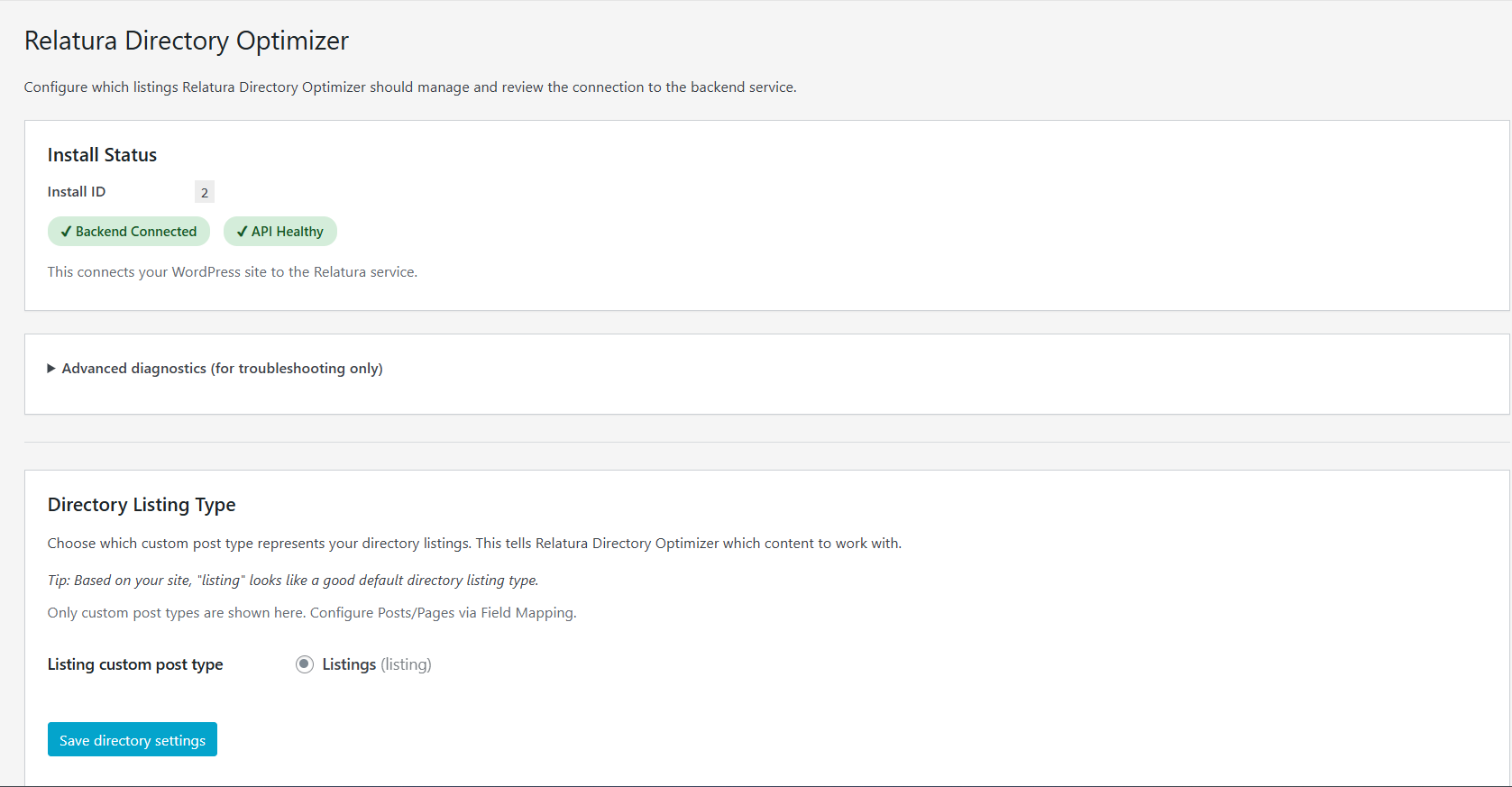
Main Relatura admin dashboard showing backend connectivity status and directory listing configuration. 
Field Mapping interface mapping WordPress directory fields to Relatura’s normalized schema. 
Normalization preview screen showing original and normalized values before execution. 
Execution Summary ledger showing results of a normalization run, including updated and skipped listings. 
Listing edit screen displaying the “Relatura Normalized Fields” metabox with saved normalized output and timestamp. 
LLM Settings page (Preview / Coming Soon) showing provider selection interface for future customization.
نصب
- Upload the plugin folder to
/wp-content/plugins/ - Activate the plugin through the WordPress admin
- Configure directory field mappings
- Preview normalization output
- Run normalization to generate AI-powered structured data
سوالات متداول
-
Does this plugin require an external service?
-
Relatura requires an AI provider to perform real normalization.
Preview and configuration tools are available without configuring an AI provider. -
Does this plugin modify my data automatically?
-
No. Changes are previewed first and only applied when explicitly confirmed.
نقد و بررسیها
نقد و بررسیای برای این افزونه یافت نشد.
توسعه دهندگان و همکاران
“Relatura Directory Optimizer” نرم افزار متن باز است. افراد زیر در این افزونه مشارکت کردهاند.
مشارکت کنندگان
ترجمه “Relatura Directory Optimizer” به زبان شما.
علاقه مند به توسعه هستید؟
Browse the code, check out the SVN repository, or subscribe to the development log by RSS.
گزارش تغییرات
0.1.0
- Initial release