
توضیحات
Adds an admin color scheme which not only colorizes the admin menu and
the admin bar but the whole page.
Use it if you know the admin pages, if you know the location of everything
because solarized’s contrast is lower than other color schemes
to ease your eyes.
This plugin is based on Ethan Schoonover’s project of the same name.
How do I switch color scheme?
Go to Users / Your Profile and click on “Solarized”.
عکسهای صفحه

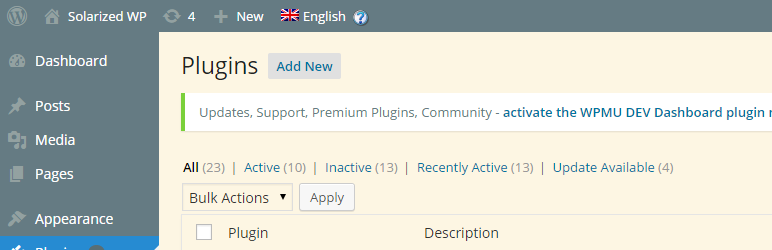
Plugin list page.
نصب
This section describes how to install the plugin and get it working.
- Unzip the plugin to the
/wp-content/plugins/directory. - Activate the plugin through the ‘Plugins’ menu in WordPress.
سوالات متداول
- Lowered visibility
-
This plugin is to ease your eyes not to provide high visibility.

توسعه دهندگان و همکاران
“Solarized Admin Color Scheme” نرم افزار متن باز است. افراد زیر در این افزونه مشارکت کردهاند.
مشارکت کنندگان
ترجمه “Solarized Admin Color Scheme” به زبان شما.
علاقه مند به توسعه هستید؟
کد را مرور کنید, را بررسی کنید مخزن SVN, یا مشترک شوید گزارش توسعه توسط RSS.
گزارش تغییرات
0.2.1
- Rephrasing things
- Semver
- WordPress 4.3 compatibility
0.2
- Support CSS debugging and small corrections.
0.1
- Initial release after some testing. Not complete!